You can purchase Telegram stars on iPhone and Android in Russia through official methods and third-party platforms. The latter option is more attractive due to its low prices and fast delivery, as well as the ability to receive any amount of currency, rather than a fixed amount as the messenger offers.
In this guide, we'll cover all the ways to buy Telegram Stars on iOS, Android, and PC, how to gift stars to friends, and where to get free currency.
How much do stars cost in Telegram
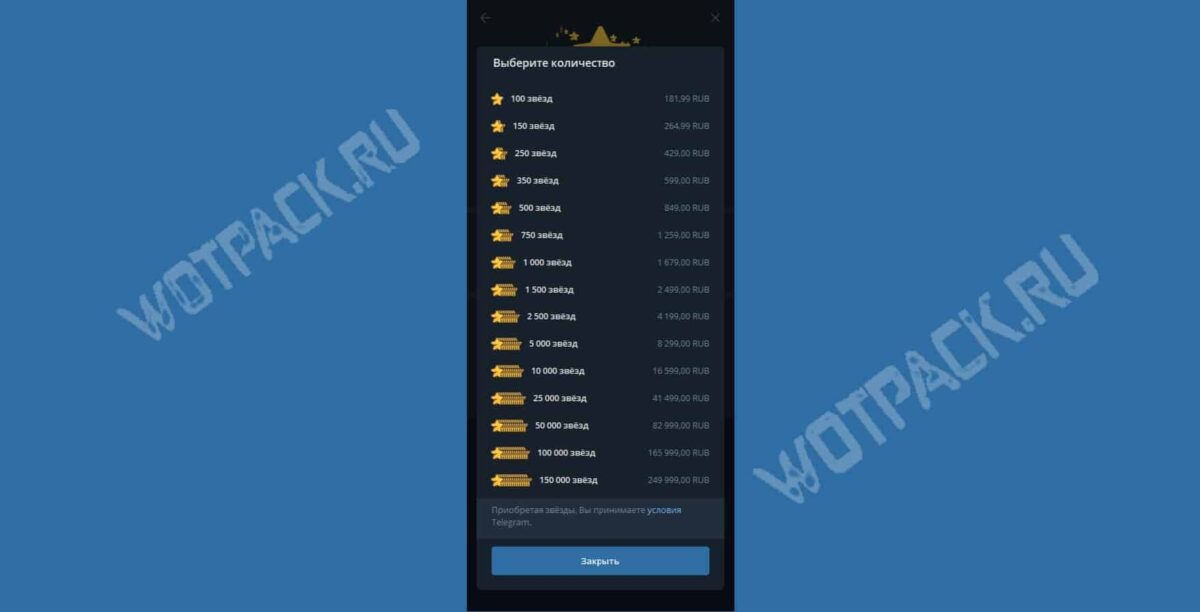
You can buy stars in sets from via messenger 100 until 150 000 piecesThe price changes periodically, and the larger the pack, the cheaper the unit of currency. The table compares the current price ⭐ in the official app and with intermediaries, but the price may change due to exchange rates.
| Telegram | Donatov.net | Fragment | |
| 100⭐ | 181.99 rubles. | 144 rubles. | 131 rubles. |
| 500⭐ | 849 rubles. | 719 rubles. | 627 rubles. |
| 1000⭐ | 1679 rubles. | 1439 rubles. | 1315 rubles. |
How to buy stars in Telegram in Russia in 2026
You can purchase stars on Telegram in Russia through the app and the official bot, but only bundles are available, and they're quite expensive. Third-party platforms offer smaller packs and lower prices.
Whether you're making a purchase on Android, iPhone, or a PC app, the cheapest way to pay is directly, without using wallets like Apple Pay or Google Pay. Otherwise, you'll face high fees.
Buying stars at a discount
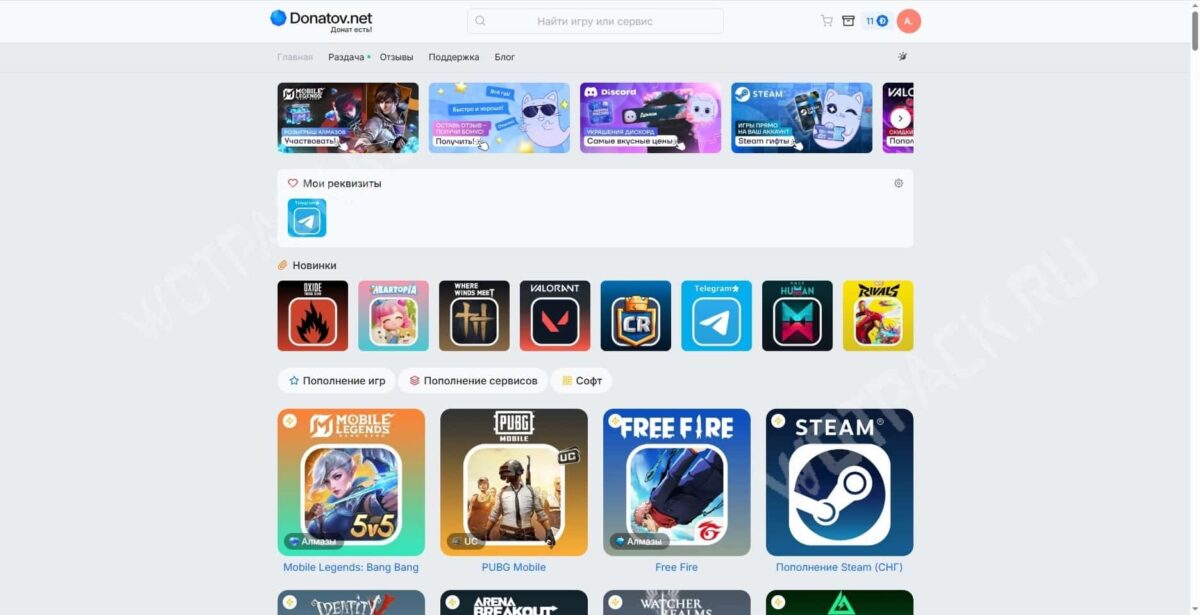
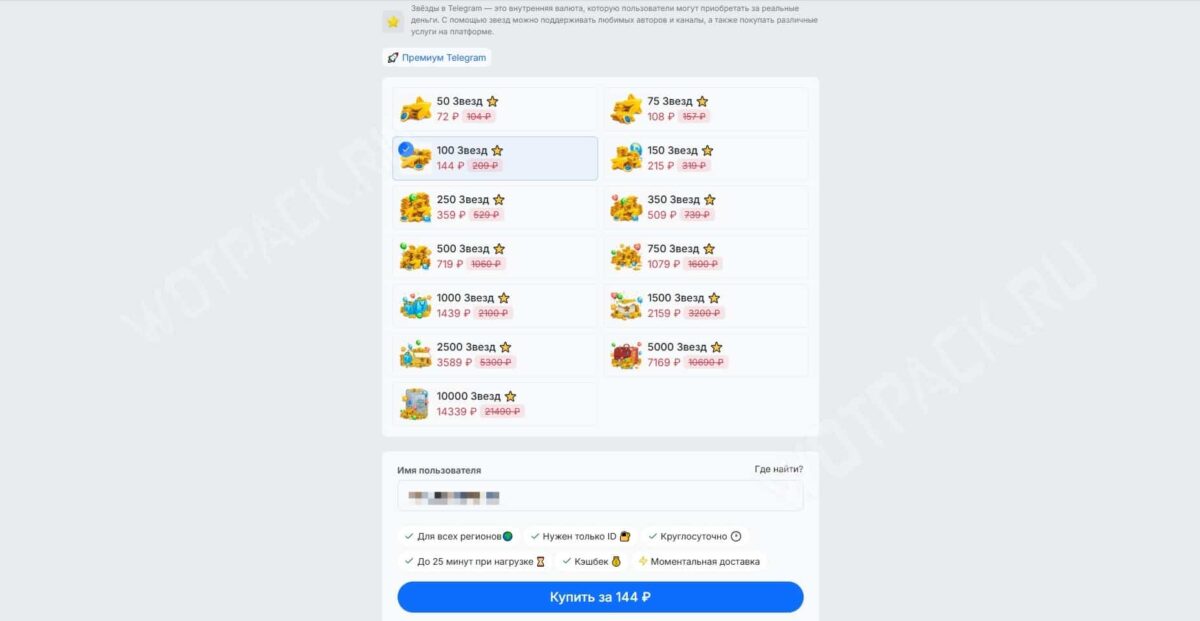
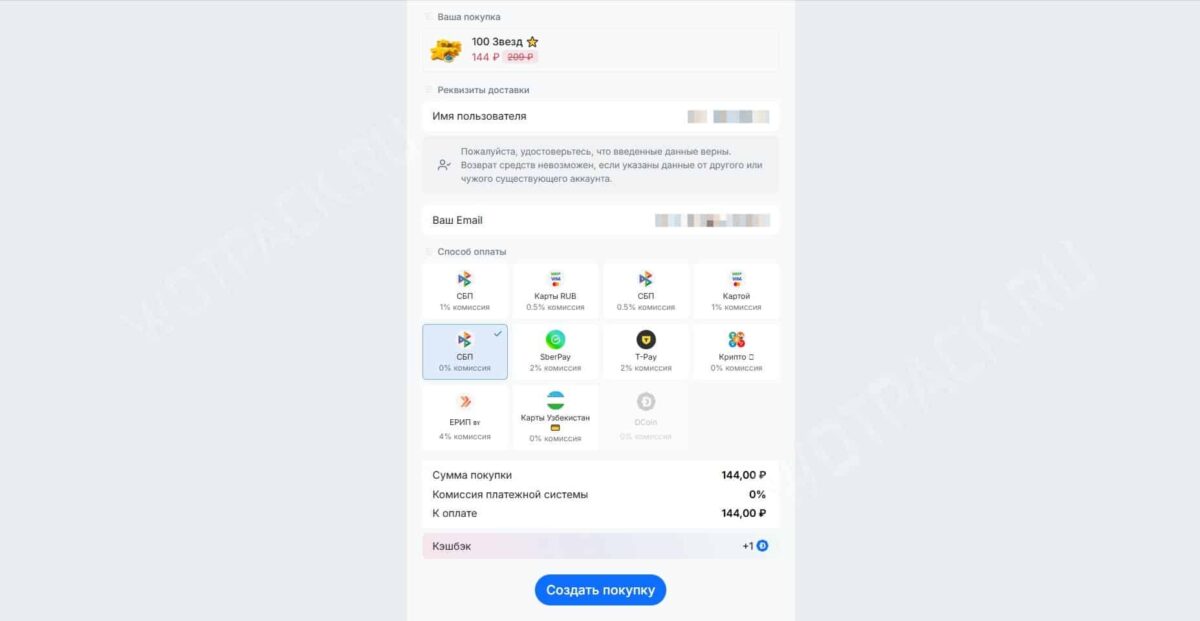
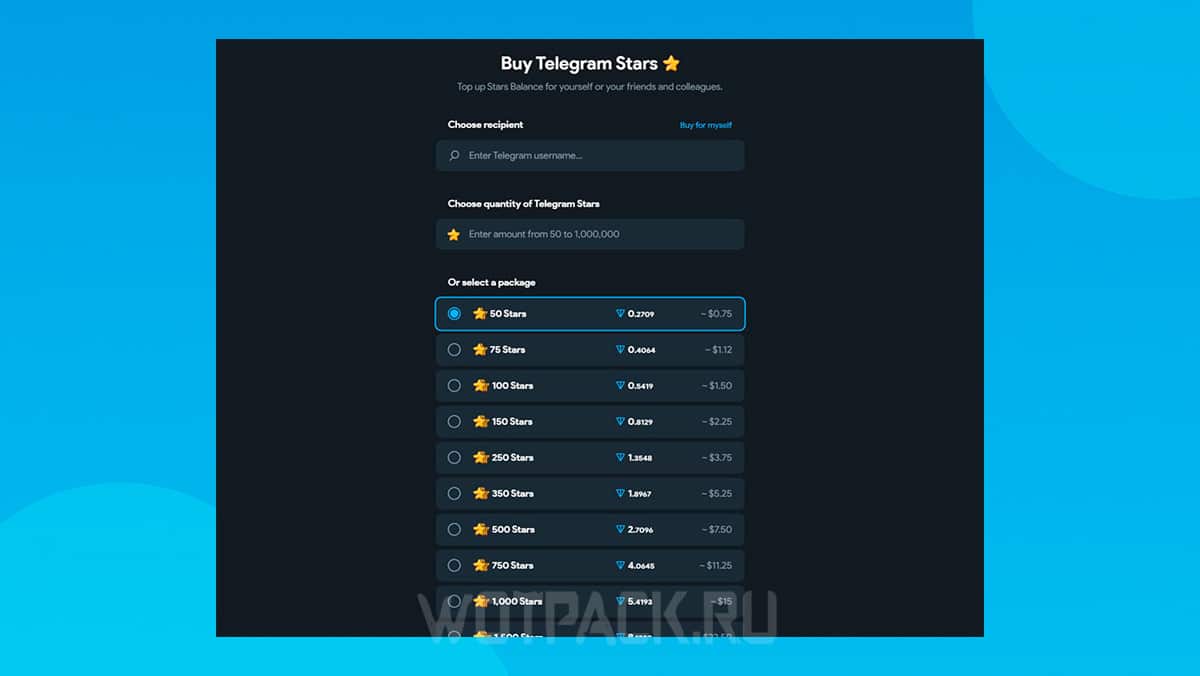
You can buy Telegram Stars below the official price, for example, in Donatov.net refill storeThe selection offered on this platform differs from the "Balance Top-up" offers in the app itself. There are sets of 50 to 10,000 stars (25,000 or more are unavailable), and the service costs less. 15-20%.
To place an order you only need Username:
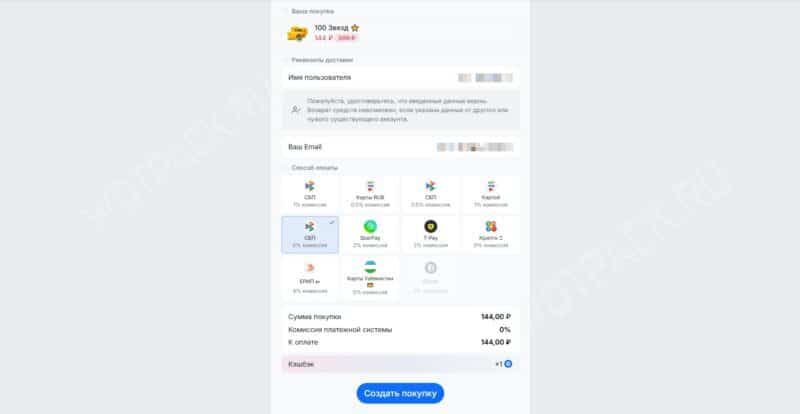
- Open the page Buy Telegram Stars, select one of the available offers and enter the username in the appropriate field.
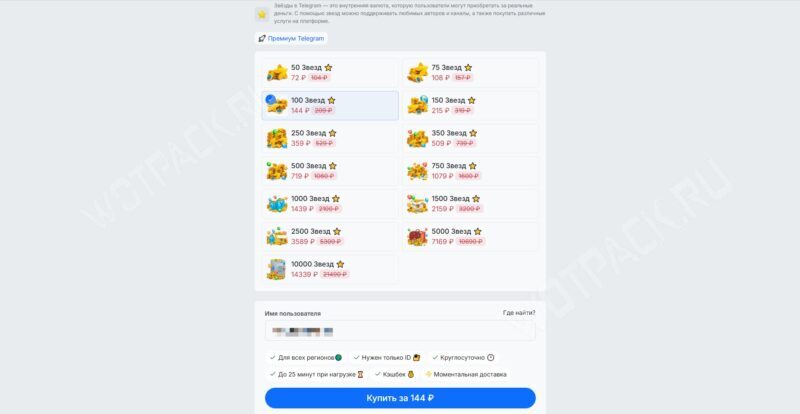
- If you don't remember your username, open your personal profile and go to "Settings": under the phone number you will find a nickname in the format @usernameCopy it by clicking, paste it into the form and click "Buy".
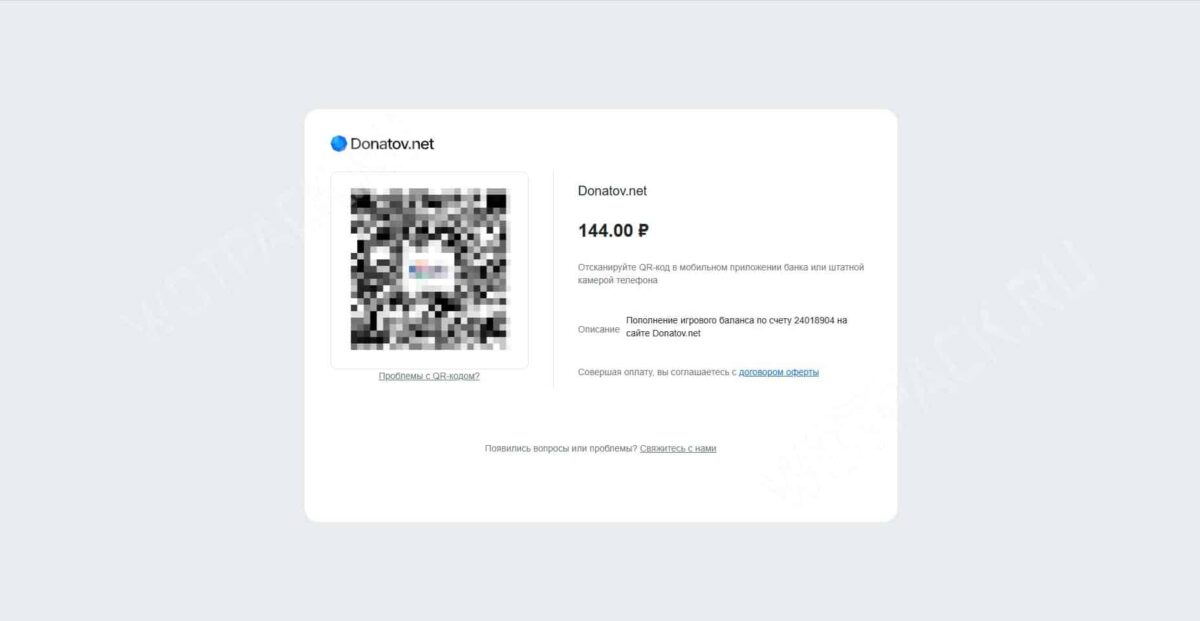
- Pay for the service using any convenient method: a Russian or foreign bank card, a QR code scan using the Fast Payment System (SBP), or another method.
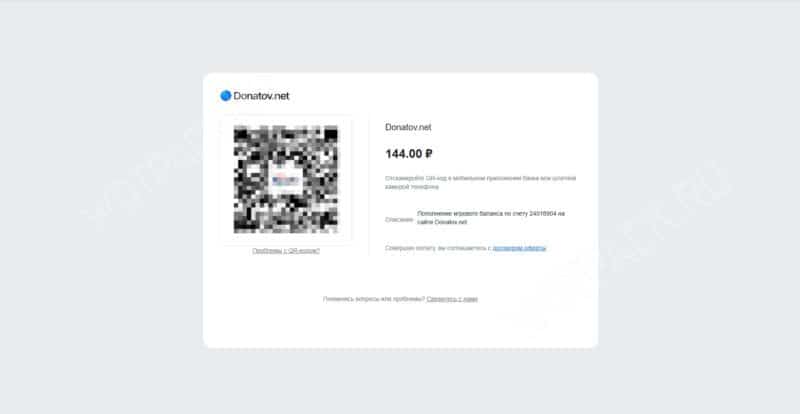
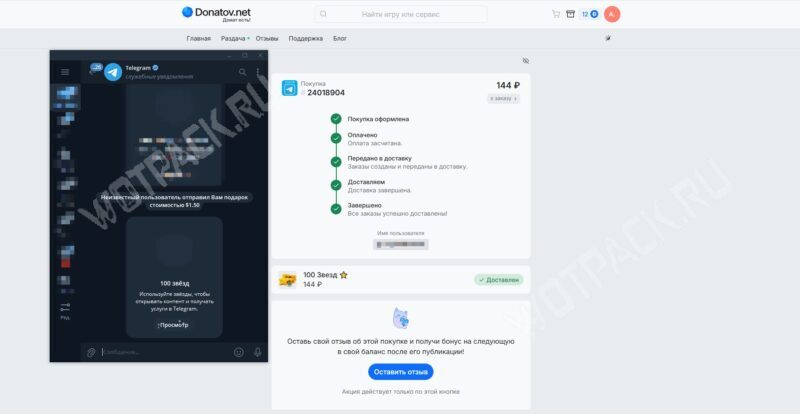
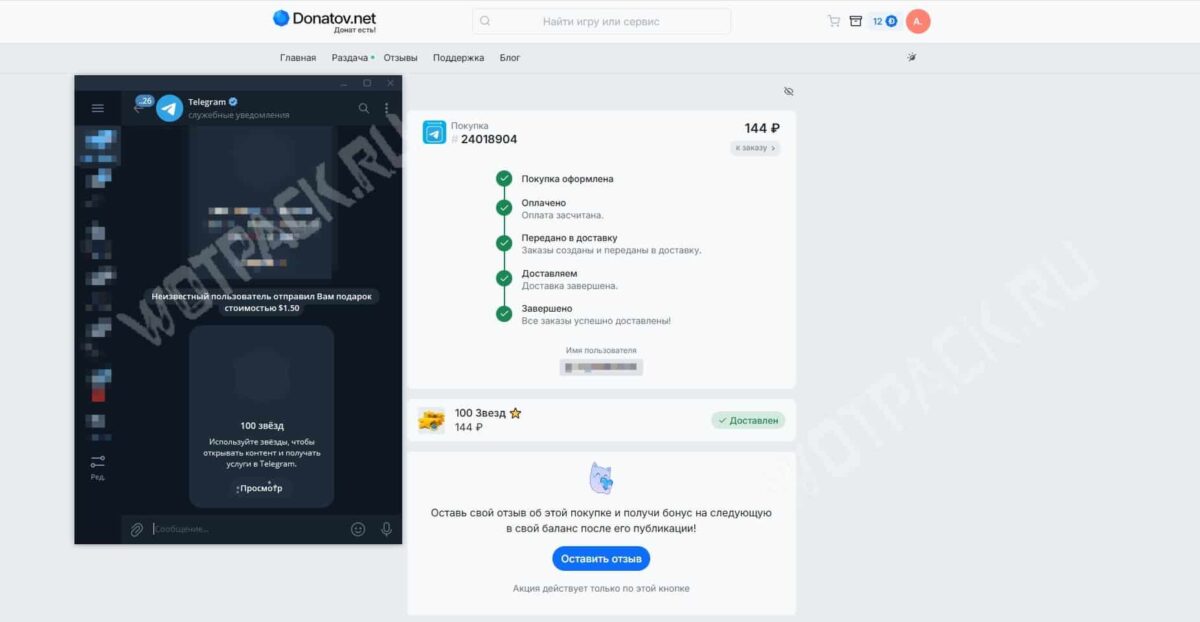
- After this, the order will be transferred to the status "In delivery"You can track your order's progress through the "Service Notifications" chat.
How to buy stars via Fragment
If you use cryptocurrency, you can buy stars on Telegram through Fragment. The platform was originally created for selling usernames and phone numbers, but over time, they added the ability to purchase premium subscriptions and Stars. This method is profitable, but you'll need to provide personal documents for verification.
To purchase stars in Telegram via Fragment, follow these instructions:
- Go to Fragment and log in using Telegram.
- Select the required number of stars.
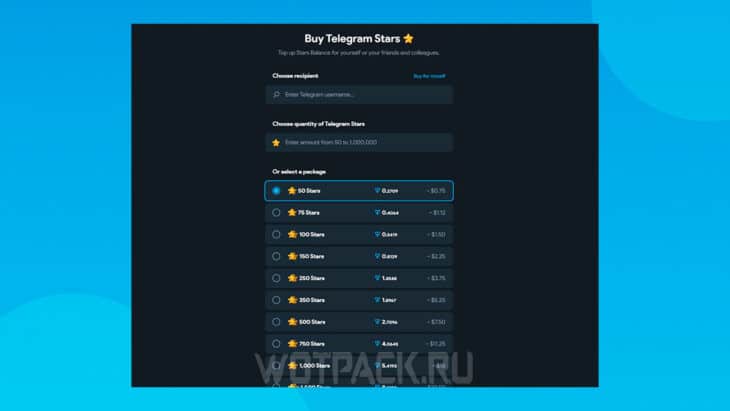
- Agree to verify your account by clicking «Verify my accounts».
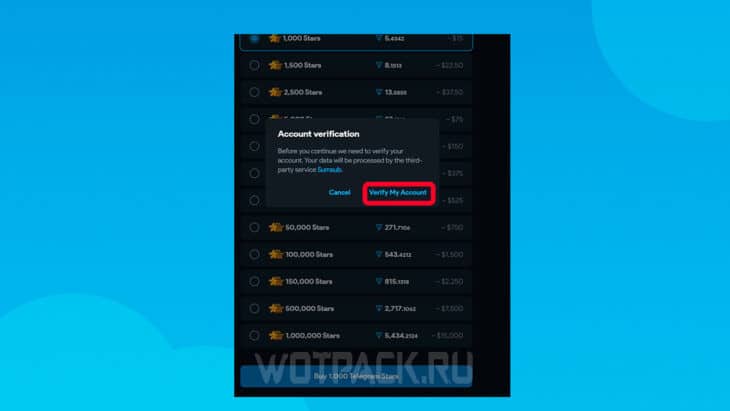
- If you live outside the US, please select «All countries except USA».
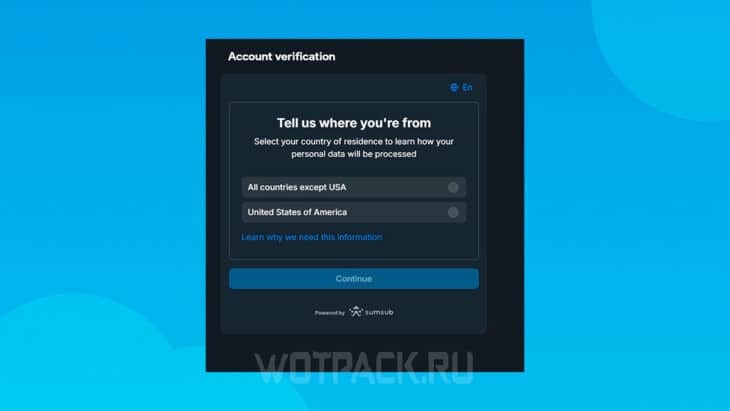
- For your convenience, you can change the language to Russian (icon in the upper right corner) and follow the instructions to complete verification.
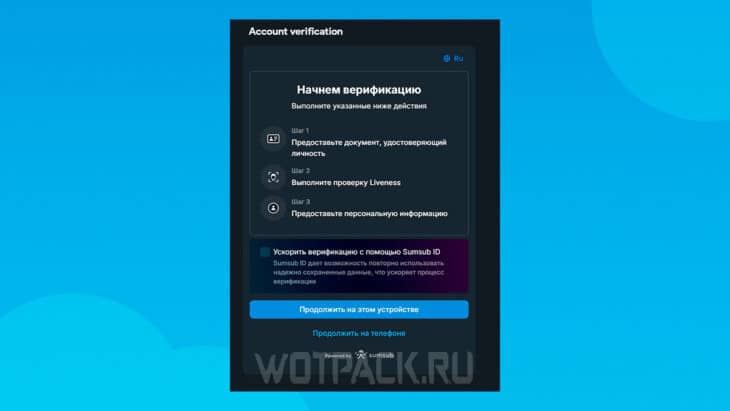
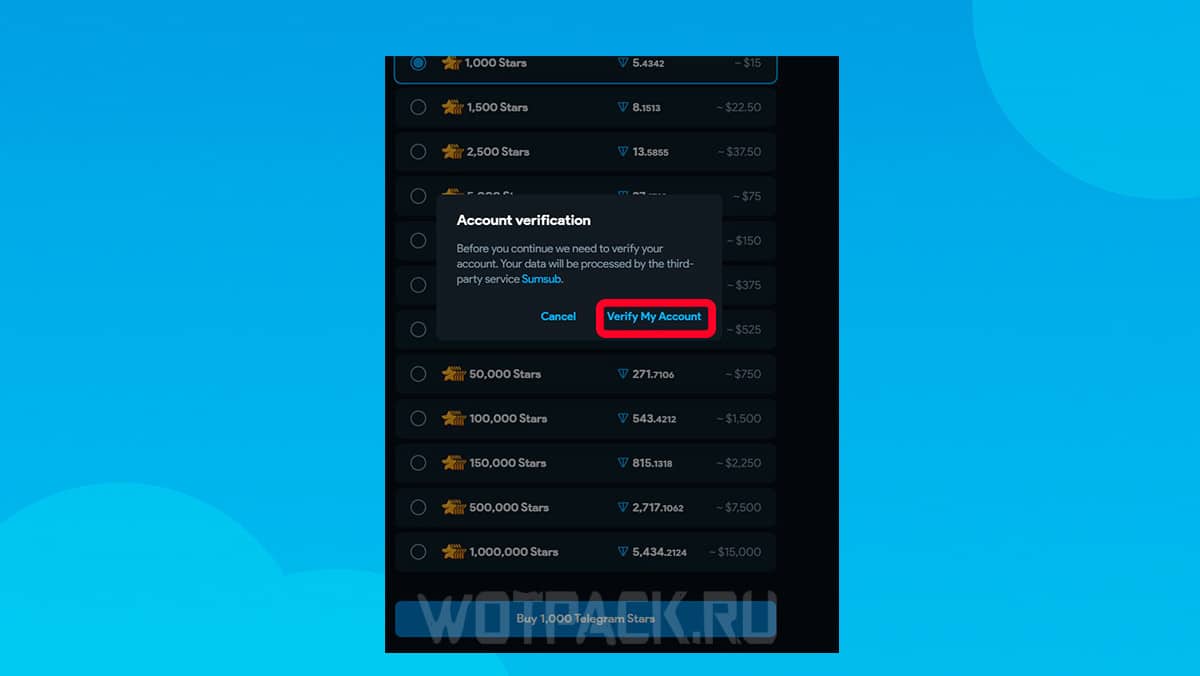
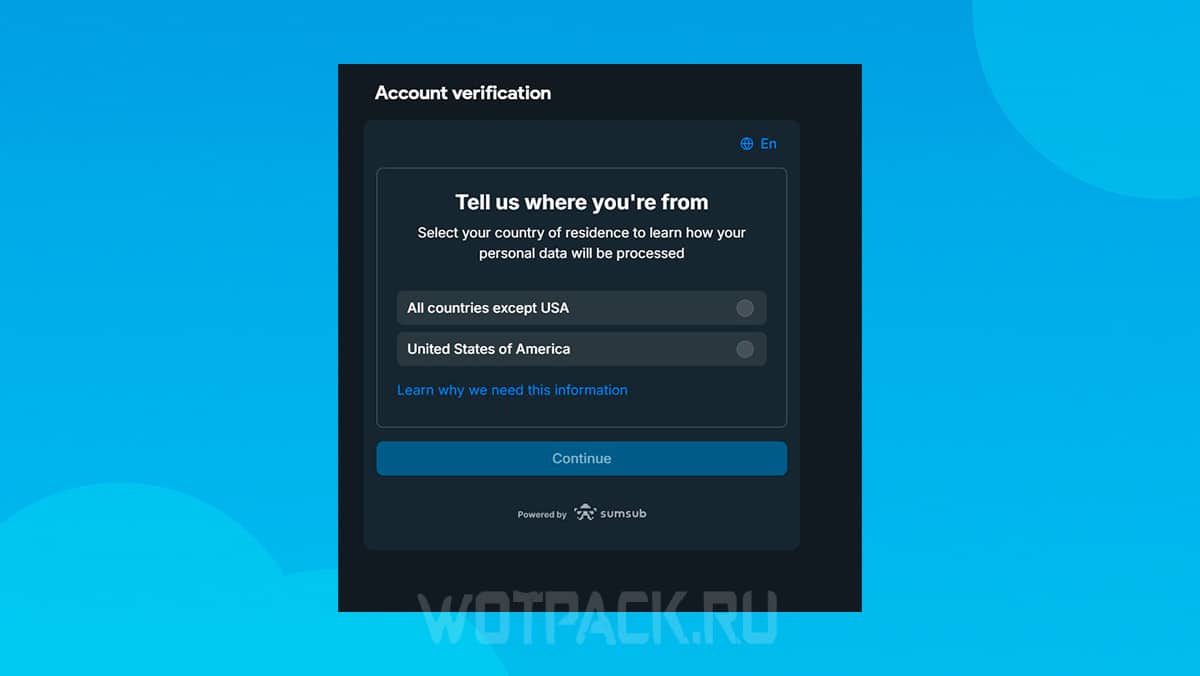
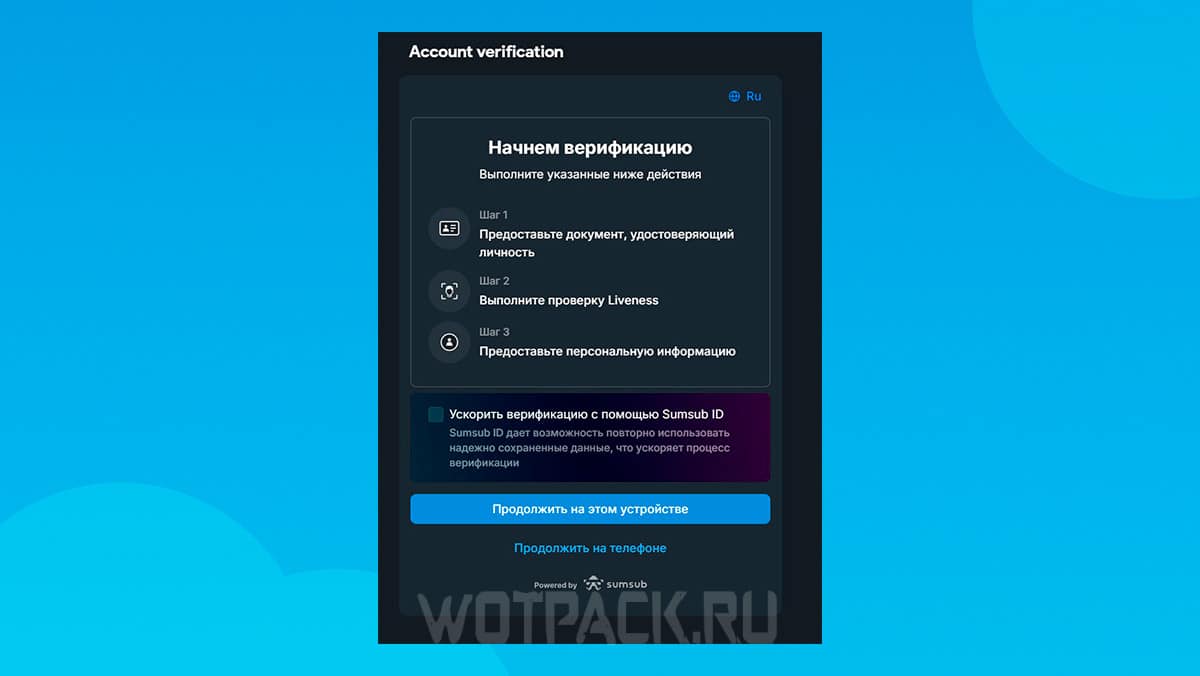
The method is official, all data is protected, and the procedure is standard for any online wallet. The price may be 25-30% lower due to the difference in exchange rates, but there is a small chance of overpaying.
Payment via SberPay
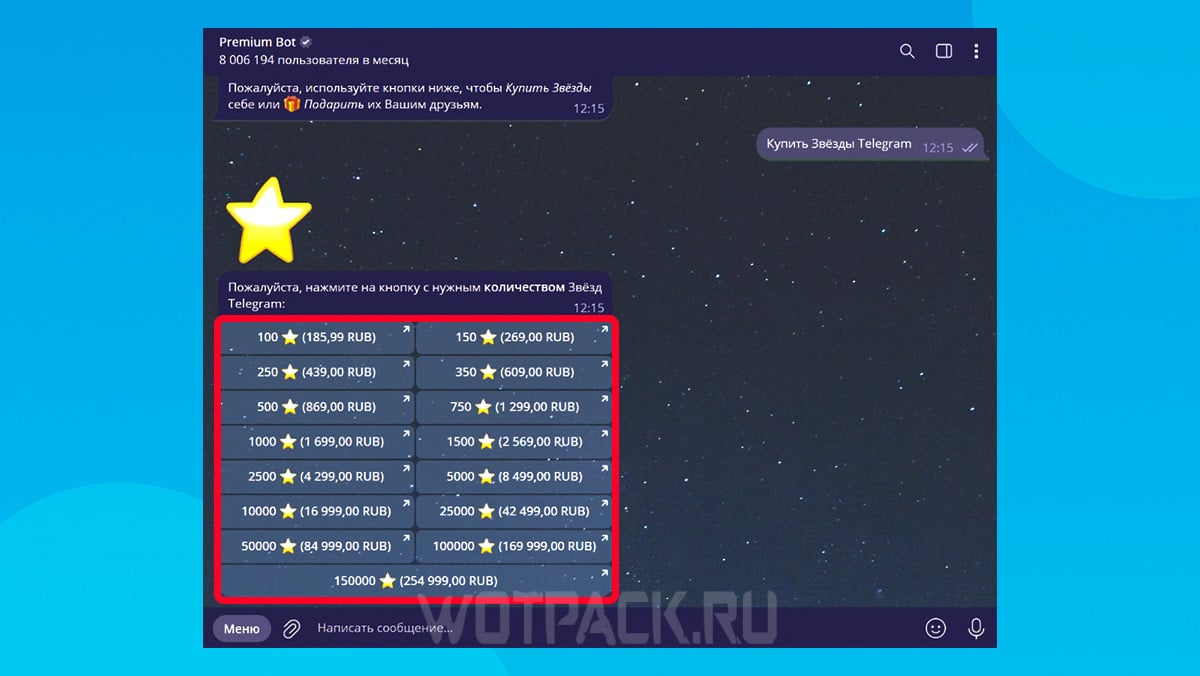
Payment via SberPay is available to any user in Russia using a bot or through account settings. How to purchase stars on Telegram via the bot:
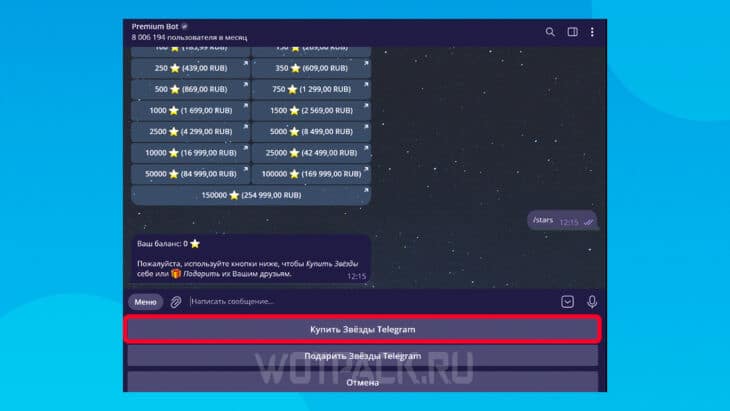
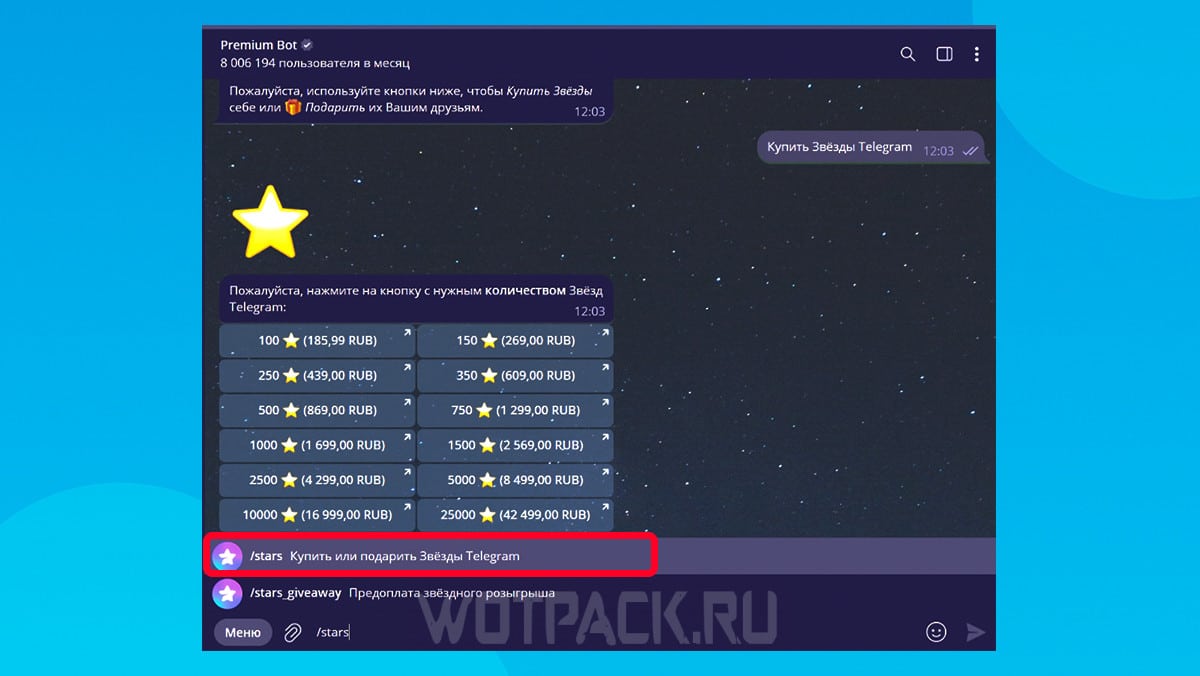
- Go to official chatbot @PremiumBot.
- Run it and type /stars in chat.
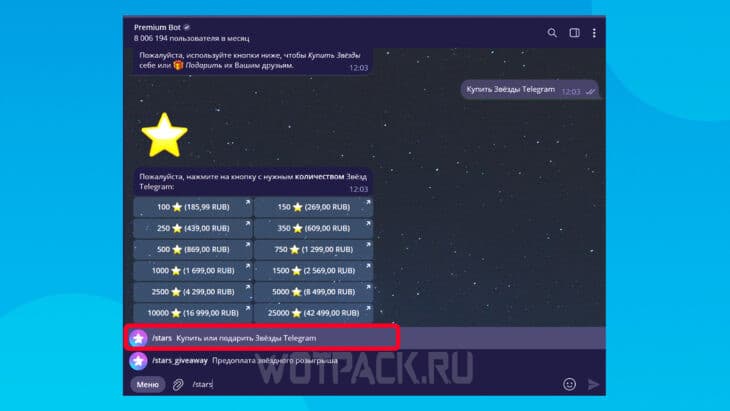
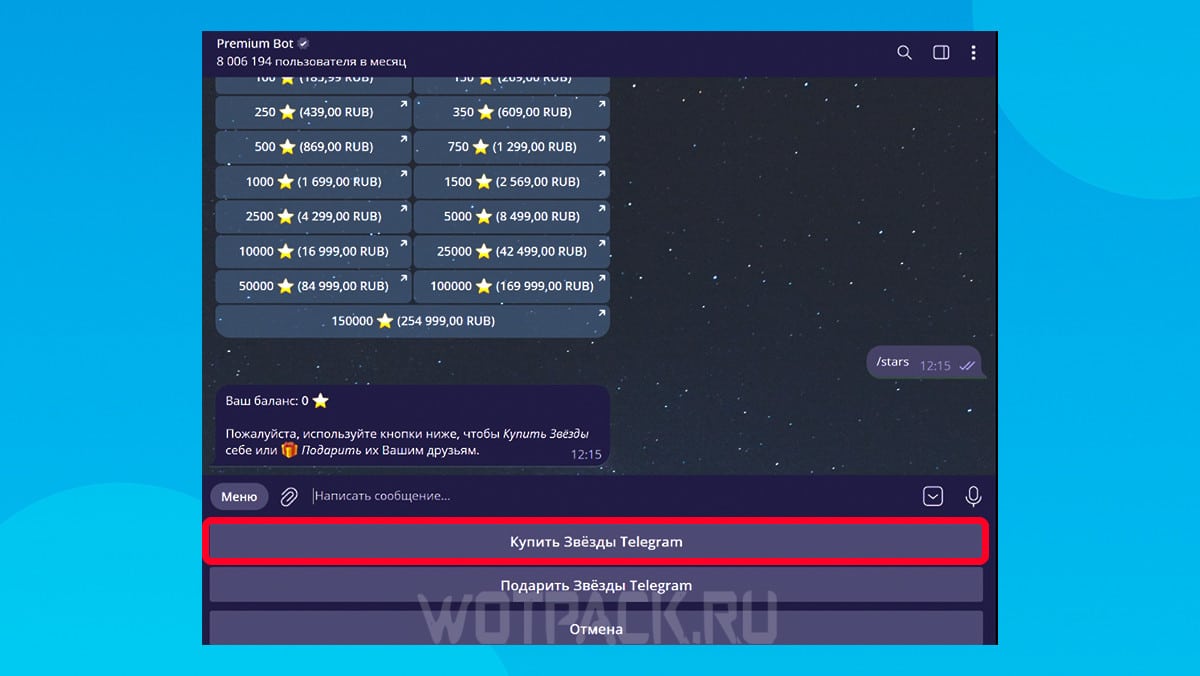
- Choose "Buy stars Telegram».
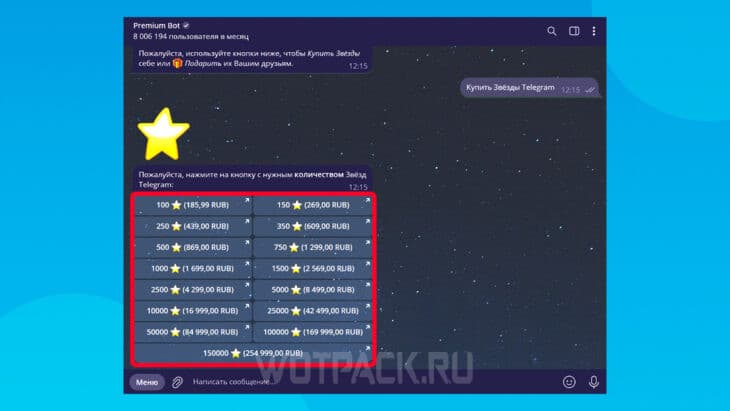
- Click on the desired set.
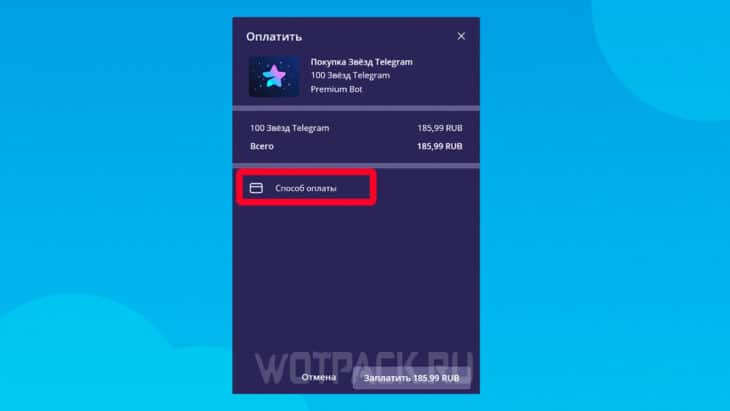
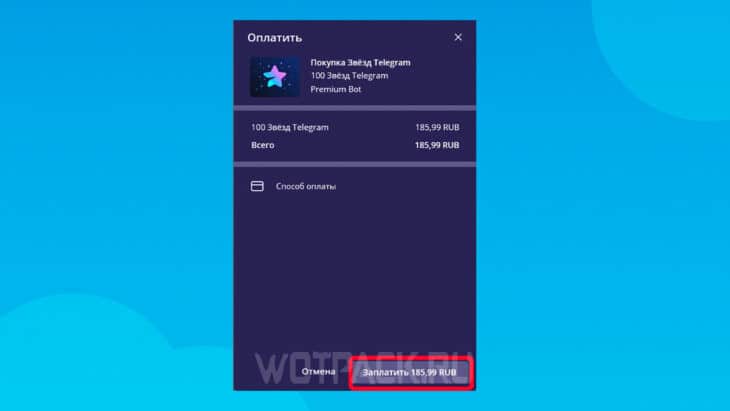
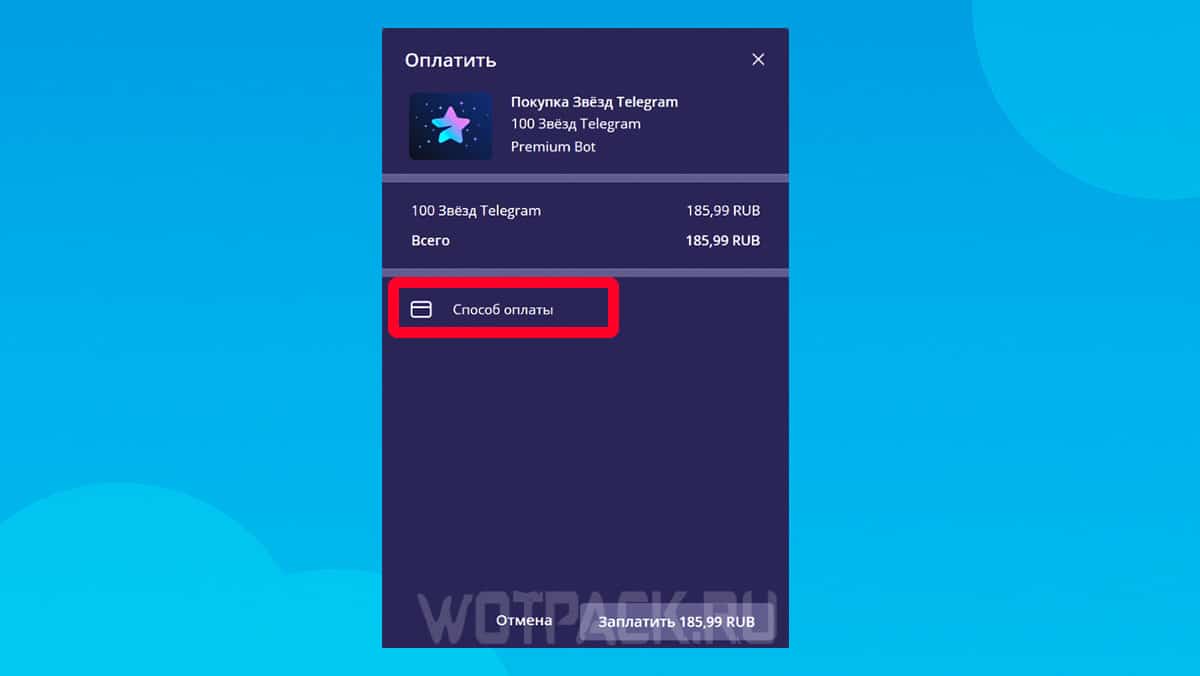
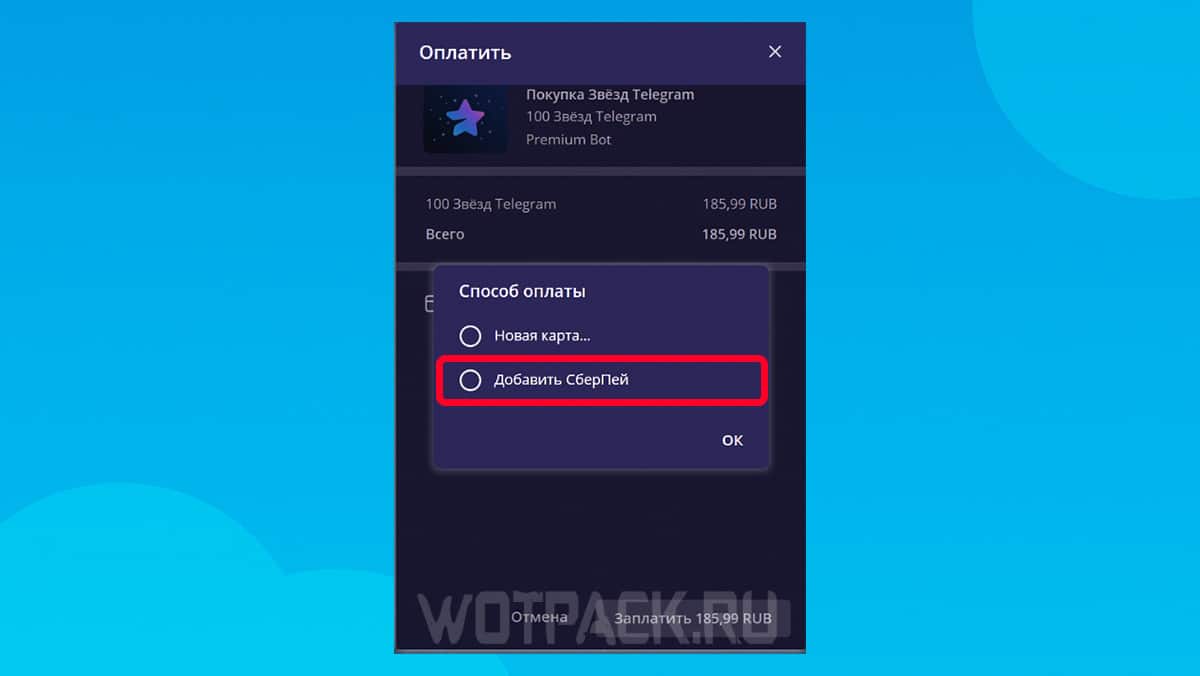
- In the “Payment Method” line, click "Add SberPay".
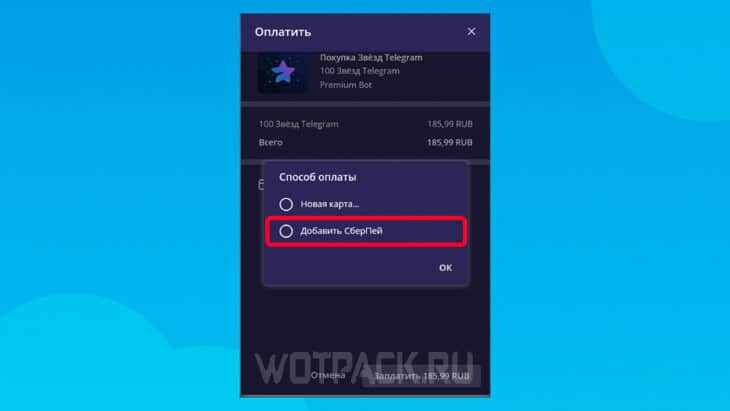
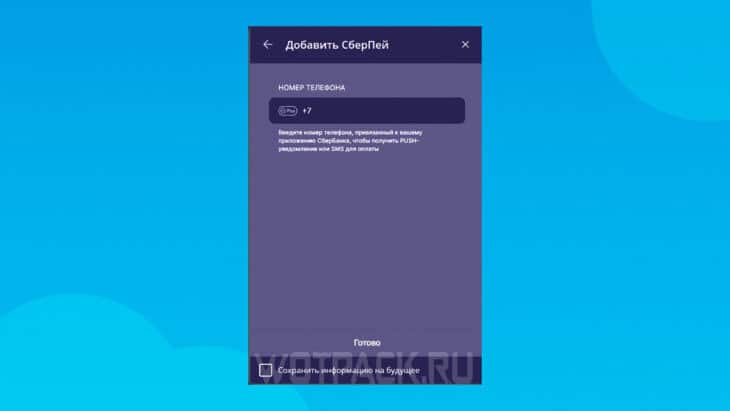
- Enter your phone number to link SberPay.
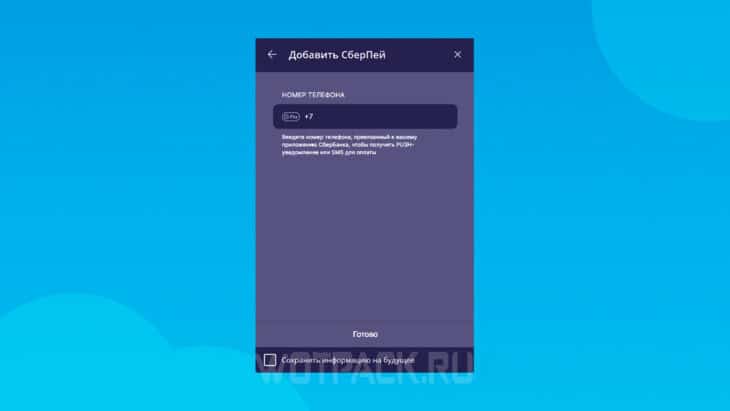
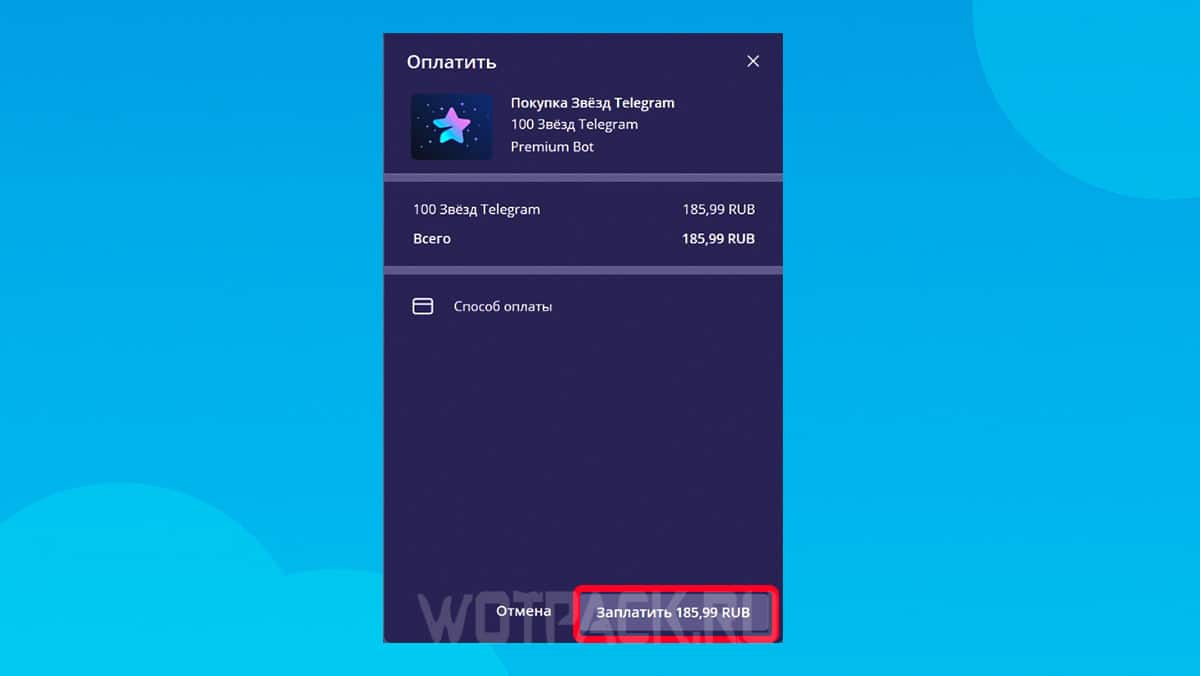
- Complete your purchase by clicking "Pay" in the lower right corner. A notification will be sent to confirm the payment from the bank application.

The second method is similar, but the purchase takes place within the app:
- Click on your profile and open "Settings".
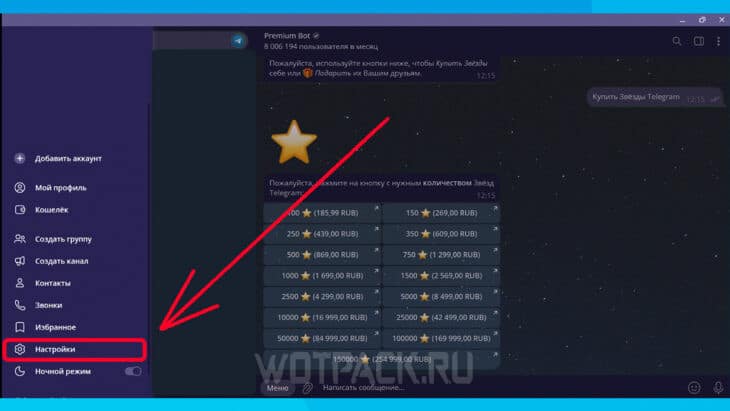
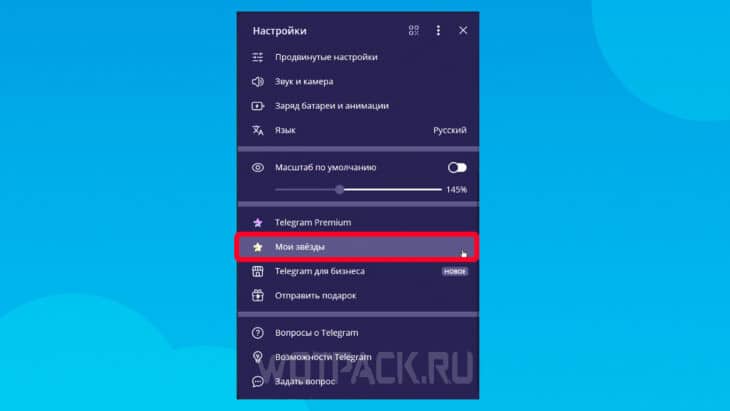
- Go to the tab "My Stars".
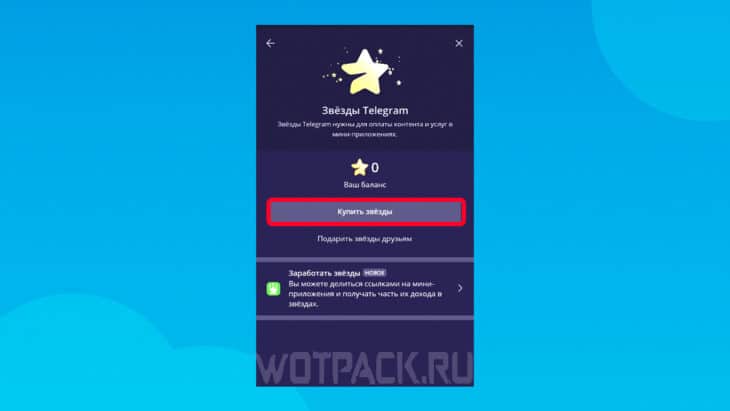
- Click on "Buy stars".
- Select the desired set.
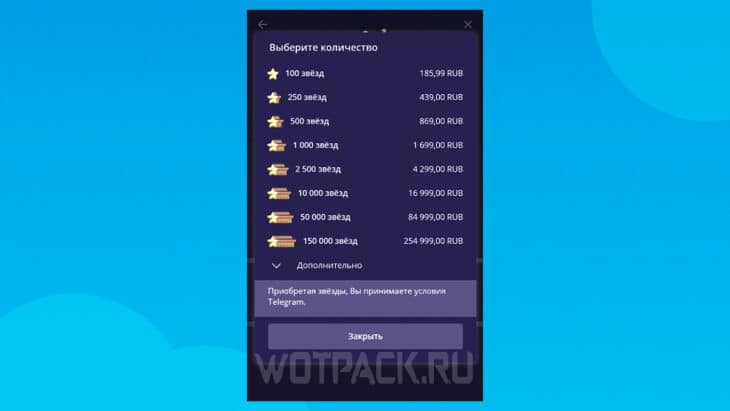
- In the window that opens, click on "Payment method" section and "Add SberPay".
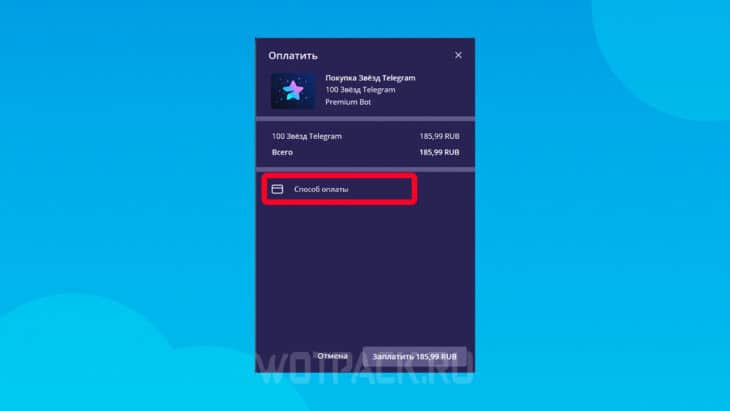
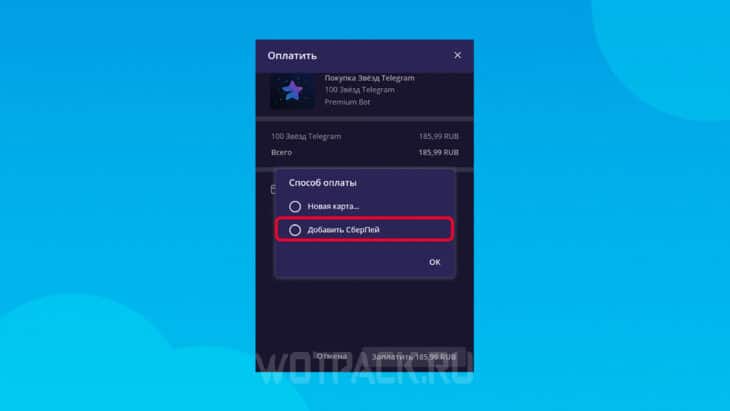
- Enter your phone number and confirm your purchase.
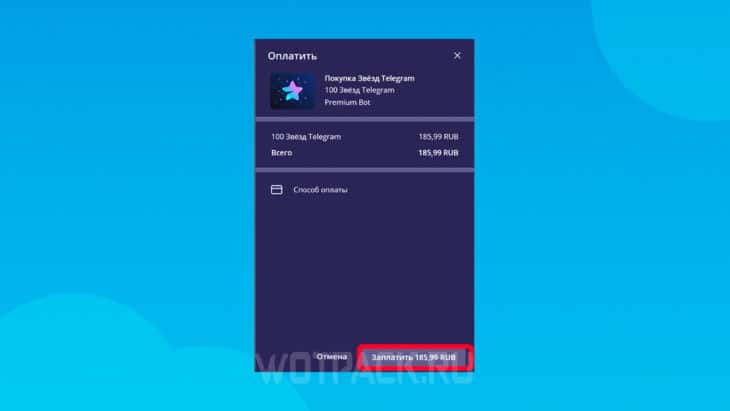
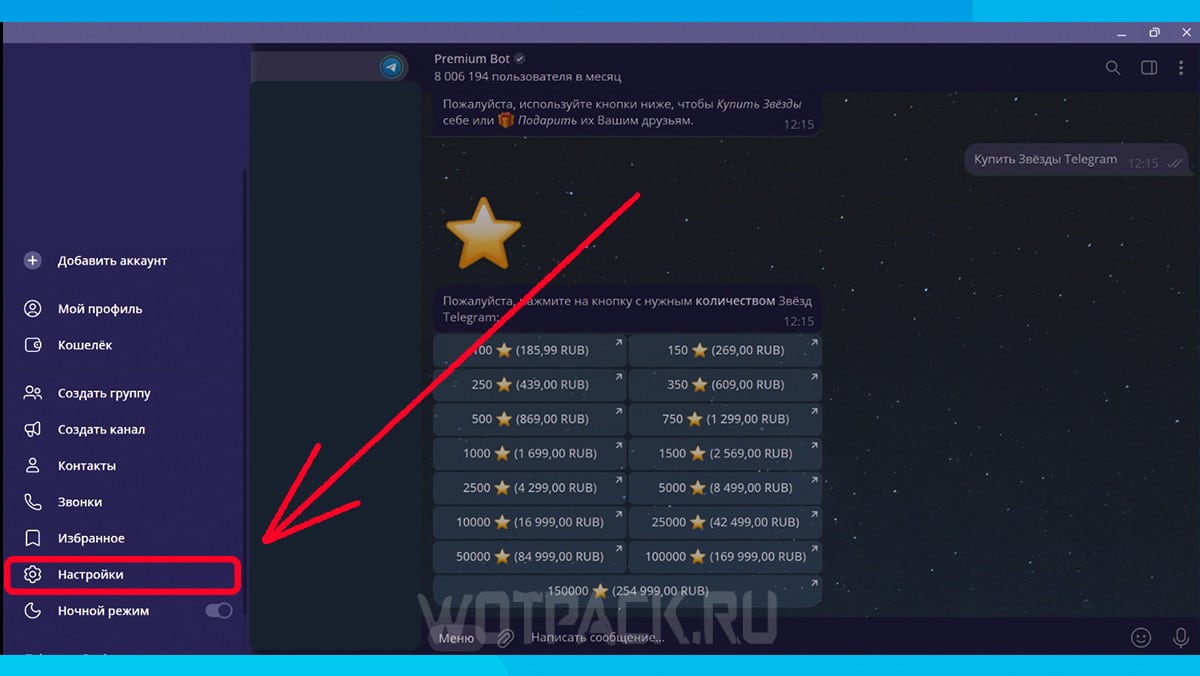
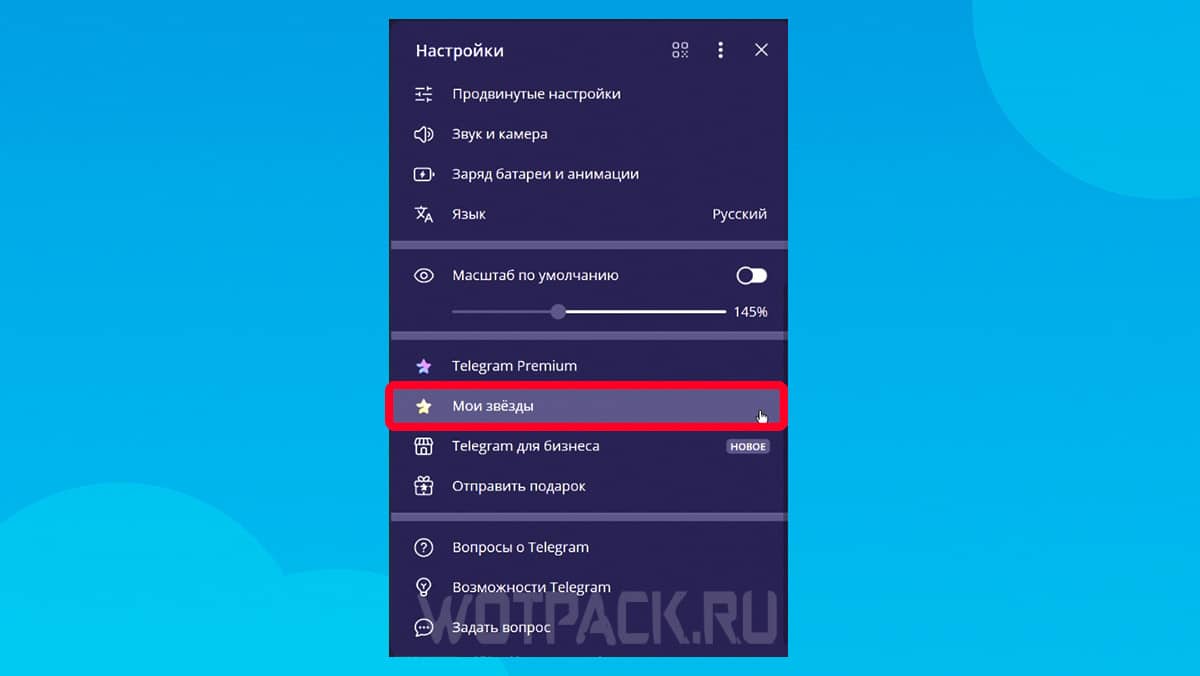
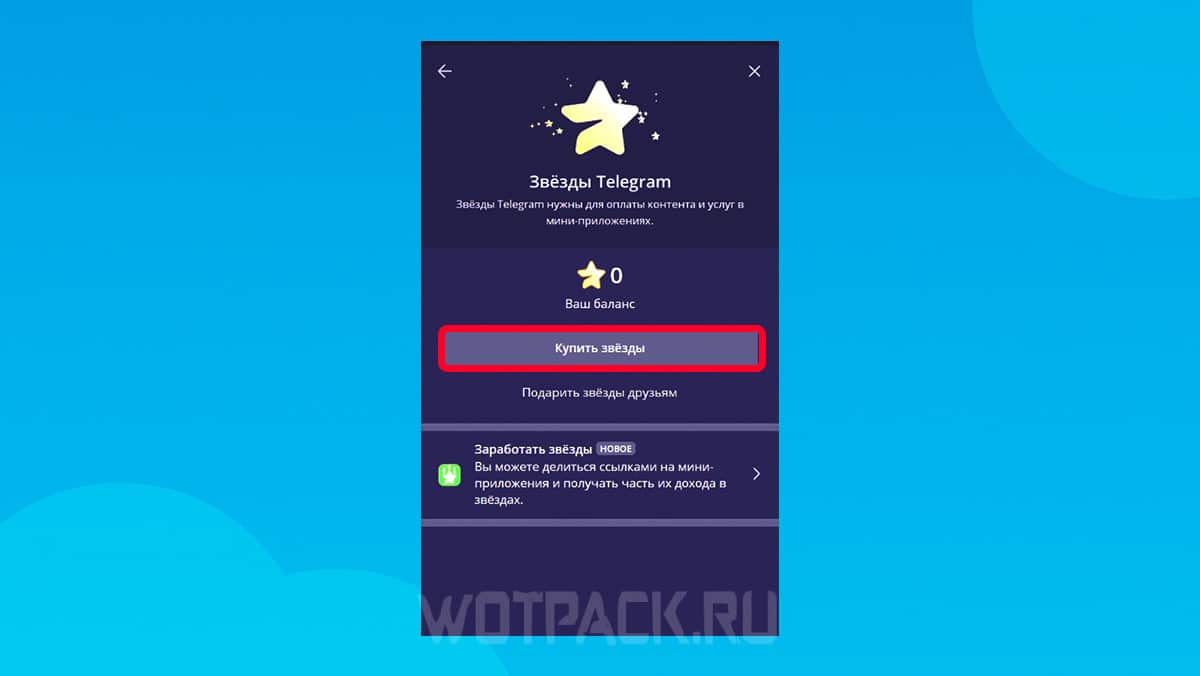
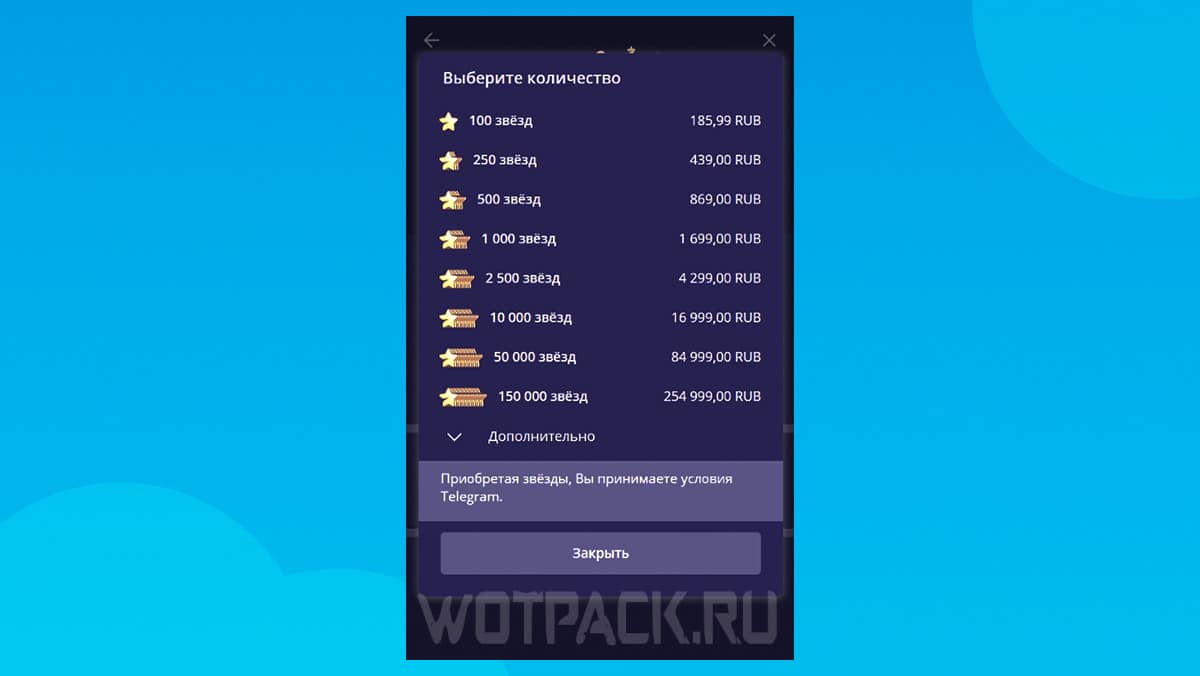
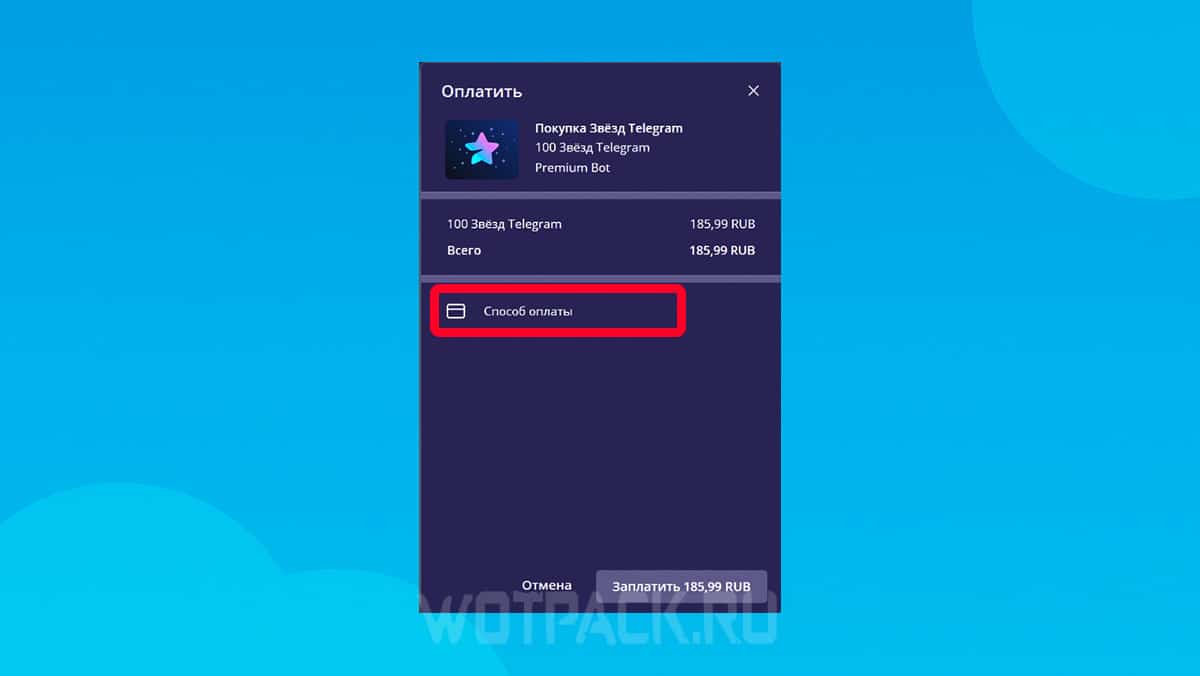
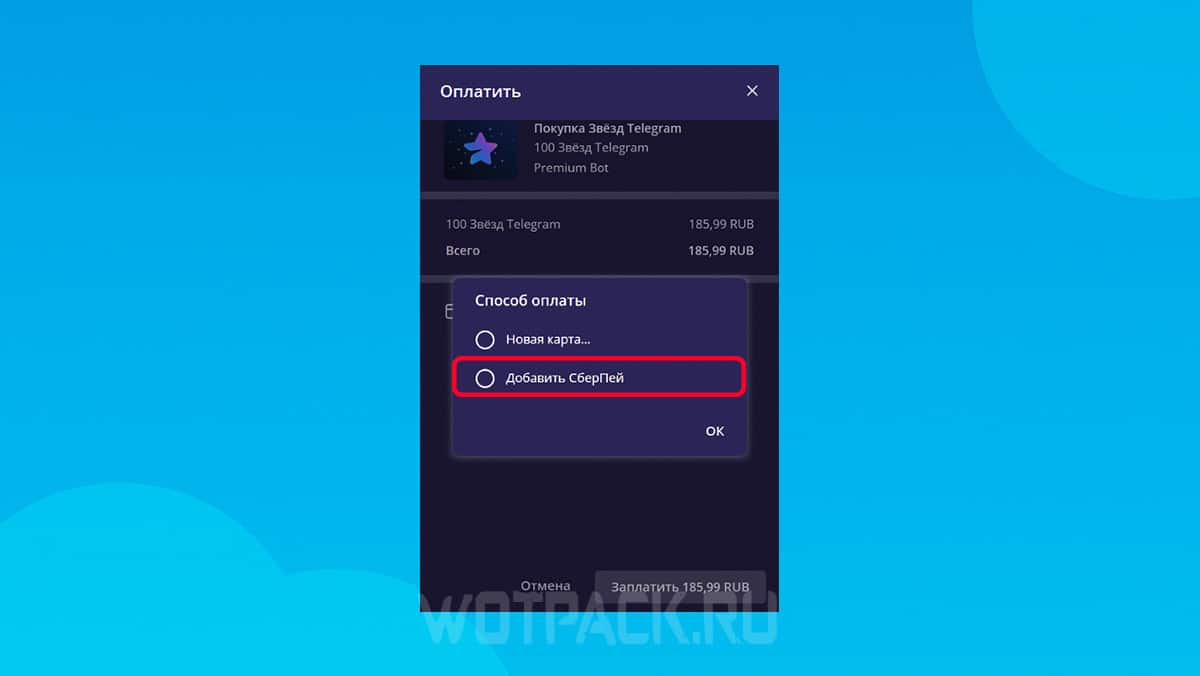
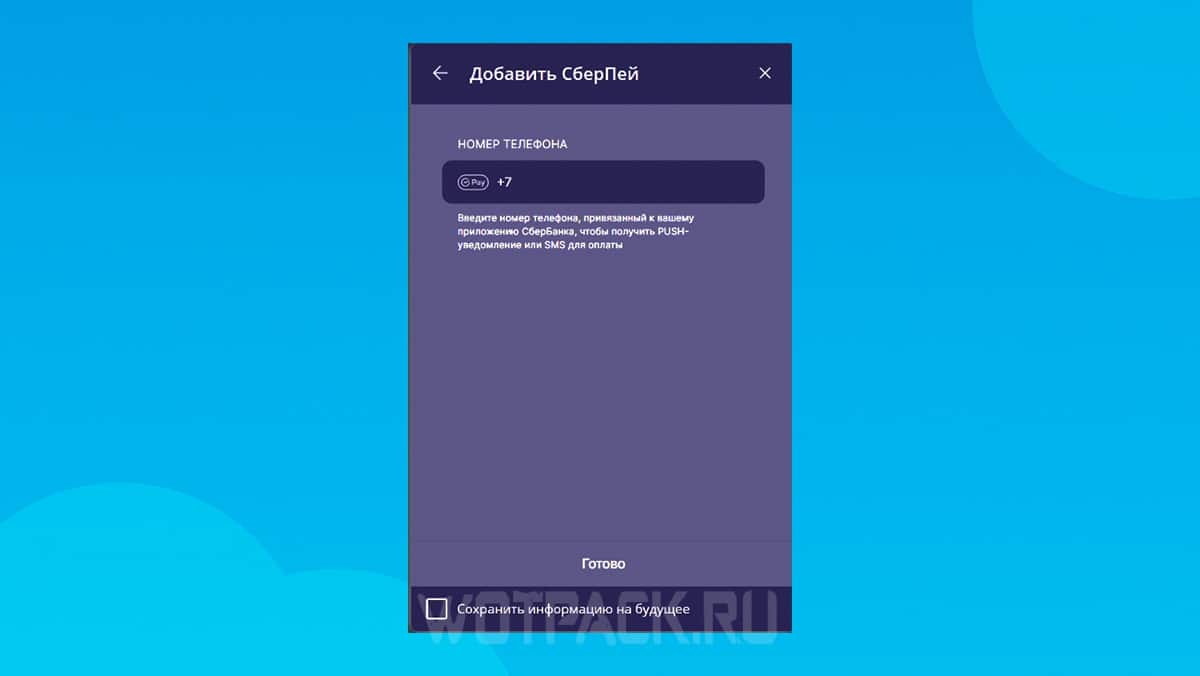
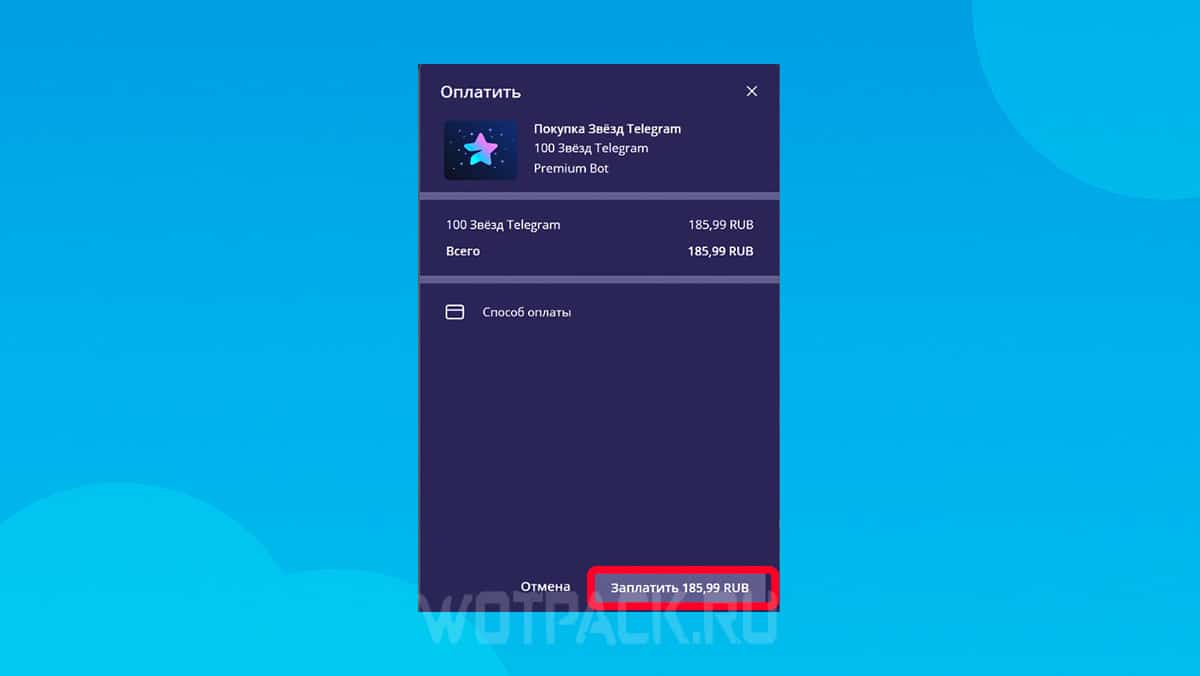
In both cases, Stars will be credited to your account instantly, but the price will be higher than on third-party platforms.
Donate from a Russian bank card
You can donate from a Russian bank card in the same way as with SberPay. Just use the official bot or go to the payment window through the settings:
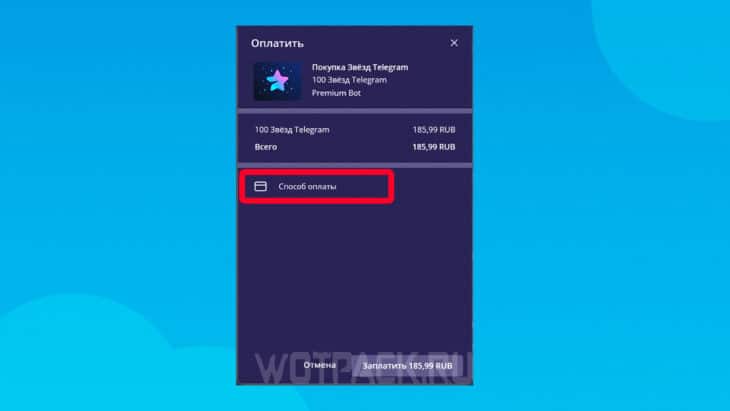
- Once you select the desired number of stars, you will be taken to the "Pay" tab.
- Click on "Payment method".
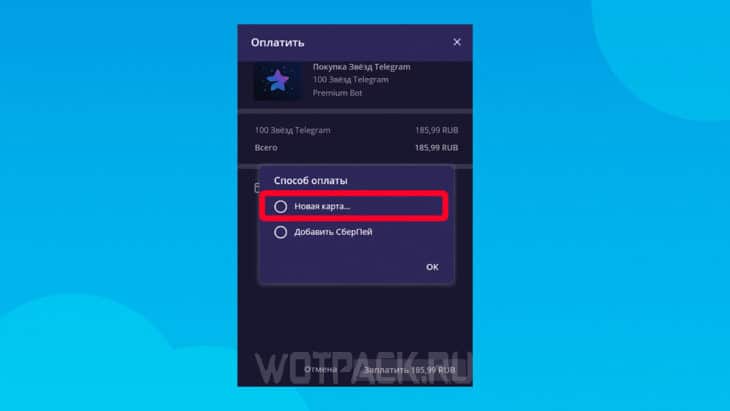
- Click "New Map", if it has not been tied before.
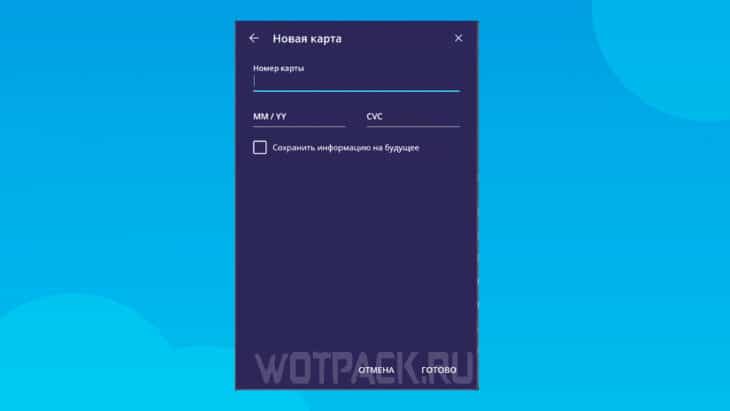
- Please enter your details and confirm.
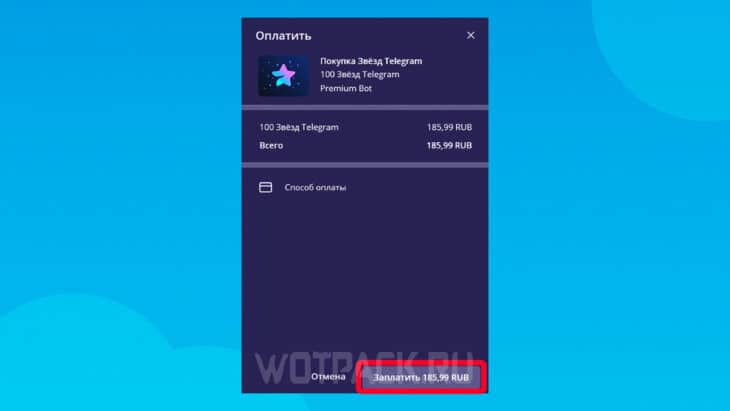
- Choose "Pay" in the lower right corner to get stars.
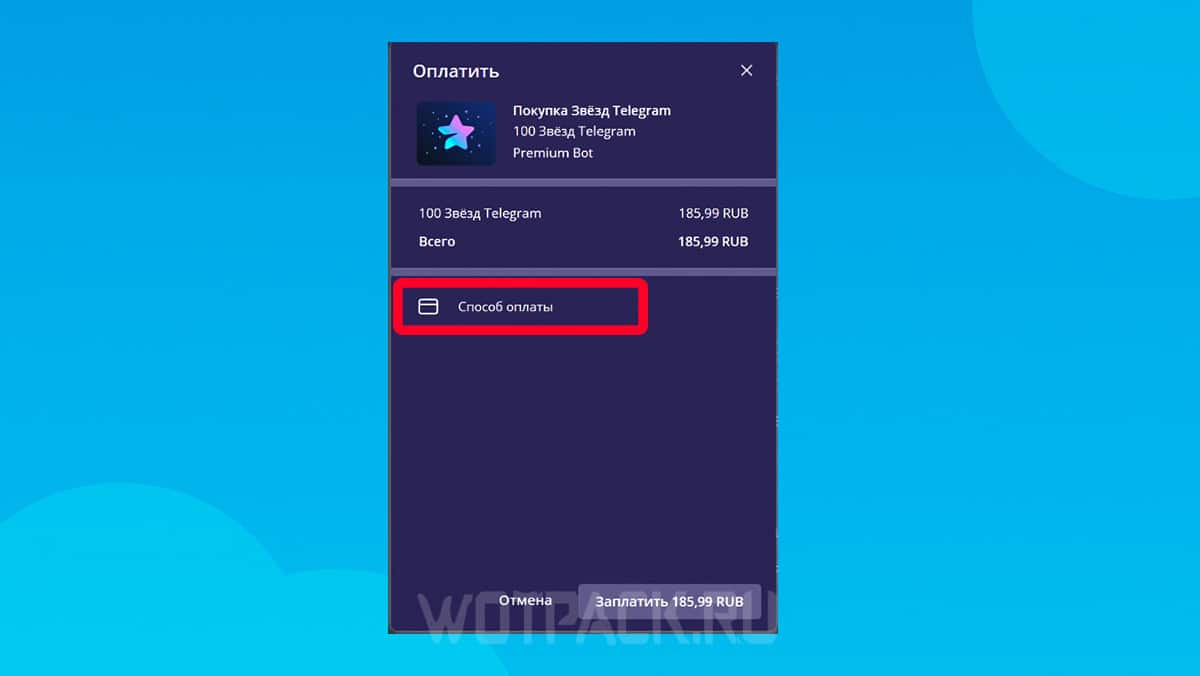
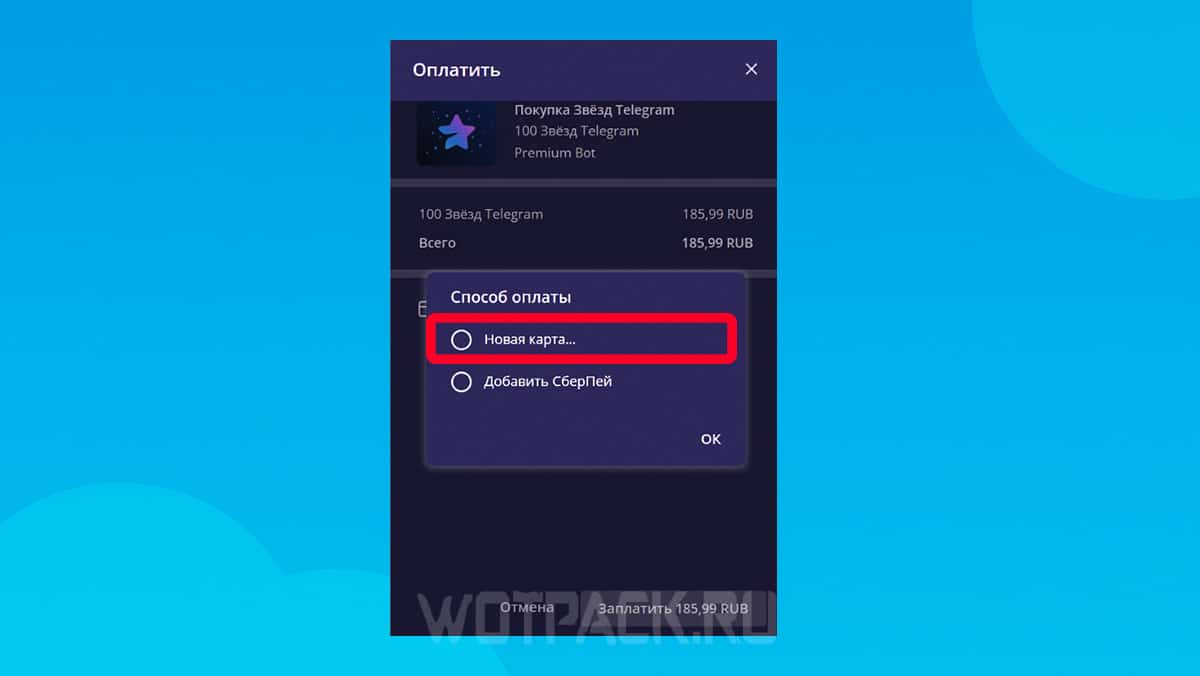
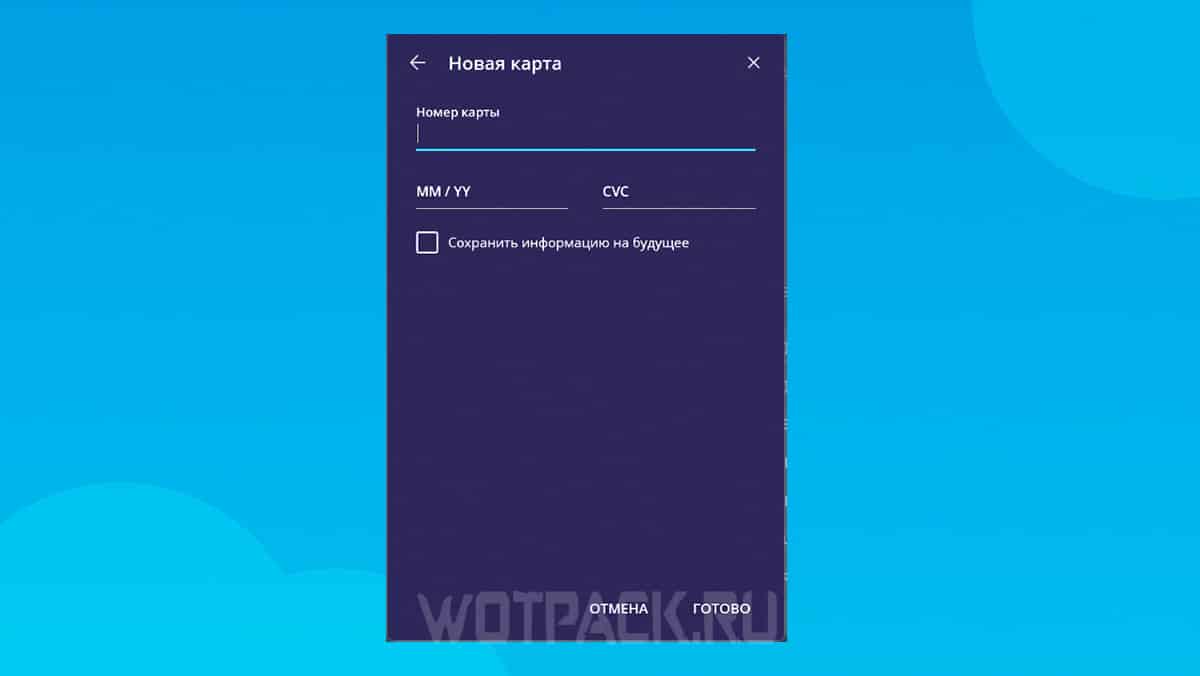
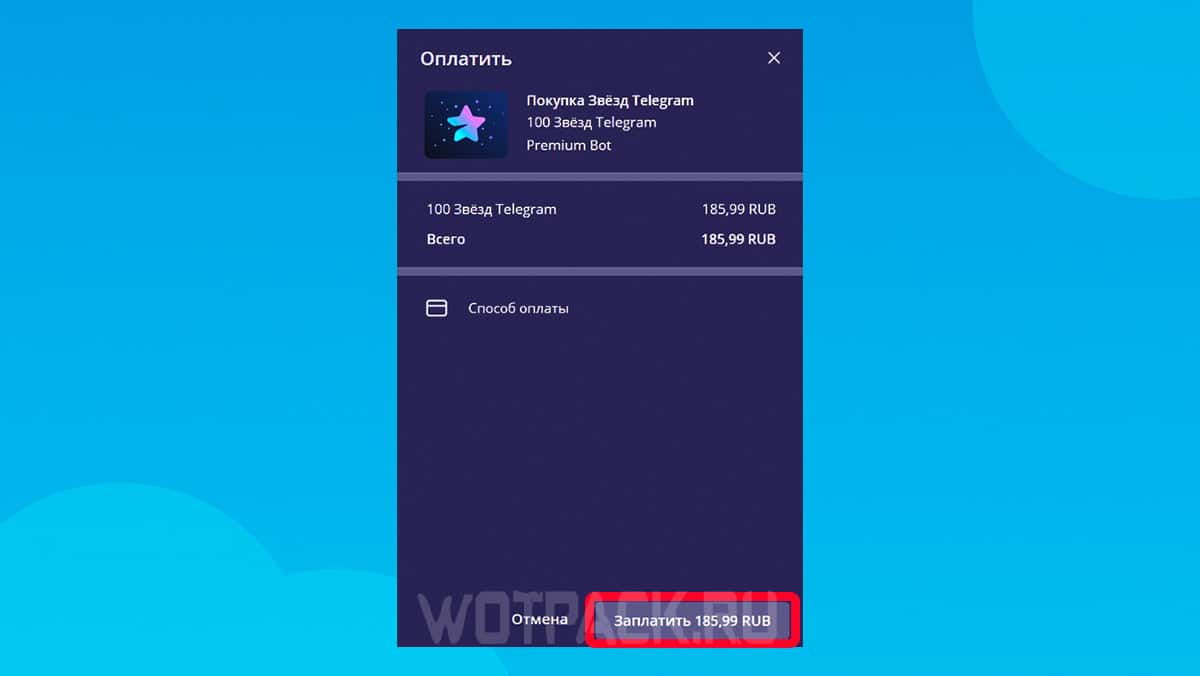
If necessary, the card can be linked to an account to quickly make purchases within the application.
How to gift stars in TG
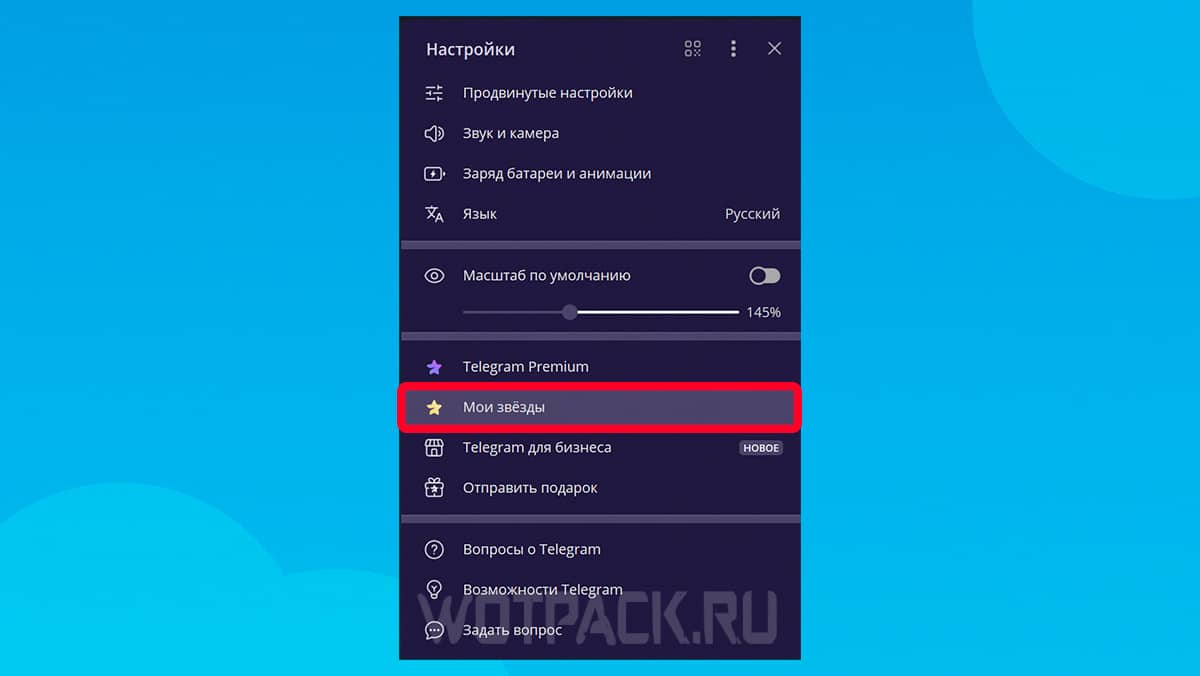
Sending stars to another Telegram user also takes place through the settings:
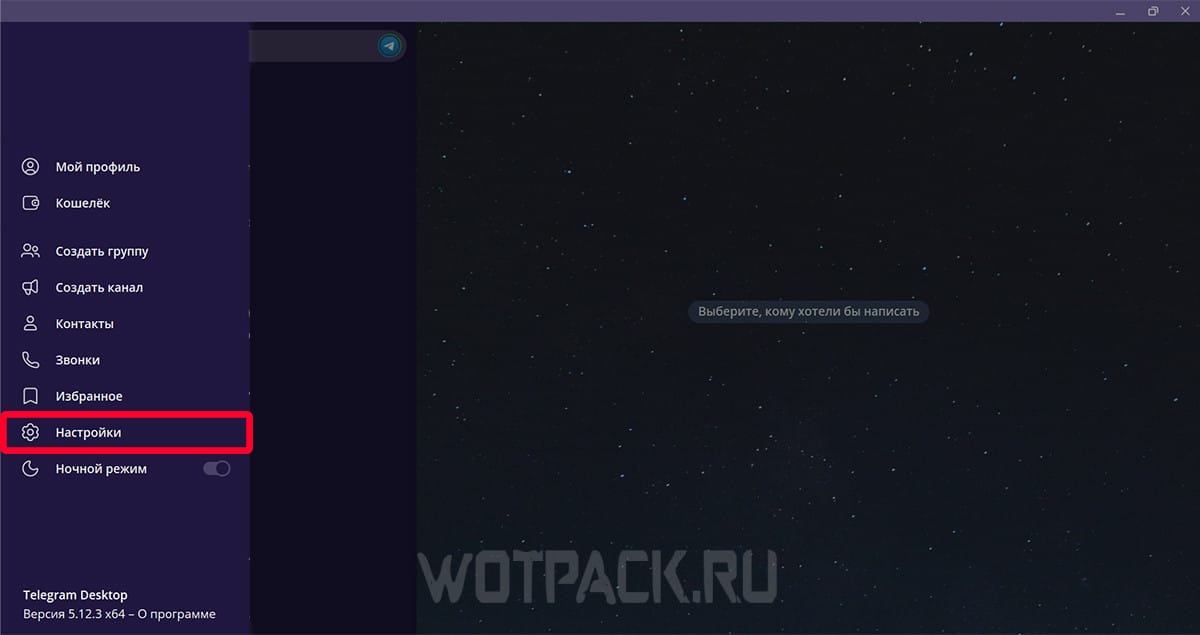
- Click on your profile and go to "Settings".
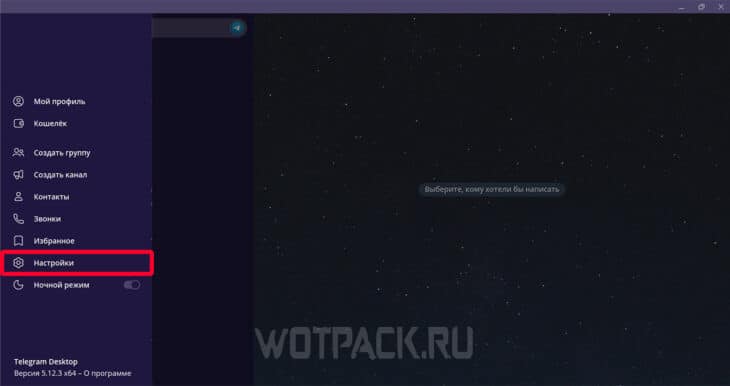
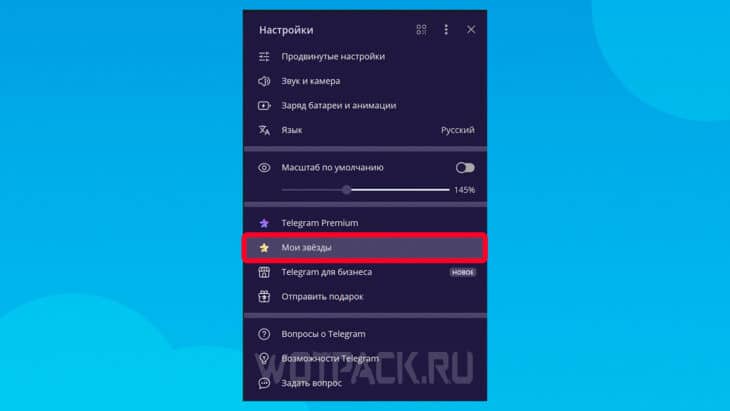
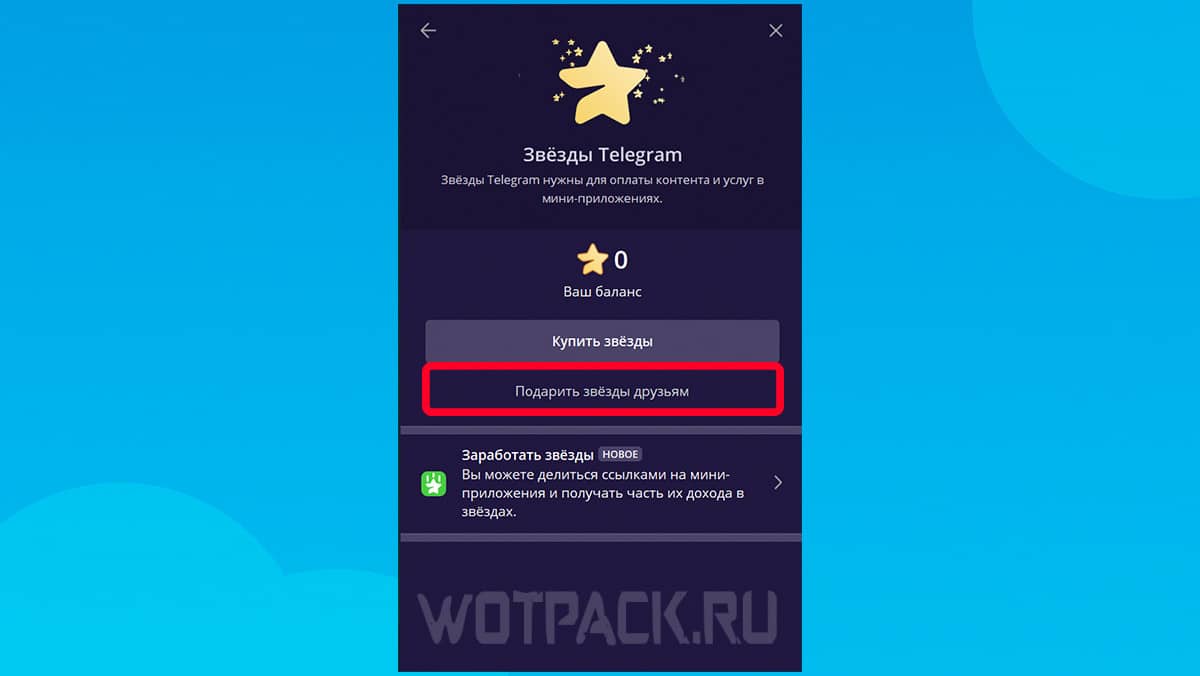
- Open the section "My Stars".
- Select item "Give stars to friends".
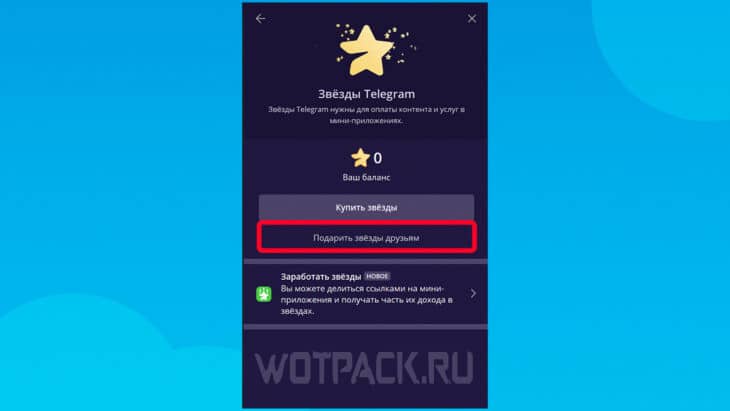
- Specify the user you want to give a gift to.
- Select the required number of stars and complete the payment.
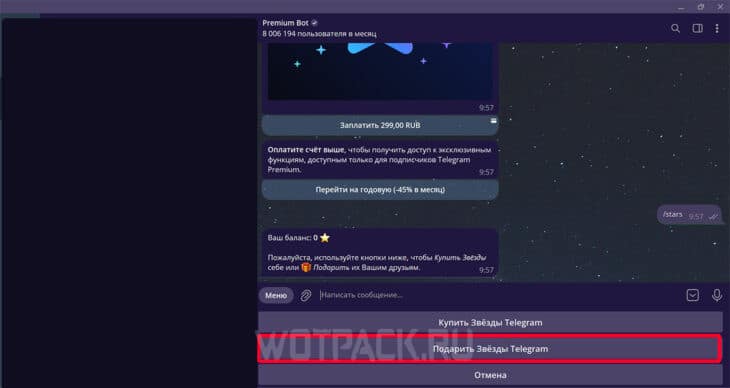
You can use a similar method to send Stars via the official bot:
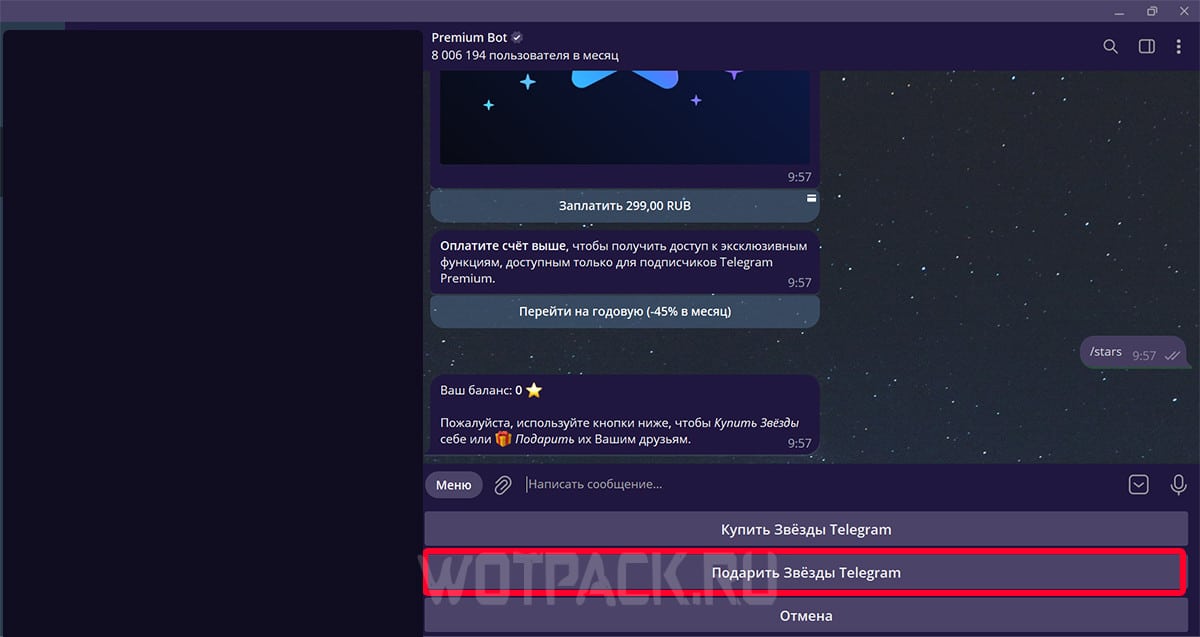
- Go to @PremiumBot.
- Write a command in the chat /stars.
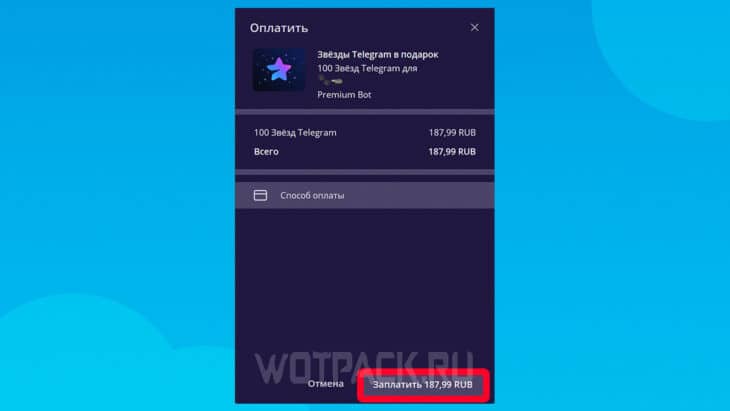
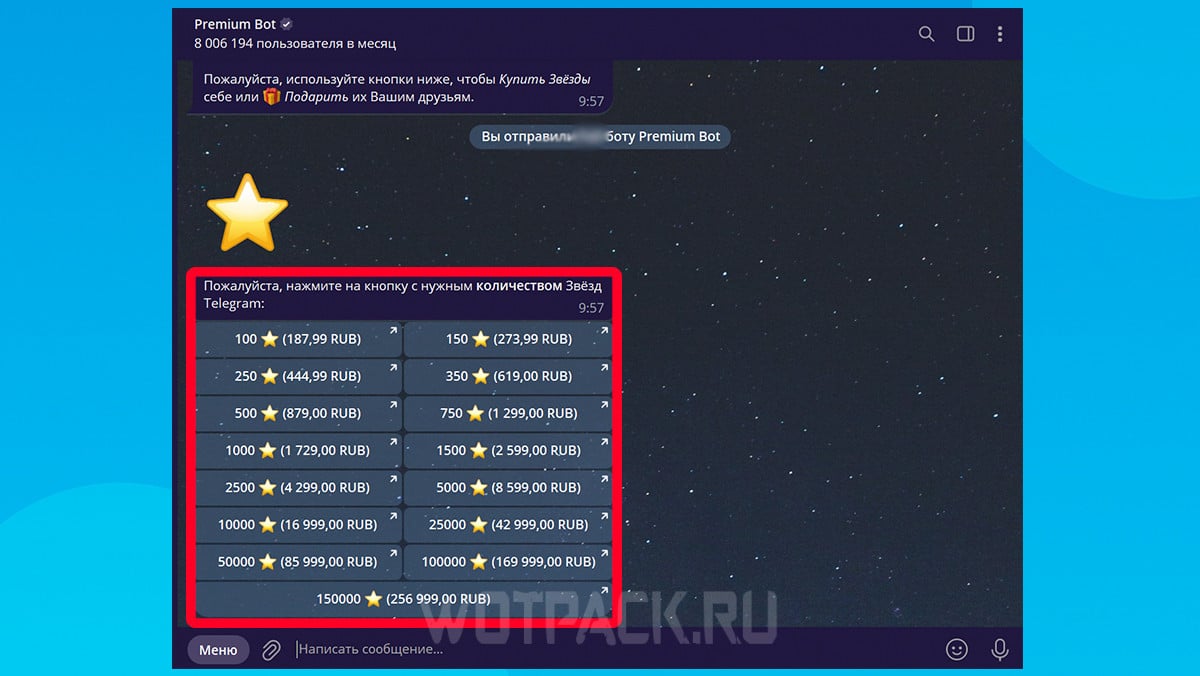
- Select function "Give the stars Telegram».
- Click on the desired user and the gift size.
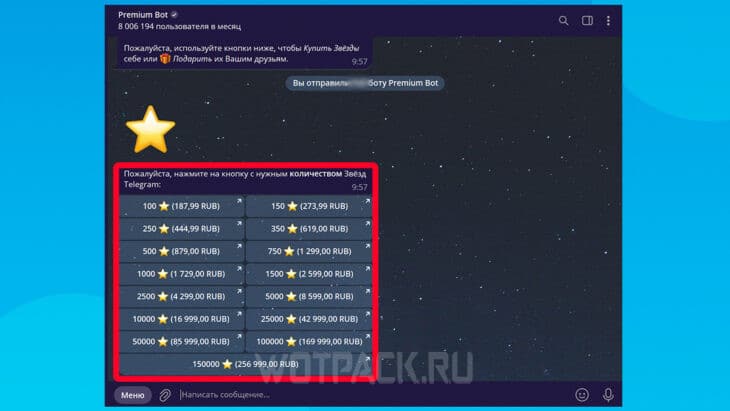
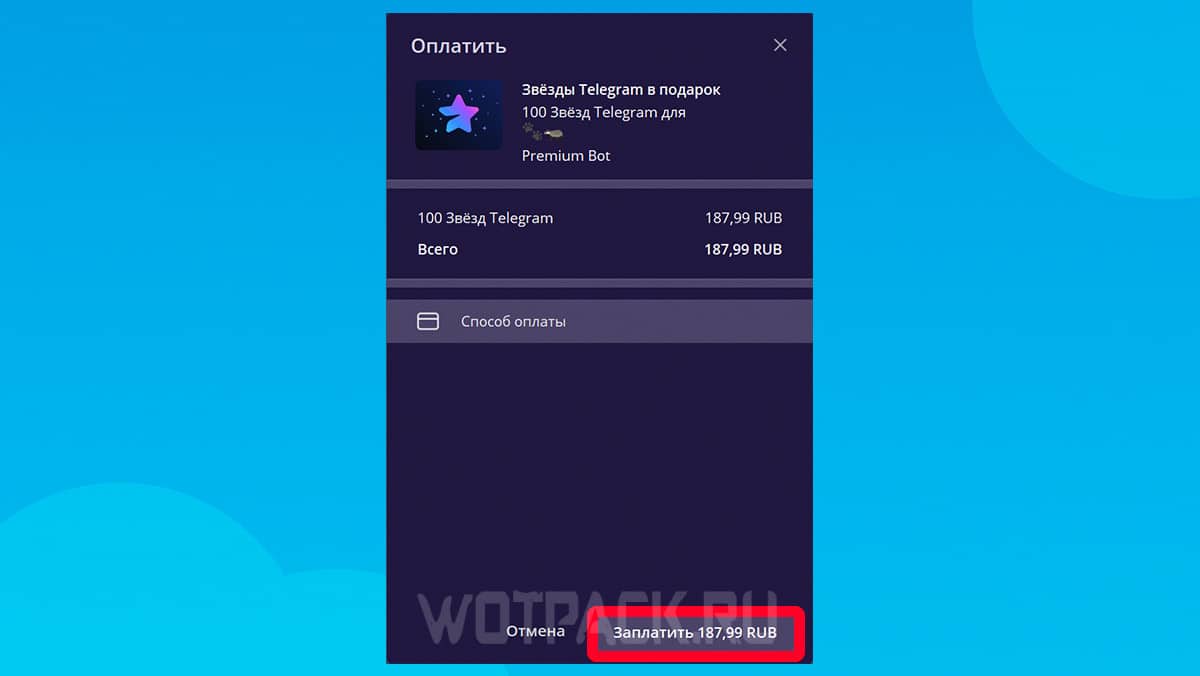
- Complete the payment and your friend will instantly receive Stars.
Unfortunately, once you purchase stars for your personal account, you can't transfer them to another user without losing them. The only way at the moment is to send gift:
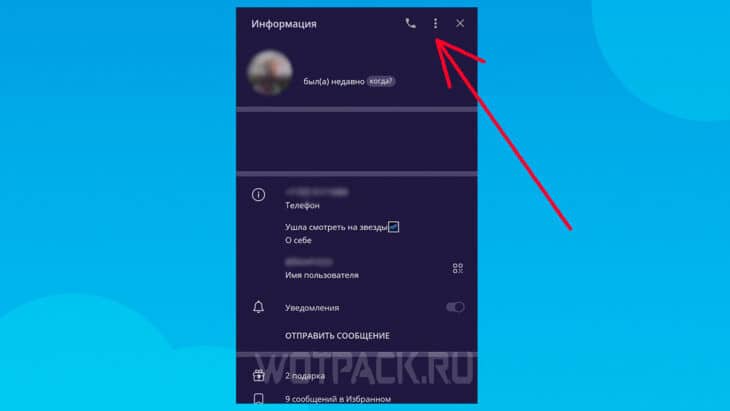
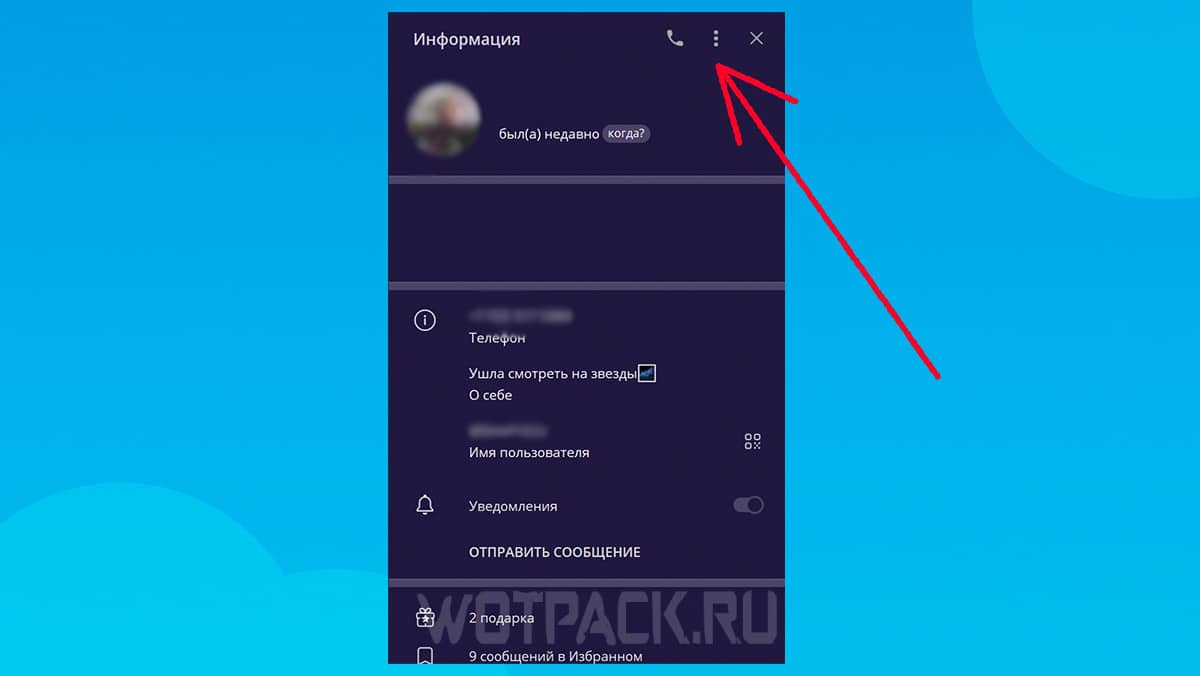
- Go to your friend's profile and click on three dots in the upper right corner.
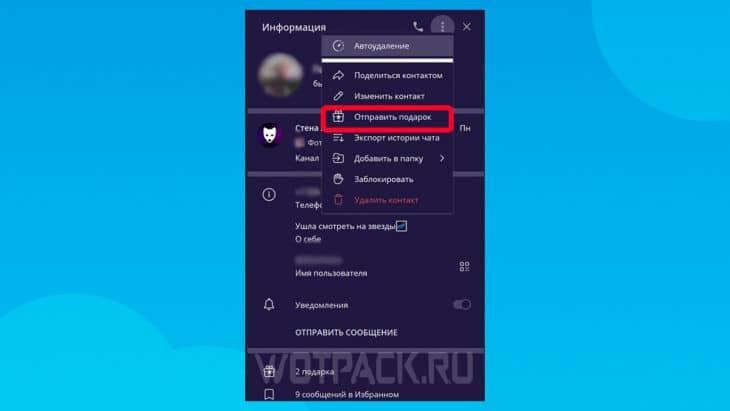
- Choose "Send a gift".
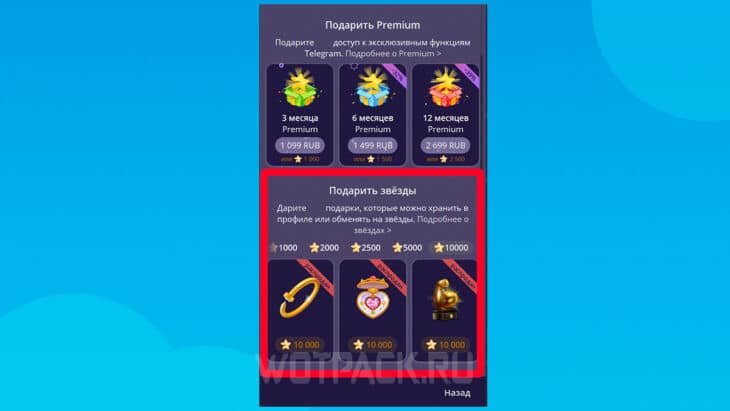
- Scroll to section "Give the stars" and give any gift to your friend.
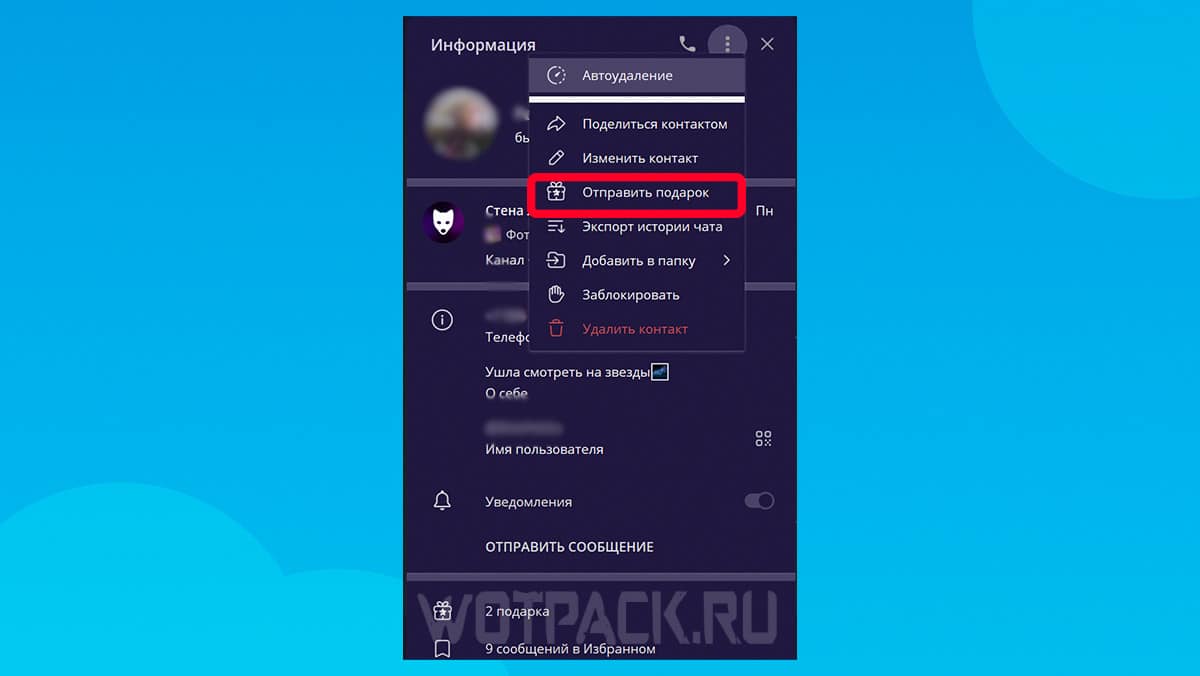
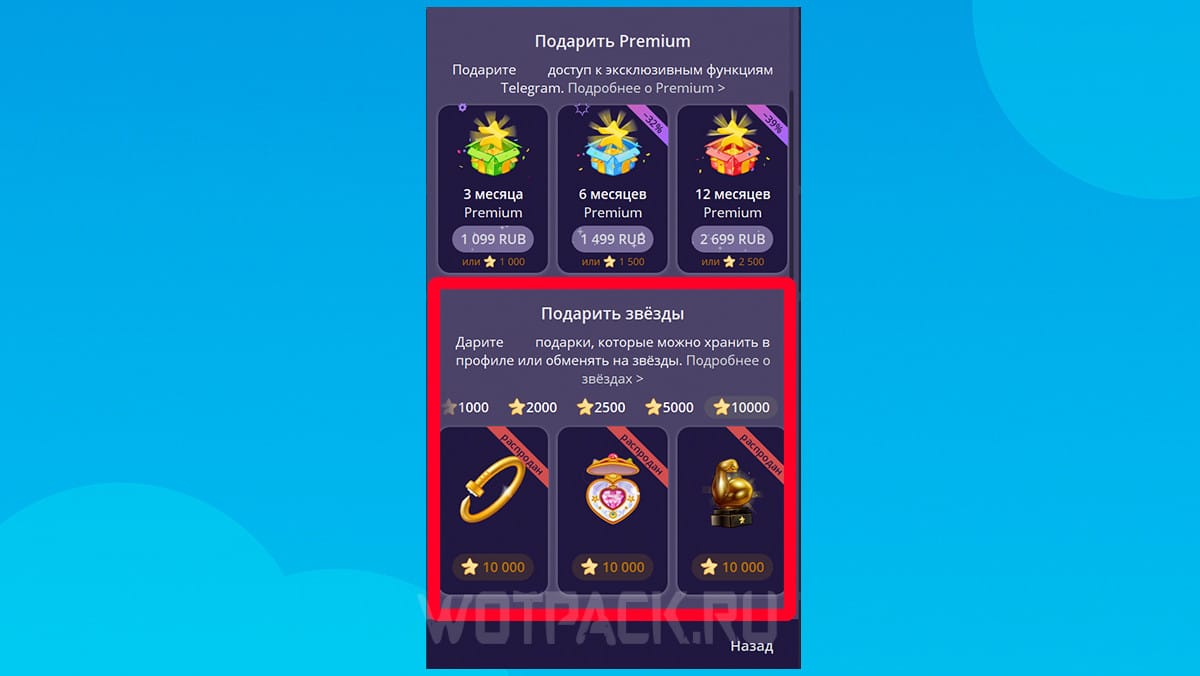
When your friend receives a gift, they can claim it or exchange it for Stars. Please note: the user will receive fewer stars than the gift is worth.
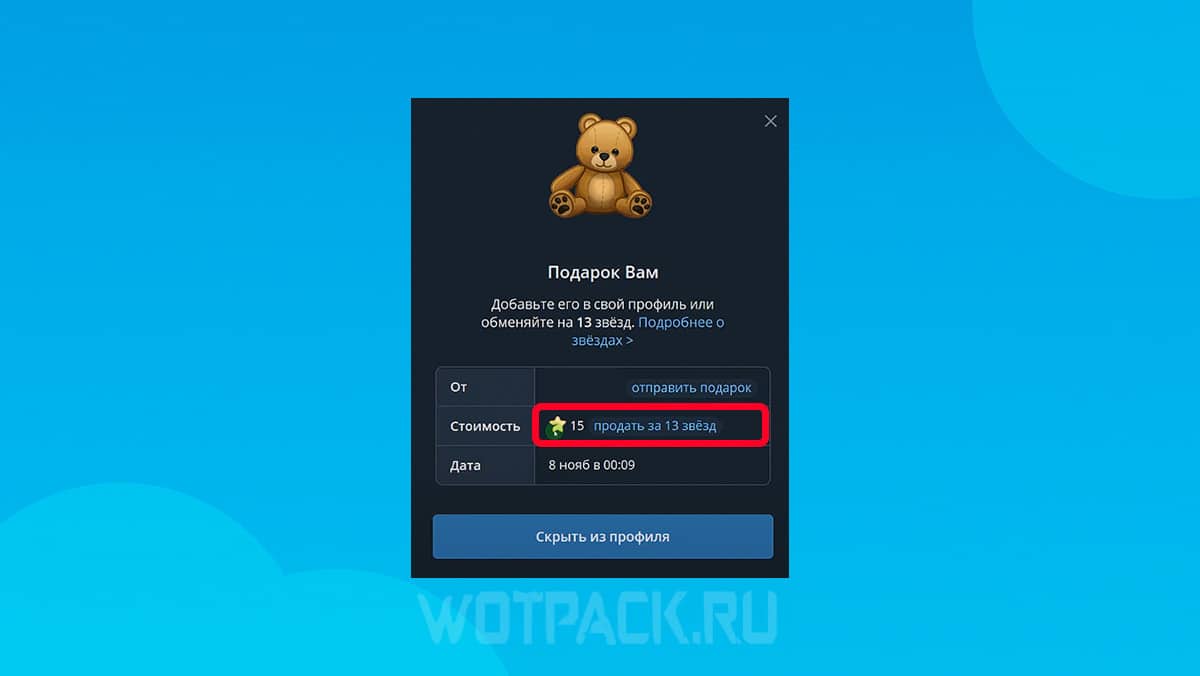
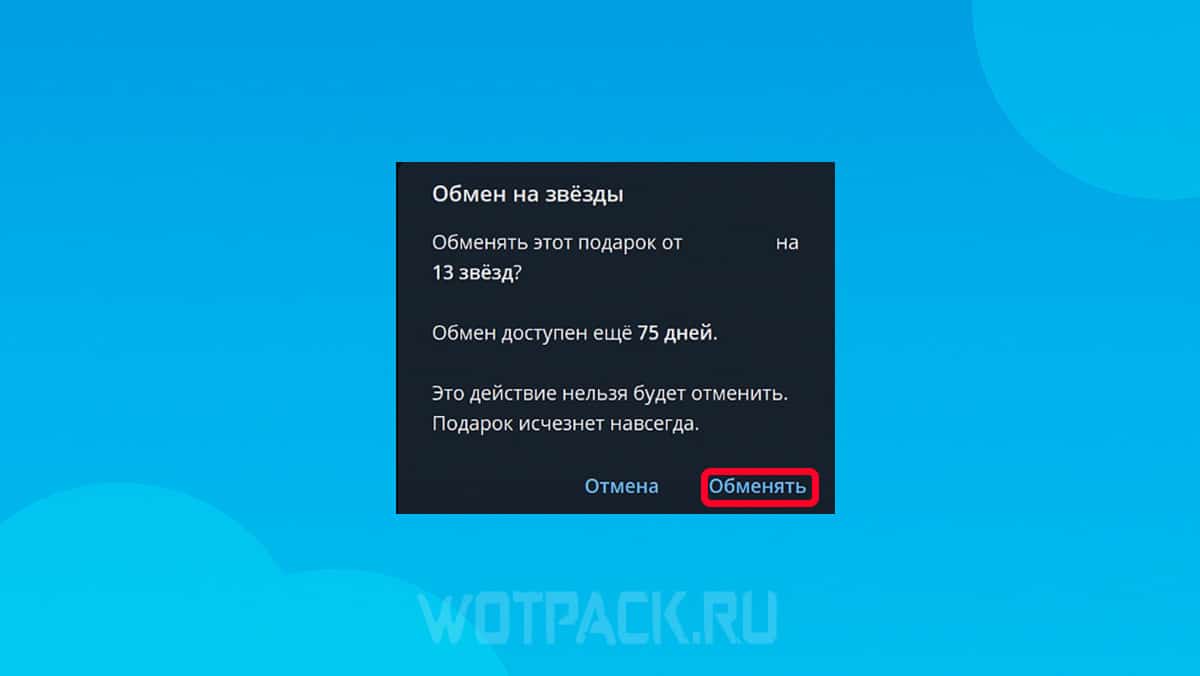
The exchange can be made through the gift viewing window by clicking the button "Sell". But if it has been a while since the receipt more 75 days, you won't be able to get stars for a gift.
How to get free stars in TG
There are several ways to get free stars in Telegram:
- Official events: Sometimes developers hold contests for the best stickers, bots, or app translations. If you win one of these events, you'll receive stars as a reward.
- Create your channel: Gather an audience for your own community or chat, and perhaps one of the users will donate, or the developers will notice the channel and reward it for its contribution to the development of the messenger.
- Suggest your ideas: Be active and feel free to share your thoughts on improving Telegram in communities or directly through support. If the idea is useful, there is a chance to get stars as a reward.
- Create bots and stickers: If they prove popular, they will be noticed by developers and the creator will be rewarded for their contribution to the development of the platform.
- Participate in the development of the messenger: Join the volunteer team and help developers with translation, creating bots or moderating channels.
These options for earning stars in Telegram are too long and do not guarantee receiving currency, but are free.
Answers to frequently asked questions about stars in Telegram
We hope this guide to purchasing Telegram stars in Russia on iOS, Android, and PC has helped you understand how much they cost, how to gift them, and how to get them for free.