
Topping up your Steam wallet is a problem for users living in Russia. Due to the current global situation, standard methods have become unavailable, which has led to the following: gamers are constantly looking for workarounds that will allow them to purchase new products and use other in-game functions through donation. Replenishment services, gift cards, electronic payments are just a small part of what may be suitable for a Russian user in the current realities.
From the guide you will learn how to deposit money on Steam in 2026. We will present instructions for replenishing your wallet through replenishment services with a minimum commission, gift cards, accessible banks and electronic payments, as well as selling skins and other collectibles.
All ways to top up Steam in Russia in 2026
Of the proven methods to donate to Steam, the following work:
- replenishment services and marketplaces;
- MTS Bank and VTB Bank;
- electronic payments;
- gift cards;
- intermediaries.
Each of these replenishment methods can be divided into “easy”, “medium” and “difficult”: some may require tedious steps with several stages of confirming your identity, others may be accompanied by additional restrictions, and others will require you to spend more time choosing a reliable intermediary. In addition, the percentage of commission becomes a significant factor, which may also require greater monetary costs than originally planned.
| Deposit method | Replenishment time, difficulty | Commission percentage |
| donatov.net |
Up to 5 minutes Easily |
≈ 8% |
| Gift card (RUB, KZT, TL) |
Up to 30 minutes Easily |
Invoiced by the seller of Gift cards (from 10% to 20%, or higher) |
| Intermediaries |
Up to 15 minutes (depending on the search for a reliable seller and the speed of his response), Fair |
≈ 15% |
| MTS Bank |
Up to 10 minutes Fair |
≈ 20% |
| VTB Bank |
Up to 15-20 minutes (due to payment processing), Fair |
≈ 18% |
| Selling skins |
Up to 5 days (retention of funds after sale), Fair |
Invoiced by the seller (from 5% to 20%) |
| WebMoney |
30 or more minutes, Heavy |
≈ 13% |
How to top up a Russian Steam account with a minimum commission
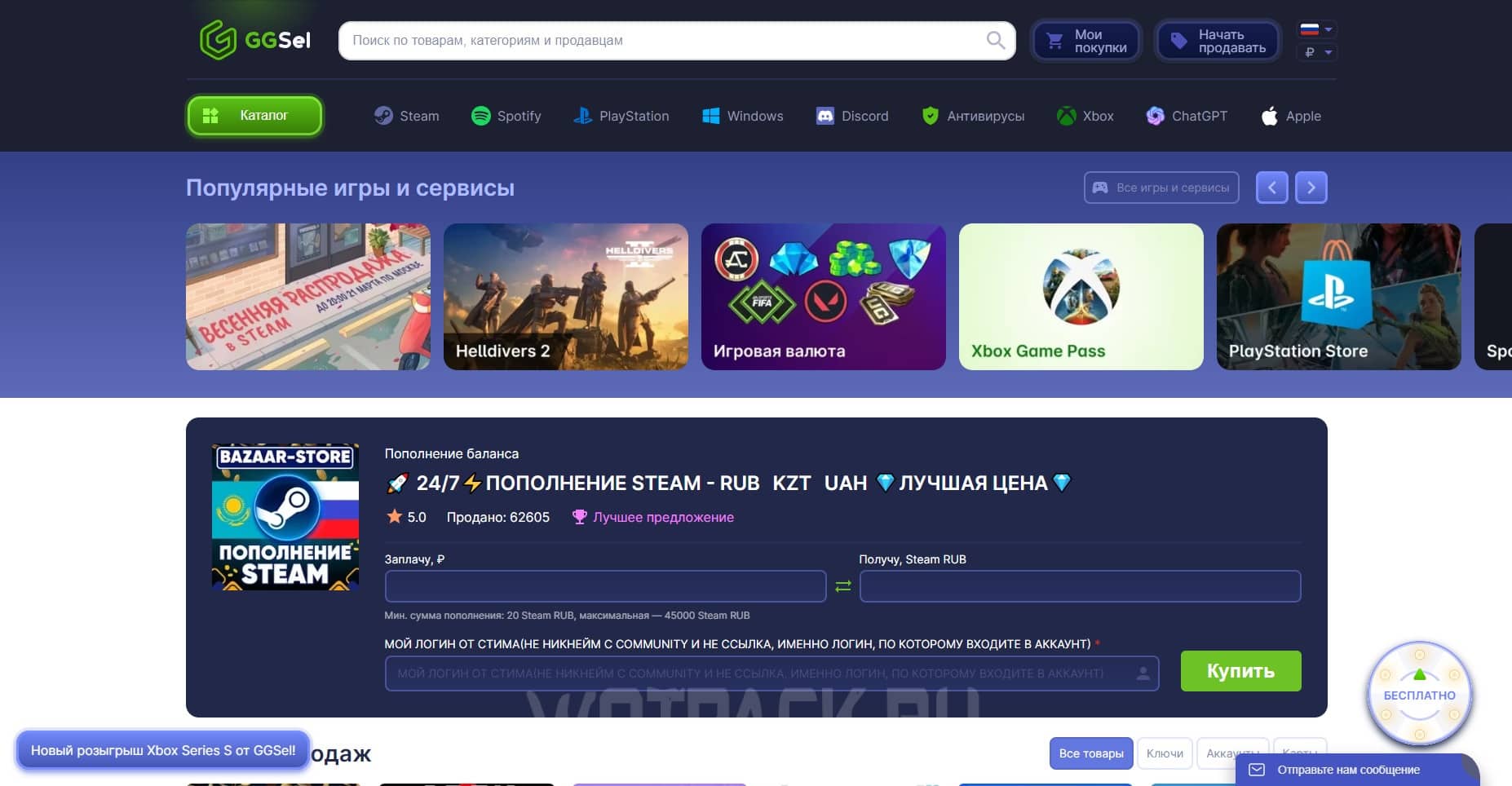
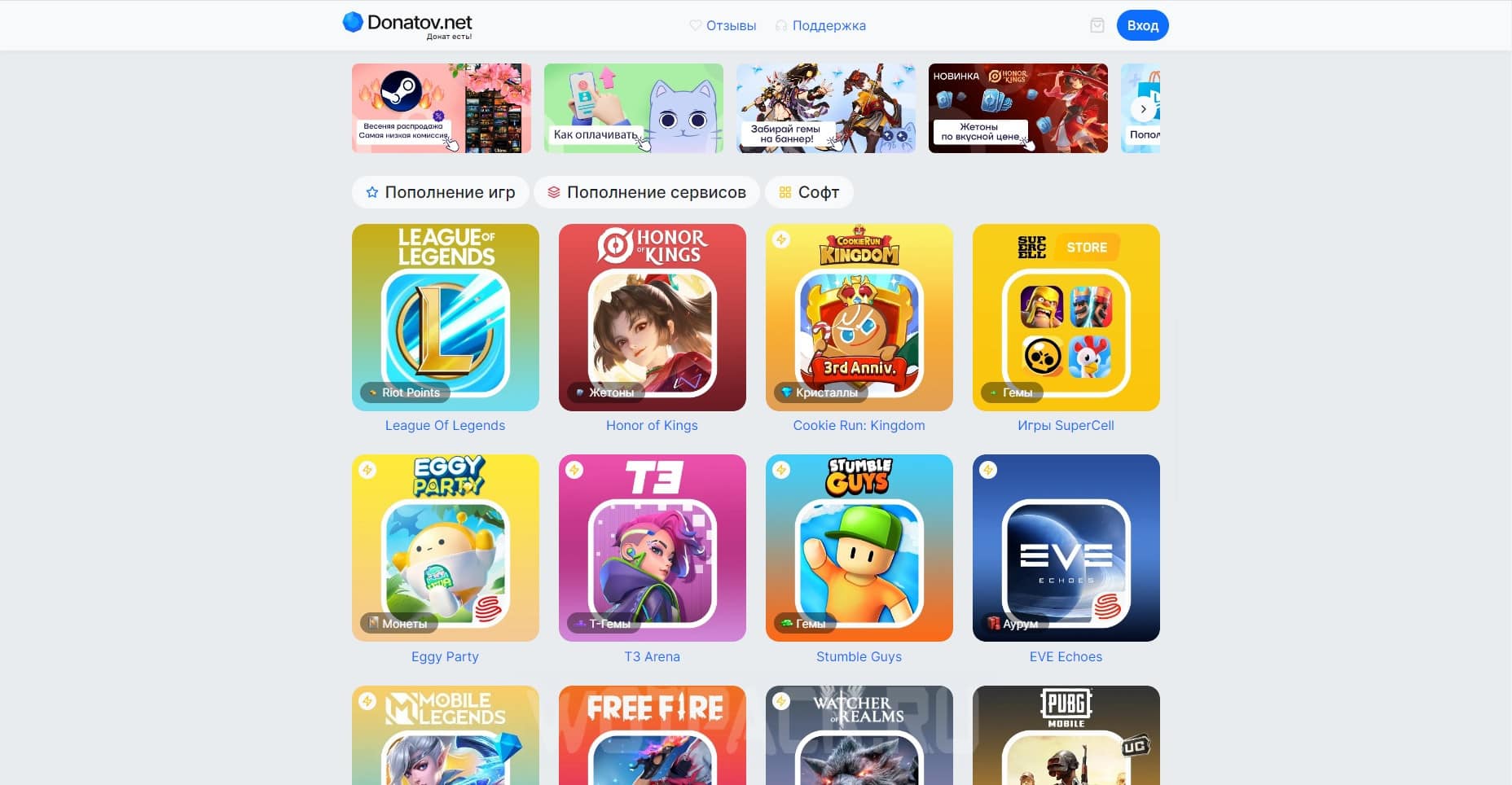
One of the easiest ways to top up Steam in Russia is to use third-party services, the main advantage of which is low commission percentage compared to other options. Among the most popular and proven resources, donatov.net - a fast payment service that offers both direct replenishment of a personal wallet of a Russian, Kazakh or Ukrainian balance, and the opportunity to purchase a gift card in case the account is linked to remote foreign regions.
The following will provide detailed instructions for using the mentioned platforms.
In order to deposit money into your Steam wallet through the service donatov.net, it is necessary:
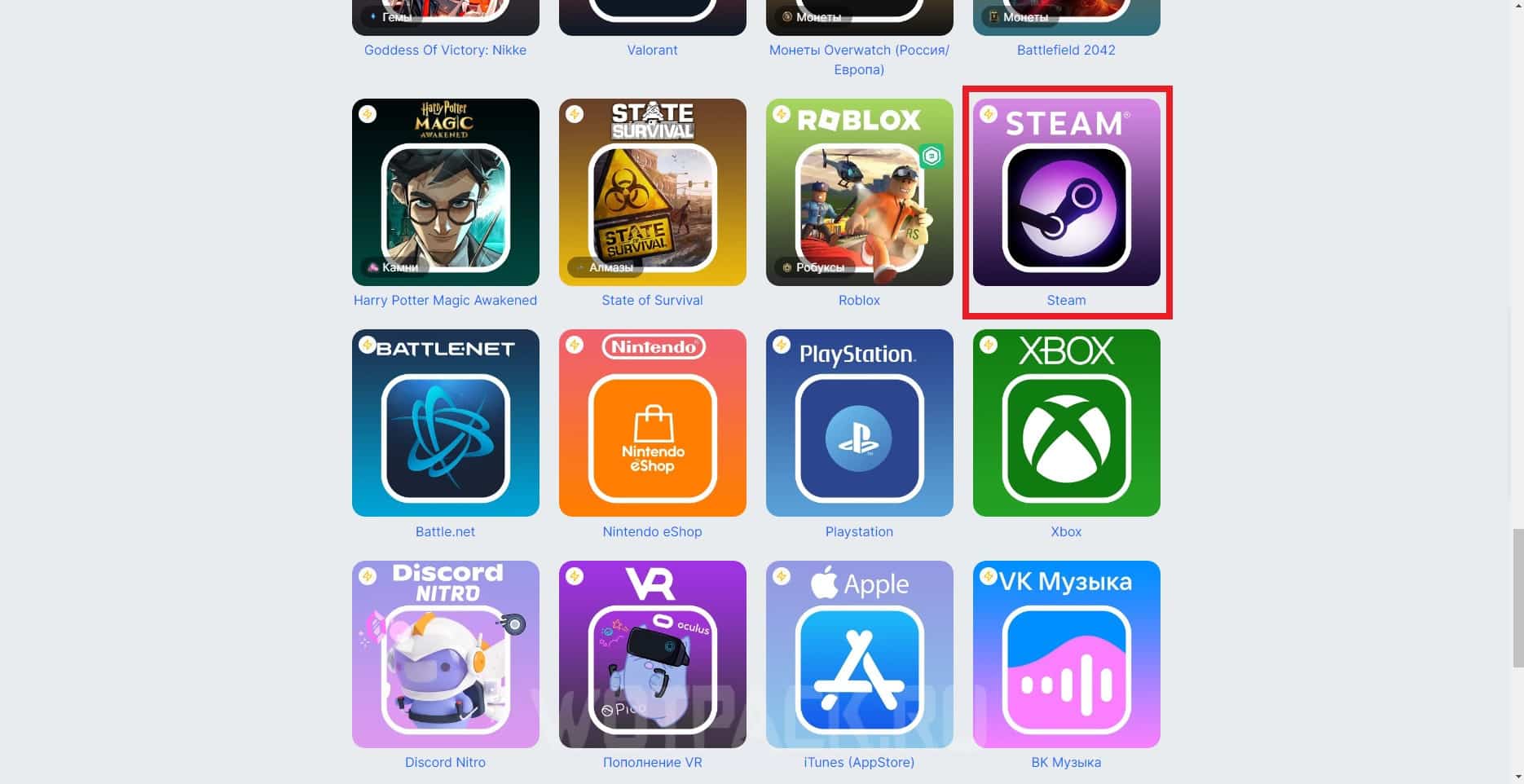
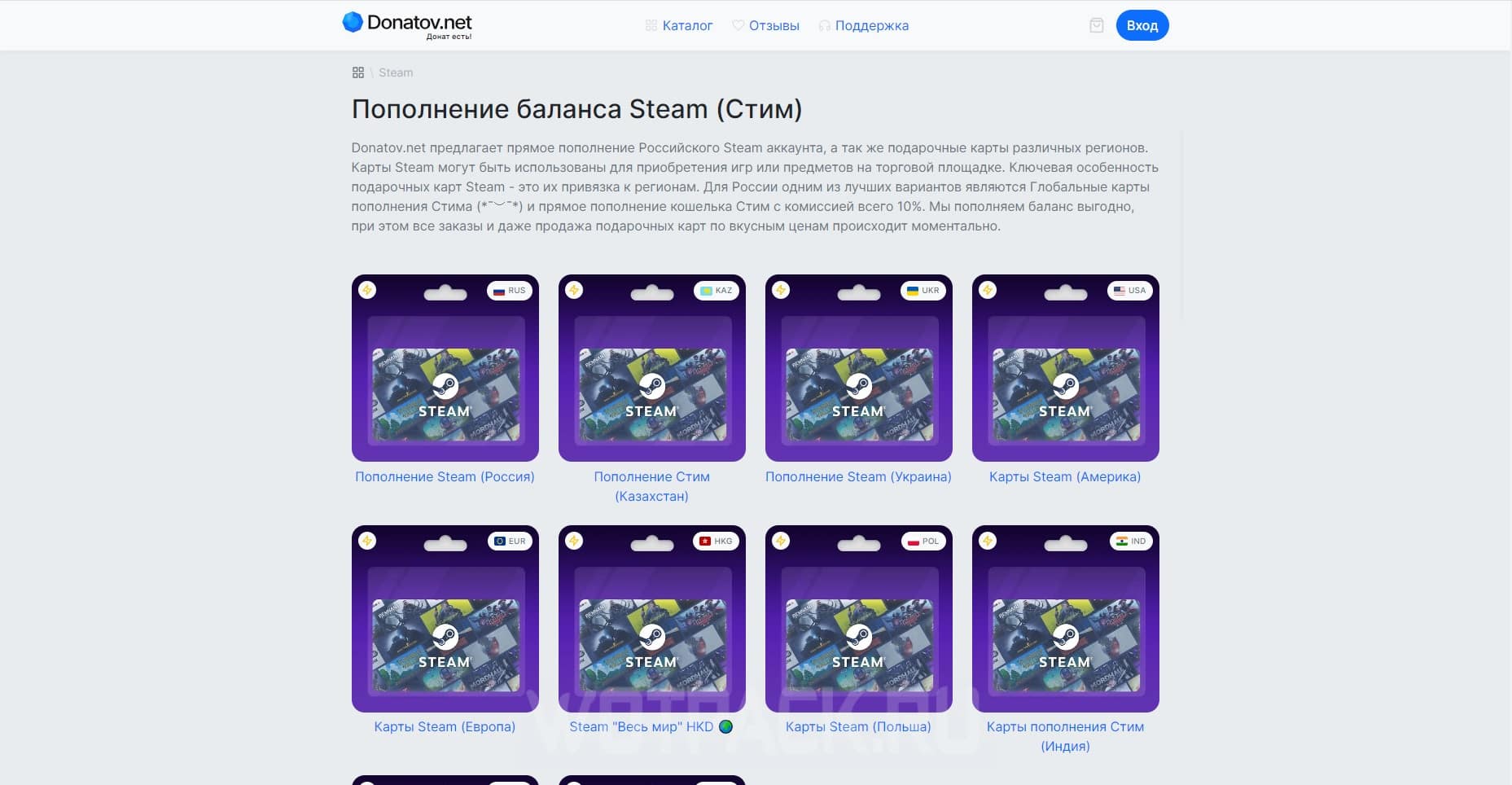
- Go to the site donatov.net. Check out what's on offer: Steam related offers are located below.
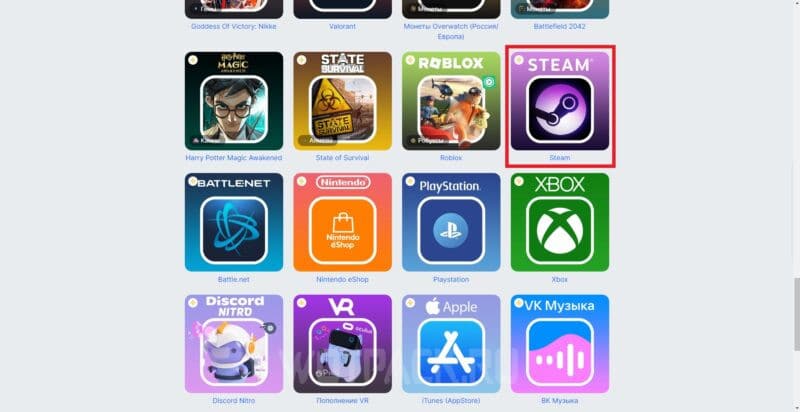
- After the transition the page will open “Top up your Steam balance (Steam)” with two types of options - direct replenishment and purchase of a gift card for accounts linked to foreign countries (Turkey, Argentina, Poland, India and others).
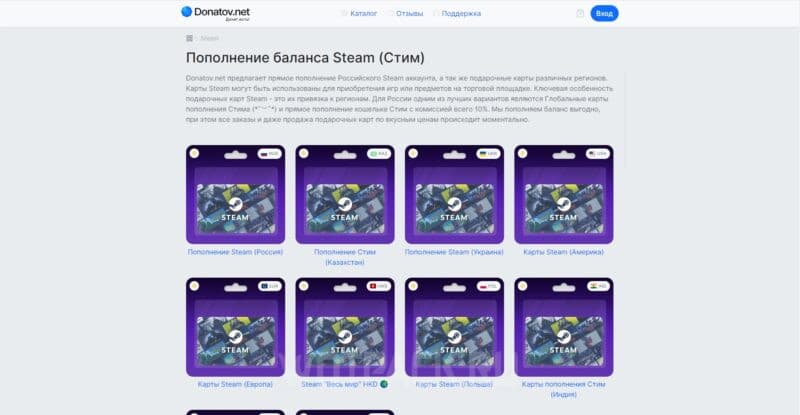
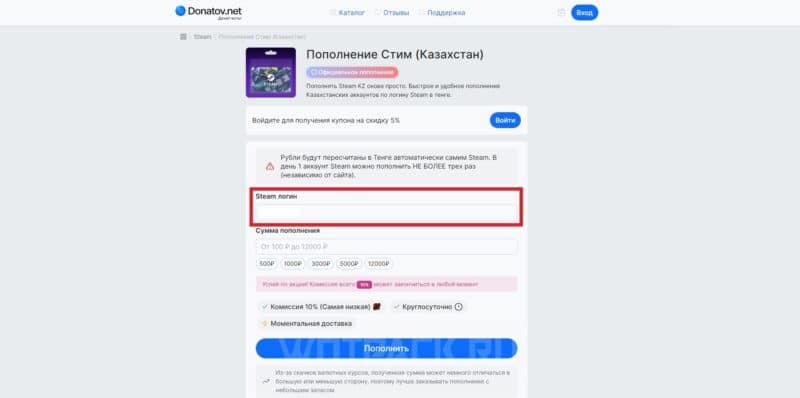
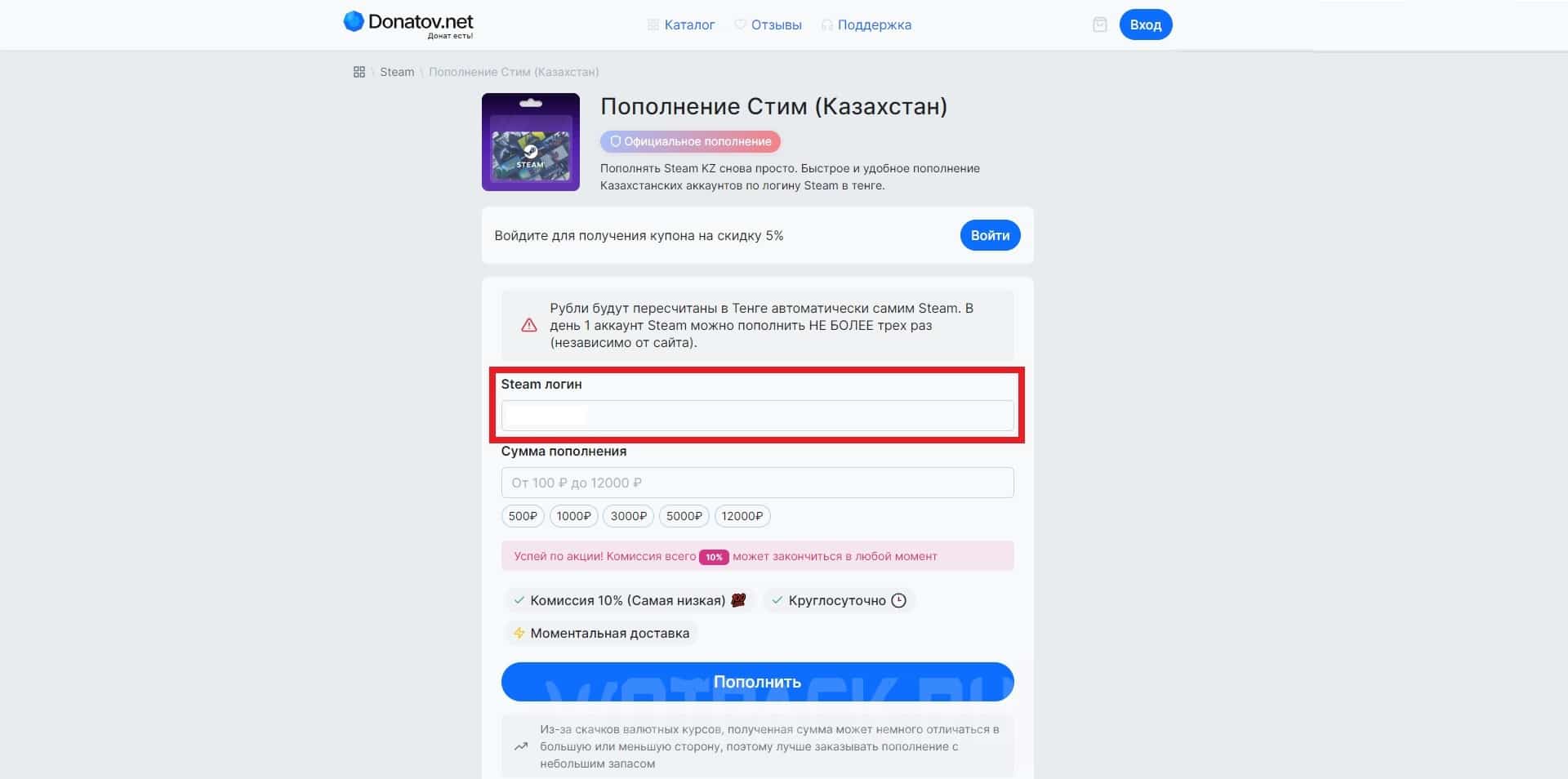
- After selecting the most satisfactory option, an automatic transition to the form of payment will take place. Additional warning from the service when using “Kazakhstan” or “Ukraine” offers: rubles will be recalculated in tenge or hryvnia by Steam itself after receipt of payment.
- In the “Steam login” item you need to fix login from your own account: to find out, expand the “Account Management” section and look at the nickname written opposite the “About Account” column.
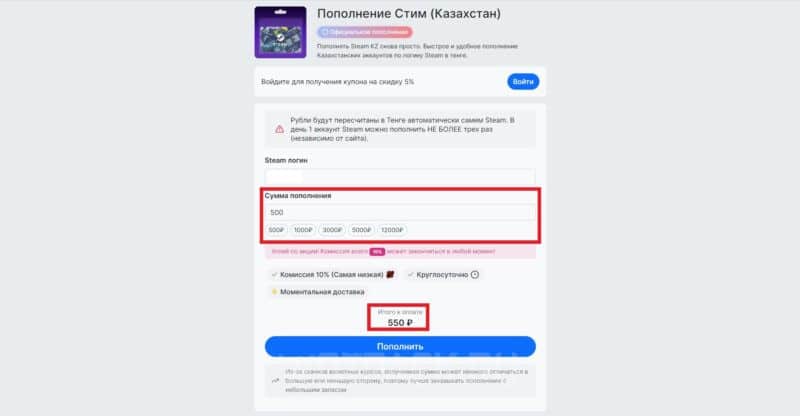
- To point "Replenishment amount" enter the amount you want to deposit to your internal wallet: minimum - 100 rubles, maximum - 12 rubles. As soon as the amount is entered, the site will automatically calculate the final deposit taking into account the commission.
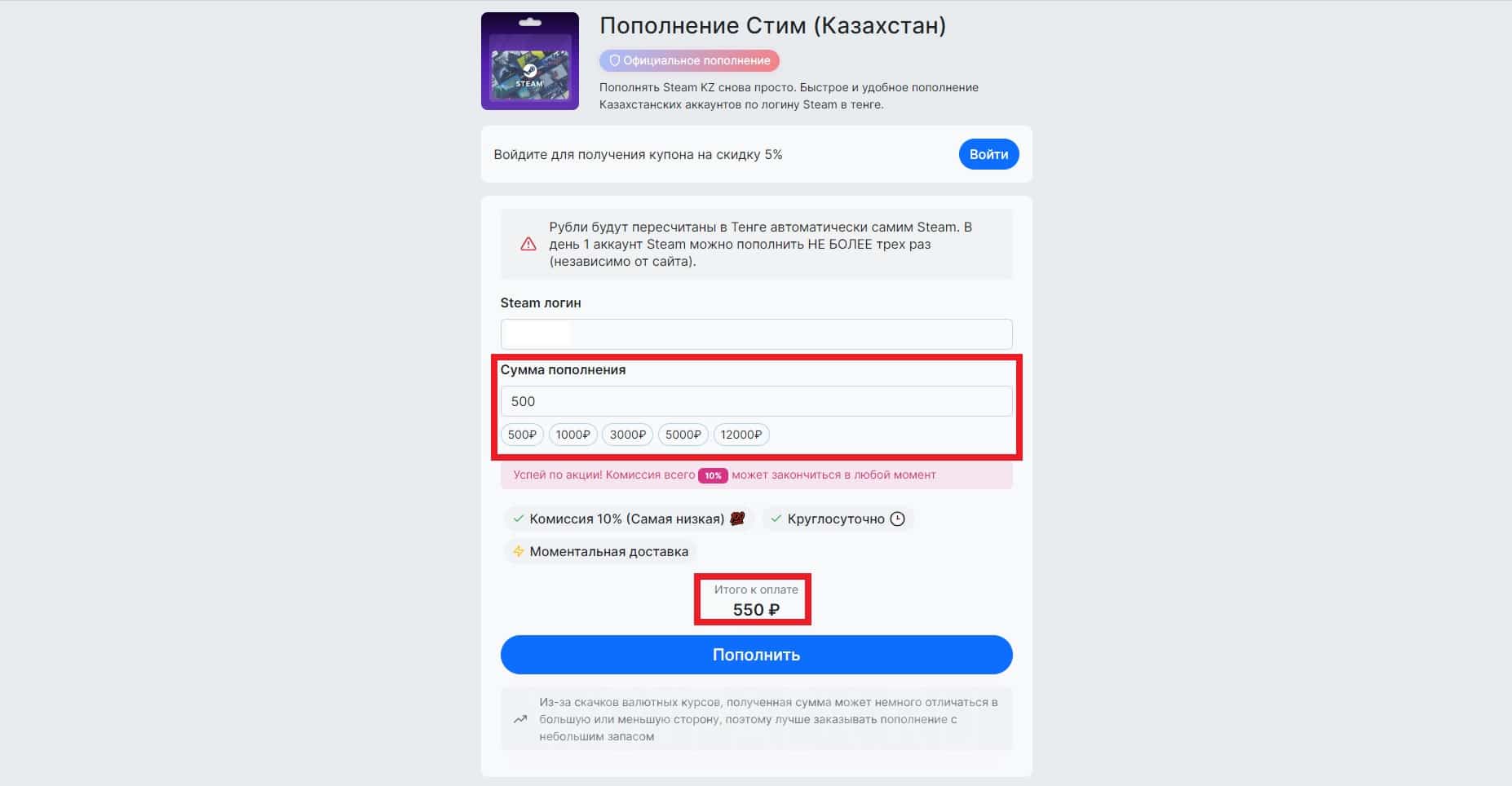
After filling out the form, click on "Refill"to proceed to checkout. Available methods:
- direct transfer to a bank card (1% additional commission);
- bank card (11% additional commission): maximum replenishment - up to 1 rubles;
- fast payment system or SBP (1% additional commission);
- electronic payments (UMoney with 1% additional commission) and cryptocurrency (0% additional commission).
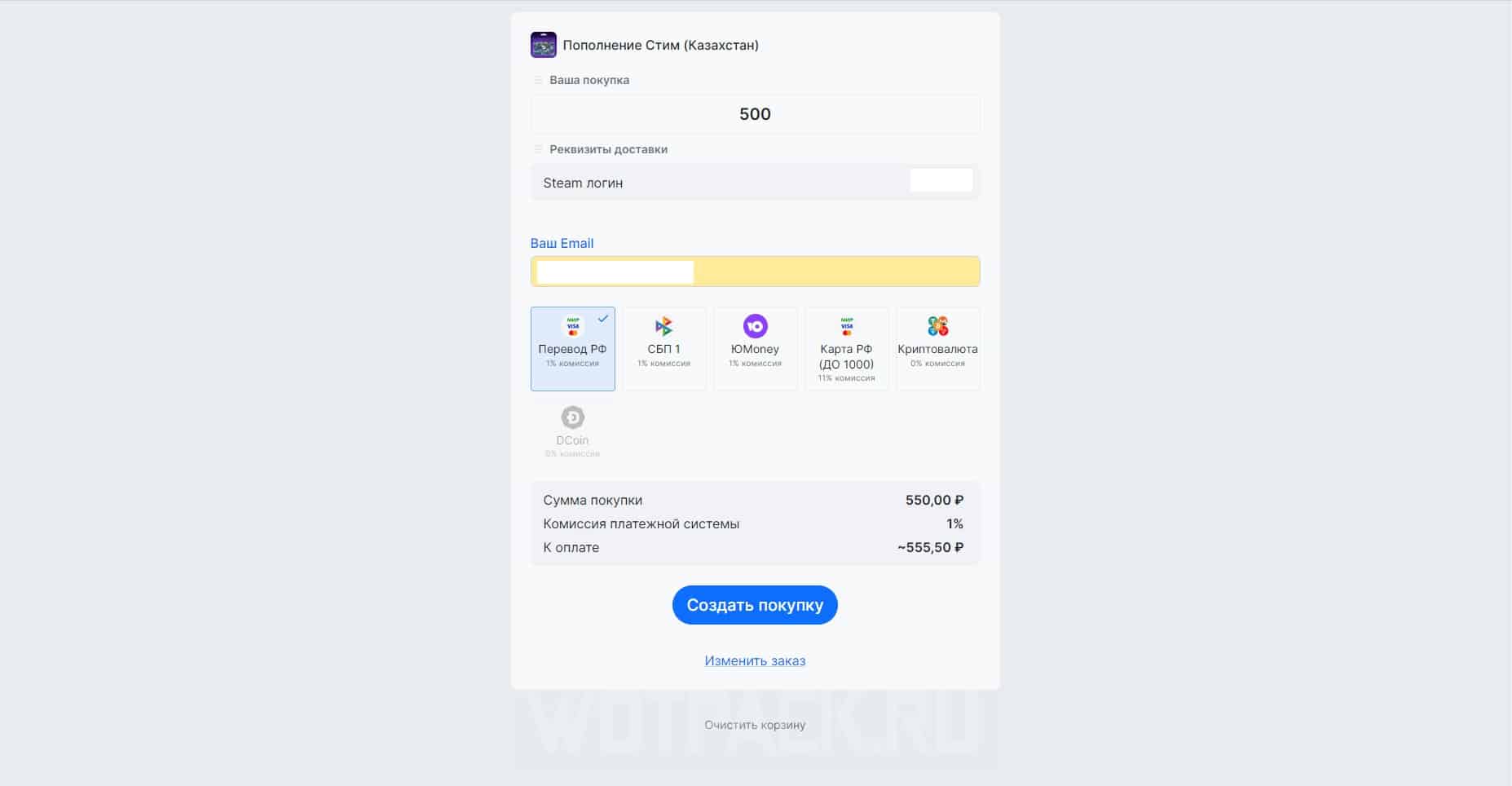
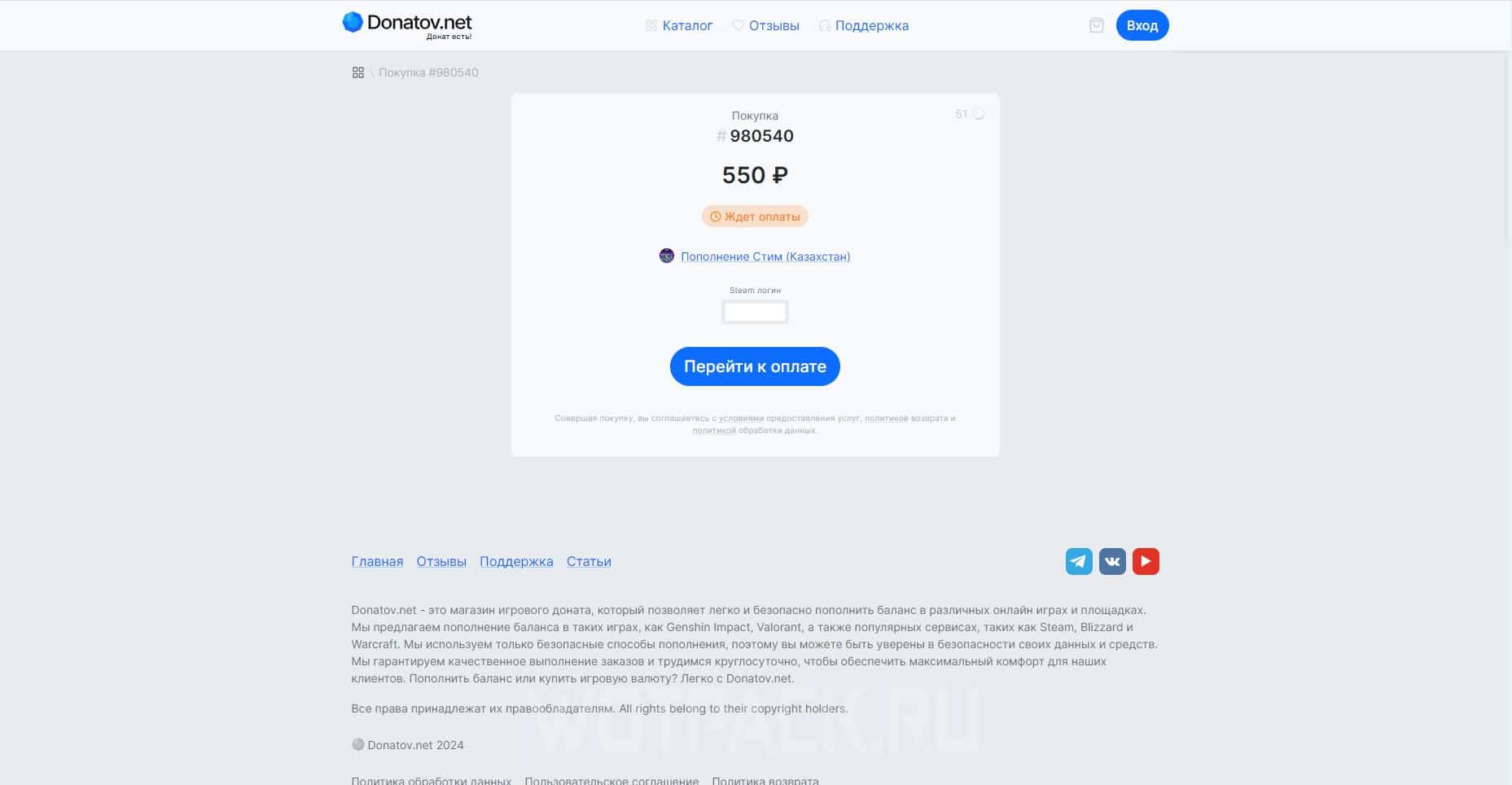
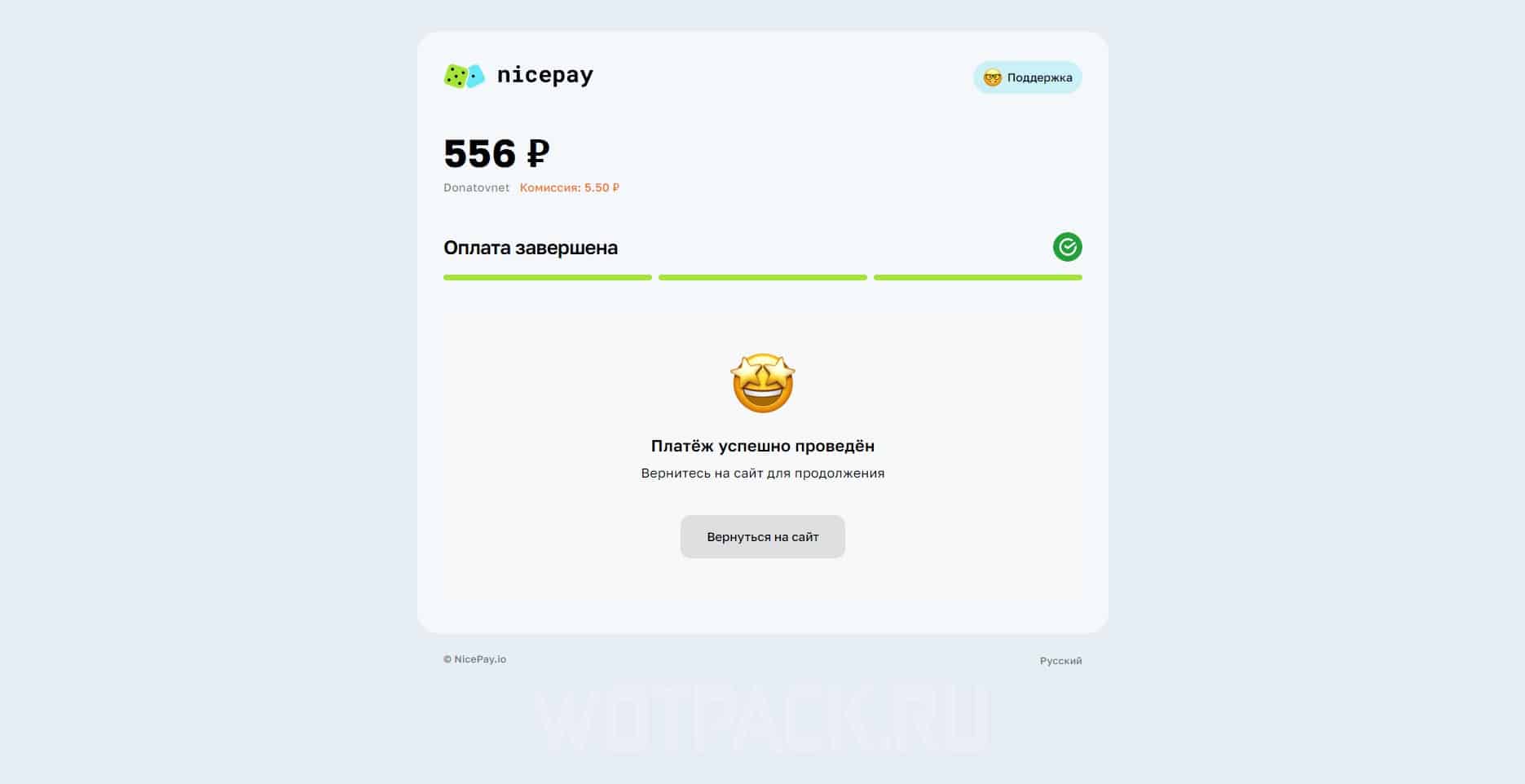
Having chosen the most convenient method for yourself, make a payment through the function "Create Purchase" button. When the “Payment successfully completed” notification appears on the page, check your account balance:
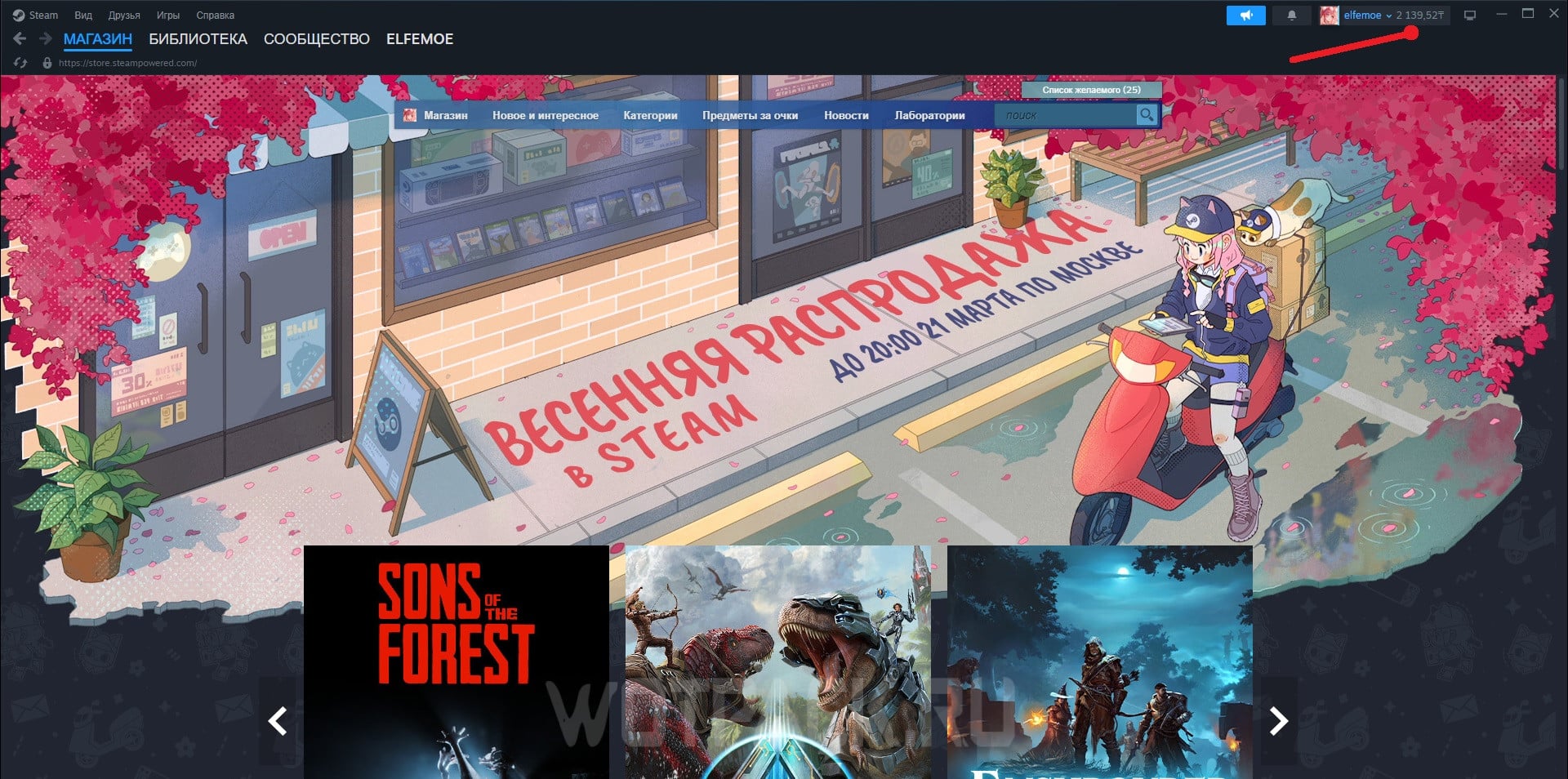
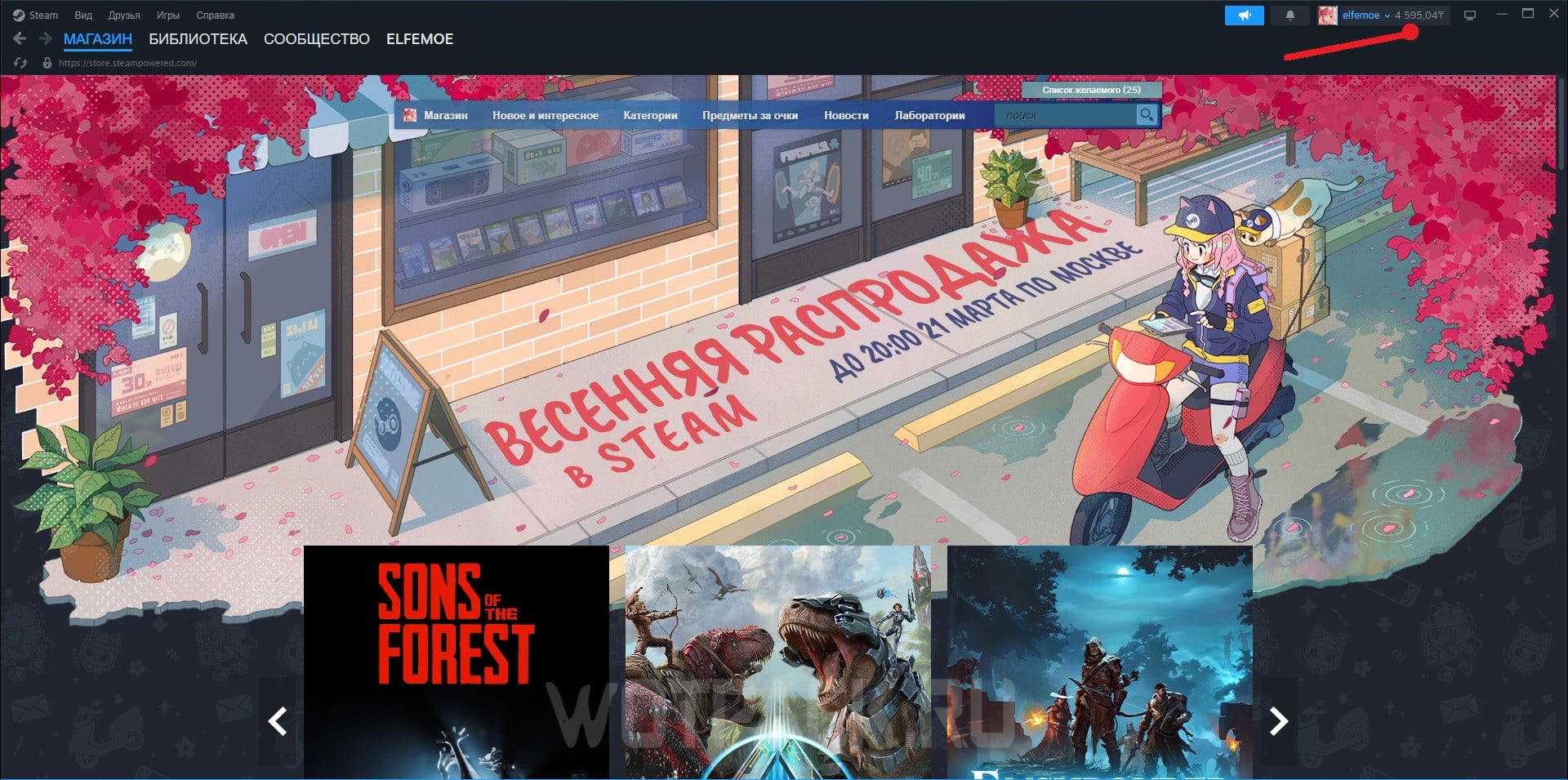
Top up your Steam account with a gift card
The option of using gift cards is suitable for users who prefer to use more official methods for replenishing their personal account. You can, in turn, purchase vouchers through intermediaries on popular trading platforms.
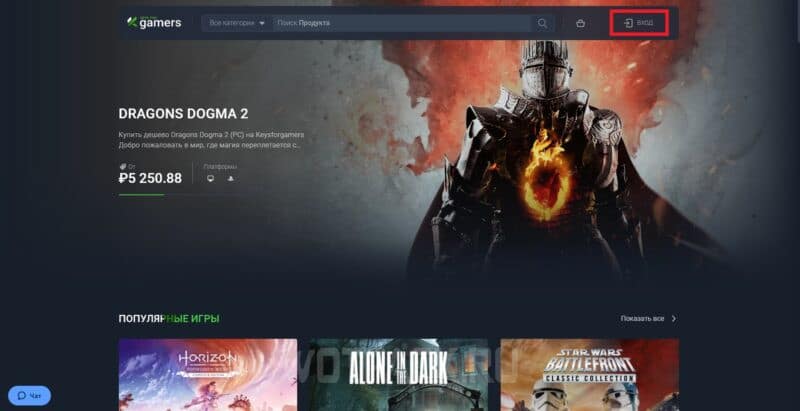
One of these is Keysforgamers — the site offers a guarantee and quick support, which, if any controversial and/or conflict situations arise, will help resolve them. To purchase a voucher for a fixed amount, follow these steps:
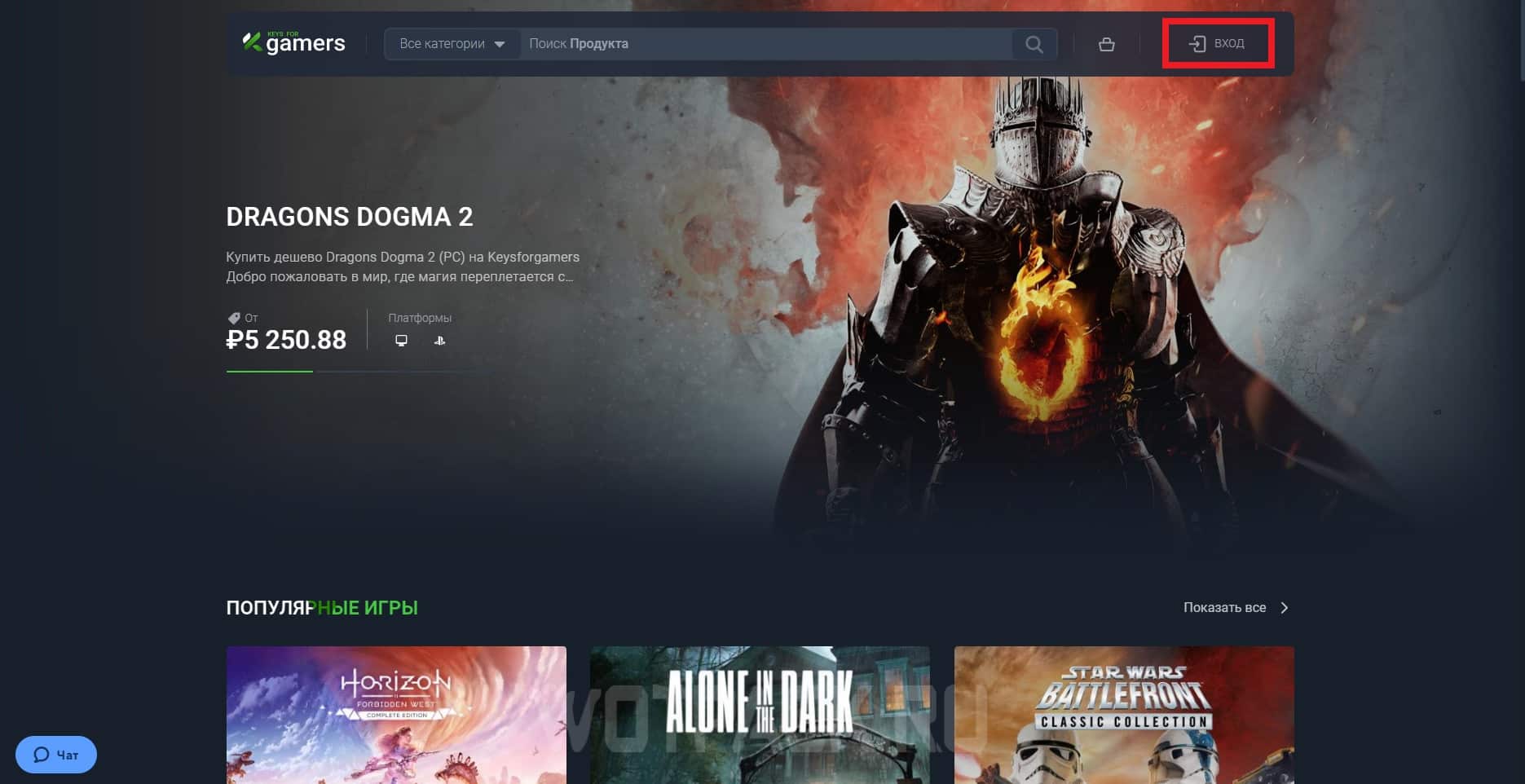
- Open the official site, then either create a new profile or log into an existing one.
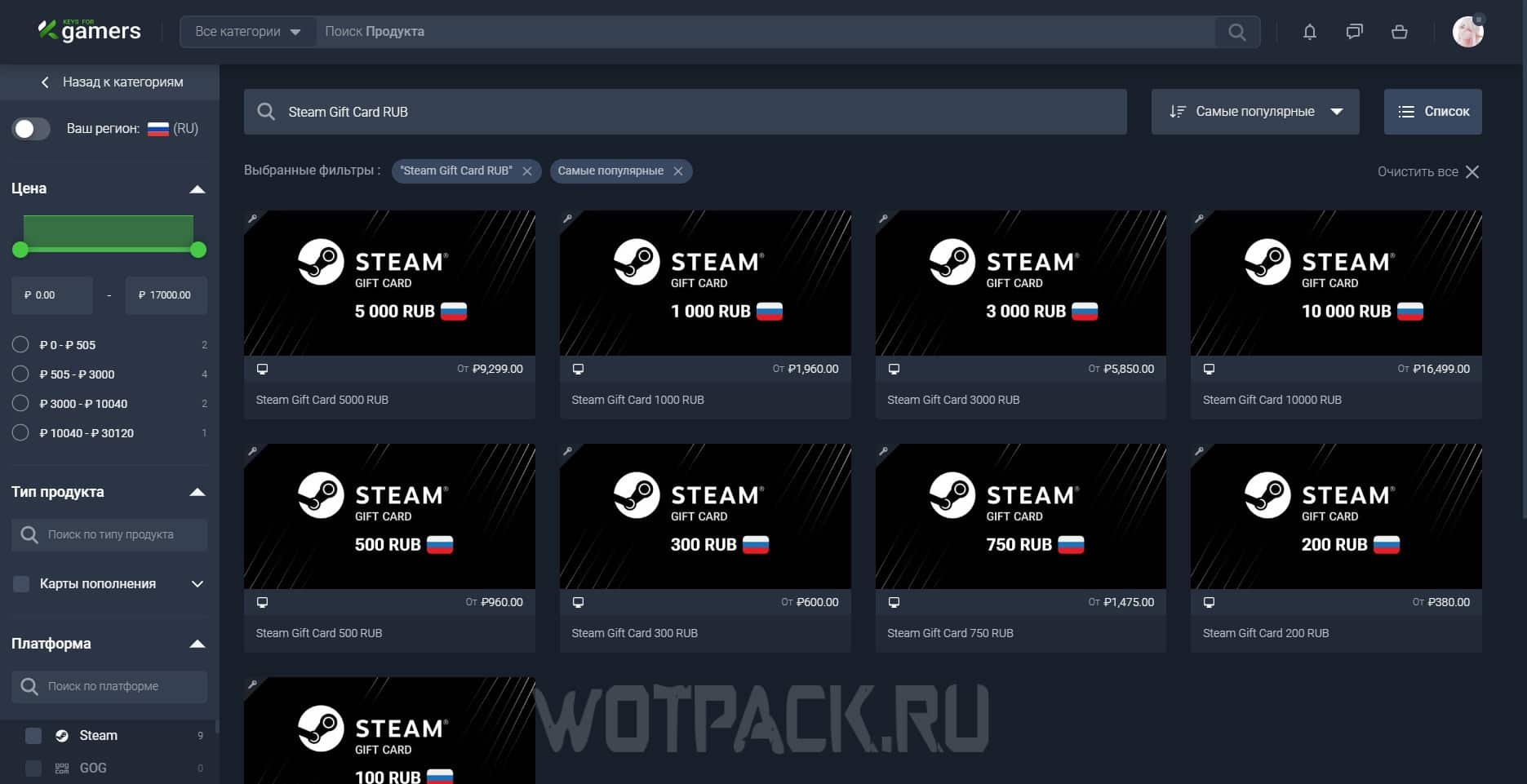
- Enter in the search bar "Steam Gift Card RUB", or use active transition.
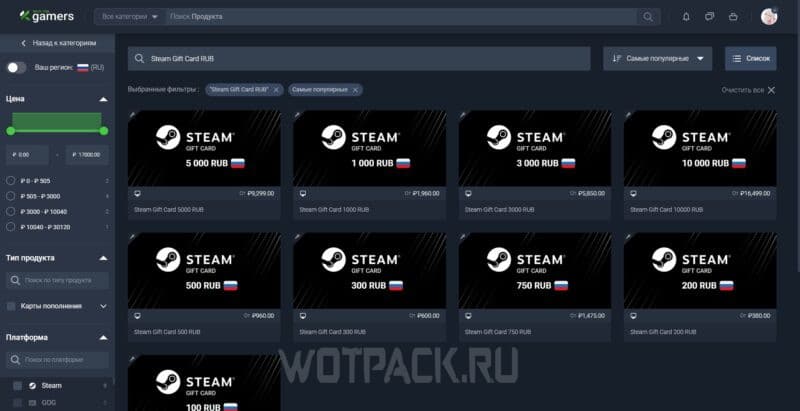
- From the proposed options, choose the most suitable one: for example, a gift card for 1 rubles. Thus, it will open general list of several proposals.
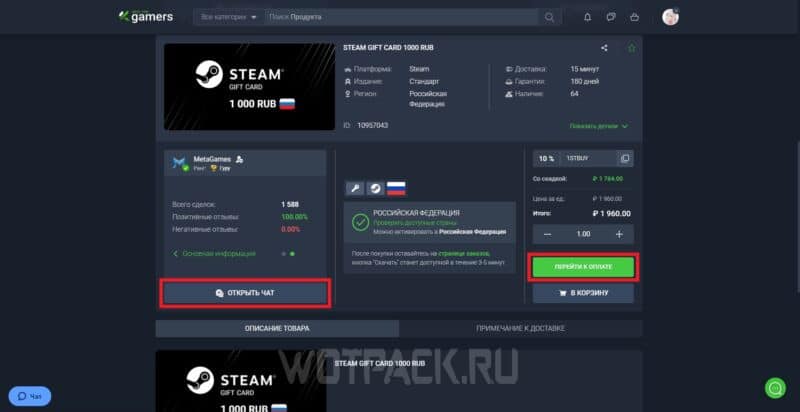
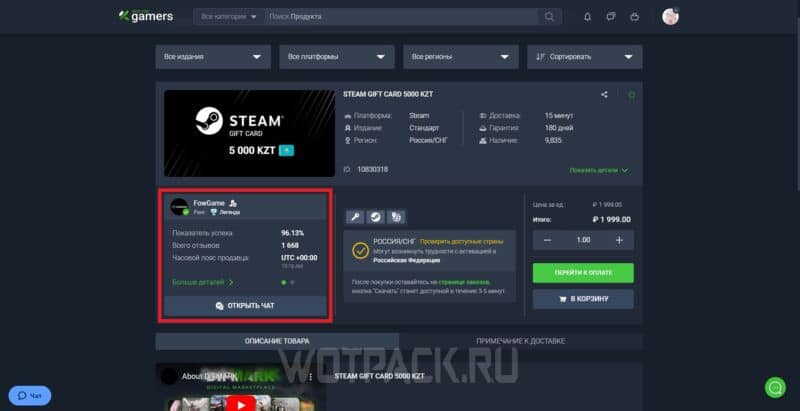
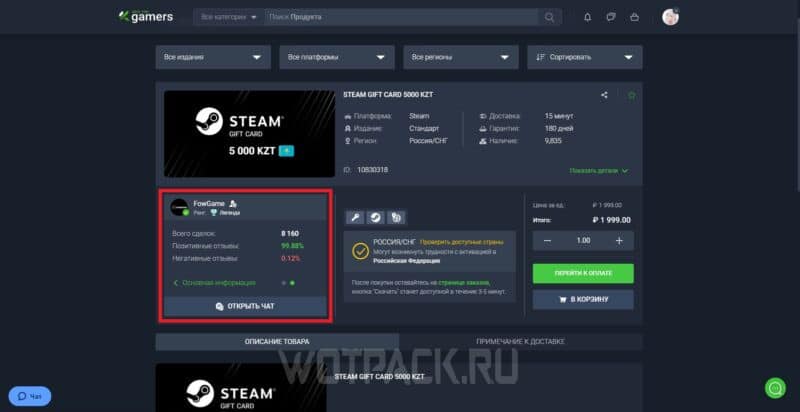
- Check out the available offers, as well as other additional information: the page will display not only the price of the product, but also seller details — the number of reviews and their quality (positive or negative), success rate as a percentage, the total number of completed transactions.
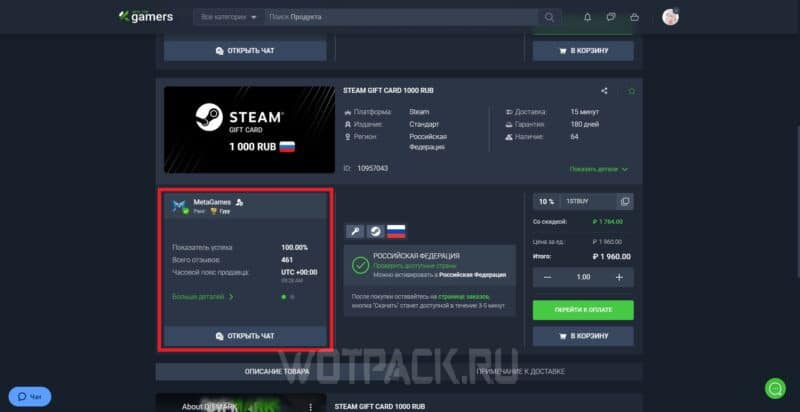
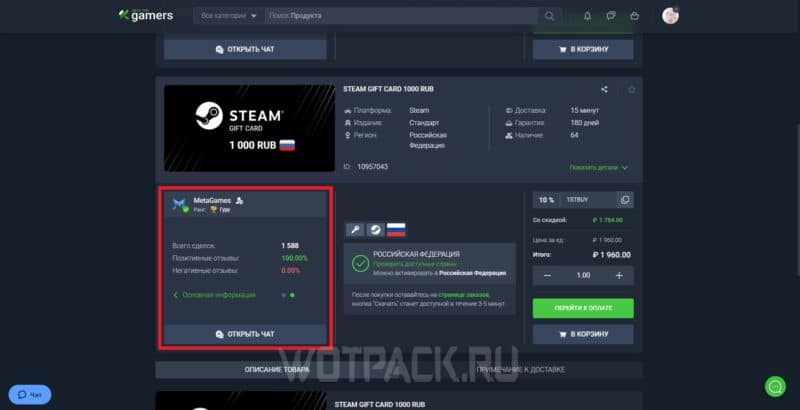
- Having chosen a seller who fully satisfies personal requirements, you can either talk with the user through the function "Open chat", or immediately proceed to completing the transaction via "Go to the payment".
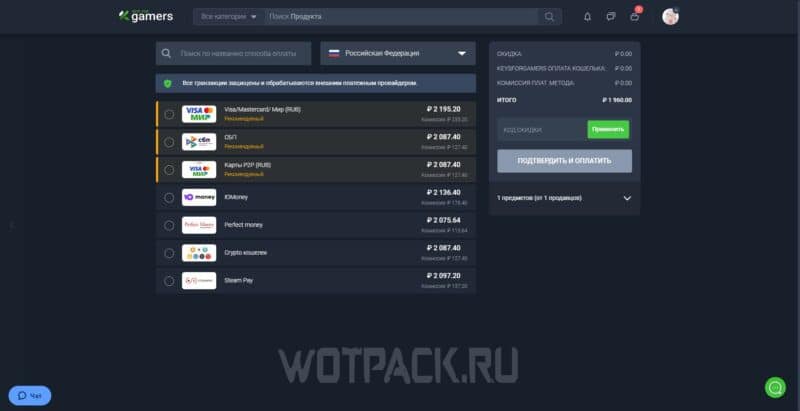
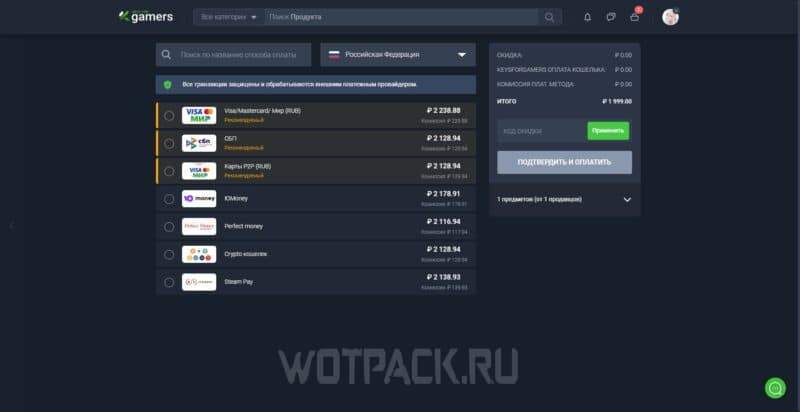
- Among the available payment methods you can always find something "yours": bank cards (Visa, MasterCard, Mir), fast payment systems, electronic wallets, as well as cryptocurrency.
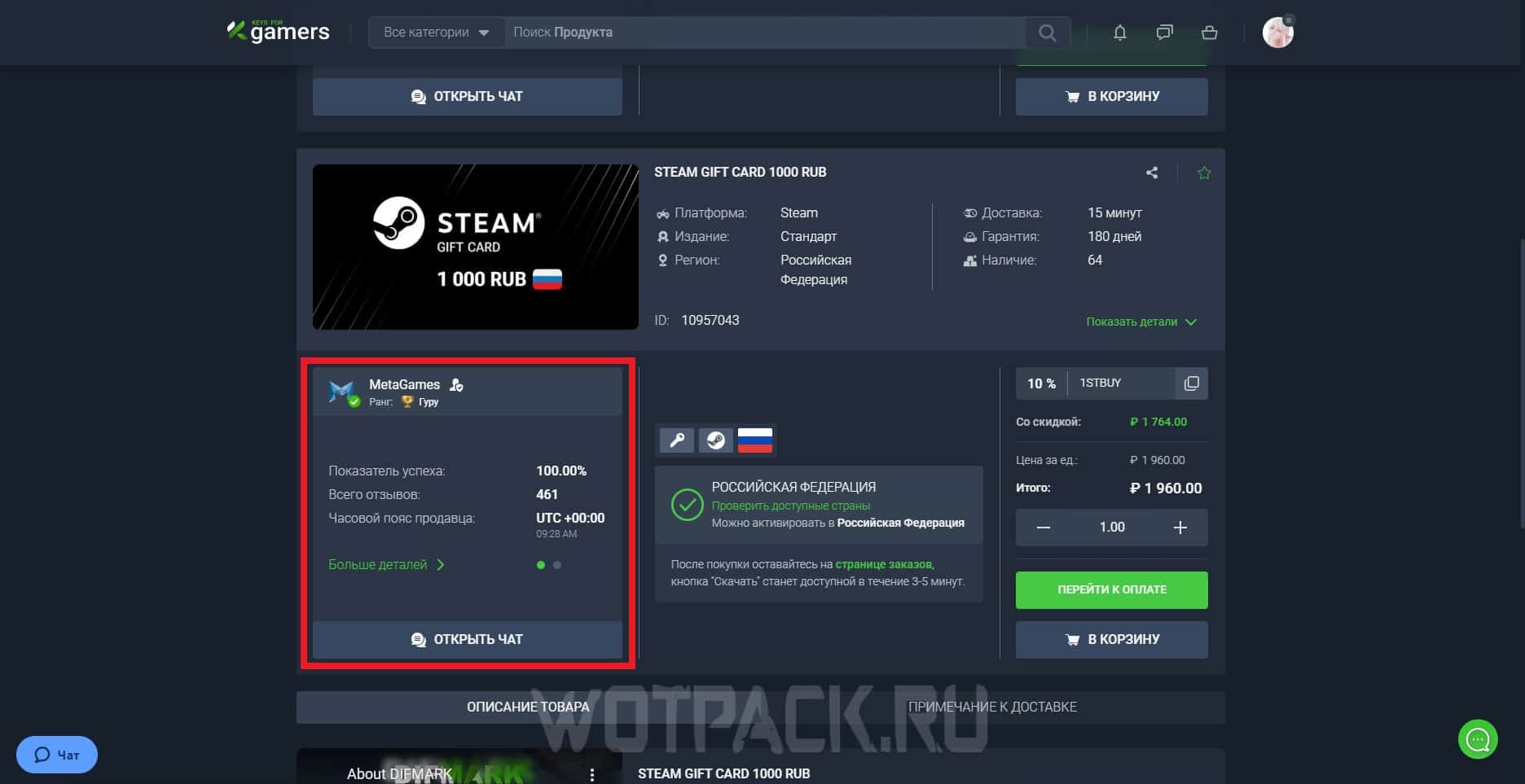
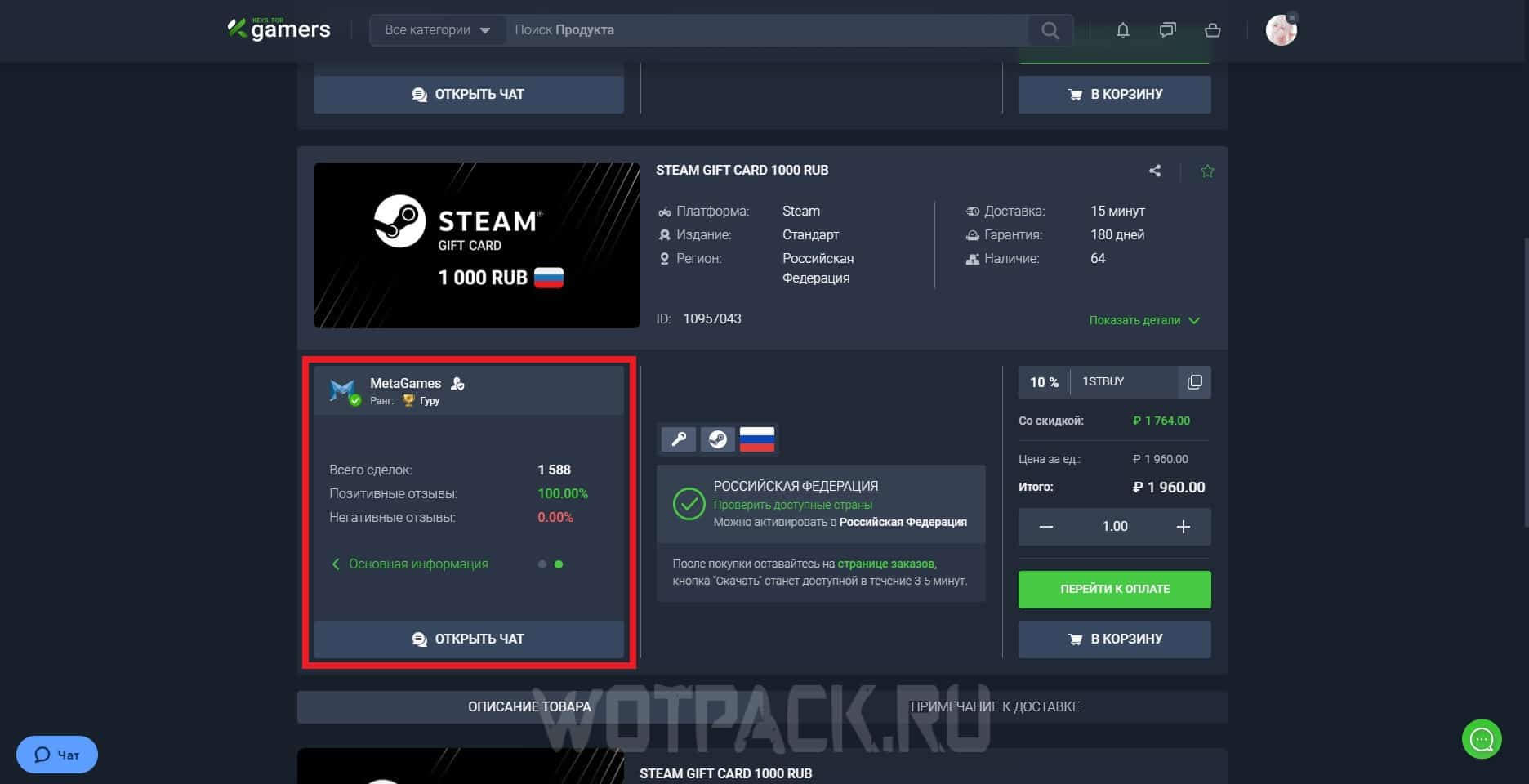
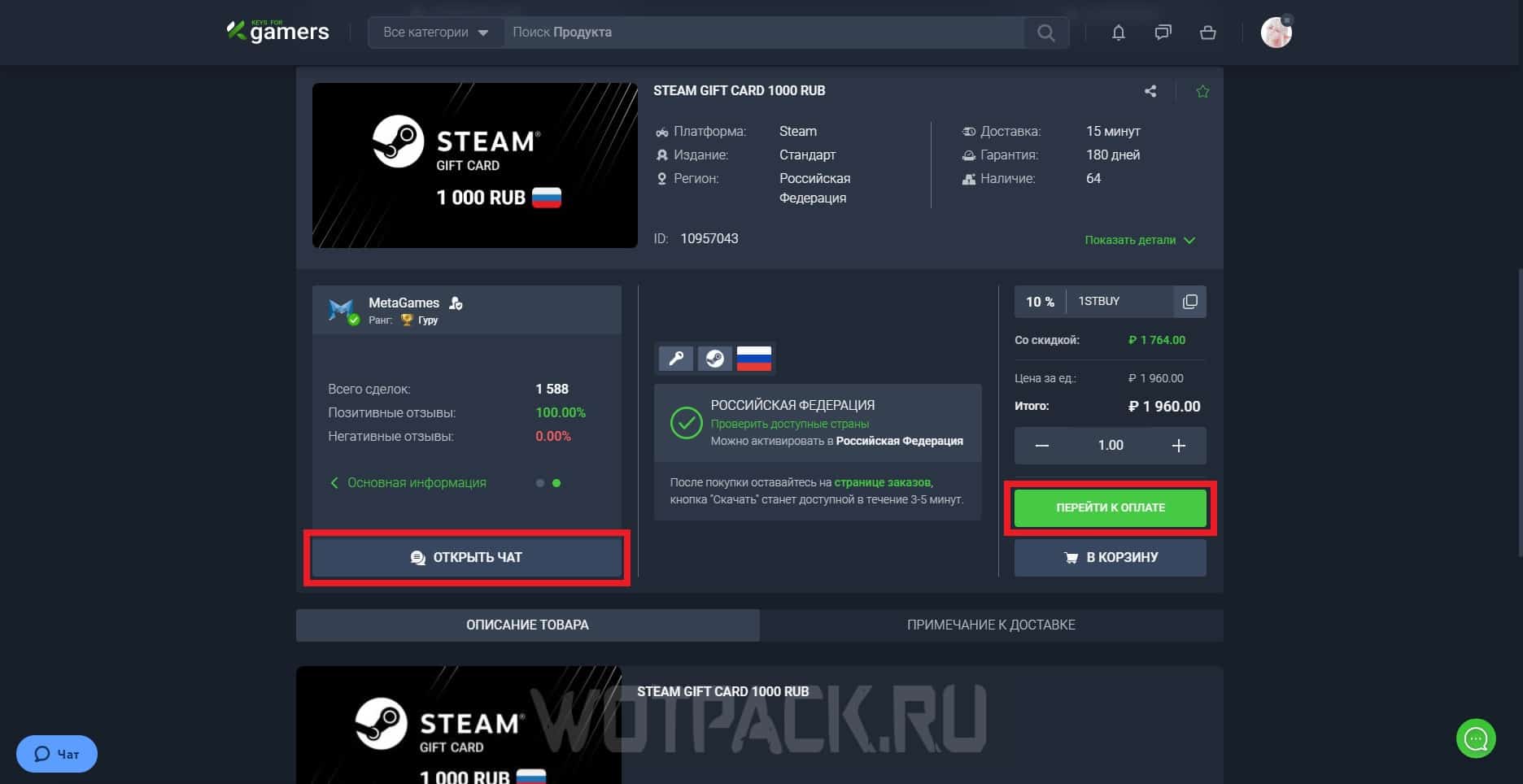
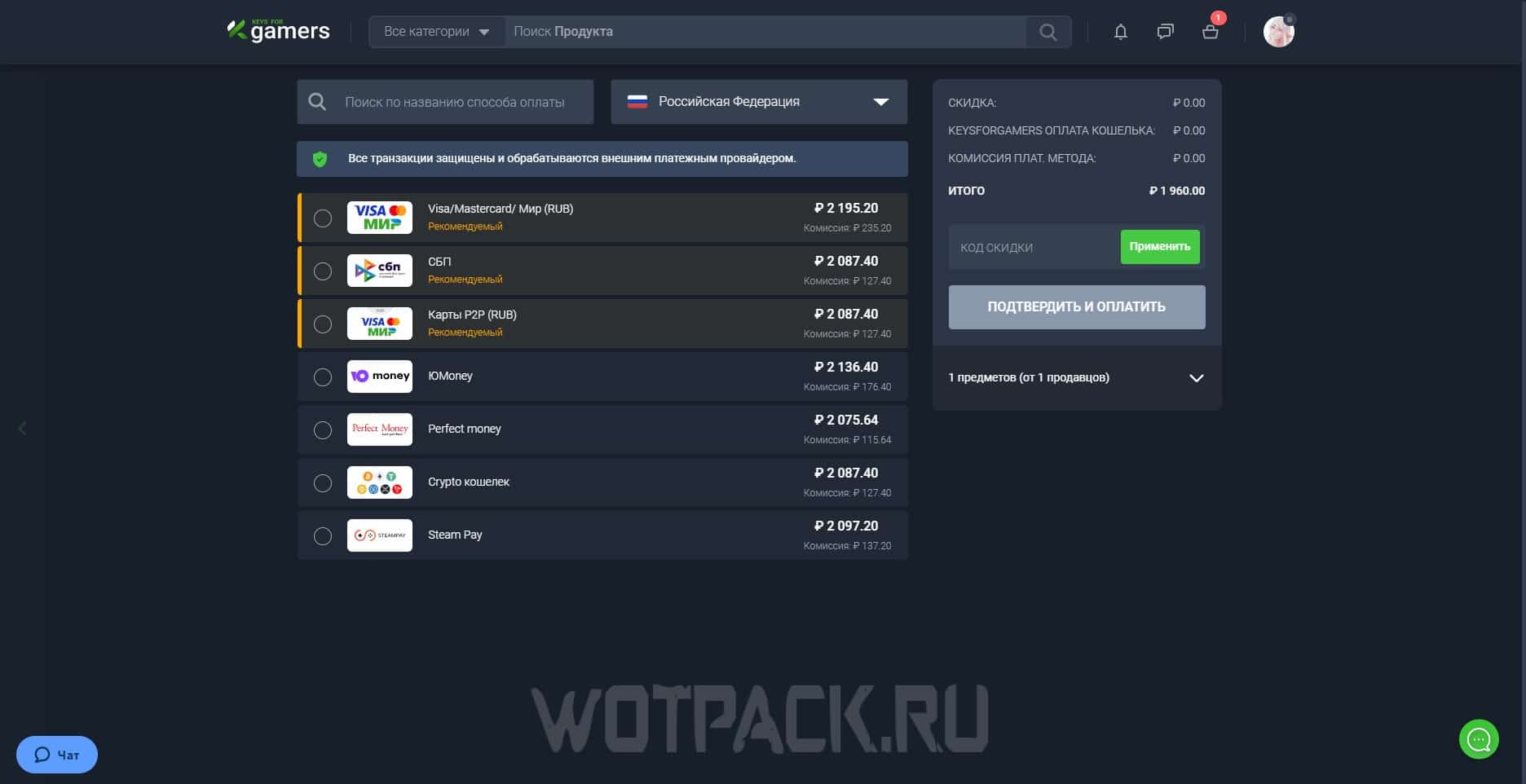
After completing the transaction, wait for the site to process the payment. Within 30 minutes (in exceptional situations - within an hour) the seller will send a file with the combination that must be entered to activate the voucher.
In order to activate the combination, you must:
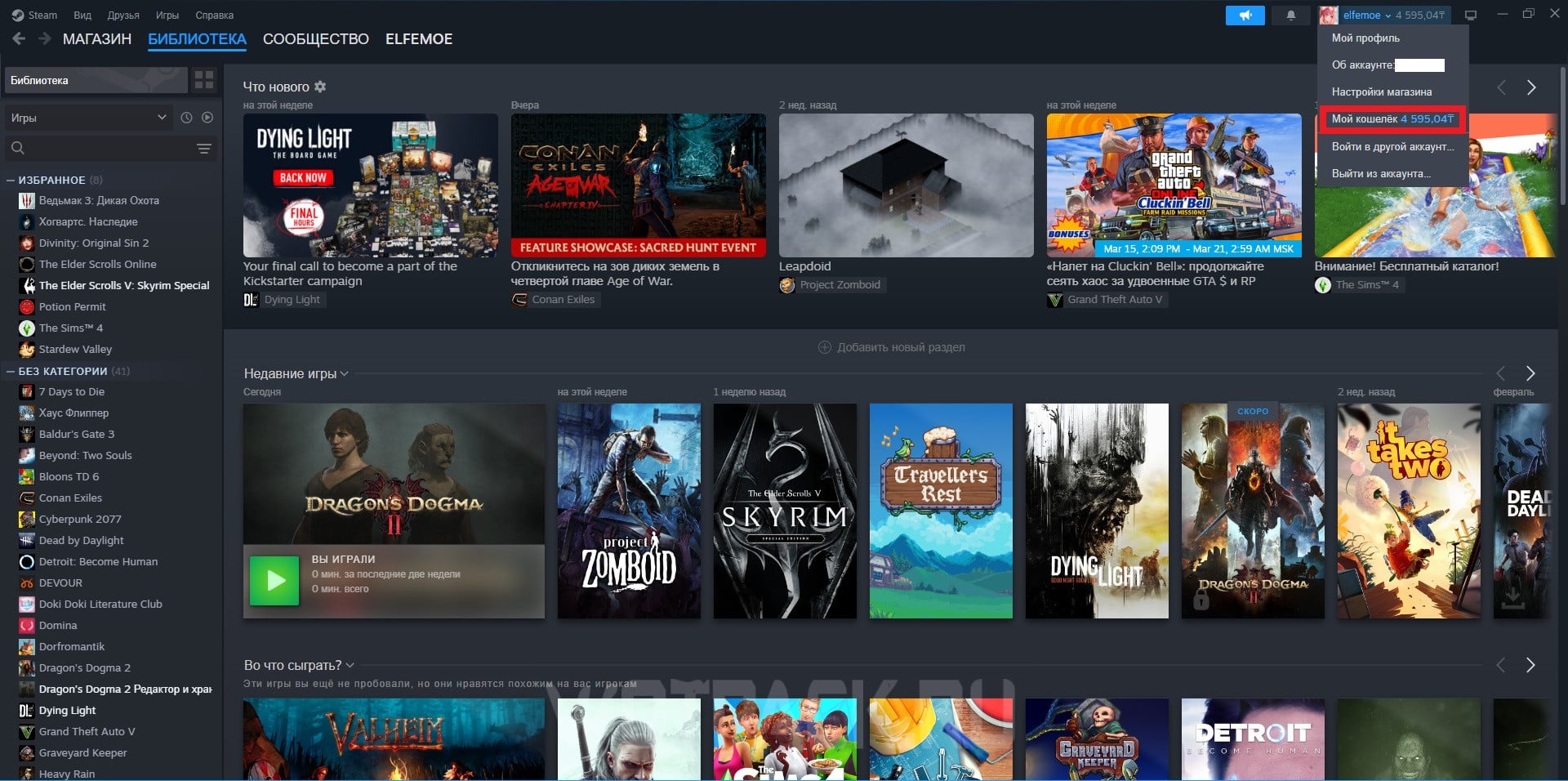
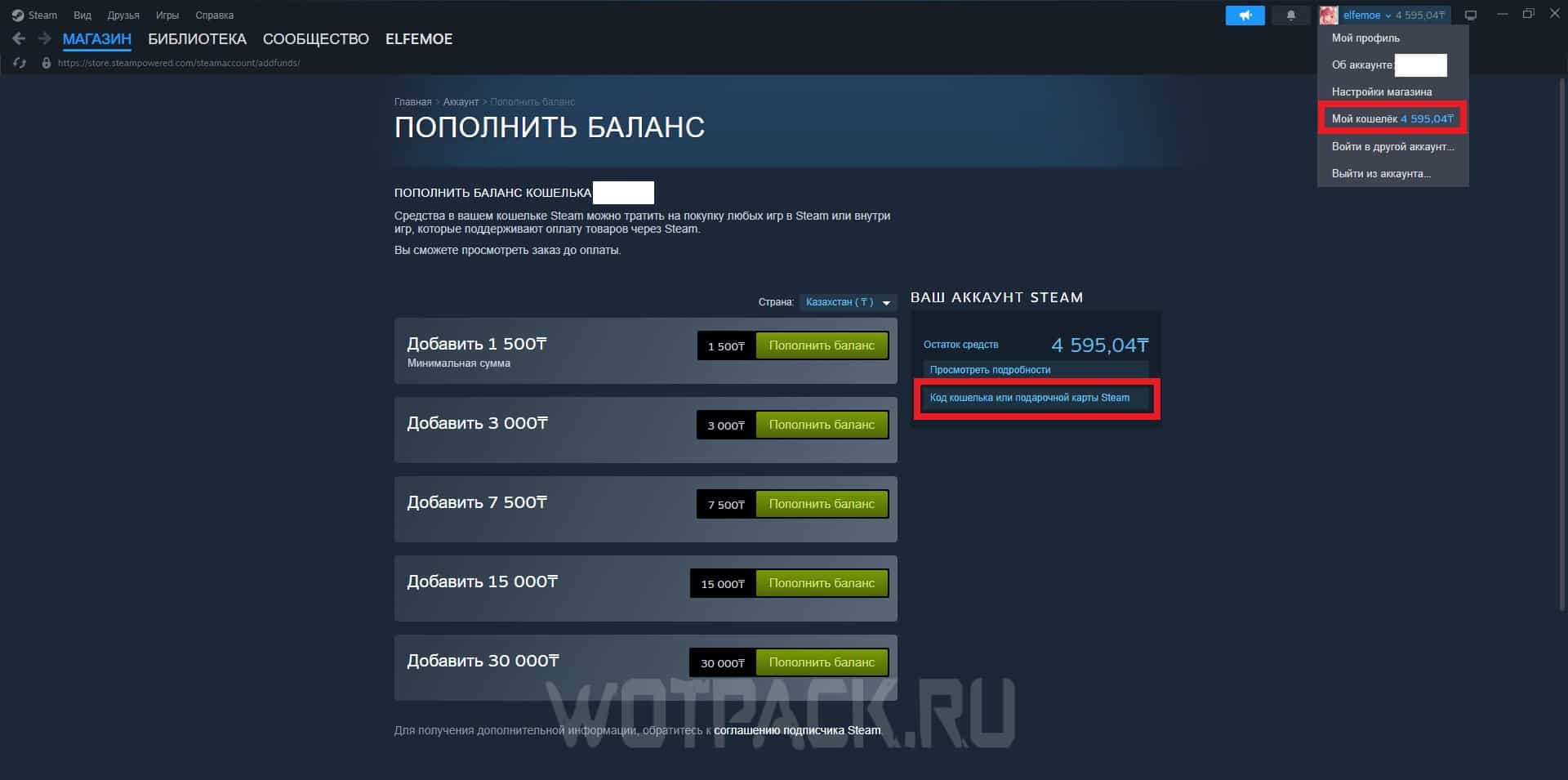
- Expand the Account Management section and go to the tab "My wallet".
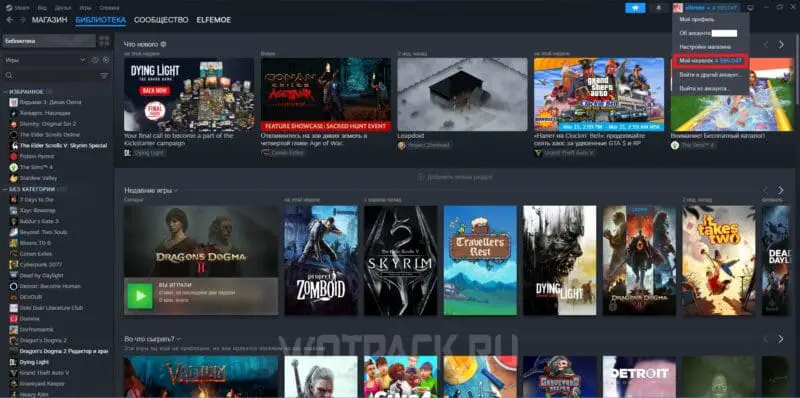
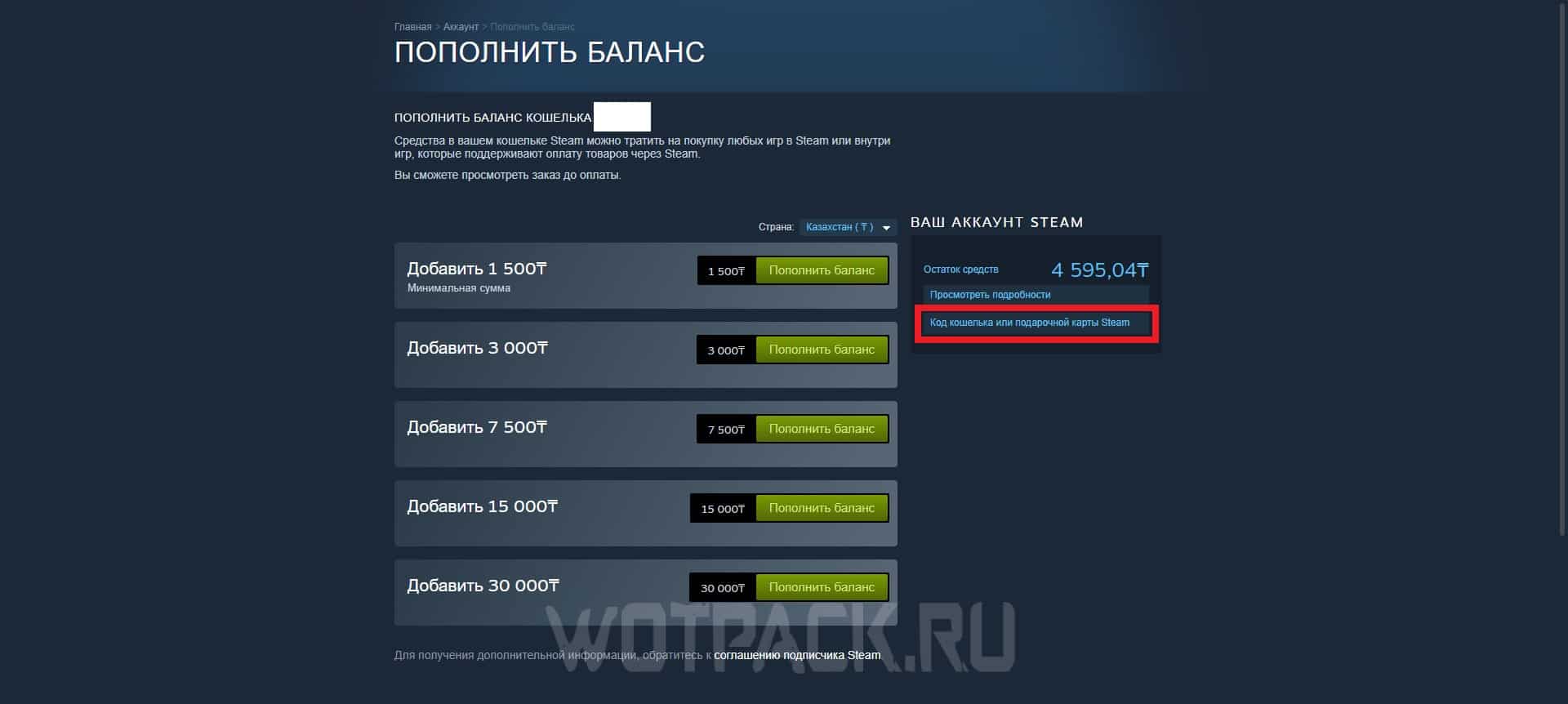
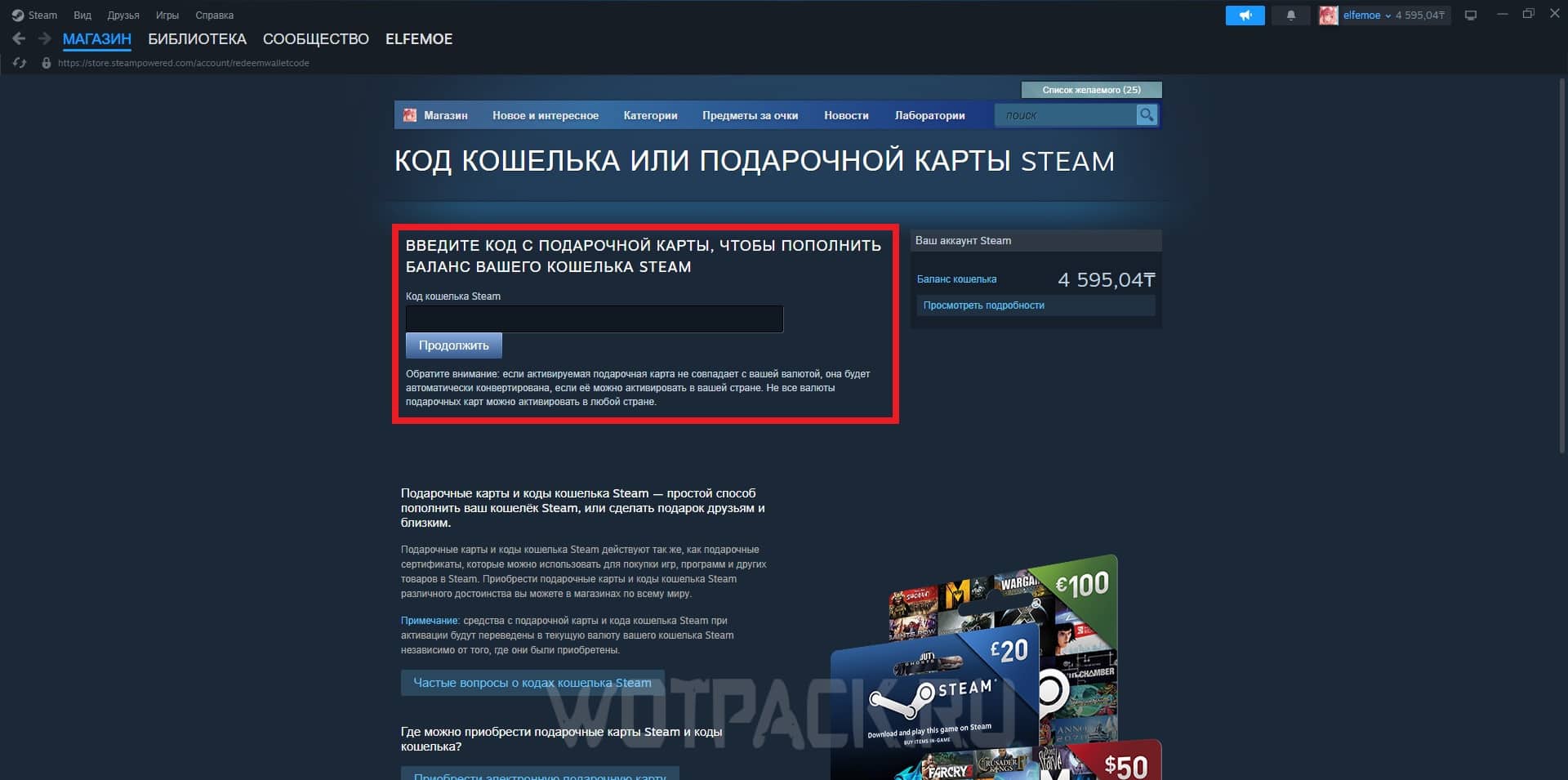
- On the “Top up balance” page, use the function "Steam Wallet or Gift Card Code".
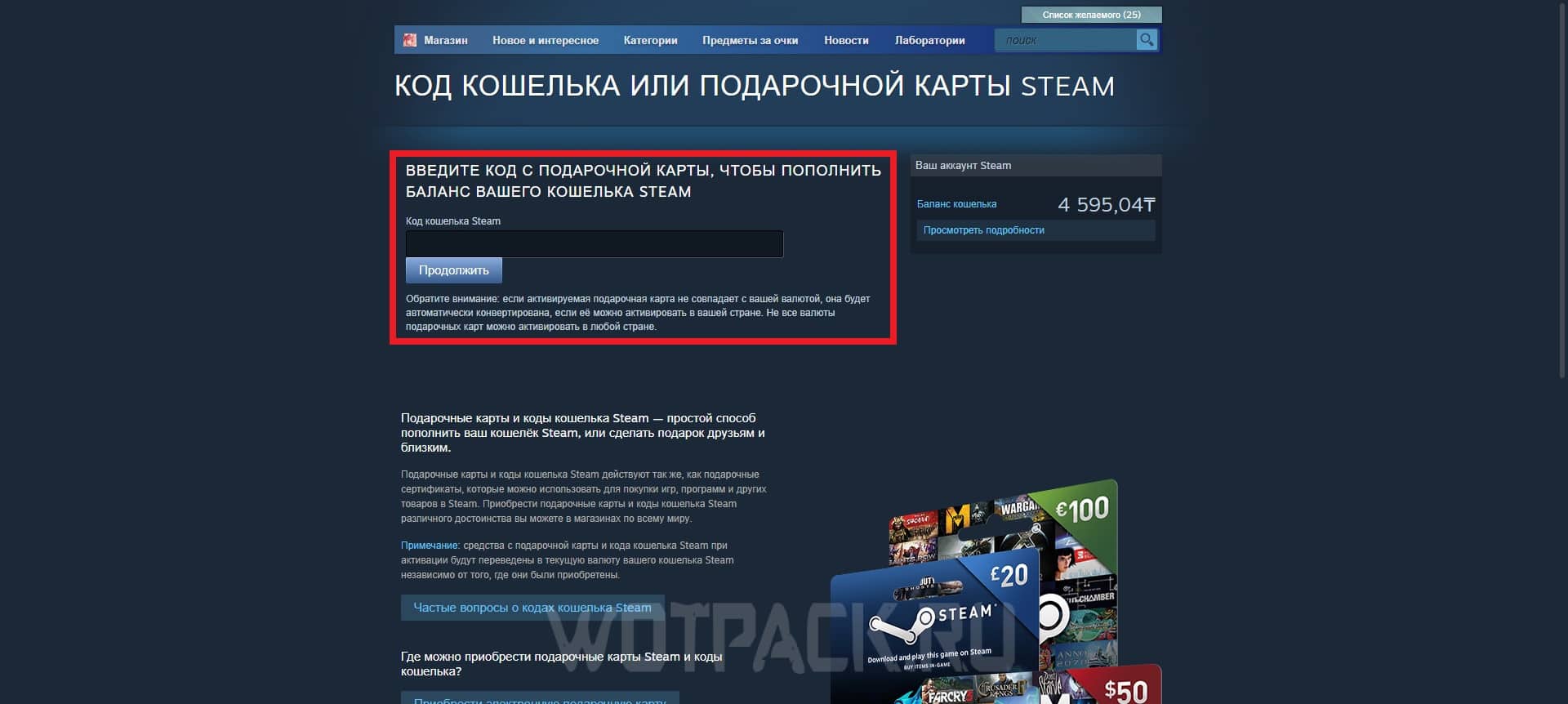
- In a separate field, insert the code from the gift card to top up your wallet.
FAQ
This section identifies the main questions that may arise when purchasing games on Keysforgamers.
What should I do if the key, gift card or account login error does not work?
Write to Keysforgamers technical support, whose specialists are always ready to help resolve any problems that arise between the seller and the buyer.
What should I do if there is an error in the order?
The answer is similar to the first question - just write to Keysforgamers specialists with the exact wording of the request so that they can assess the scale of the problem and start solving it as soon as possible.
What should I do if the wrong region was selected during the ordering process?
Unfortunately, no one will be able to provide support in resolving this issue, since this technical issue must be monitored by the buyer personally. There are NO refunds given for this issue.
What information must be provided when requesting technical support?
The order number and username are two of the most important things to keep in mind when contacting Keysforgamers. This is followed by a clearly formulated description of the problem, so as not to subsequently encounter many clarifying points that delay the process.
If you have any other difficulties, the support service is always online, so do not be afraid to contact - they will always answer you and try to help.
Topping up Steam via MTS Bank
Replenishment through MTS Bank is also considered one of the simplest methods, which takes a small amount of time - from 5 to 10 minutes. Download the My MTS application or go to MTS official websiteto log in using your phone number. After:
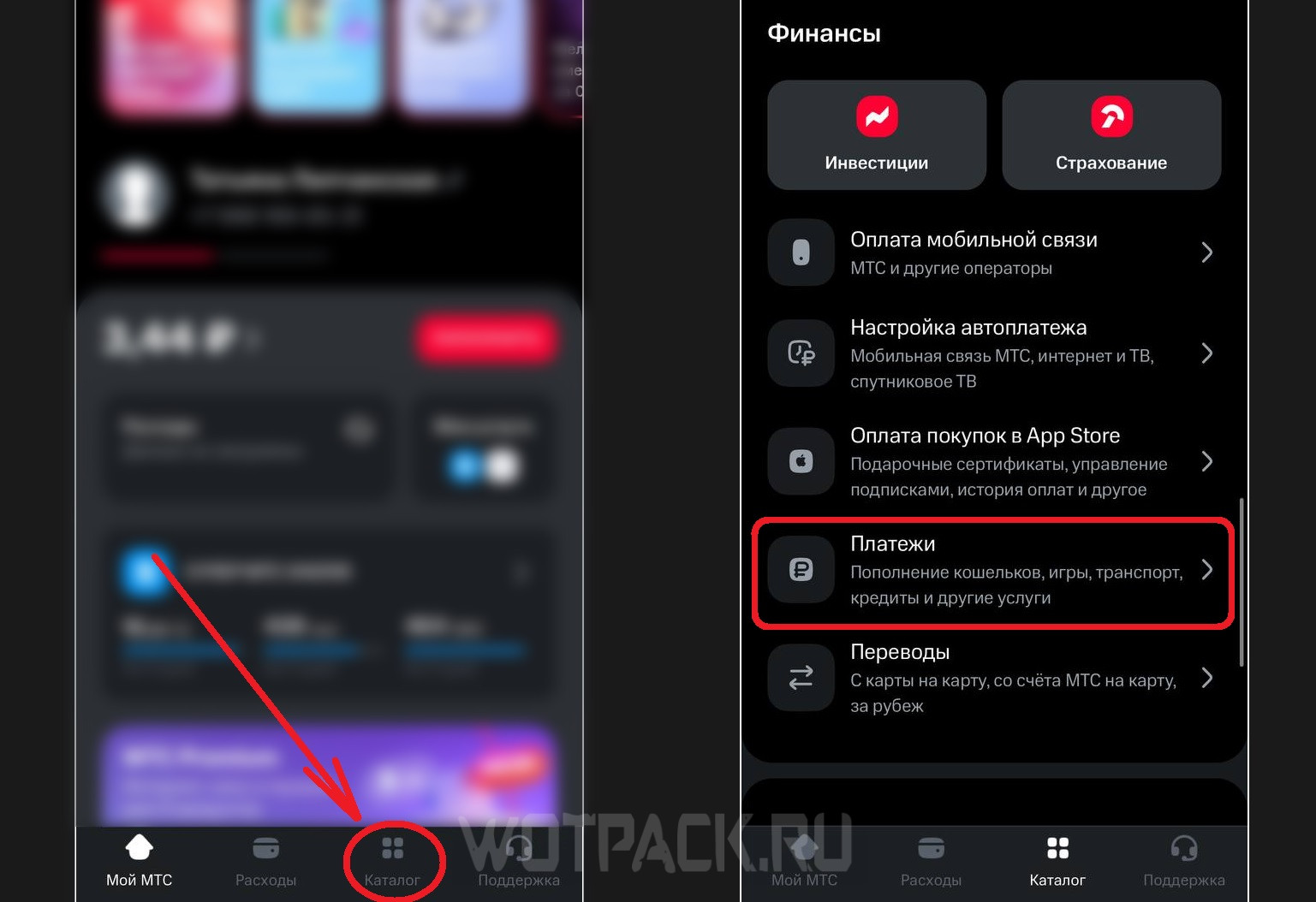
- Go to "Catalogue" and scroll down to the section "Finance", where you need to select "Payments".
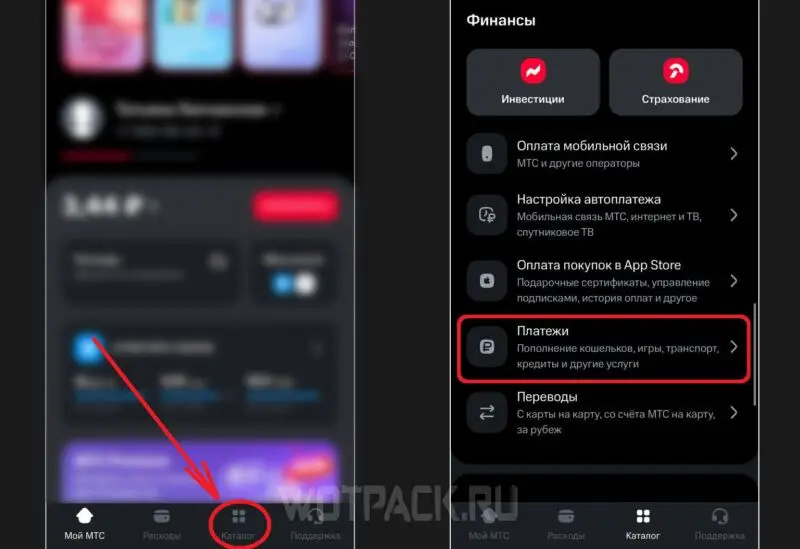
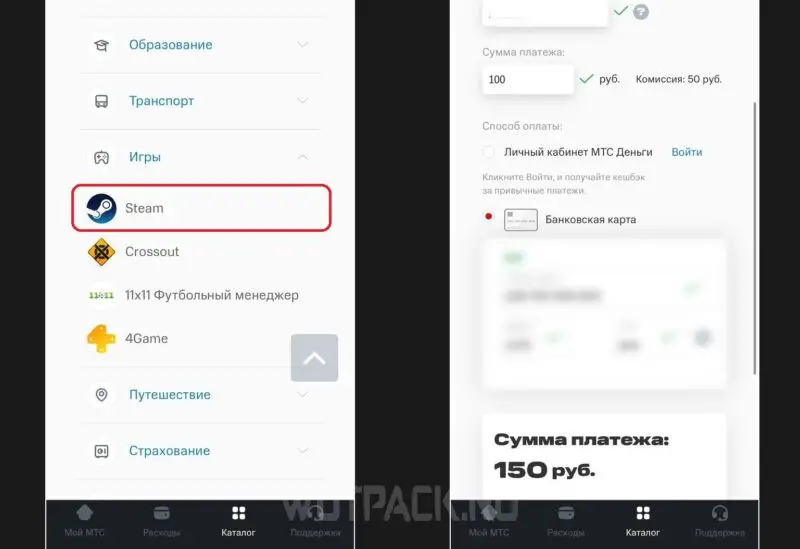
- Scroll until you find a tab "Games", inside which there will be "Steam".
- Click to go to the payment page and enter all the required data: profile login, bank card details and payment amount. The program will automatically calculate how much you will have to pay.
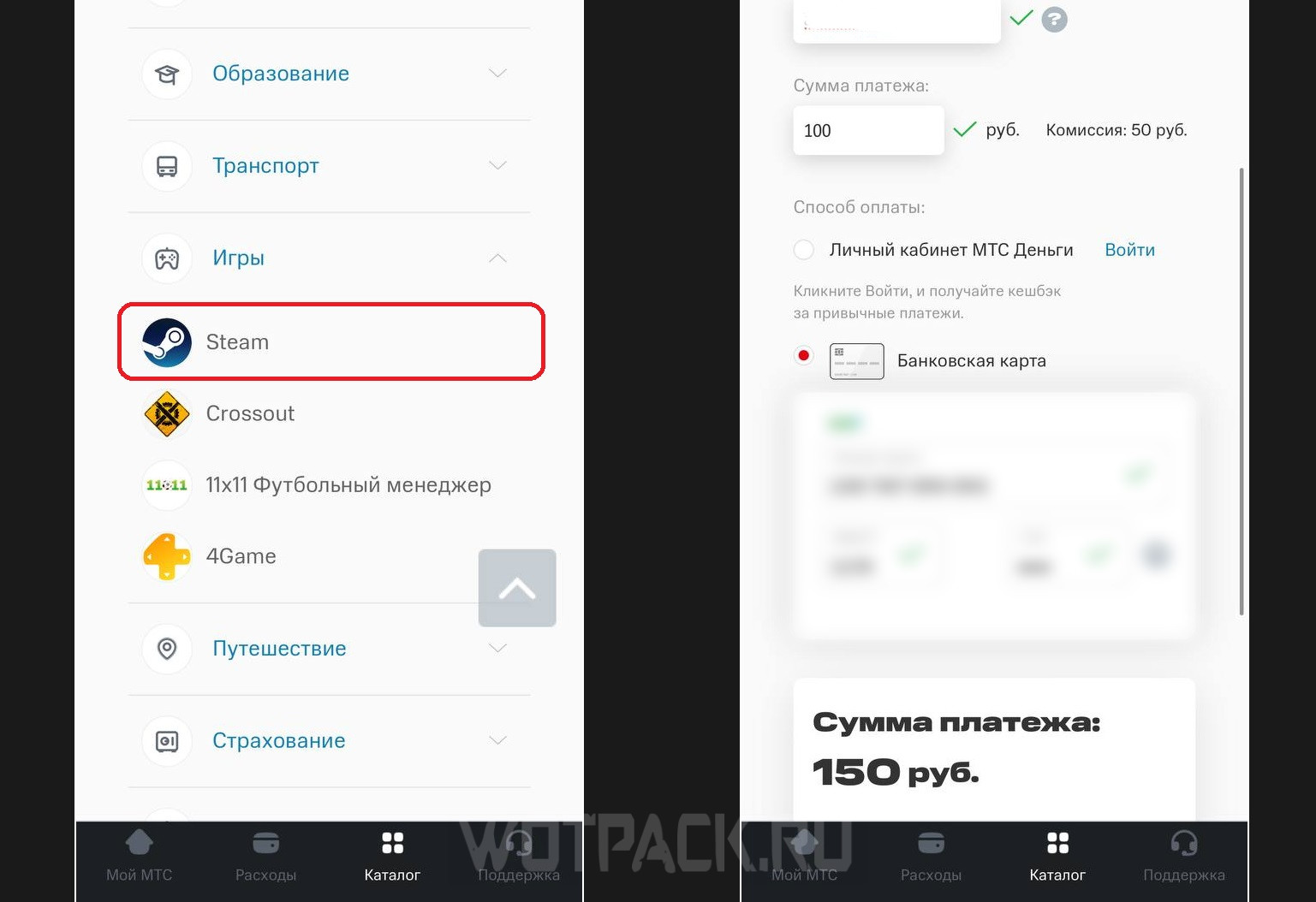
Please note that in addition to the commission, you will have to pay approximately 4-10% of the topped up amount. That is, from 150 rubles paid, 95,75 rubles will be credited to your Steam account.
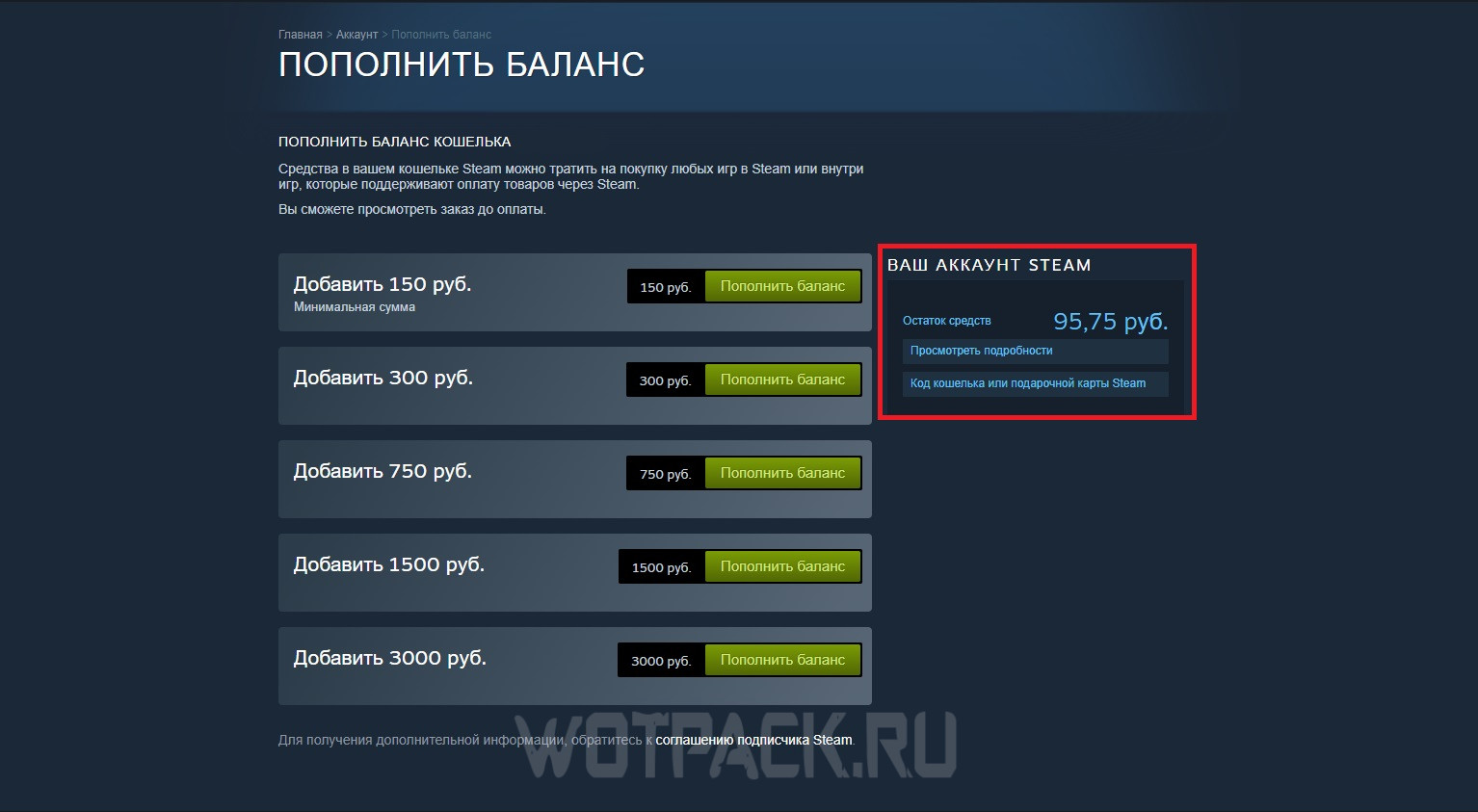
The money arrives almost instantly, so you can immediately check your Steam wallet.
Topping up your Steam account via VTB
Due to the fact that one of the once popular methods of replenishing a wallet (via QIWI) is currently not working, gamers have found another workaround - donate through VTB. To use it, of course, you will need a working bank card belonging to the named bank:
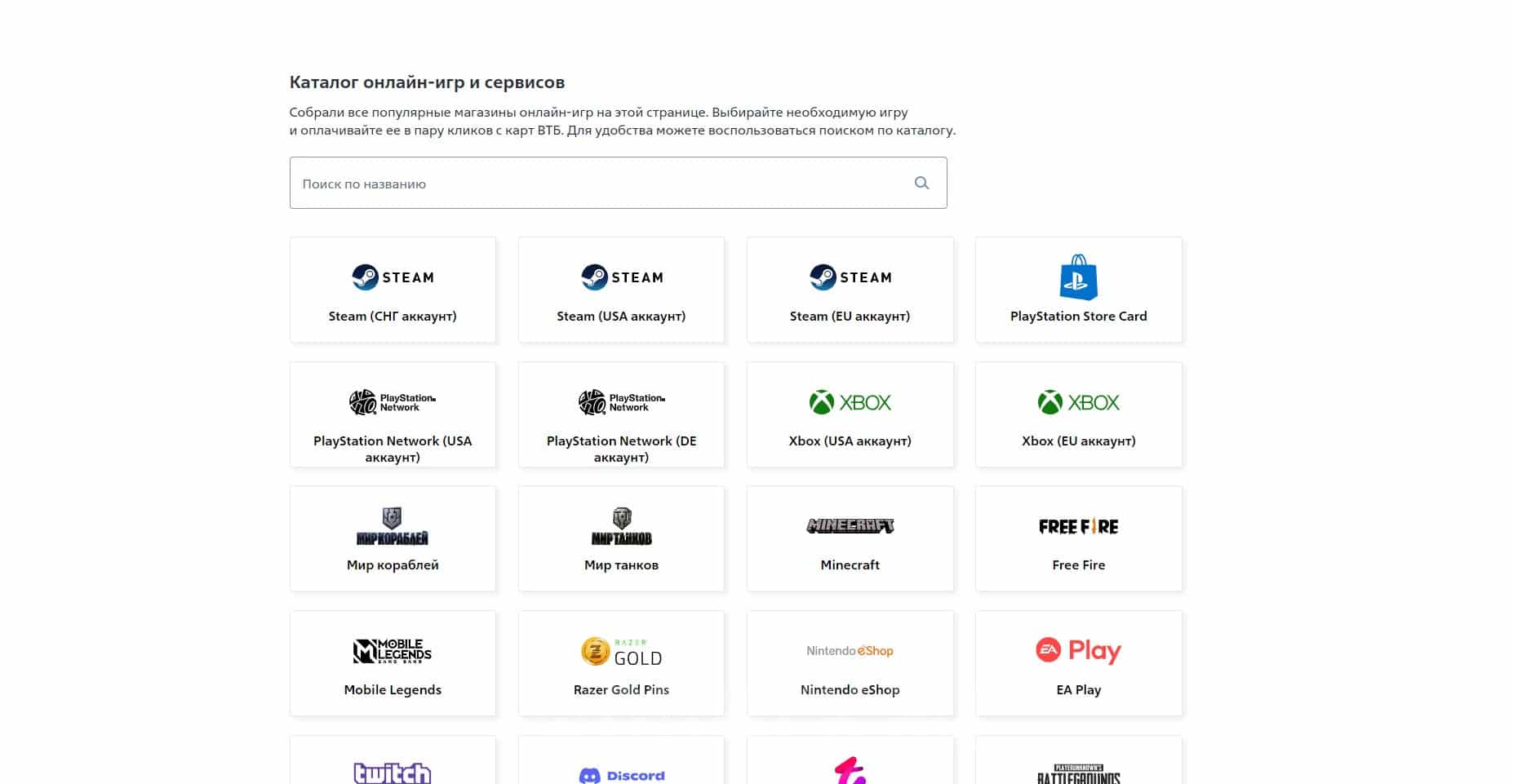
- Open the official section “Catalogue of online games and services”.
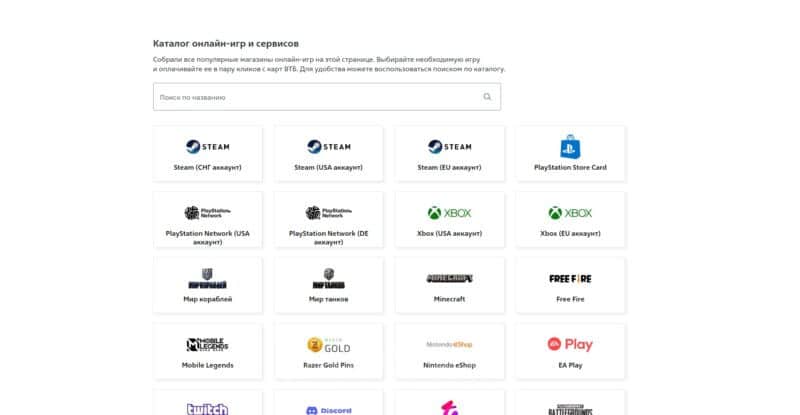
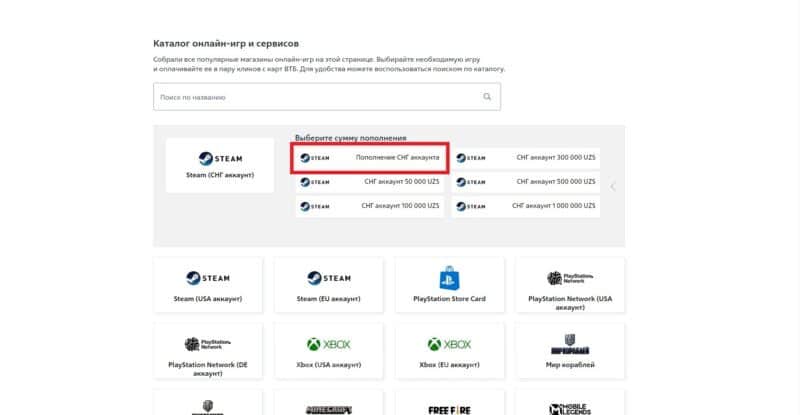
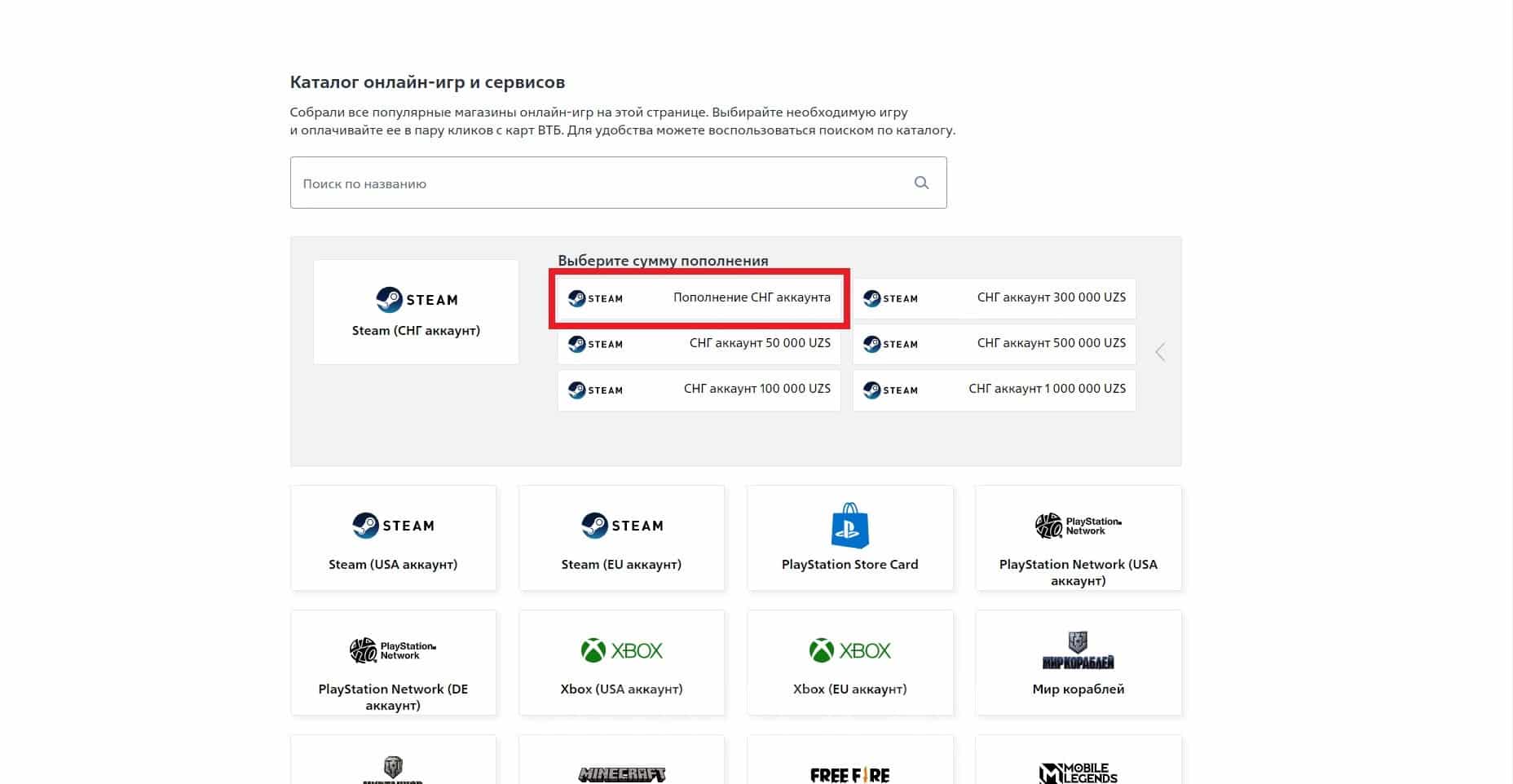
- From the suggested options related to Steam, select: CIS account, USA account, EU account. Then, indicate the replenishment amount. If none of the suggested amounts are suitable, click on the first option from the list.
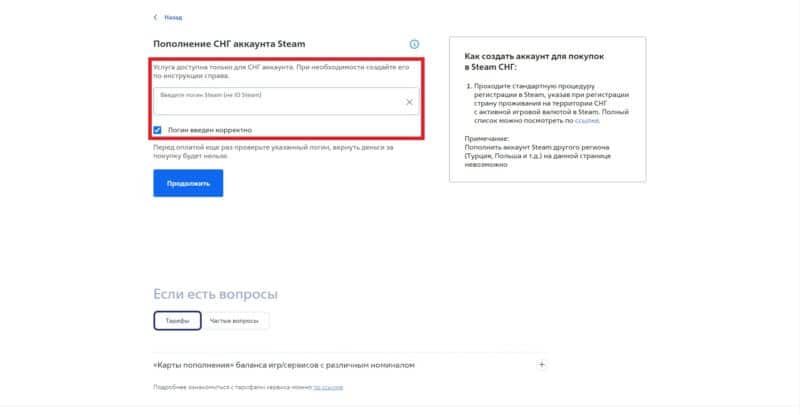
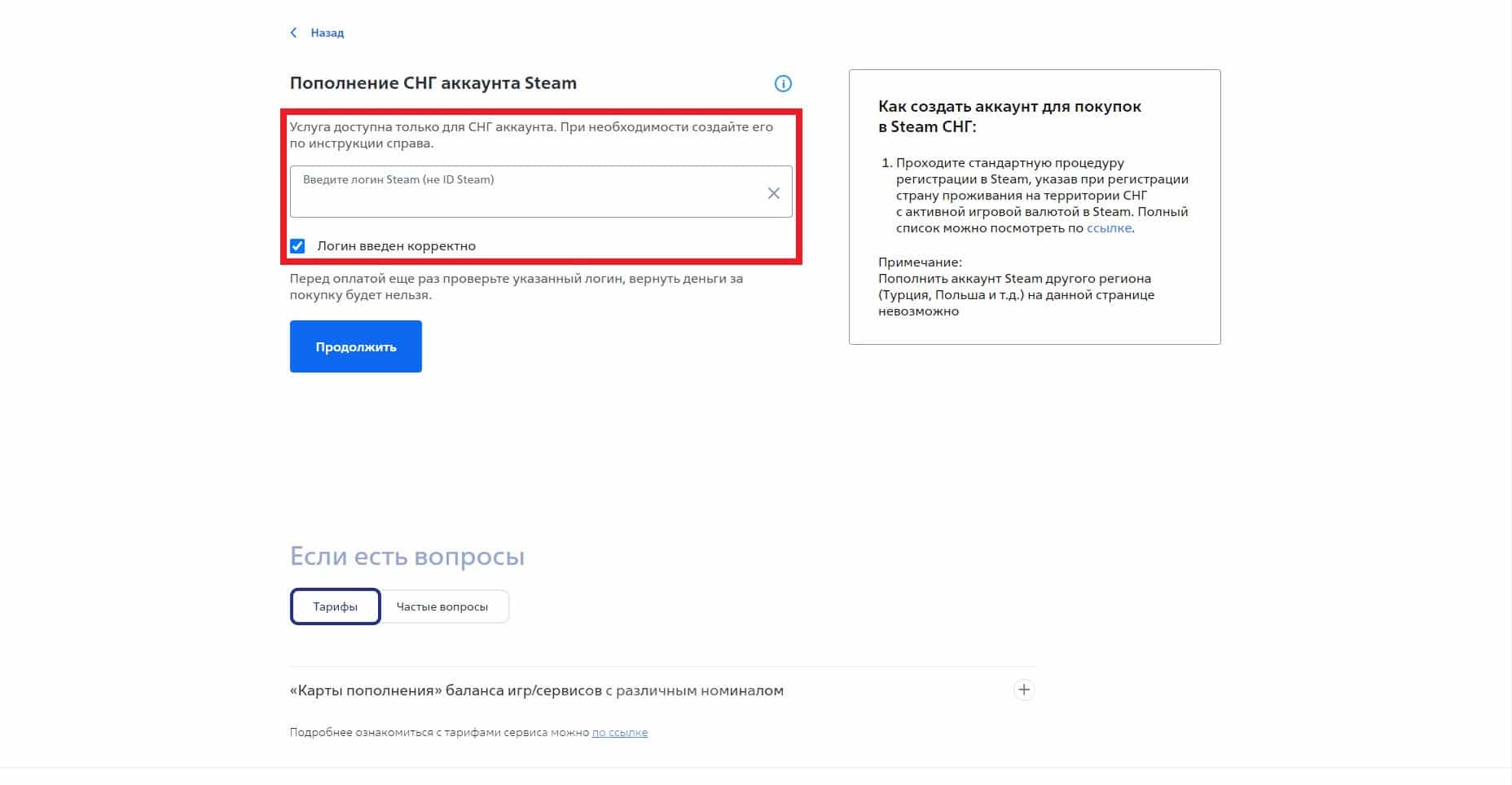
- Insert into the empty space login from profile: to find out, expand the “Account Management” section and look at the nickname written opposite the “About Account” column. Then check the box next to “Login entered correctly.”
- Click Continue to move on to the next form. Enter your bank card information, and you can also enter your email address to subsequently receive a payment receipt.
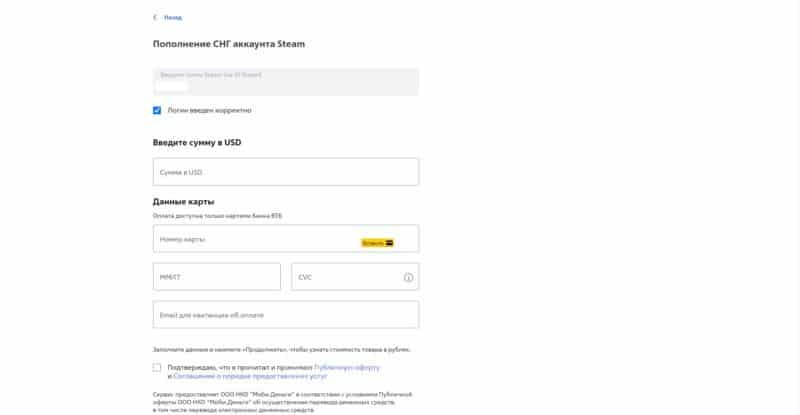
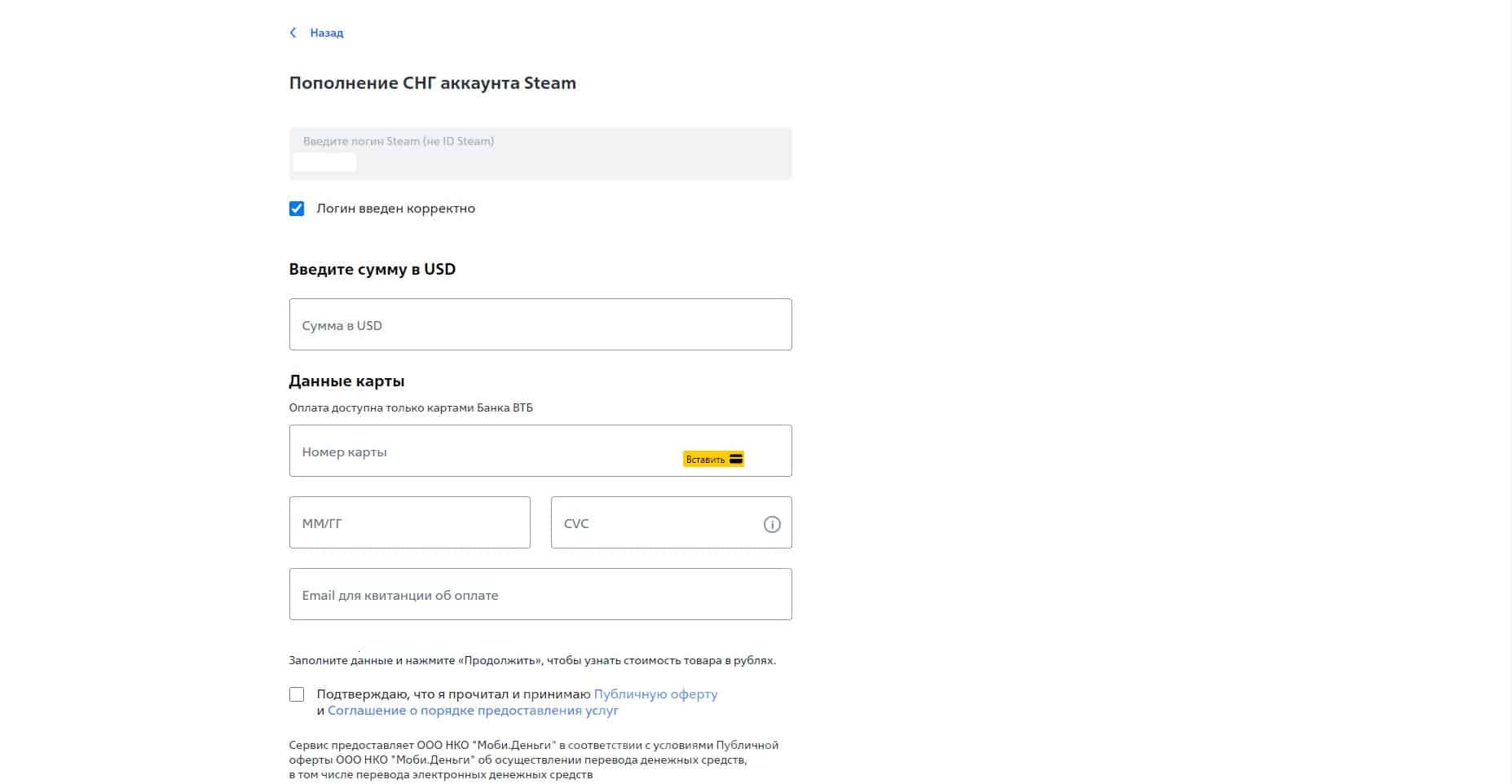
Wait until the site processes the payment: replenishment takes place in dollars, which upon receipt automatically converted in rubles. The total commission percentage will be about 20%.
Top up your Steam balance via Sberbank
It is easy to donate to your Steam account via Sberbank - the method disappears periodically, but now replenishment in the bank is available to all Russian users. How to replenish the wallet:
- Open the mobile app or website Sberbank Online, to log in and enter your profile with a registered bank card.
- In the main search, enter "Steam", to quickly go to the enrollment options - select from the list "Account replenishment"The title should not contain any additions with USD, since this is a donation via dollars.
- In a separate tab, specify Steam login, which you use to log into your game account, and payment amountYou can't send less than 150 rubles.
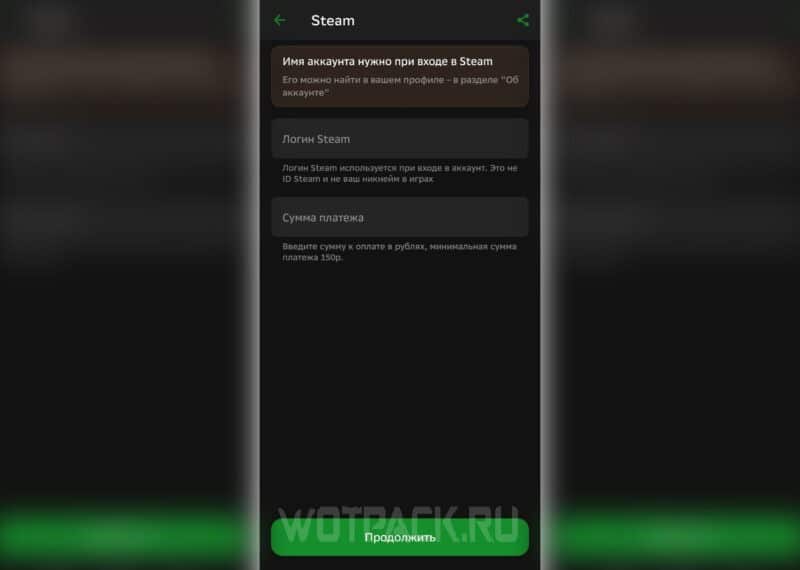
- Click "Continue" and the bank will transfer the money to your virtual wallet.
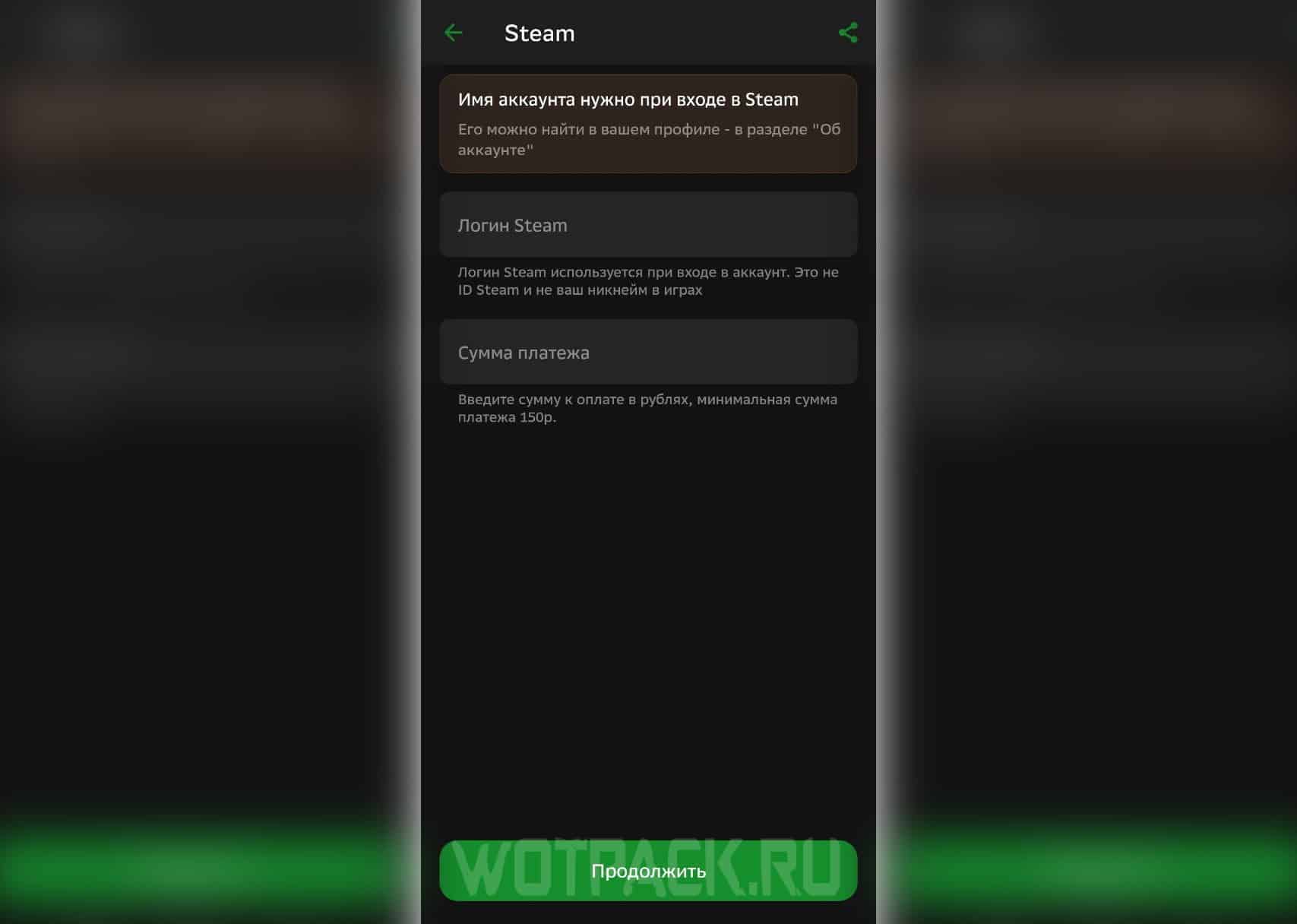
The conversion fee is 9-10% — if you want to put 150 rubles, then only 135 of them will go to your Steam profile.
Donate to Steam via WebMoney
If none of the above methods are suitable, you can also deposit money into your account through electronic payment using your personal wallet WebMoney.
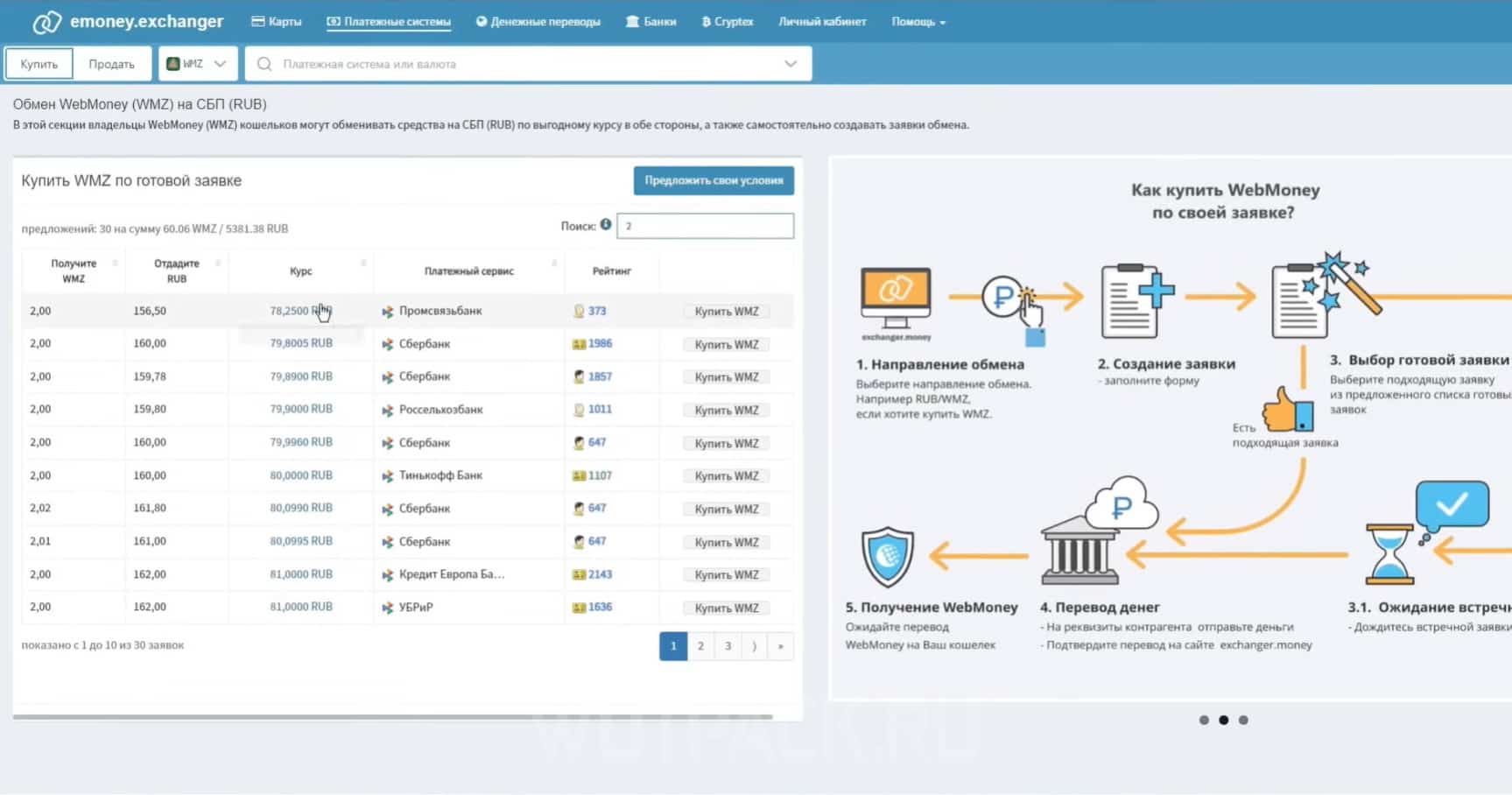
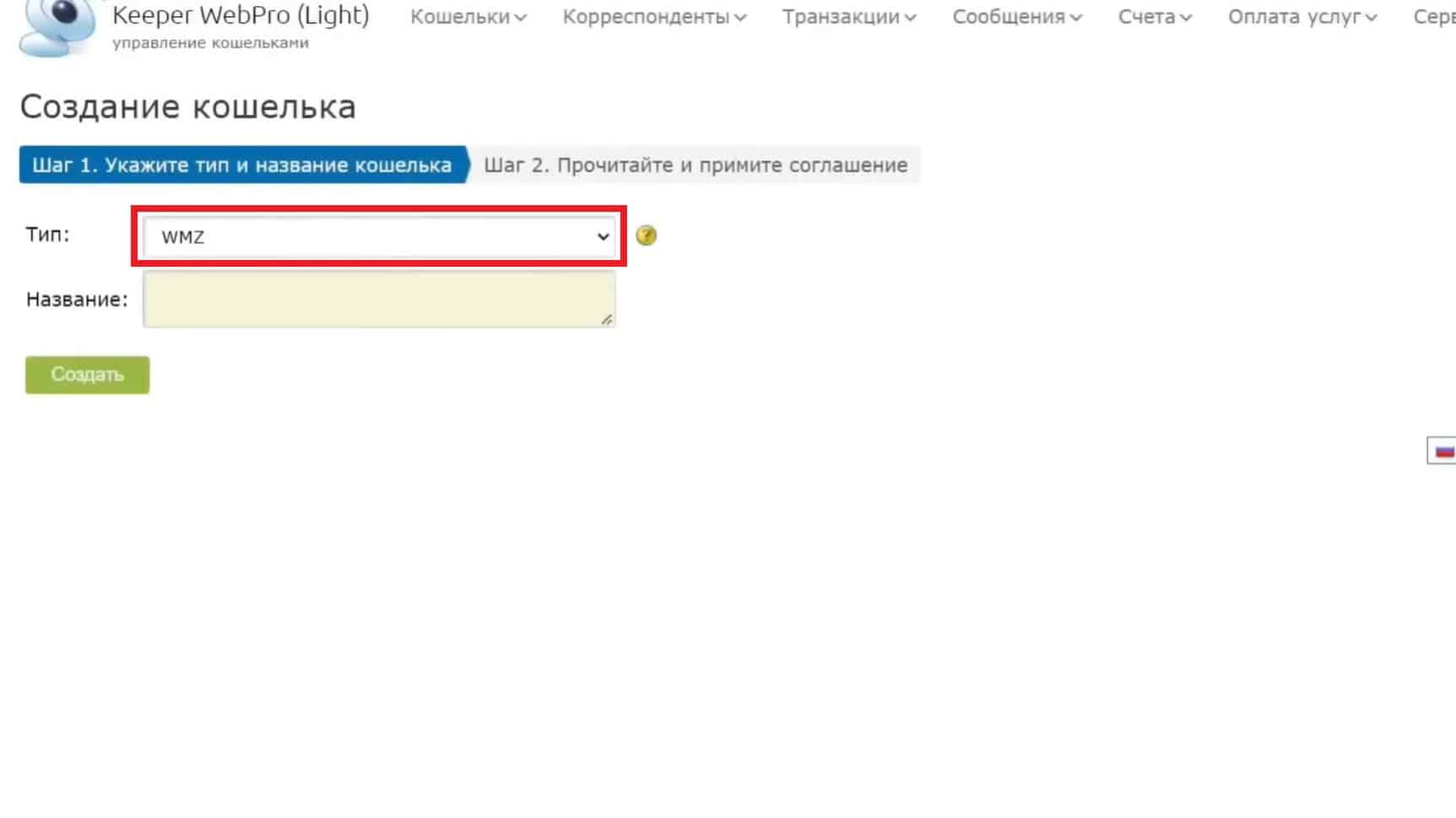
The only caveat is that to fully use the service you will have to spend a lot of time to identify the person: to create a WMZ wallet and subsequently exchange currency through the internal exchange, you must:
- upload a color scan of your passport or other identification document (a photo of the document may be suitable);
- upload a PhotoId (a photograph of the face along with the main page of the passport).
If you already have an account, you need to create a WMZ wallet, and then top it up: the purchase of internal currency is carried out through the use of Russian bank card data, cryptocurrency, as well as third-party electronic payments (for example, YuMoney).
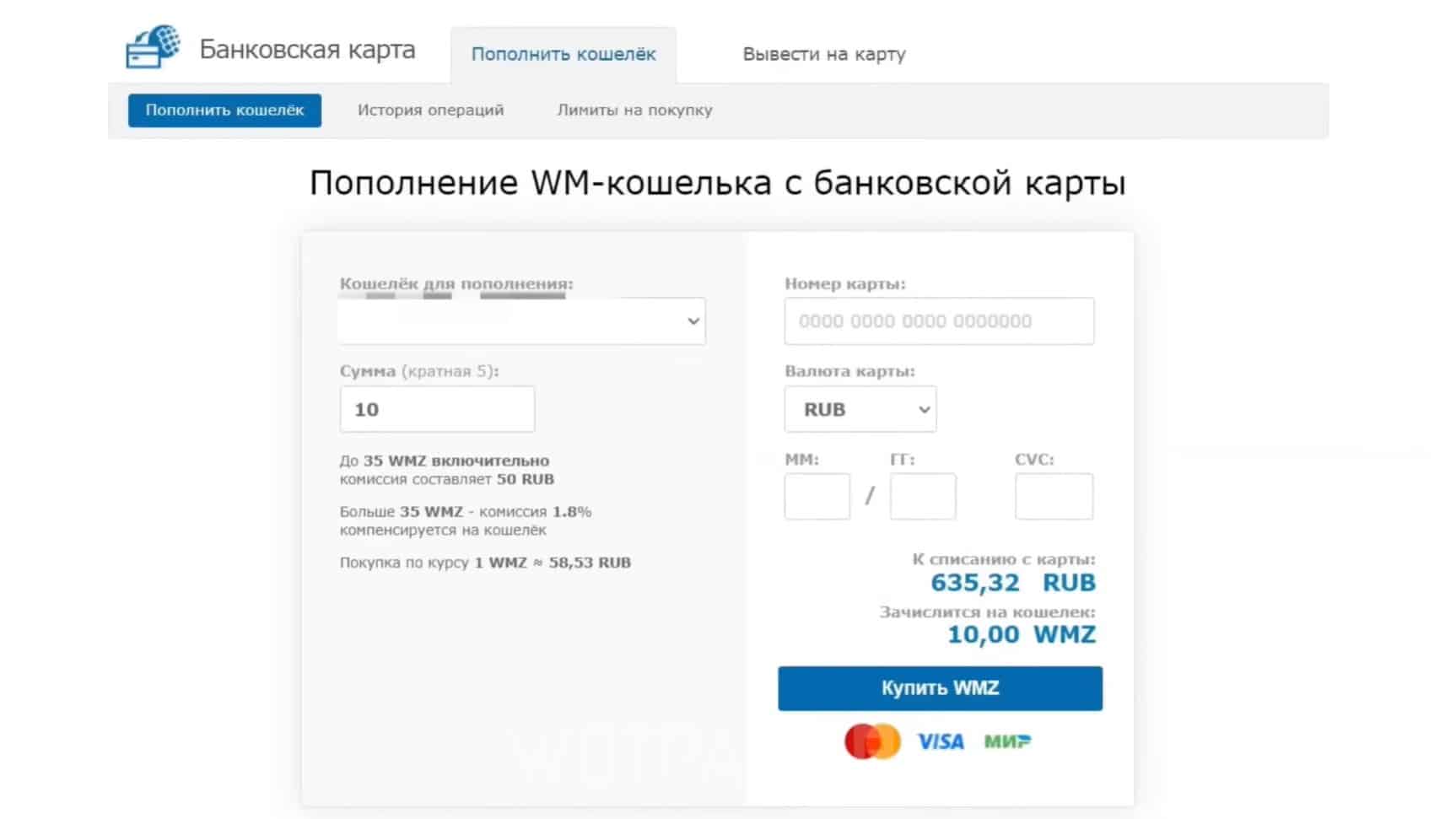
Currency, in turn, converted automatically according to the current exchange rate on the site.
Once you are ready to make a payment, follow these steps:
- Open the "Payments" section, then go to the tab "Games". Find inside the service catalog "Steam: Top up in USD" (for convenience, you can use the search engine).
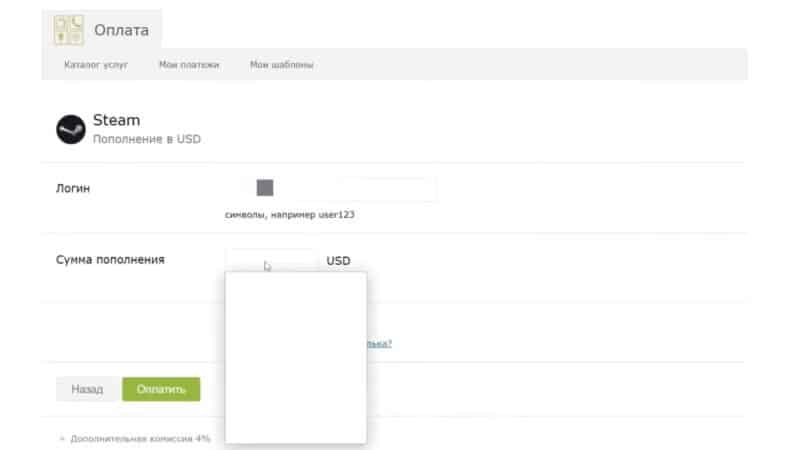
- On the contrary "Login" insert your profile login: to find out, expand the “Account Management” section and look at the nickname written opposite the “About Account” column. Then check the box next to “Login entered correctly.”
- On the contrary "Replenishment amount" Fix the amount you want to transfer to your wallet (maximum 200 USD).
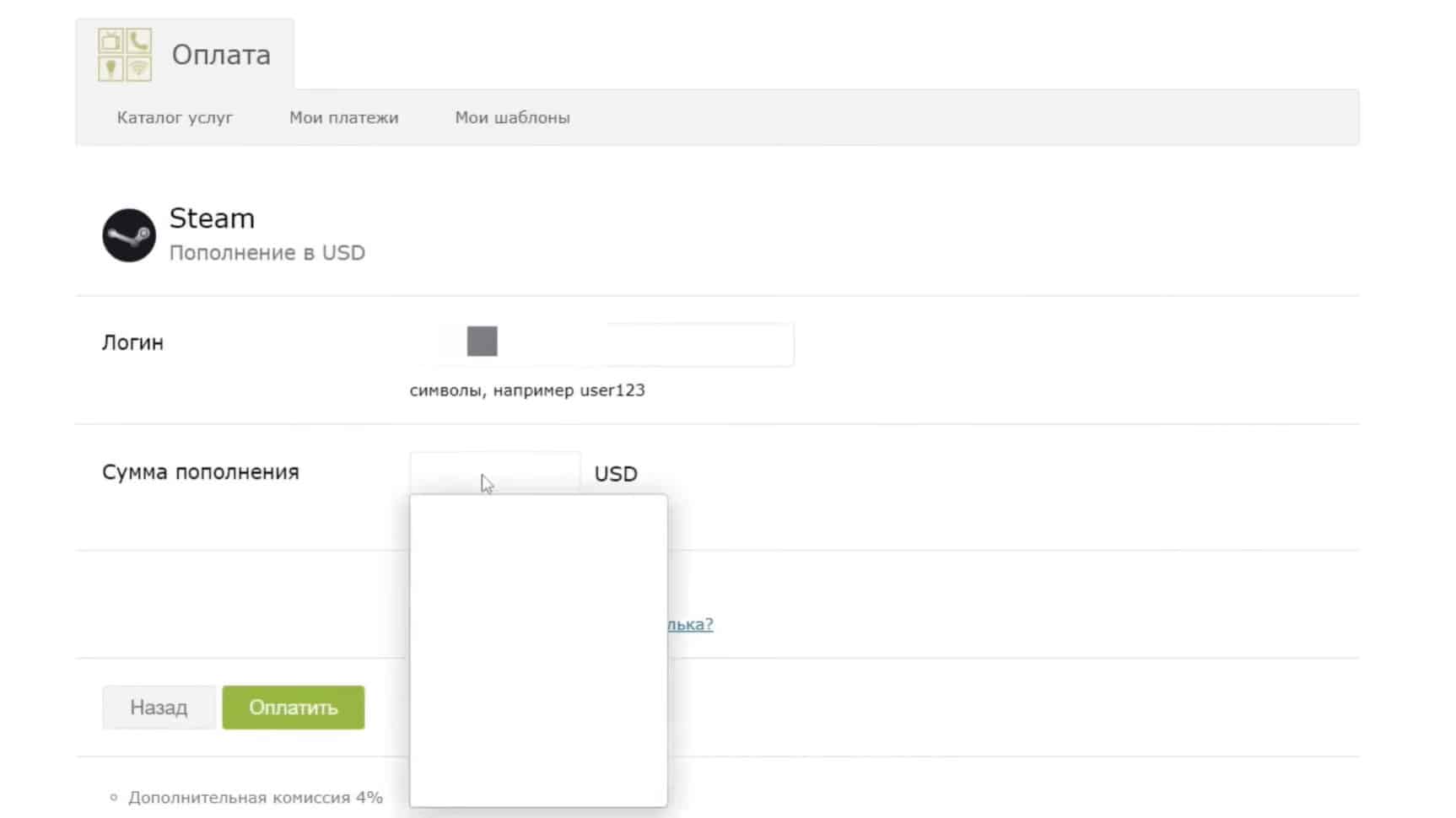
As a final step, click on “Pay” and then wait for the payment to be processed.
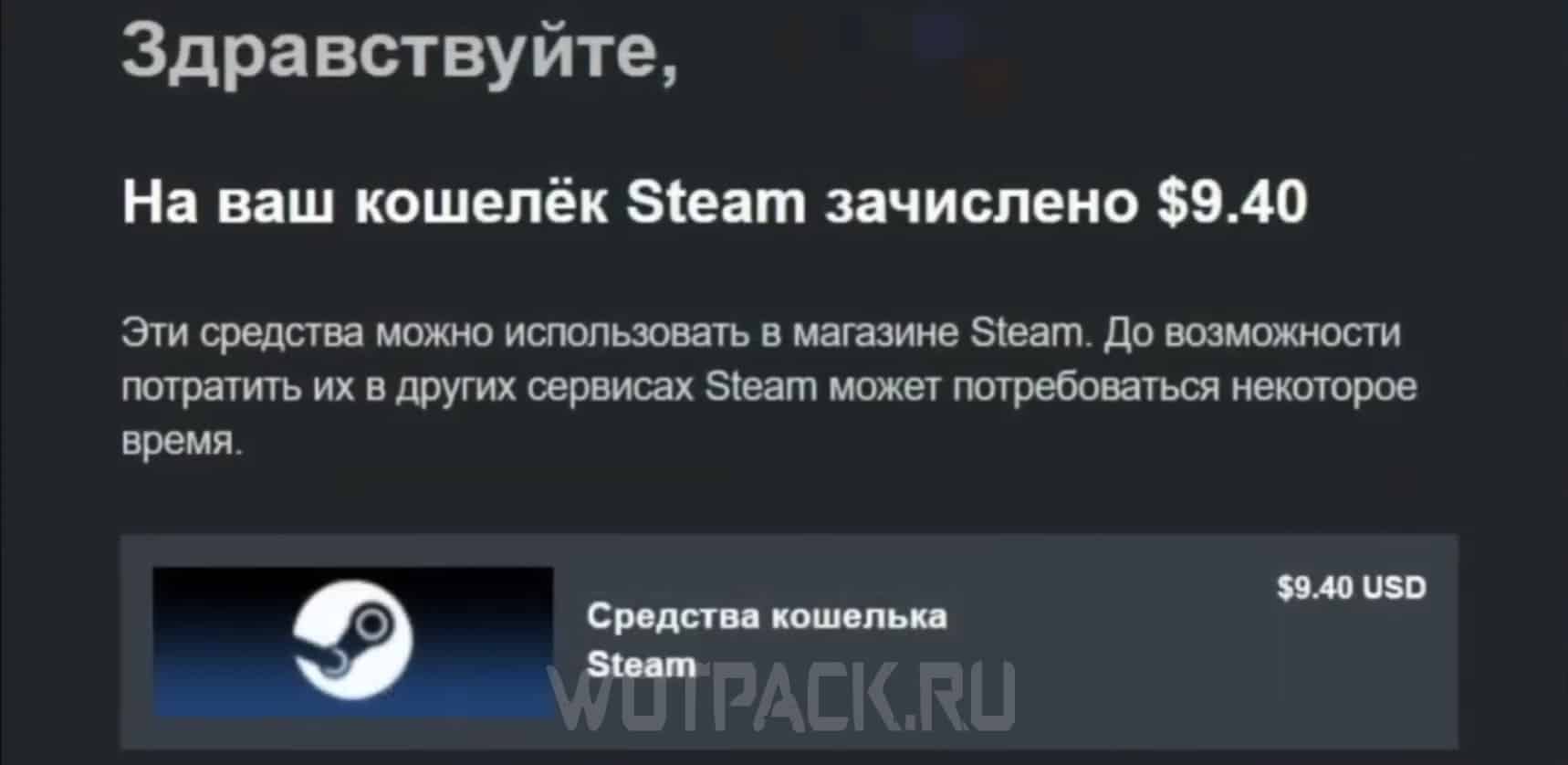
How to top up your Steam wallet through intermediaries
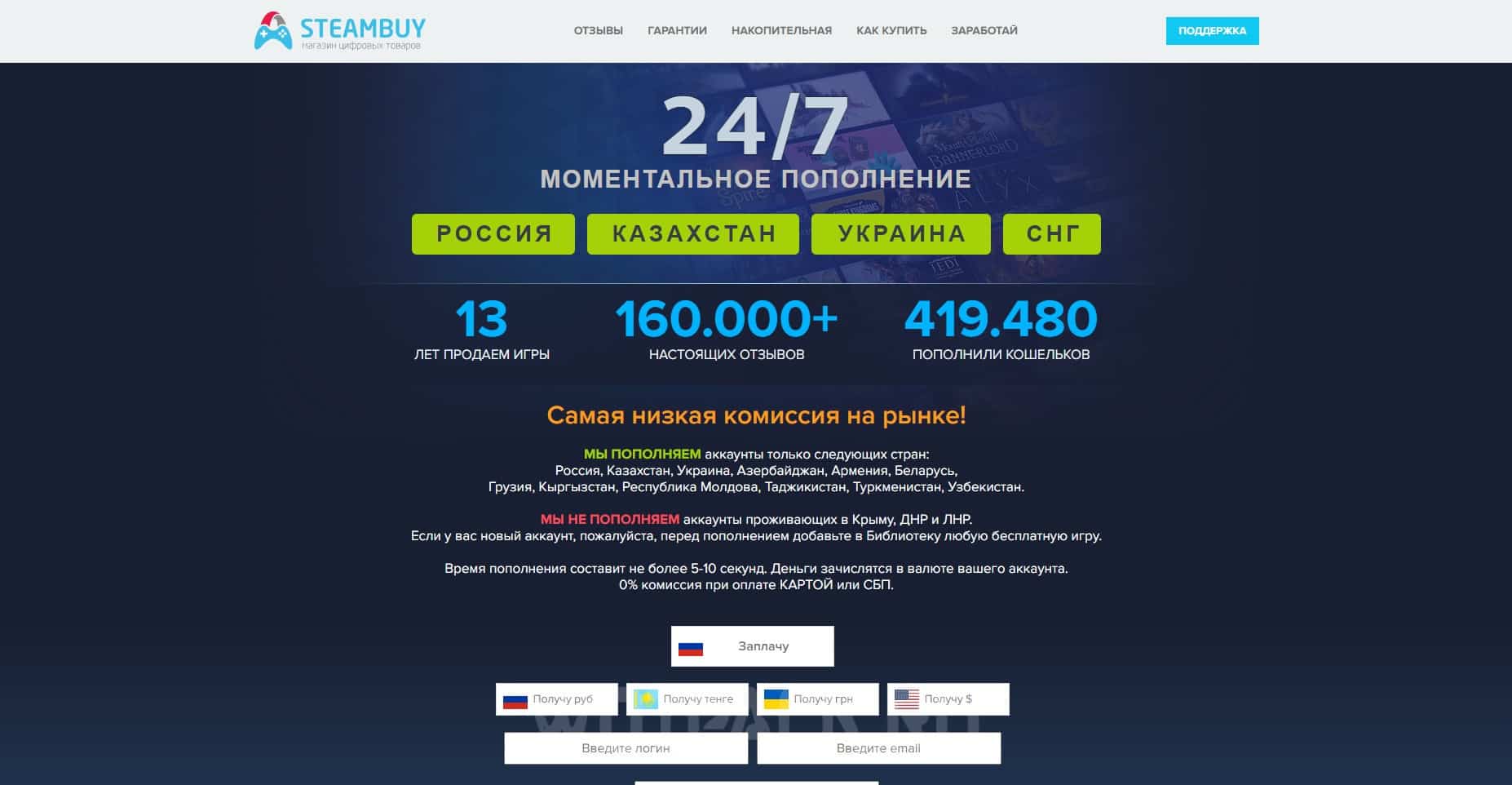
Considering the method through intermediaries, we can say that, first of all, it will appeal to users who own an account assigned to a non-sanctioned region and have certain difficulties with replenishments. Among the most popular and trusted portals it is worth highlighting:
- funpay.com is a popular gaming valuables exchange that acts as an intermediary between the seller and the buyer. The site offers a fairly huge list of various offers, including one that perfectly satisfies the request: “how to add money to Steam”. The main advantage is that the site holds the funds until the customer confirms the success of the transaction.
- plati.market is a platform no less popular among gamers, which, like the site discussed above, is an exchange of gaming values. Offers a guarantee and quick support that will help resolve any conflict situation. Among the “cons” we can highlight the outdated interface, at times “cluttered” with unnecessary information.
- steambuy.com is an online store that has existed since 2012, which, due to its duty, has acquired a huge base of regular customers. The offers do not end with direct replenishment of the internal wallet with a minimum commission. Among other things, the service provides the opportunity to purchase games at low prices.
Topping up Steam by changing the region (Türkiye or Kazakhstan)
Users who own accounts linked to Turkey or Kazakhstan can also use the replenishment of their personal account through the activation of Steam gift cards.
Detailed instructions are provided in a separate manual, how to change region on Steam.
You can, in turn, purchase a special voucher again through the portal Keysforgamers:
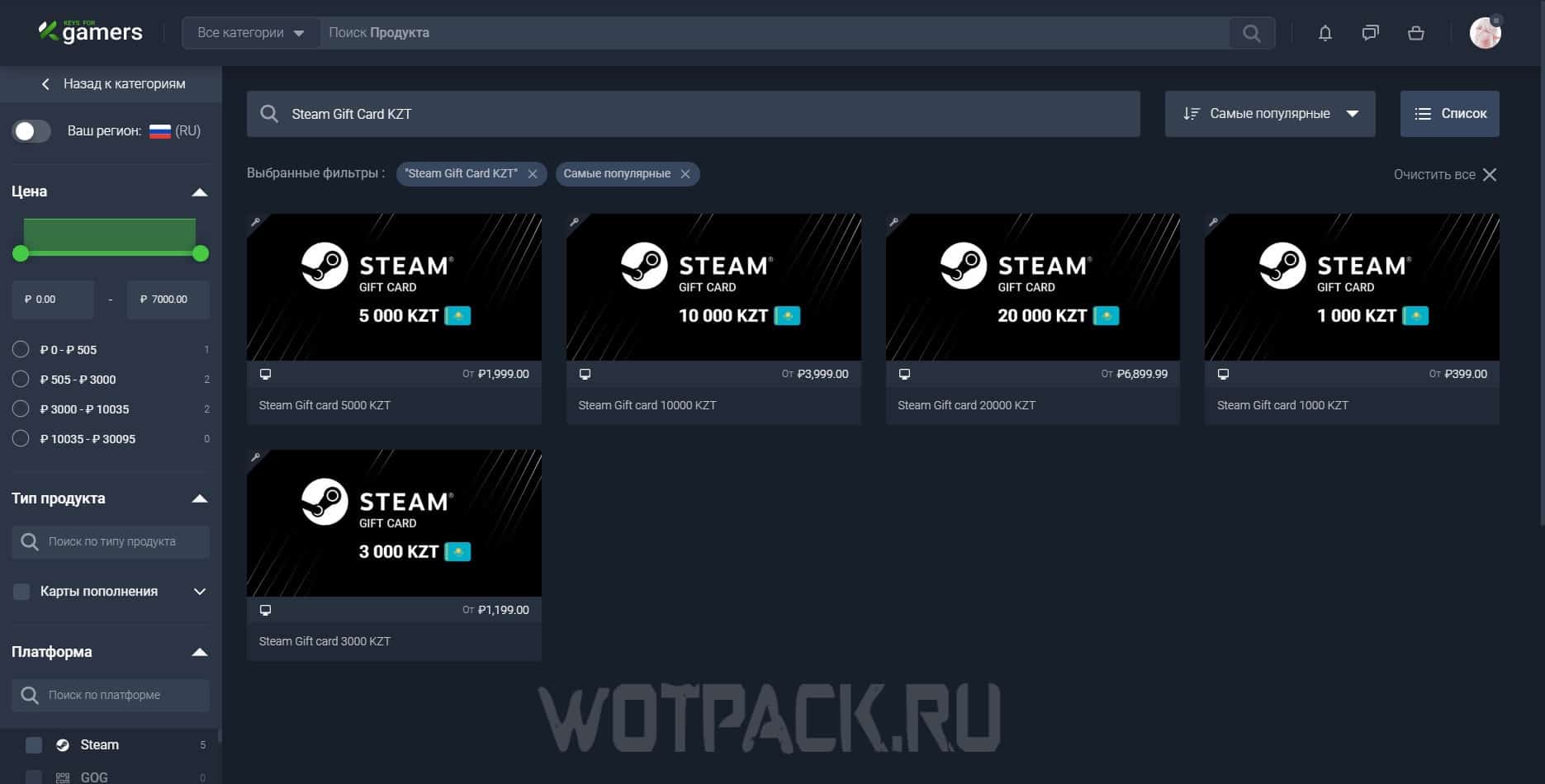
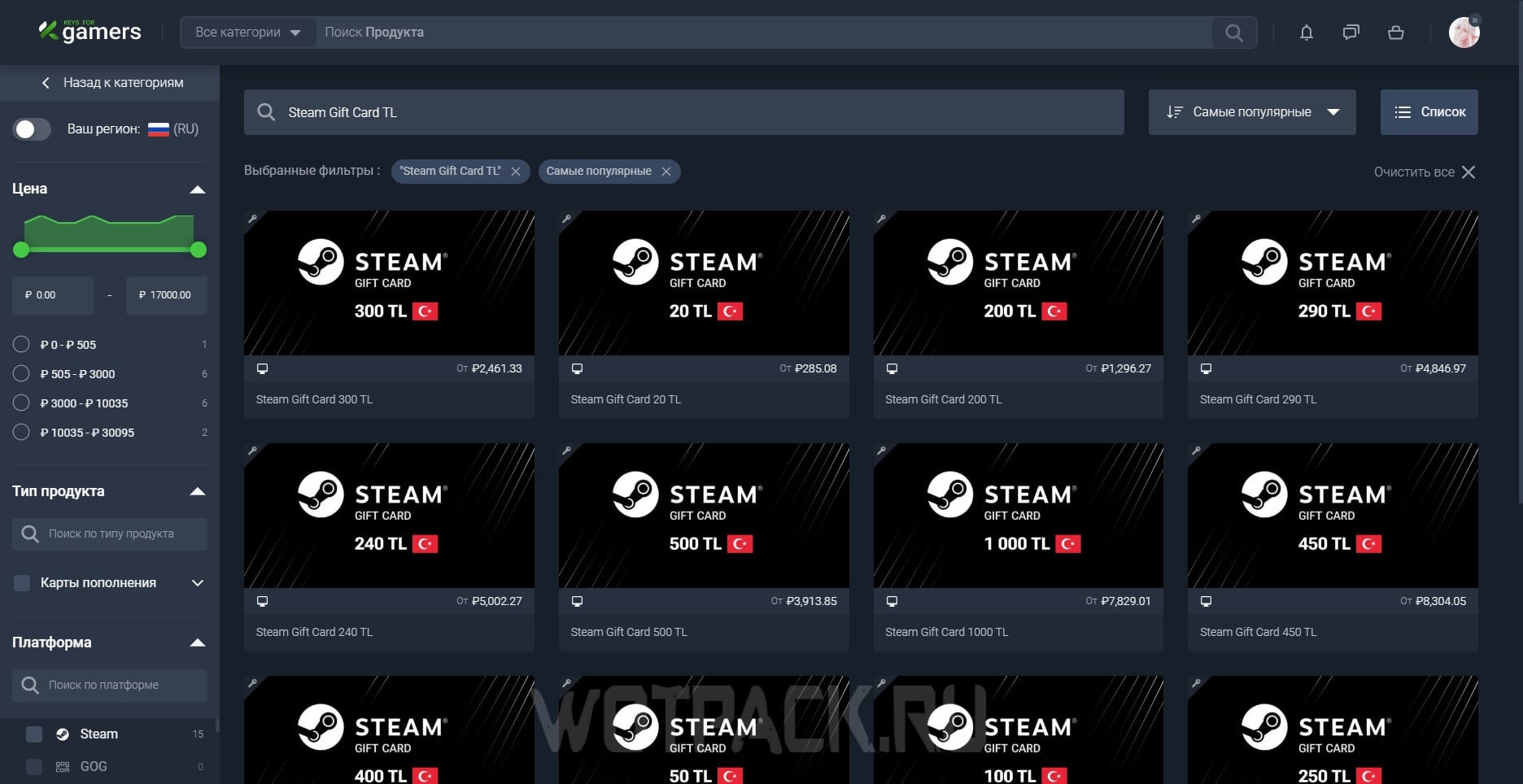
- Having opened official website page, in the search bar enter either "Steam Gift Card KZT"or "Steam Gift Card TL". Additionally, you can use active transitions - gift cards with tenge for Kazakhstan и gift cards with liras for Turkey.
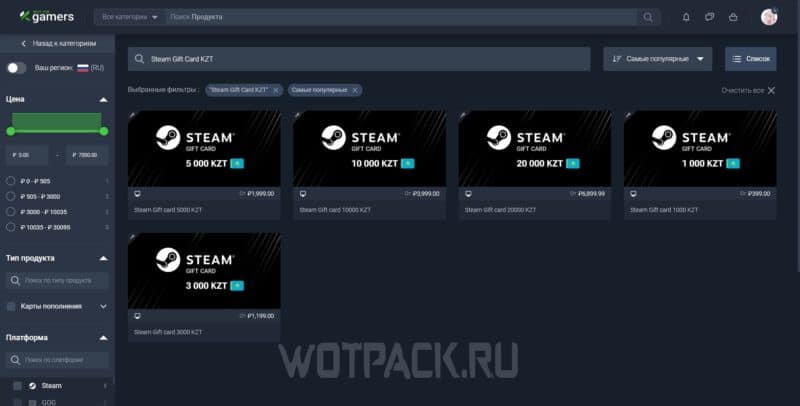
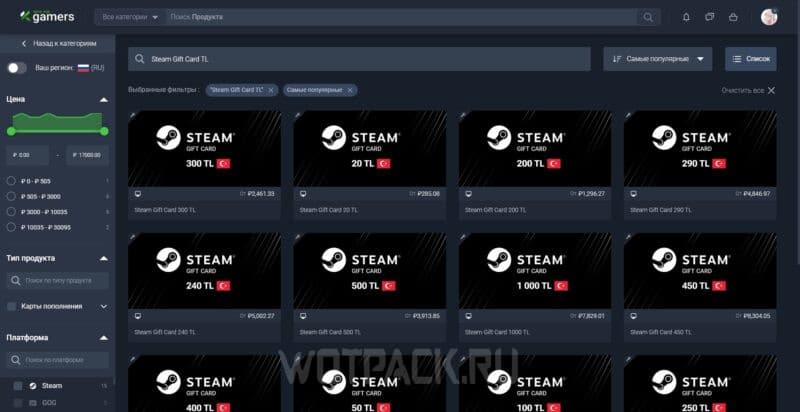
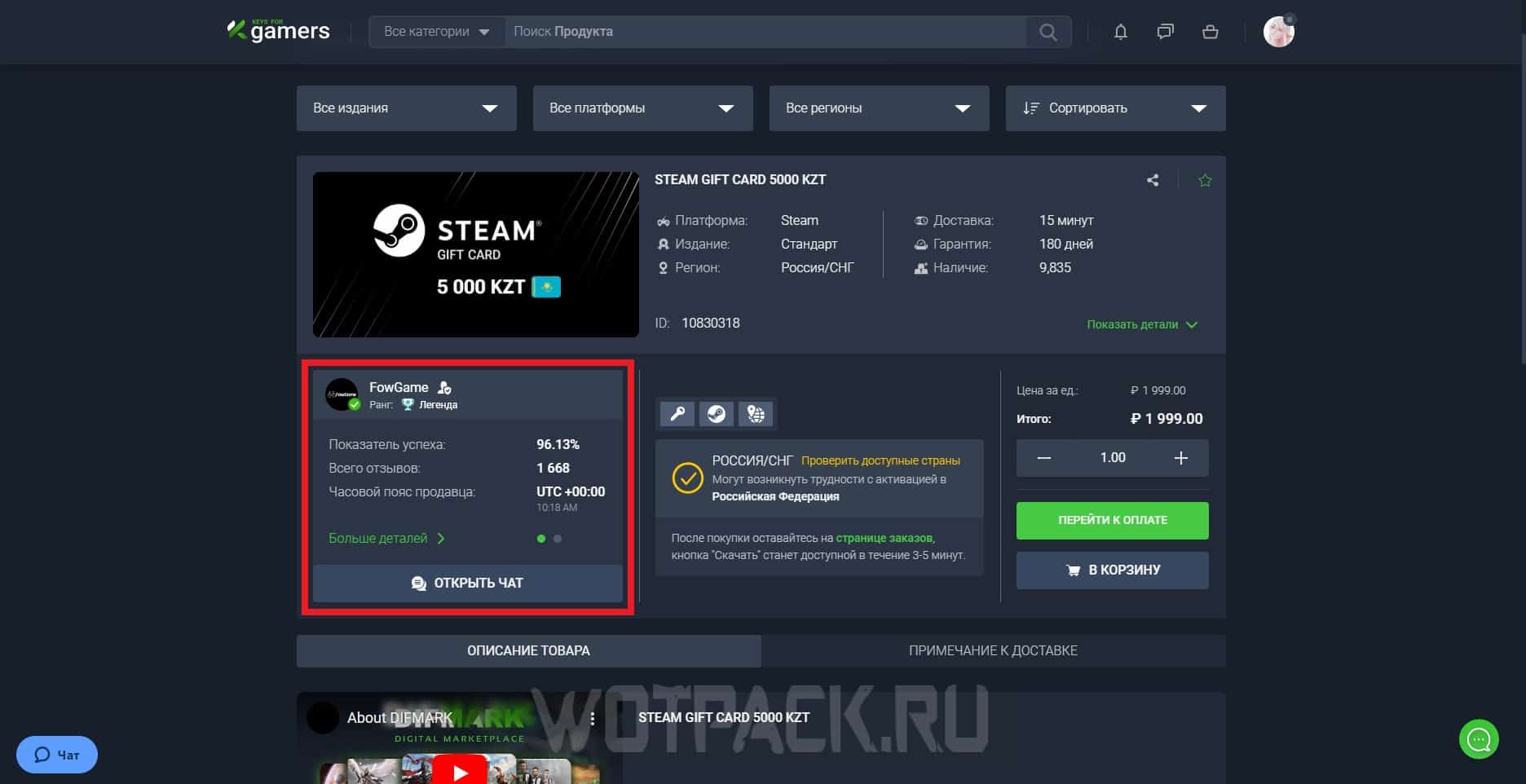
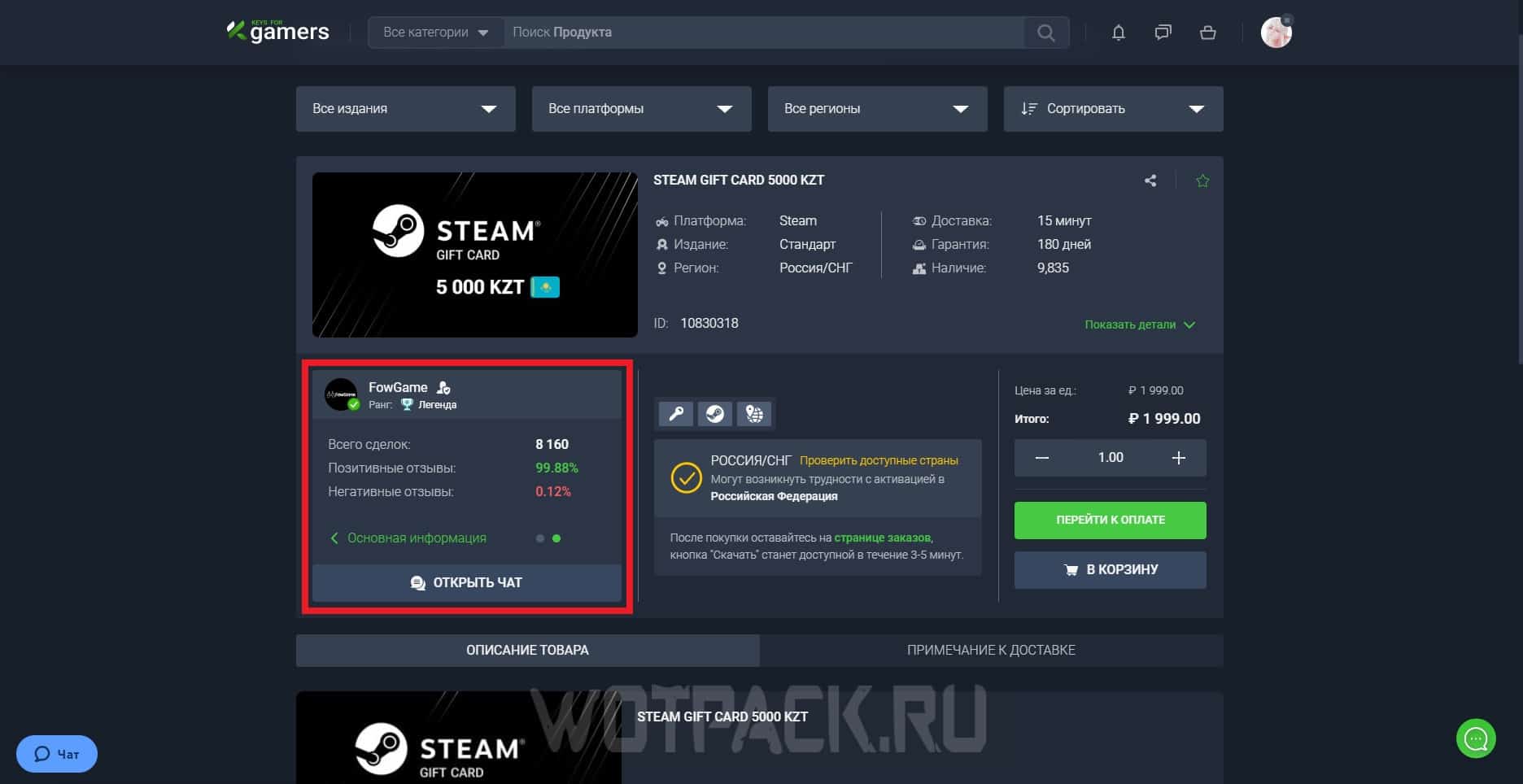
- Choose the offer that suits you best, and then check out the available options from the list: be sure to give yourself enough time to studying seller profiles. Parameters that you should pay special attention to are the number of reviews and their quality (positive or negative), success rate as a percentage, and the total number of completed transactions. If you have any additional questions, you can write directly to the seller using the function "Open chat".
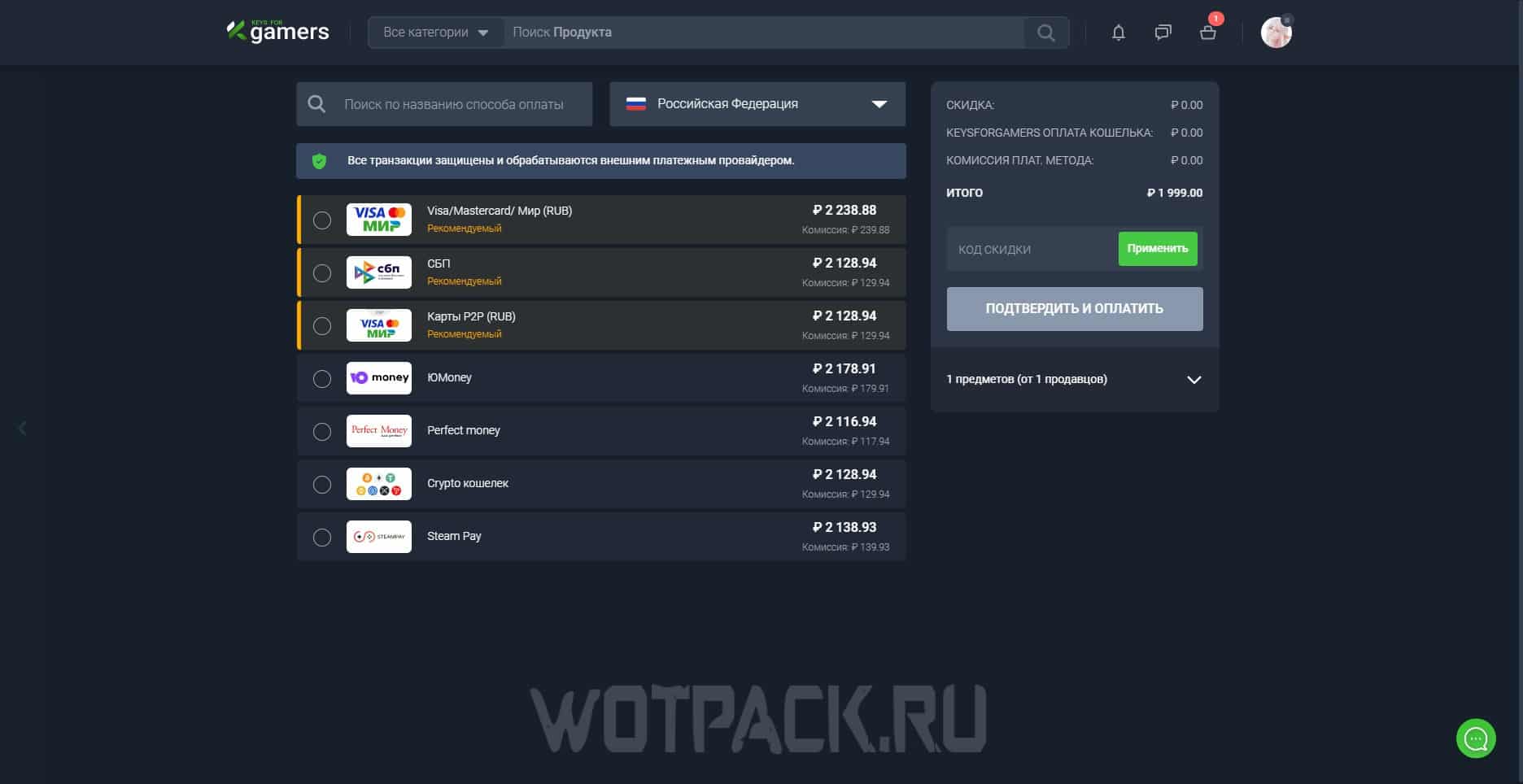
- As soon as you are ready, proceed to payment and choose the most convenient method for this: bank cards (Visa, MasterCard, World), fast payment systems, electronic wallets, and cryptocurrency.
Then wait until the site processes the payment. Within 30 minutes, the seller will send a file containing the combination of the purchased voucher. Its activation, in turn, will take place along the following path: “Account Management” => “My Wallet” => "Steam Wallet or Gift Card Code".
How to top up your Steam account by selling skins
Answering the question of how to top up Steam now, as an additional method you can consider the option of selling skins:
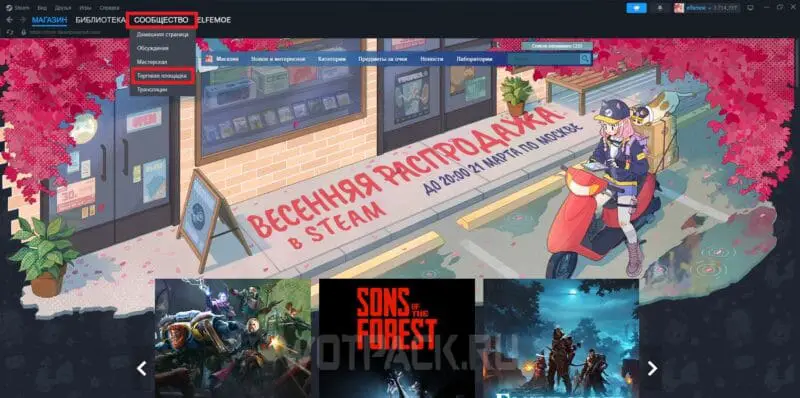
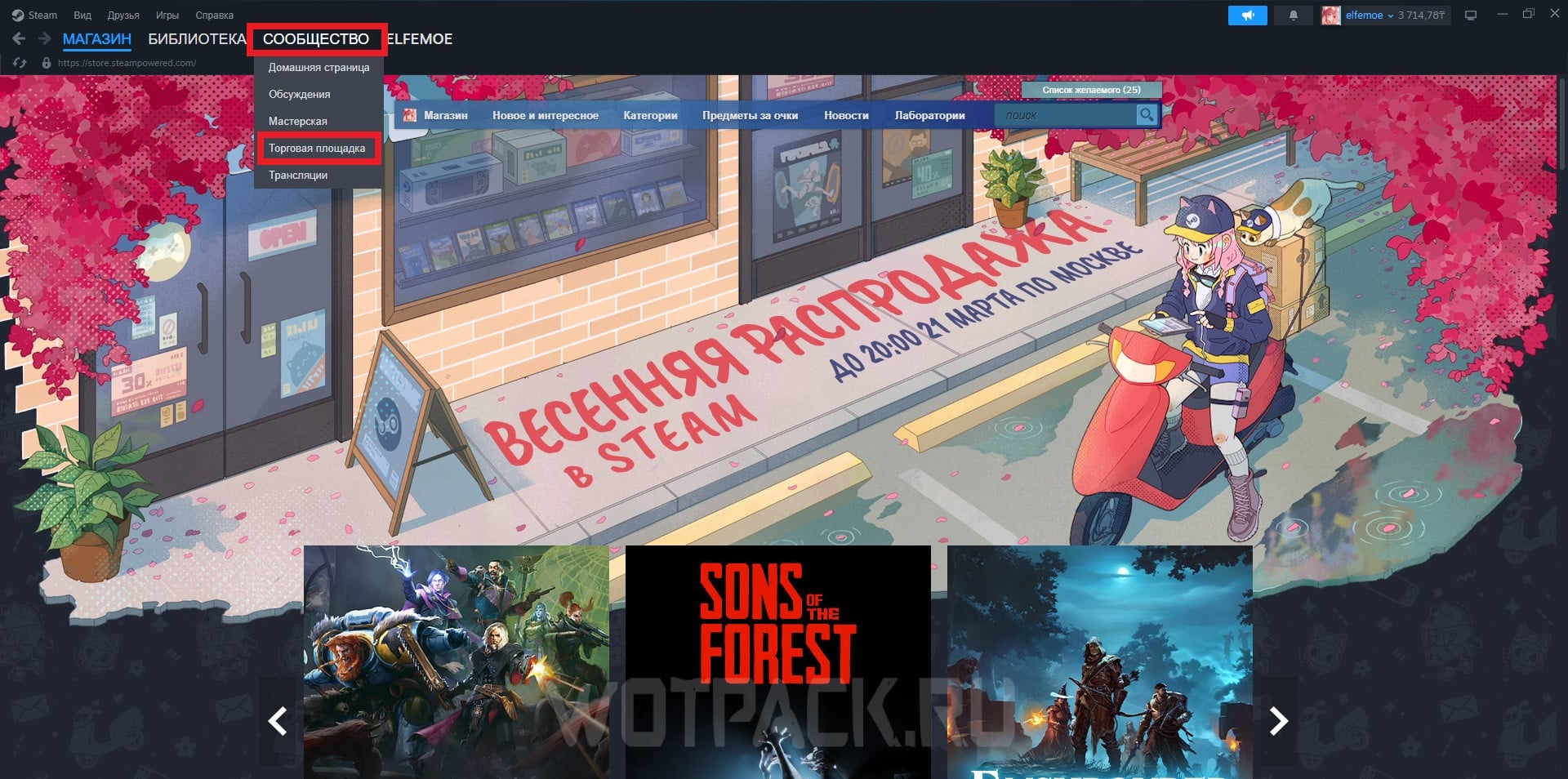
- Launch the launcher. In the upper left corner, find the “Community” section and, expanding it, go to "Trading platform".
- In the window that opens, click on "Sell item".
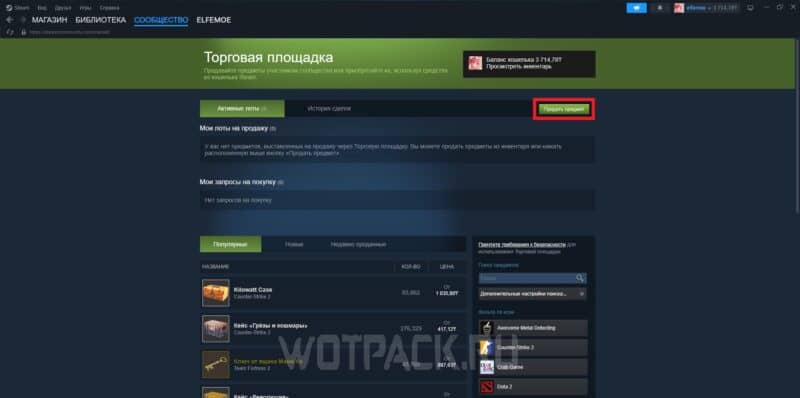
- In “Inventory”, find the item you want to sell.
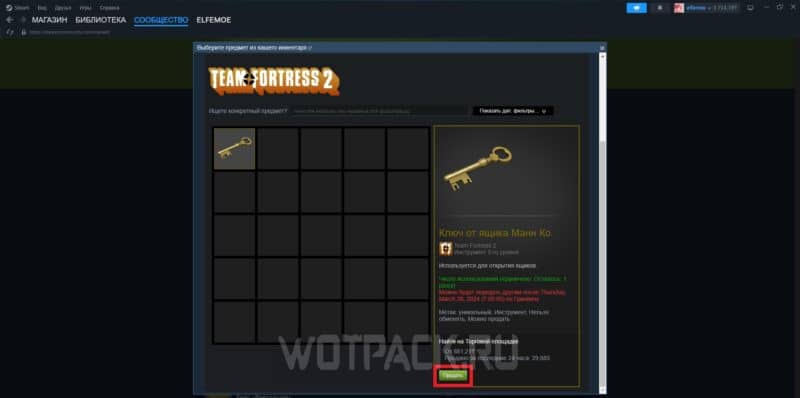
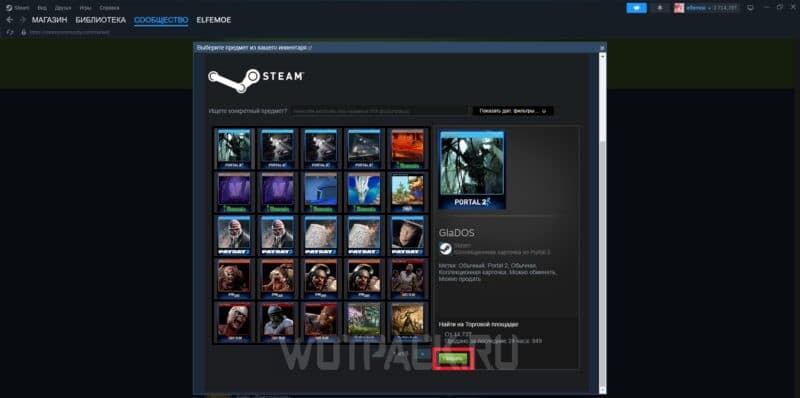
- Then, use the function of the same name to open "Median of prices". With its help, you can track price dynamics, thanks to which you can determine the current price.
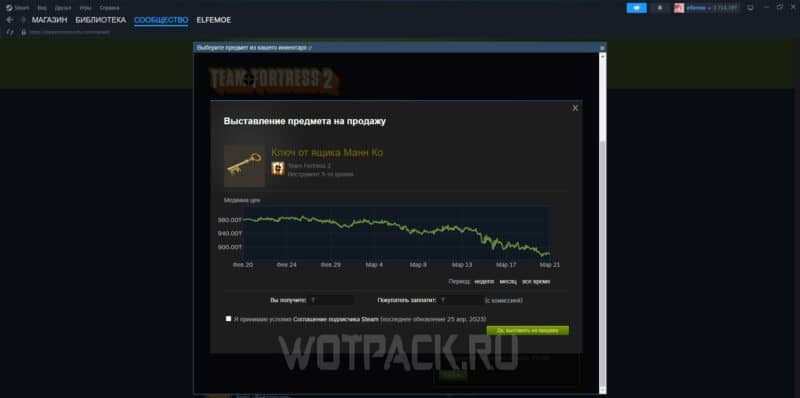
- Once you have decided, enter the amount in the column "You'll get", then the application will automatically calculate what price the future buyer will have to pay (with commission).
- As a final step, check the box next to “I accept the terms of the Steam Subscriber Agreement”, and then - “Yes, put it up for sale”.
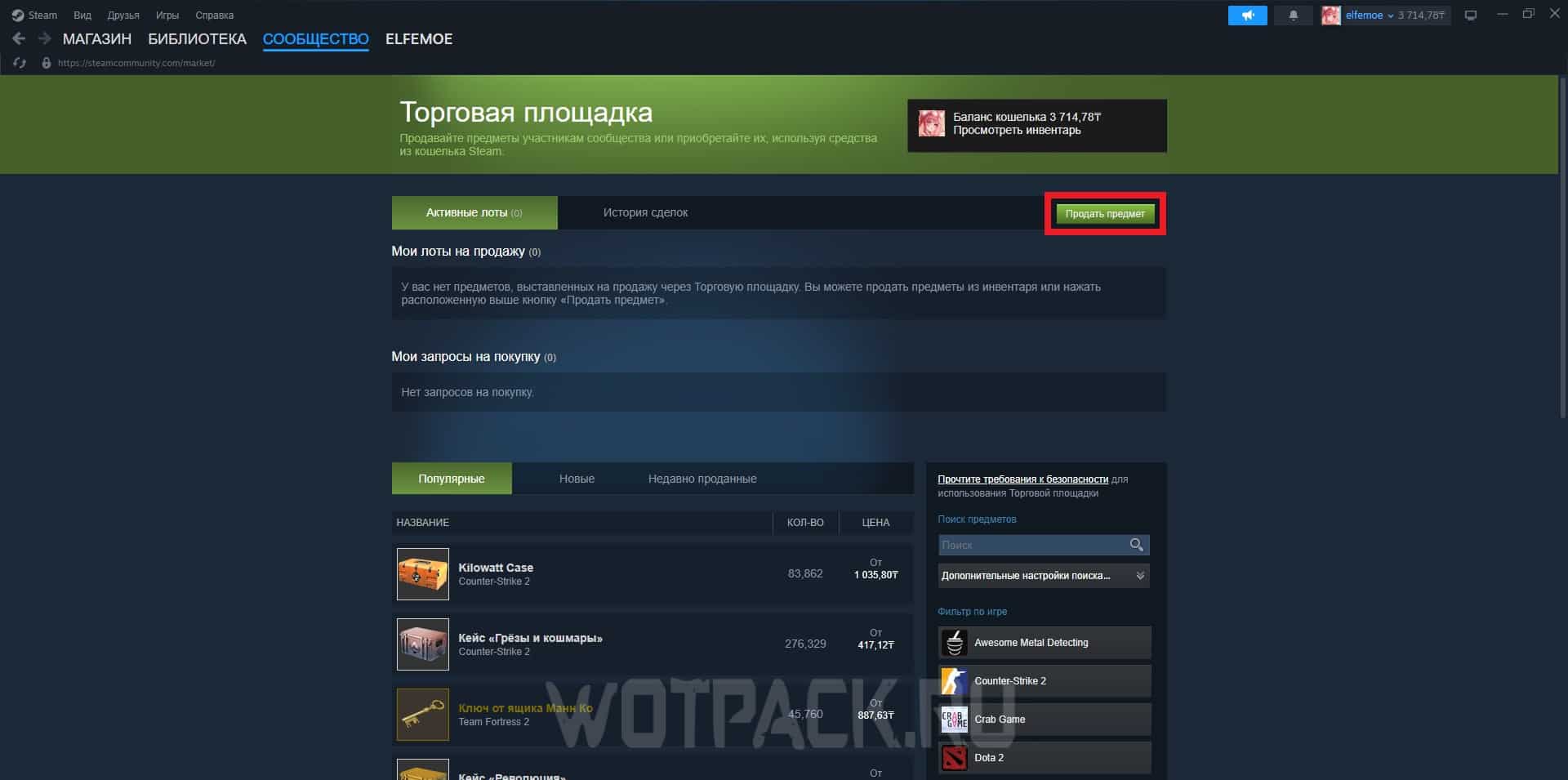
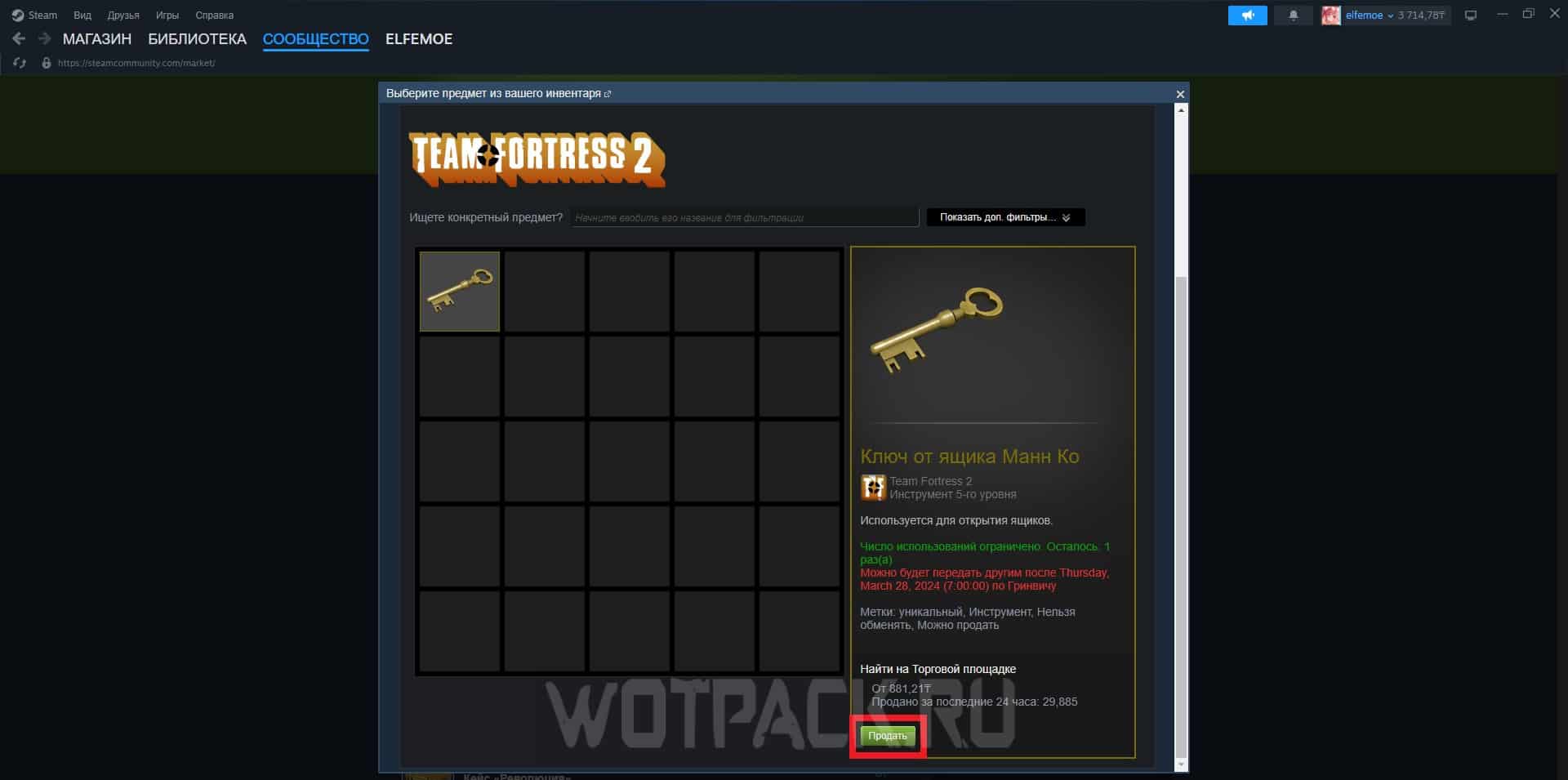
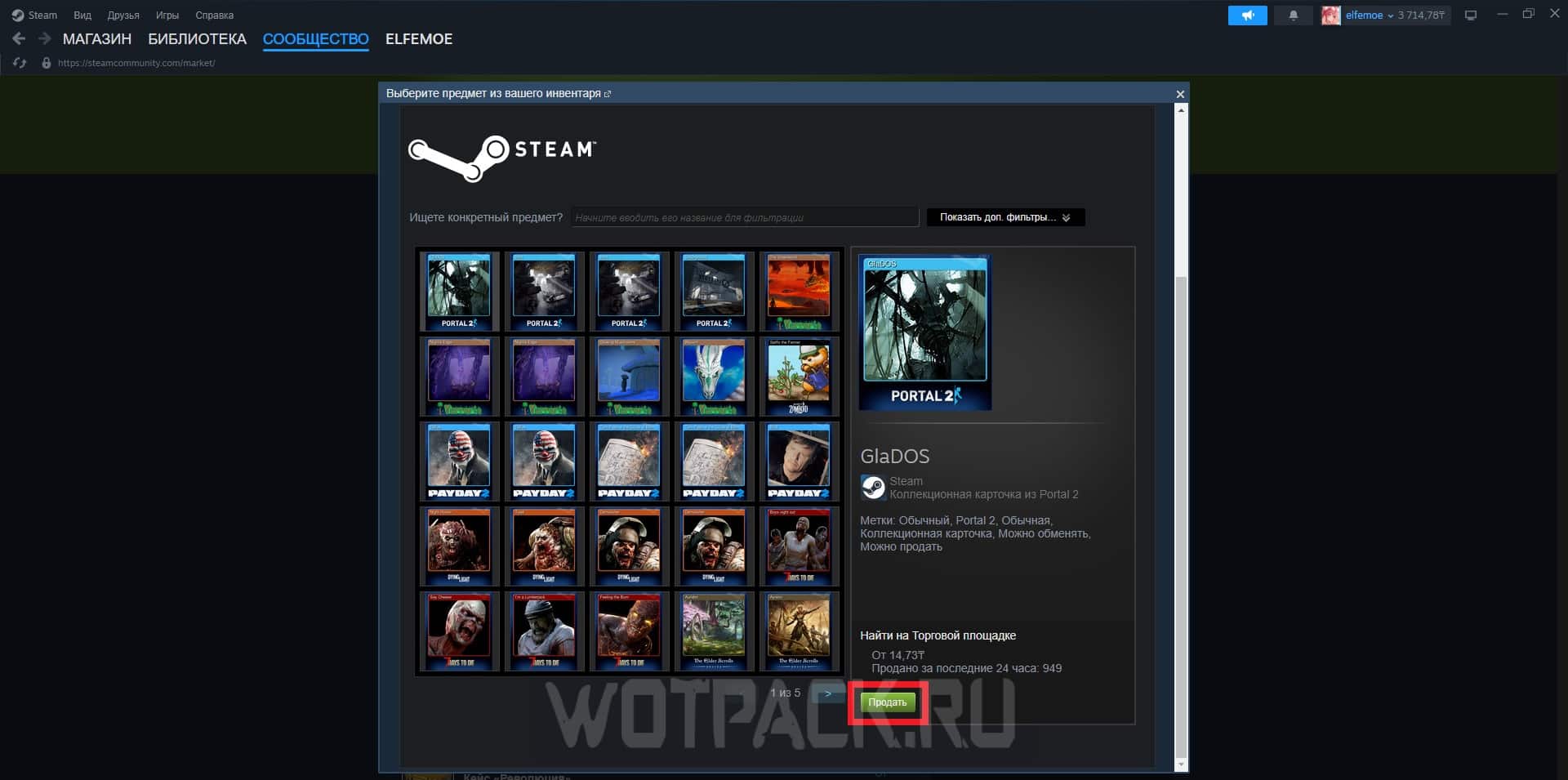
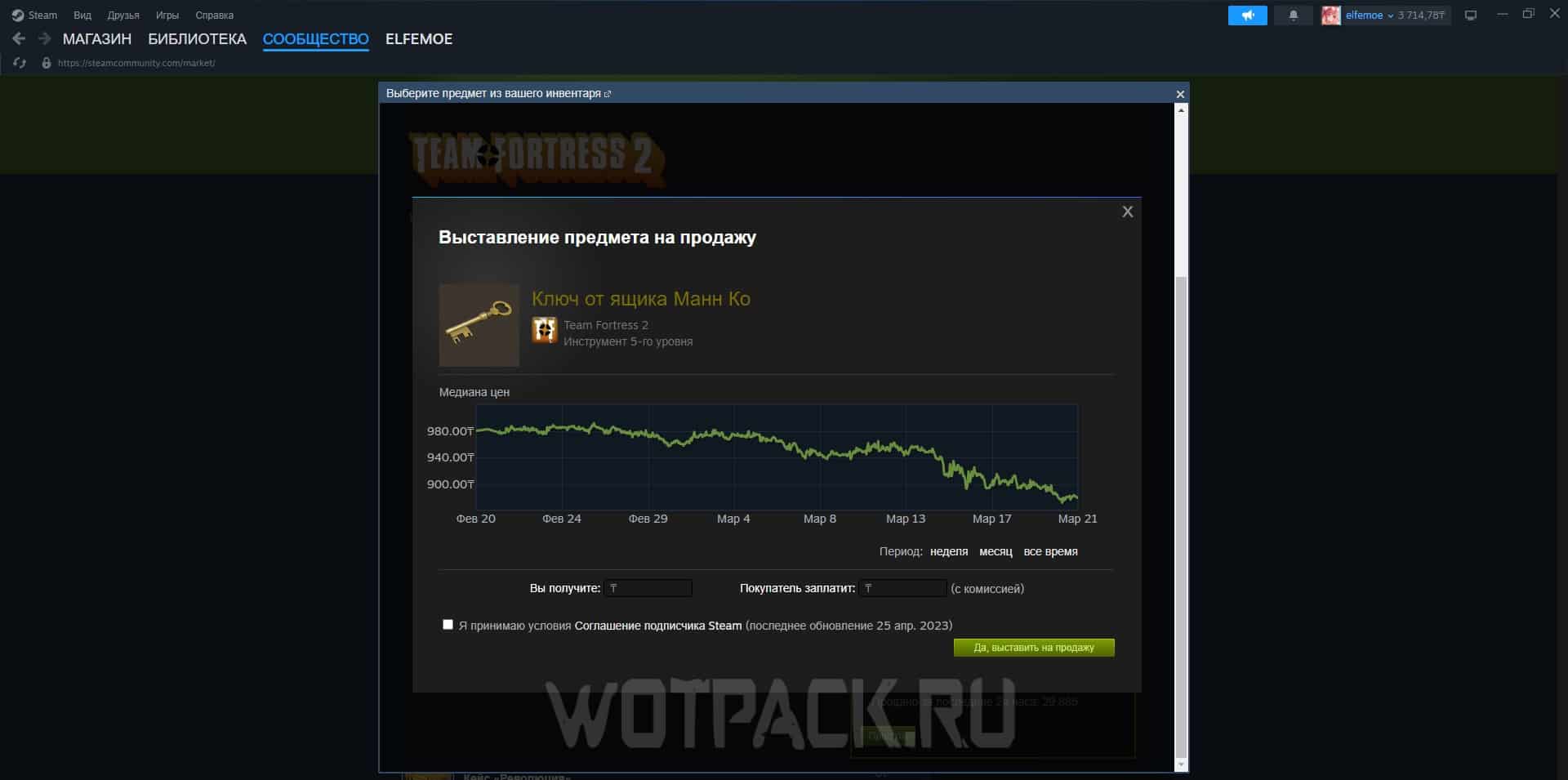
Subsequently, you will have to go through the waiting stages:
- Another user purchasing an item. If you have put up a product that is in abundance on the Marketplace, it may take a lot of time before it is purchased.
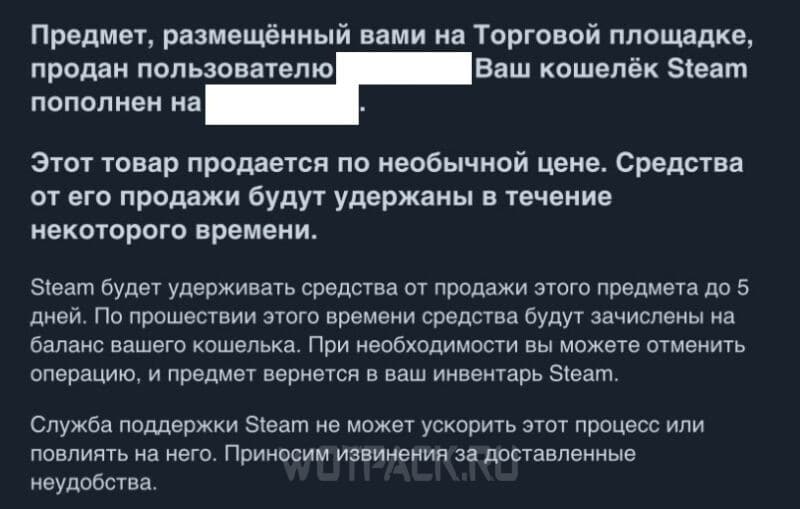
- Maintaining Steam balance after selling a skin. This system was introduced to protect buyers from possible outside fraud. The approximate time for holding funds is up to 5 days; in reality, to receive internal currency you will have to wait from several hours to 2-3 days maximum.
Topping up your Steam account via QIWI in tenge (does not work)
The network is still wondering whether it is possible to top up Steam through QIWI - it is not. The Central Bank of Russia revoked the license of QIWI Bank, so you can’t hope that this method of adding money to your wallet will ever return. The instructions below are no longer relevant, so choose methods from the list above.
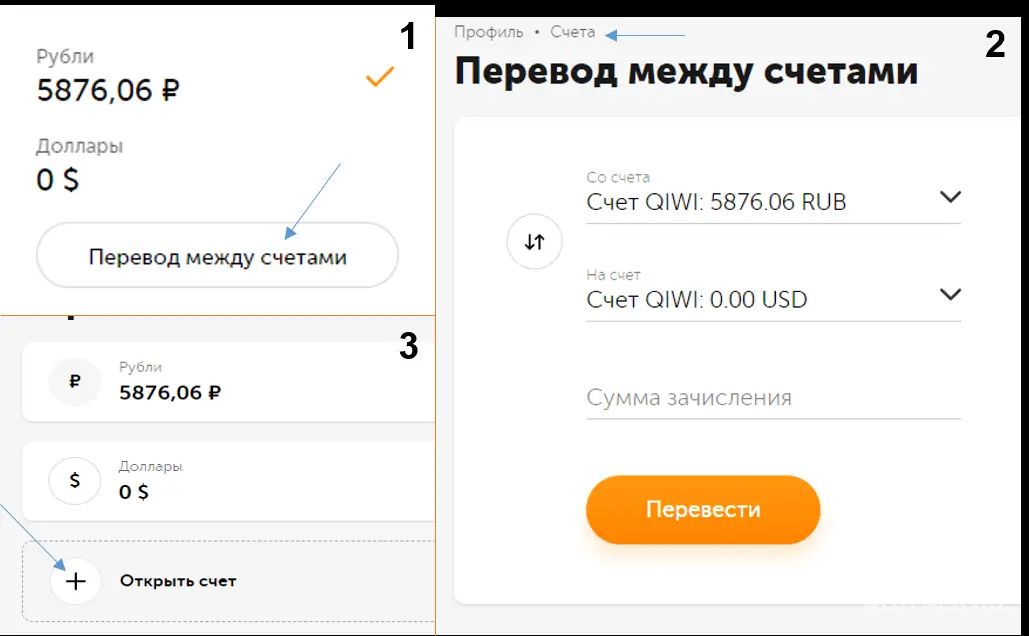
To replenish the Steam wallet through Qiwi, you must have a registered purse with status "primary”, because otherwise the payment may not work.

To activate, click on "more about statuses" on the main. A page will open where you need to select "get main status” (if it already exists, it will offer a professional one). Verification will require passport data or binding through the "Gosuslugi".
After the moderators confirm the application, you must:
- Make the necessary payment for Steam into the wallet. If the amount starts from 2000 rubles, there is no commission. However, due to the currency conversion system, you may be charged a little more. Therefore, it is advisable to deposit an additional 200-300 rubles so that the required amount comes one hundred percent.
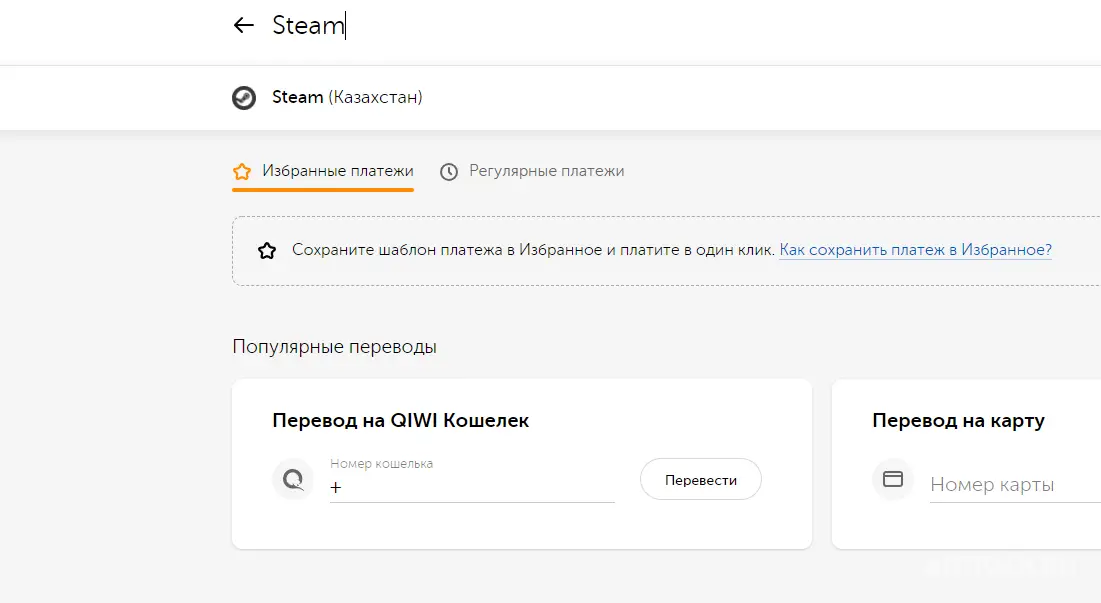
- In the search on the main page of Kiwi, enter "Steam" (Kazakhstan). Choose the only option presented.
- Fill in all data lines in order to top up your Steam balance by specifying account login.
If you do all the steps according to the instructions, the funds should be credited to the account. Also note that the store may charge additional interest when it makes its own conversion. Therefore, it is recommended to put a little more than planned.
If for some reason the payment does not go through or gives an error, make sure that the currency was transferred to KZT, since it will not be possible to perform the operation in rubles.
We hope that thanks to our guide, you learned how to deposit money on Steam in 2026 in Russia. If you have any questions, write to comments — the author or other readers of the site will try to help. In case you want to know, how to purchase games that are not available in the Russian Federation, read the corresponding article on this topic.








I was checking a 1000-ruble top-up between Cupicod (charged 220 rubles), GGcell (130 rubles), Donatov.net (100 rubles), and a Steam top-up via PlatiMarket. My account is in Russian Federation. I paid via PlatiMarket. It came out to 74 rubles plus a 30-ruble transaction fee (returned as cashback on Tinkoff. For some reason, I couldn't pay via the Fast Payment System (SBP), which has no commission). For other methods, I understand there will be a similar or higher commission, but I didn't get to the payment stage.
donatov.net works great, thanks for the tip
How do I top up my account through MTS? Steam isn't available there right now, or I can't see it.
I paid, the commission was certainly brutal. Everything arrived instantly, everything is ok. Thanks to the service.
With all the fuss and bustle, I somehow switched to a less tedious method—a torrent file. You can support services there, and download games in one click. Well, if Steam doesn't want money, then no need. It's easier to support the HotTab team or the mechanics. This whole hassle of trying to win three times is like a lottery that never wins.