


The harsh truth of domestic mobile gaming - Clash of Clans is closed for download in Russia and Belarus, and updates do not work. The developers are adding fuel to the fire and, since the lockdown was announced in the spring of 2022, they continue to introduce new barriers, but players break them over and over again, finding ways to return to their settlements.
In the guide, we will look at how to download, update and play Clash of Clans in Russia after blocking in 2026 on all operating systems without losing progress.
Why Clash of Clans was blocked in Russia
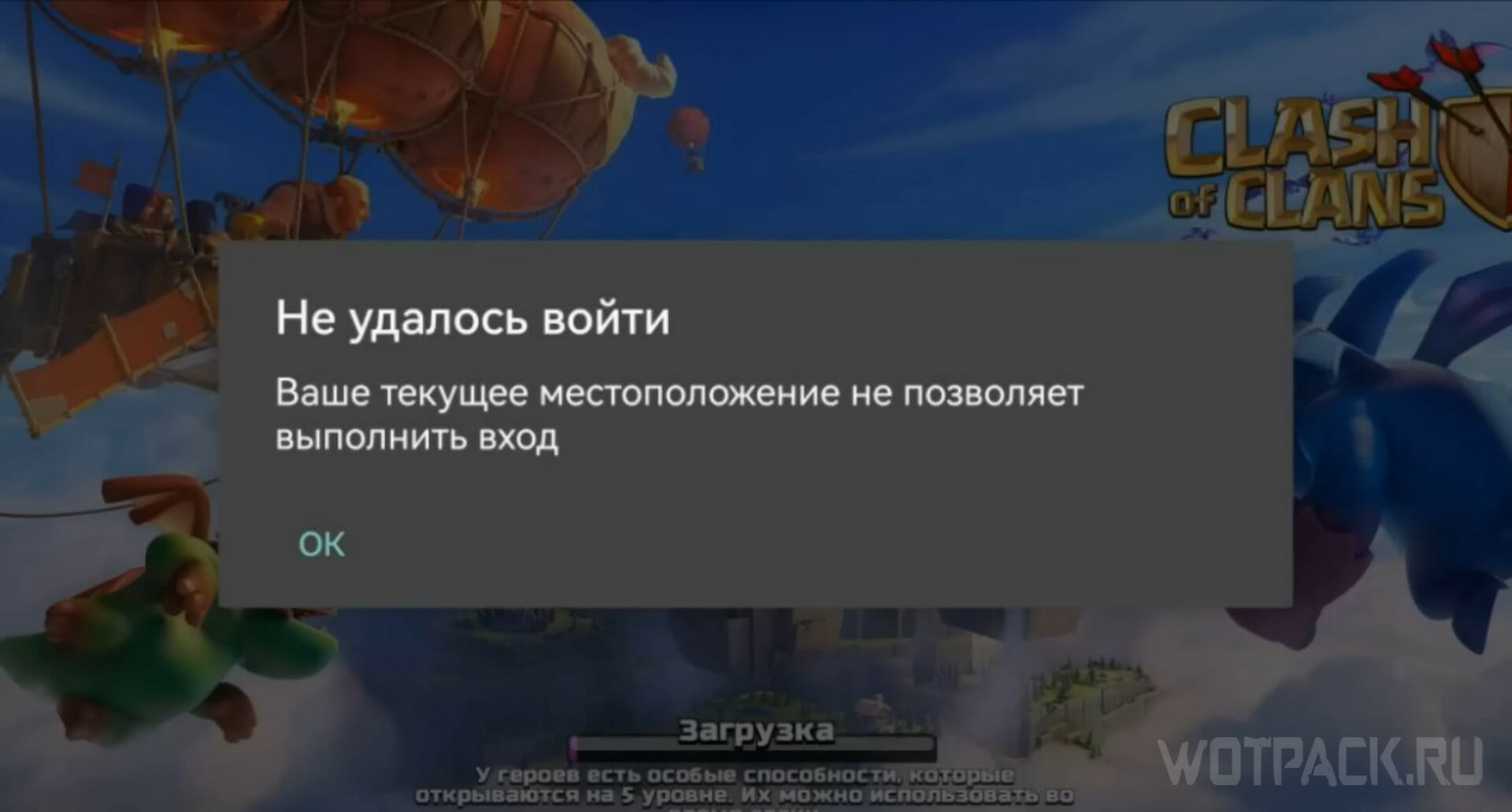
The reason was the official announcement of the Supercell developer in the spring of 2022. In 2024, they finally removed their creations from stores in the regions of the Russian Federation and Belarus. The fate of Clash of Clans befell other games of the studio. Over time, the number of obstacles to returning to the settlement increases.
How to download Clash of Clans in Russia in 2026
The application is downloaded on Android in Russia, but in the form of an up-to-date APK file with all updates from third-party sites. First allow one of the smartphone applications that you will use for installation, installation from unknown sources:
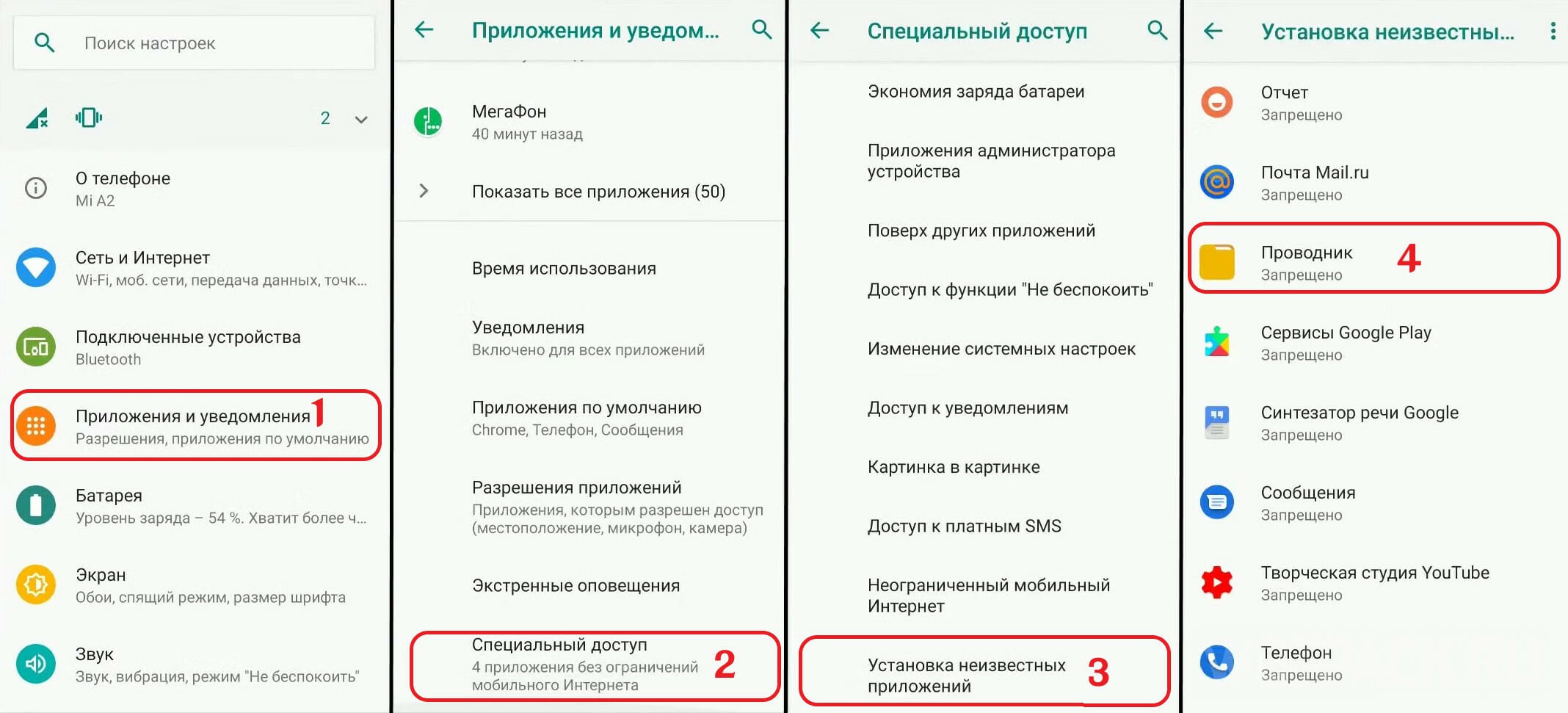
- In settings open "Applications and notifications”, select the submenu «Special access».
- Search below «Install unknown applicationsand open.
- A list of programs will appear. Select the one through which you will install the Clash of Clans APK file. This can be done from browsers or File Explorer. Give one of these programs, or all at once, access to install unknown applications by clicking on them and turning on the setting / moving the slider (depending on the smartphone model).
After giving permission, use the selected application to install the updated APK.
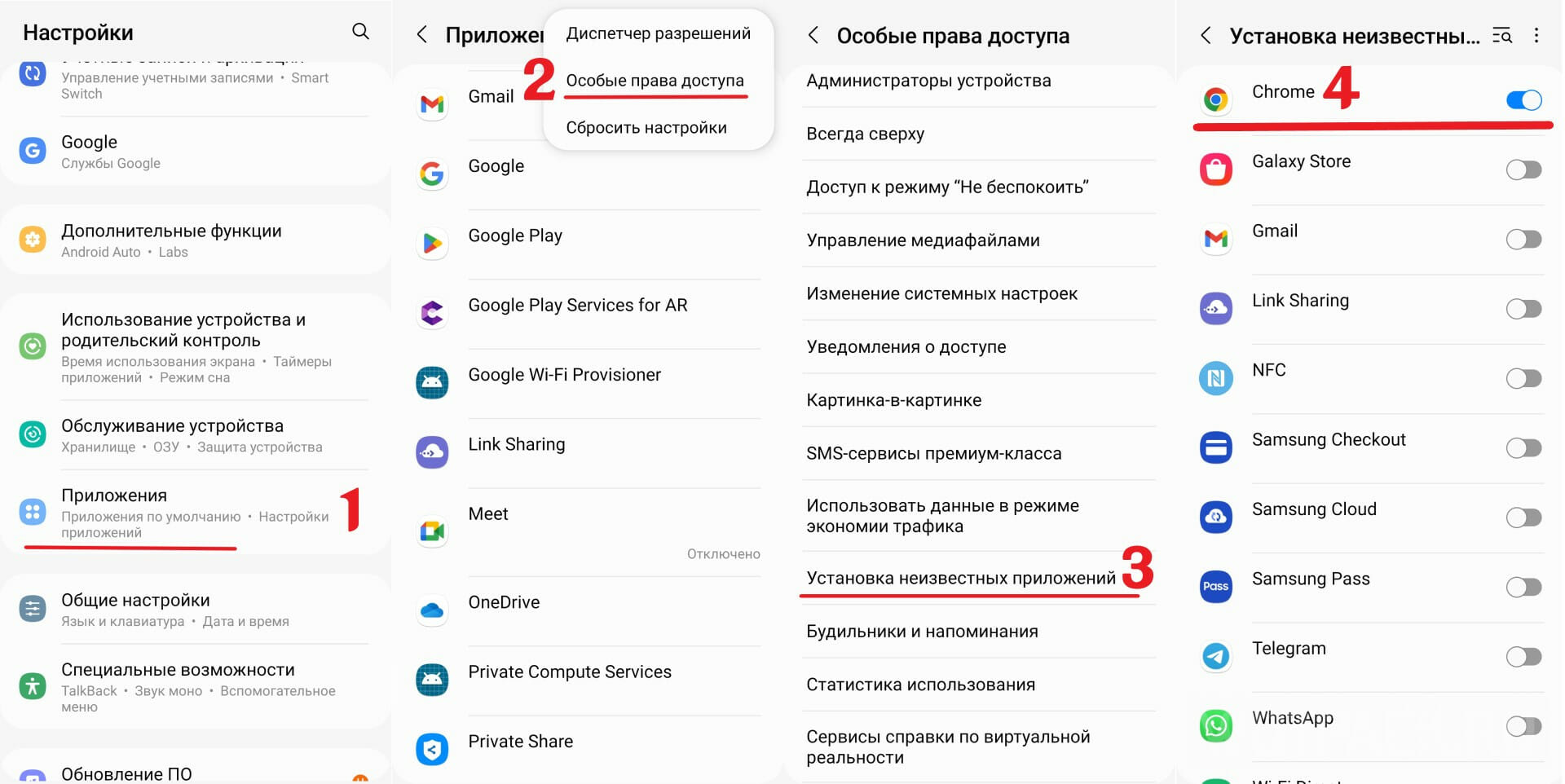
The installation method for Samsung smartphones is not too different, but there are nuances:
- Open "Applications».
- Click on the 3 dots on the top right. Select "Special access rights».
- In the list find "Install unknown applications».
- Swipe the slider to the right next to the application you will use to install.
To be able to download Clash of Clans on an iPhone in Russia, you will need a different method with changing the region or creating a new Apple ID. Before work, delete the old Clash of Clans application: in the future, you will need to download the new client from the App Store of another country. Make sure there are no active subscriptions or changing the country won't work.
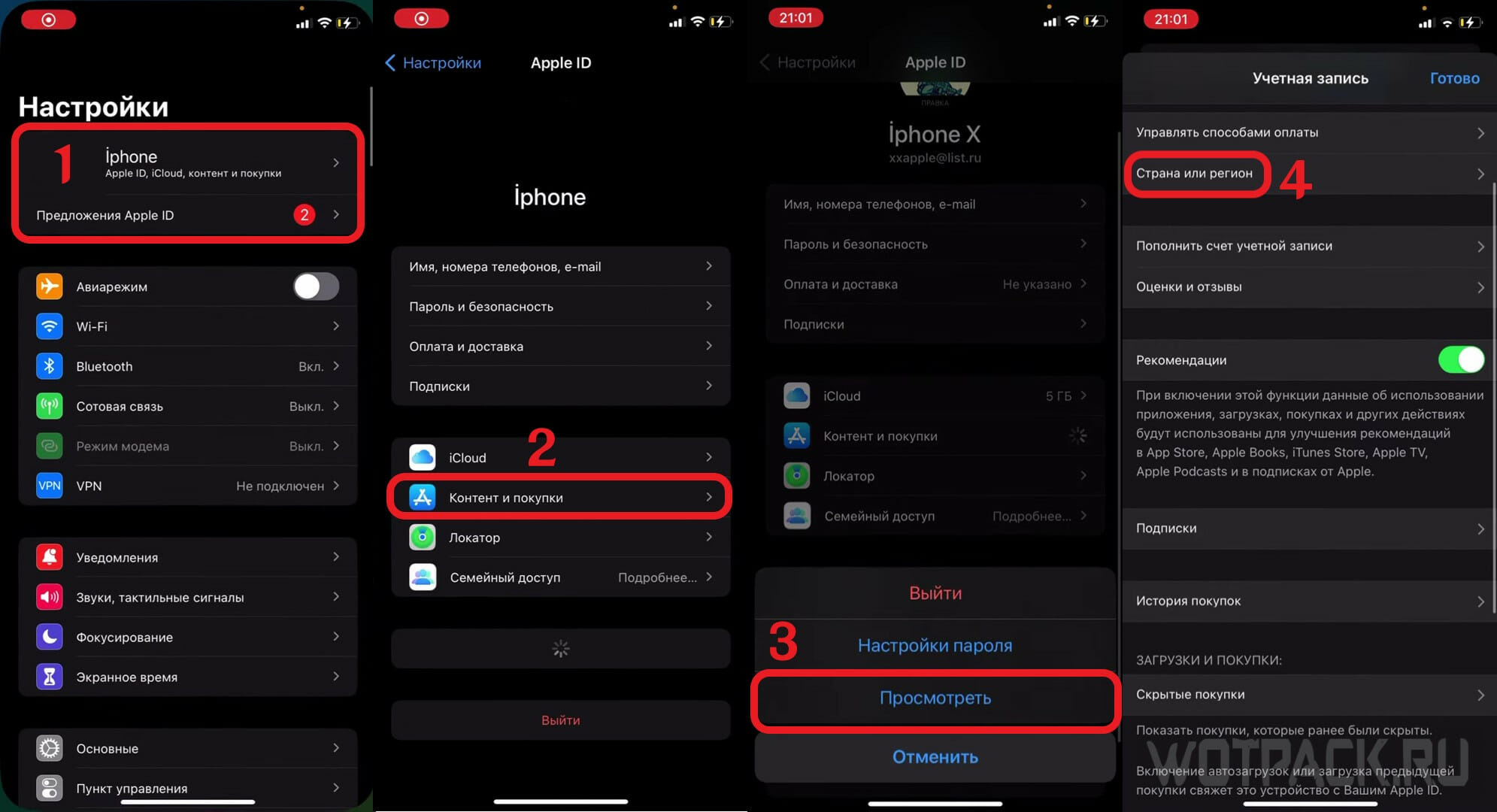
- In the settings of the Apple device, click on the icon, enter the Apple ID profile.
- Choose "Content and purchases","View”, which will transfer to the account settings.
- In "Country and region»Open«Change country or region". In the future, the process of choosing a country, registering a location and payment data will begin. Choose a country where there are no sanctions.
- Do not enter information regarding the payment method. Fix any real location of the selected country: Internet maps will help you find it. Fill in the data in Latin. Enter the Russian phone number.
- Do not enable two-factor authentication and refuse to improve the record.
After changing the region, open the App Store and download the project.
A rational alternative to changing the region is to create a new Apple ID. Specify data of the same type when generating a new account.
How to update Clash of Clans in Russia
On Android
An update in Russia will require the installation of the latest APK files with each new version, because the game has not been downloaded from the official store.
On iOS
By installing the application from the official store, you don't have to worry about updates. They are automatic.
How to play Clash of Clans in Russia in 2026
Downloading does not solve all problems, because developers block login attempts from IPs in sanctioned regions. In this case, changing the IP address will solve the problem. Use the method on all devices. To avoid being blocked by Supercell, try to stay on servers in the same country. It is advisable to always be on a dedicated server if such a feature is available. Connecting from multiple regions may be considered a transfer of account data to third parties, which is prohibited.

Use a method for creating a private DNS server that eliminates high ping and traffic limits. We will talk about this method further.
How to Login to Clash of Clans in Russia Without Changing IP Address
Let's talk about how to create your own DNS server to bypass blocks by IP.
On Android
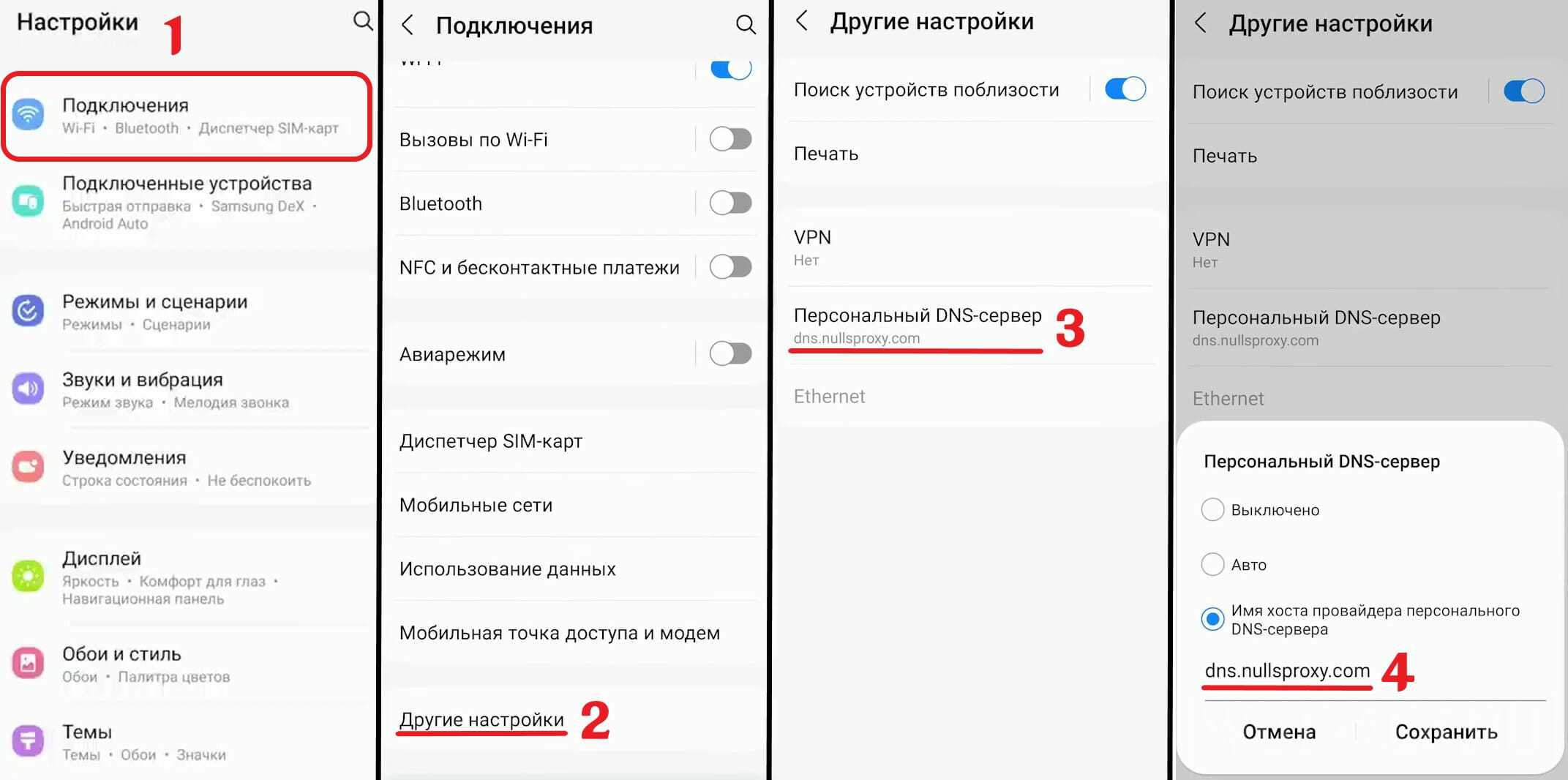
In a few touches, generate a server on your smartphone:
- In the settings, select "Connections", "Other settings", "Personal DNS server".
- In the server creation menu, enter in the field dns.nullsproxy.com. Save and exit.
A private server has been created, which means you can connect to Clash of Clans regardless of obstacles.
On iOS

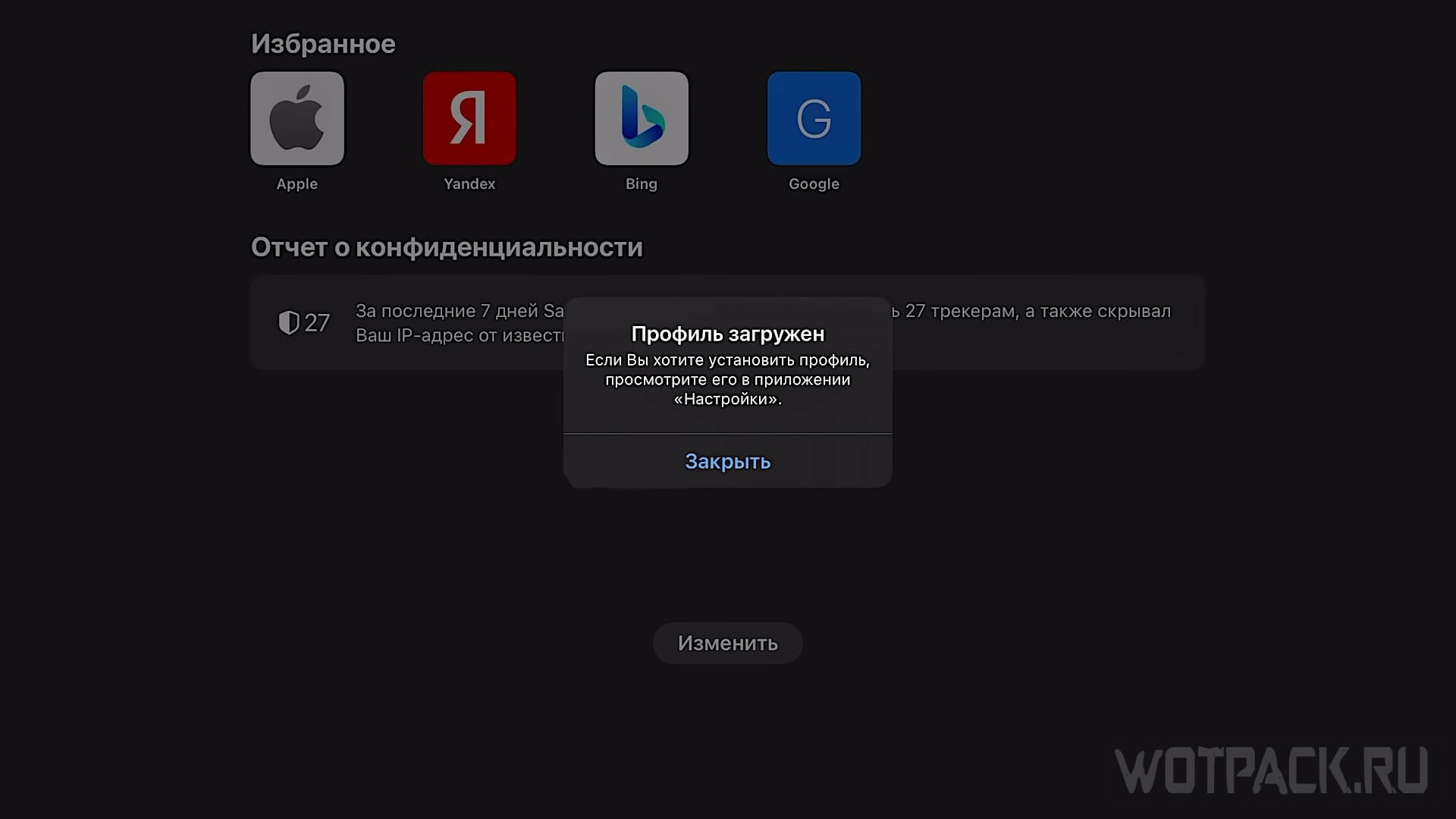
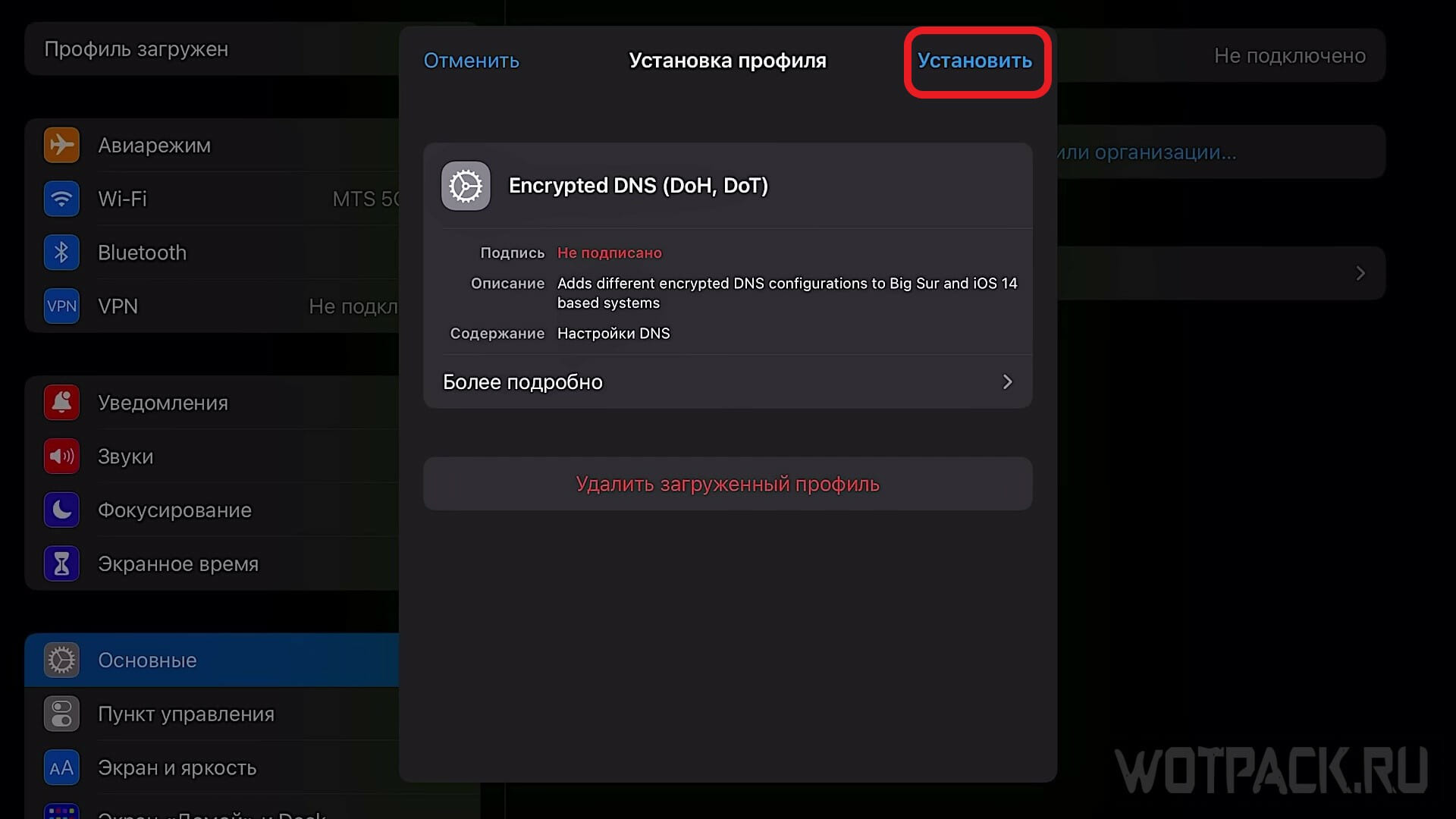
Use the config file to create a DNS server:
- The settings are in given file.
- Go to "Basic Settings", open "Device management».
- The file must be in the list. dns.nullsproxy.com. Install it.
After completing the installation, try logging into the application.
How to transfer progress and log into your Clash of Clans account
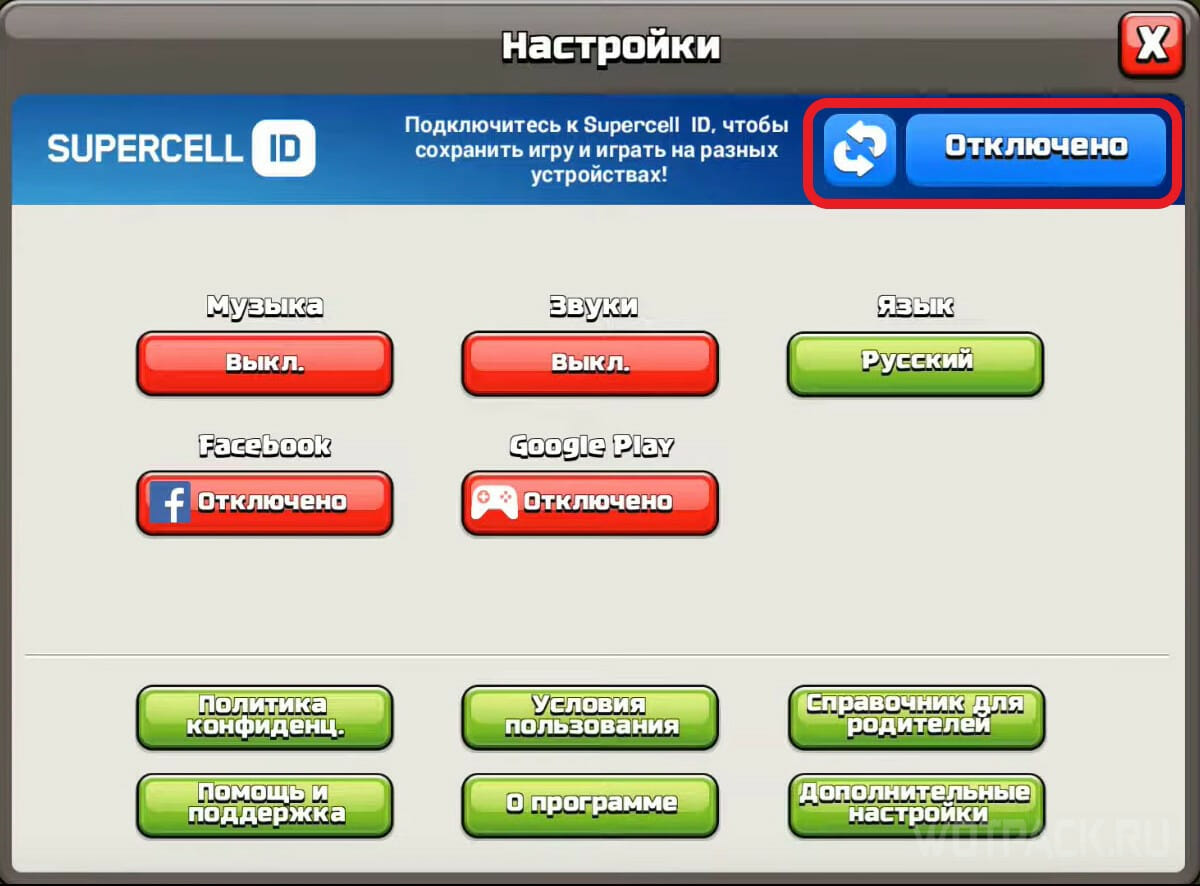
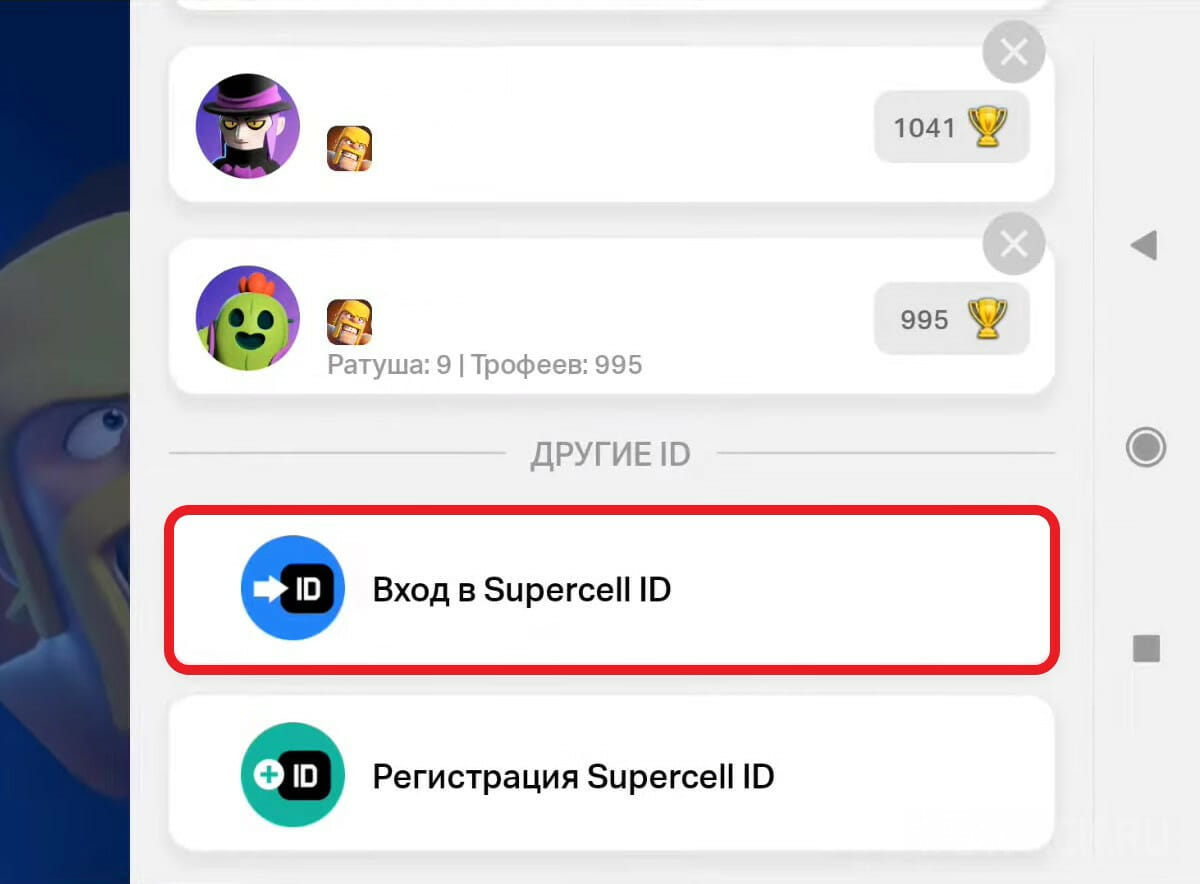
The account is easily transferred between devices and different versions with a Supercell ID. Enter the game parameters (gear), click on the blue button to connect to Supercell ID, then "Sign in to Supercell ID". Fill in your personal ID details and your account will be linked to the new version of Clash of Clans.
FAQ
Why is there no Clash of Clans in the Play Market?
The application was removed at the initiative of the developers from Supercell, as well as other projects of the studio on the territory of the Russian Federation and Belarus.
When will Clash of Clans return to the Play Market?
Not a single condition has been officially put forward for the return of the game to the domestic region.
When will Clash of Clans be available in Russia?
You can return to your favorite strategy right now using the workarounds that were discussed in detail above. The date of the official return of projects to the Russian Federation is unknown.
Where is Clash of Clans available?
In all countries not subject to sanctions, it is possible to download the project from local application stores. A domestic gamer can move through another IP to these regions. Among them are Türkiye, the USA, and European countries.
Why is Supercell leaving Russia?
The company left the domestic market in the spring of 2022, supporting the sanctions policy against Russia and Belarus.
How to make Clash of Clans work?
On Android, download a third-party APK file of the game by logging into it with a different IP or through a private DNS server. The method of its creation was discussed in the article. For iOS devices, you can change the Apple ID region in the “Country or Region” menu and then download an alternative, foreign version of Clash of Clans from the Turkish or American App Store, or create a new Apple ID account. You can also log into the project through another IP or private server.
Are you banned in Clash of Clans for changing your IP?
Changing IP is allowed: there is official information about this from the developers. A ban is likely if servers are changed frequently, which can be considered as a transfer of account data to third parties. When using a different IP, try to stick to a static server and country.
Is account progress saved when logging into Clash of Clans by workarounds?
Is account progress saved when logging into Clash of Clans by workarounds? If you have a Supercell ID, the work will not be lost and the settlement will remain intact. Just log in with Supercell ID on the new version of the game and continue playing.
We hope that the guide on how to play Clash of Clans in Russia after the blocking in 2026 helped to regain the settlement and bypass the developers' barriers. Questions regarding the return to the strategy, ask in comments.








I can't log in even with a DNS server and VPN, it keeps saying "Login error, restart the game" or something like that, even though there is internet.
Roskomnadzor blocked this DNS. I tried another one, but it didn't work for long. I need to find an alternative...
Something's wrong with the DNS. You can log into the game, but the cache isn't downloading from the servers anymore. This interferes with things like events; you simply won't be able to log in until the necessary data is downloaded from the servers.
I can't log in at all, it's loading but not completely.
I have the same thing. Is everyone done playing?
How to buy a gold pass in Clash of Clans?
I played on the GBox cloud with a Google Play link, which was very comfortable. After the latest update, I can't access the game. More precisely, when I access it, it crashes to the main cloud menu. What should I do? I have the same problem with APK files. The device is new, everything works, and the VPN can see it.
The game stopped working with the DNS server. An update was released, and now I can only access the game via VPN. What should I do?