After the PlayStation Store was completely blocked in Russia, console users lost the ability to purchase new and old projects in the PS store in the usual way. Some gamers decided to put the console away for the long haul, while others switched to using alternative methods that can provide access to popular and exclusive titles. In this guide, we will tell you how to buy a game in the PS Store in Russia: we will consider all the working methods that currently exist.
Is it possible to buy a game in the PS Store in Russia in 2026
A Russian user has several working ways to buy games on the PlayStation Store:
- Using a foreign bank card.
- Using a recharge card.
- With the help of discs purchased in specialized stores (M. Video, DNS, Ozon, etc.).
In the first and second cases it is necessary new account, tied to any country, except for the Russian Federation and Belarus.
The last and most radical solution is buying an account with the already formed "Library" through third-party sites. It is considered a convenient, but risky way, since you can stumble upon scammers if the site does not provide guarantees.
How to Buy Games on a Foreign PlayStation Account
Working methods that will help you buy a game in the PS Store on a foreign account:
- Using a foreign bank card, even a virtual one.
- With the help of recharge cards linked to the region selected during registration.
Below, each of the methods is discussed in more detail.
Is it possible to change the region?
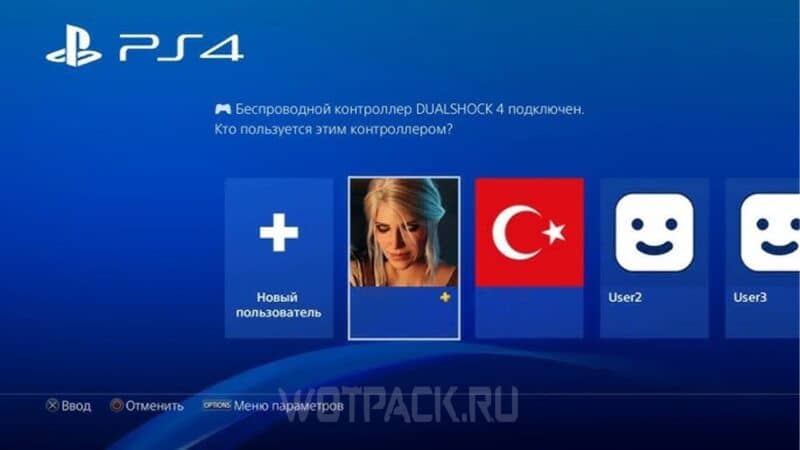
Unfortunately for active console users, changing the region in the PlayStation Store compared to other sites that sell games, can't swap them. Even after contacting technical support, this issue remains unresolved - the service either refuses, or stretches out the solution of the “problem”, and then closes the request.
There are, of course, the lucky ones who were lucky to get through to the workers, however:
- to confirm the request, technical support will require the user to provide real evidence that he lives in another region;
- after the successful completion of the operation, all achievements on the account will be reset.
For this reason, the best option for changing the region in the PS Store is register a new account.
Which country to choose for registration

Choosing a region is an extremely important part in the process of creating a foreign account. Especially if you plan to buy games or gift cards to top up your PS Store wallet yourself.
The table will show the advantages and disadvantages of the countries to which Russian gamers most often link new profiles. We recommend that you carefully read the information for each in order to choose the most optimal region:
| Country | "Pros" | "Minuses" |
|---|---|---|
| Poland |
|
|
| USA |
|
|
| Finland |
|
|
| United Kingdom |
|
|
| Turkey |
|
|
If you can't decide which account to create in the PS Store, we recommend choosing Turkey - in a separate article pthey told me more details how to buy games in turkish ps store.
Price comparison for PS Store games
The main reason why users think about buying games in the PS Store using a foreign account is the inaccessibility of the site in the Russian Federation. Choosing a country when registering a new account becomes an important decision, since the region determines what prices the PlayStation Store will end up with.
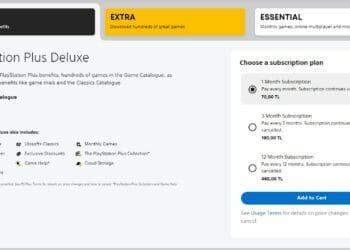
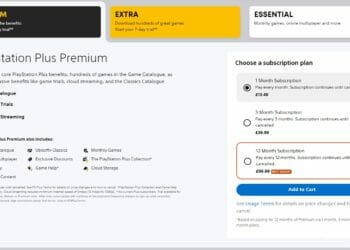
The following is price comparison between the UK and Turkish PS Store for both games and subscriptions (for a year). The cost is indicated in national currencies and rubles for a better understanding of how much the selected region can “pressure” on the wallet of a Russian gamer.
Comparison of prices at the rate taken at the time of writing: 1 pound = 82,62 rubles. // 1 lira = 3,68 rubles.
Games:
- Need for Speed Unbound: 69,99 pounds (5.783 rubles.) — 1.400 lire (5.152 rubles.);
- God of War: Ragnarok: 59,99 pounds (4.957 rubles.) — 699 lire (2.572 rubles.);
- STAR WARS Jedi: Fallen Order: £44,99 (3.717 rubles.) — 349 lire (1.284 rubles.);
- Cyberpunk 2077: £39,99 (3.304 rubles.) — 479 lire (1.762 rubles.);
- The Witcher 3 Wild Hunt: £24,99 (2.065 rubles.) — 134 lire (493 rubles.);
- Elden Ring: £49,994.131 rubles.) — 599 lire (2.204 rubles.).
Subscriptions:
- Premium/Deluxe - £99,99 (8.262 rubles.) — 460 lire (1.692 rubles.);
- Extra - £83,99 (6.940 rubles.) — 400 lire (1.472 rubles.);
- Essential - 49,99 pounds (4.131 rubles.) — 240 lire (883 rubles.).
How to create an overseas account
There are two main ways to create a foreign PS Store account:
- Creating a profile through the website.
- Registering an account via the console.
Below is a step-by-step guide for each method to help you figure out how to create a PS Store account.
The first method
To create a new account you need:
- IP address of another region.
- International email. For example, Gmail. Using an address associated with a Russian service (mail.ru, ya.ru, etc.) is undesirable.
The process looks like this:
- Connect to a foreign IP address.
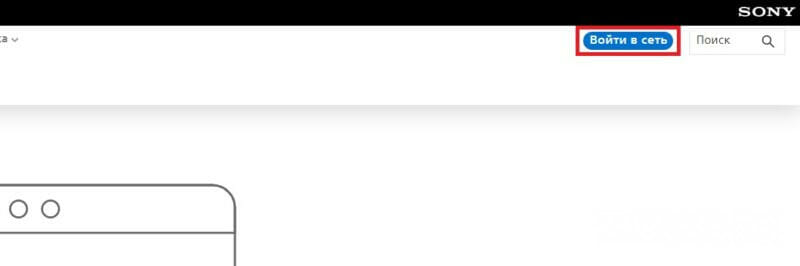
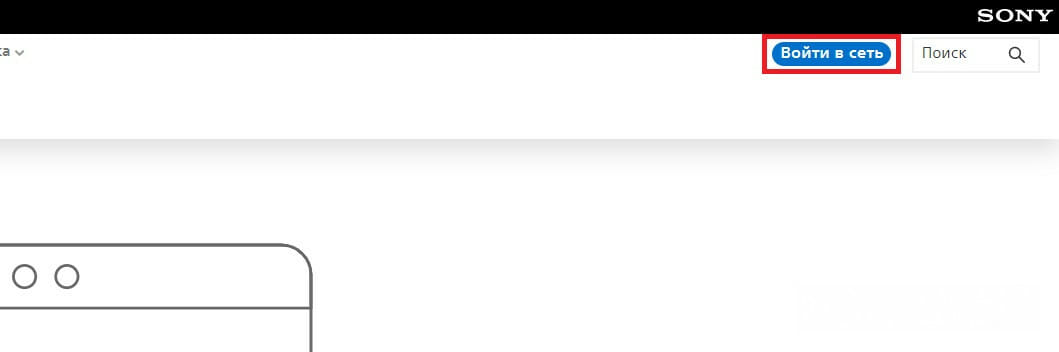
- Having opened PS Store official website, use the "Login to the network».
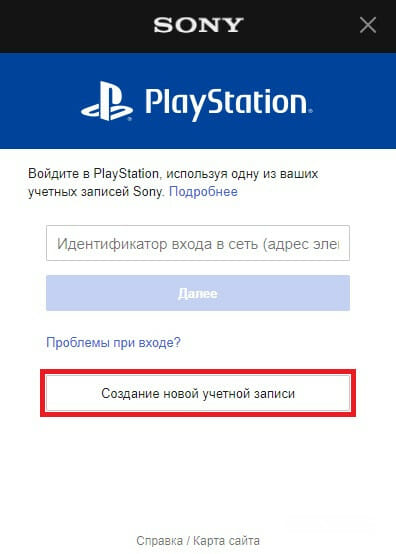
- Next - "Create a new account".
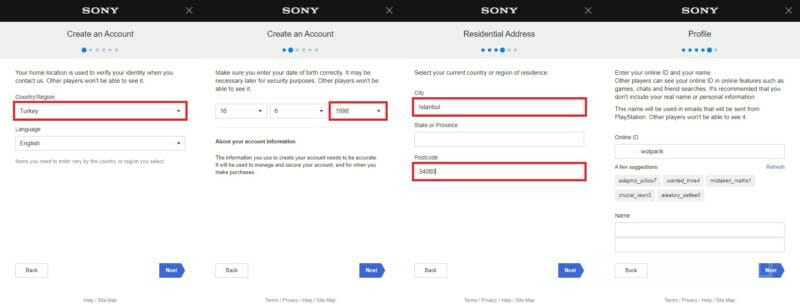
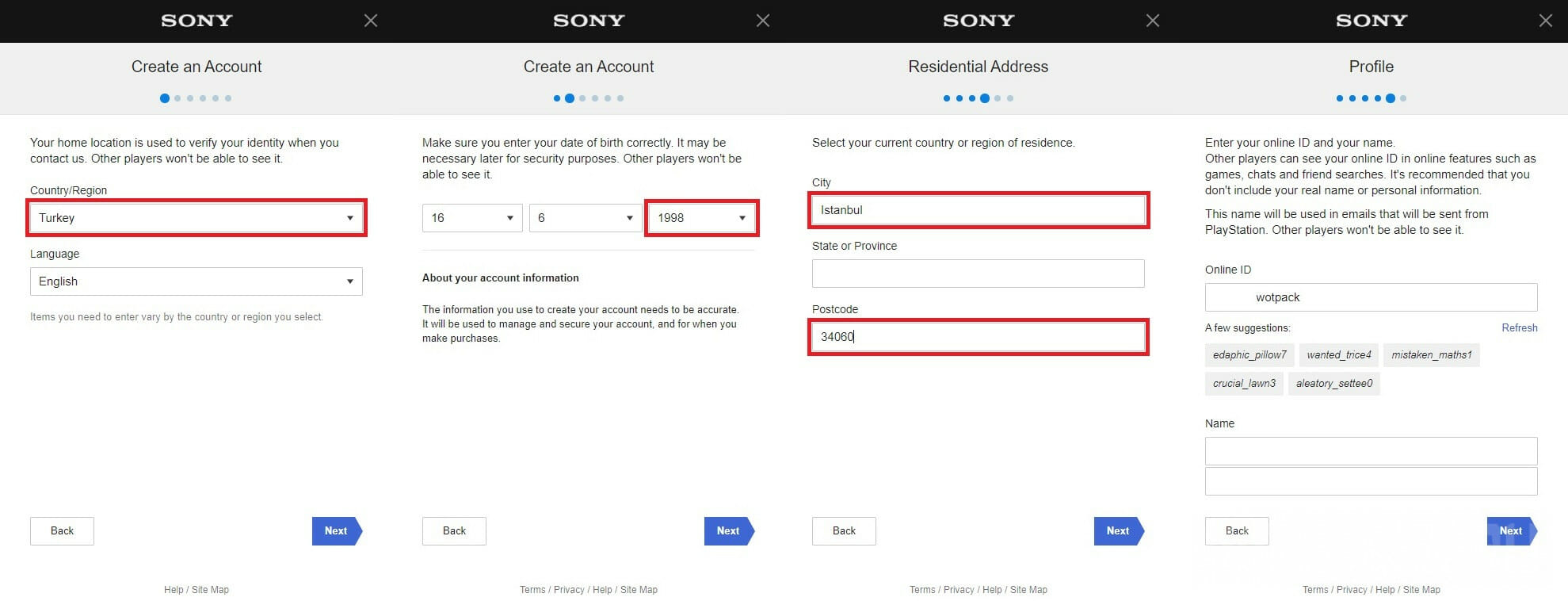
- In the "Country/region of residence" field, specify any region, except for the Russian Federation and Belarus.
- Desired age in the column "Date of birth" - 18+.
- Information entered in the "City" and "Postal code" fields must comply the region mentioned above.
To do this, we recommend opening Google Maps and enter in the search engine the country that you have chosen - for example, Turkey. Click on any city, and then on any building.
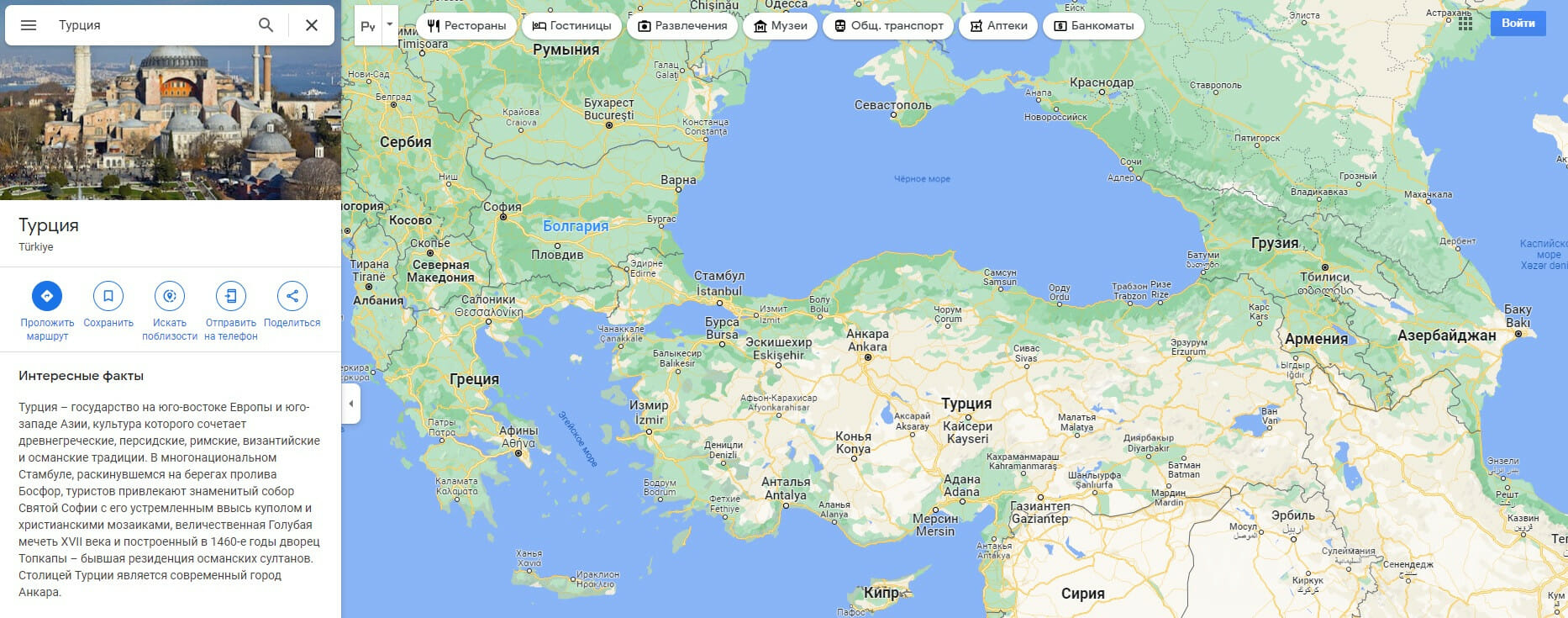
In the window that opens, the address will appear - street, postal code, province, city, country. For example: Sanayi, Zuhal Cd. No:4, 38080 Kocasinan/Kayseri, Turkey.
Therefore, the points during registration must be filled in as follows: country / region of residence - Turkey, city - Kayseri, index - 38080.
After successfully completing the registration, the account must be properly “registered”. First of all, it is recommended to play more than two hours to any free project from the "Library" - for example, to Genshin Impact. Thus, the profile will look "live" for the system that Sony launched when they began to actively fight against bots.
It is also recommended to refrain from shopping within 5 days from the moment you register your account.
Once you've completed all of the steps above, and after the 5-day set period has passed, you can start buying games from the PlayStation Store.
second method
You can create a new account without using a browser directly through your console:
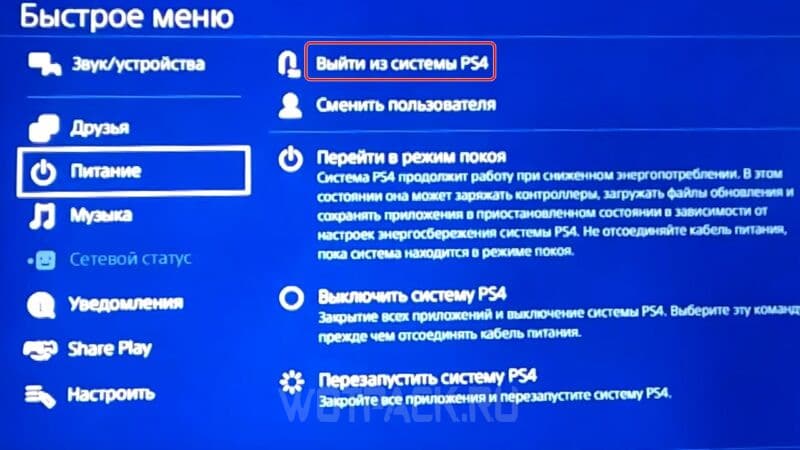
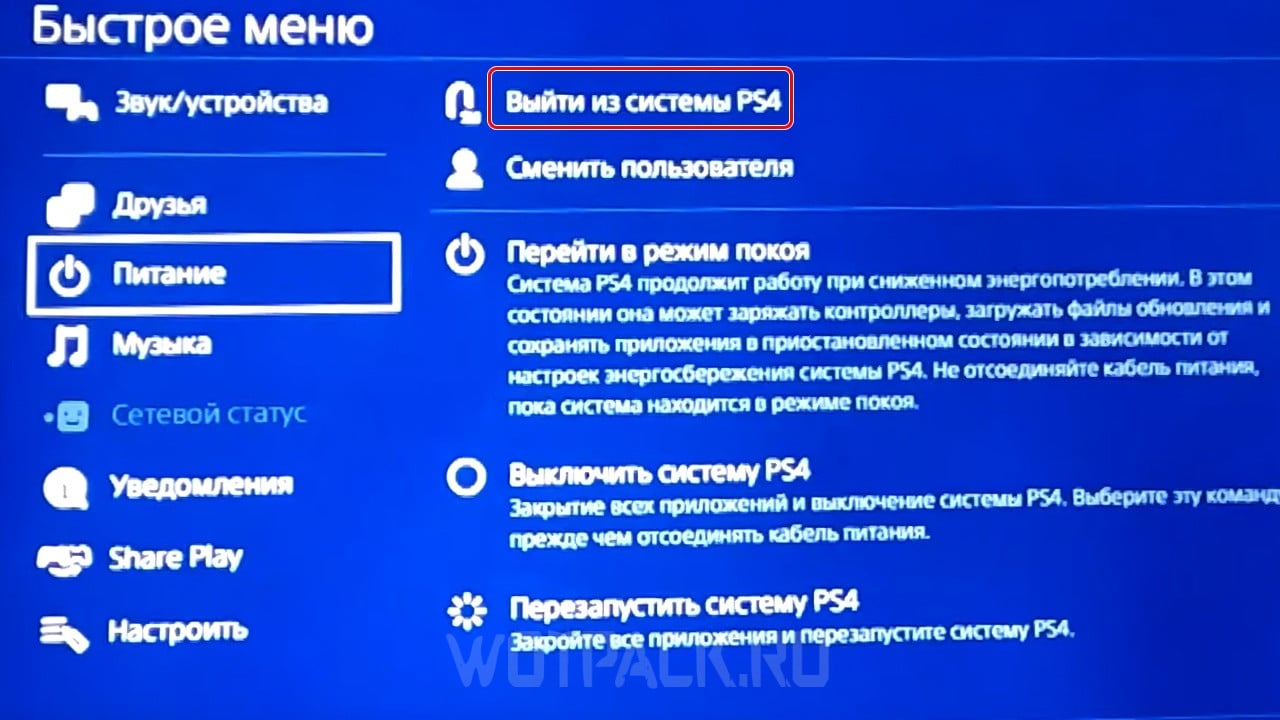
- Open the quick menu and go to the section "Nutrition", then select the command "Log out of PS".
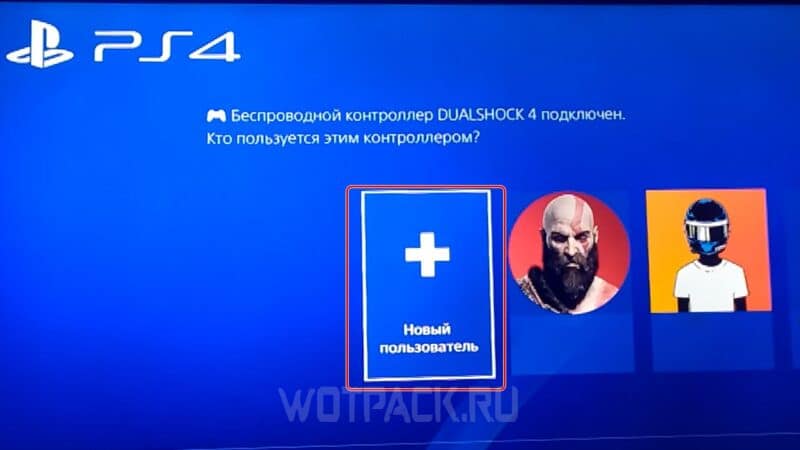
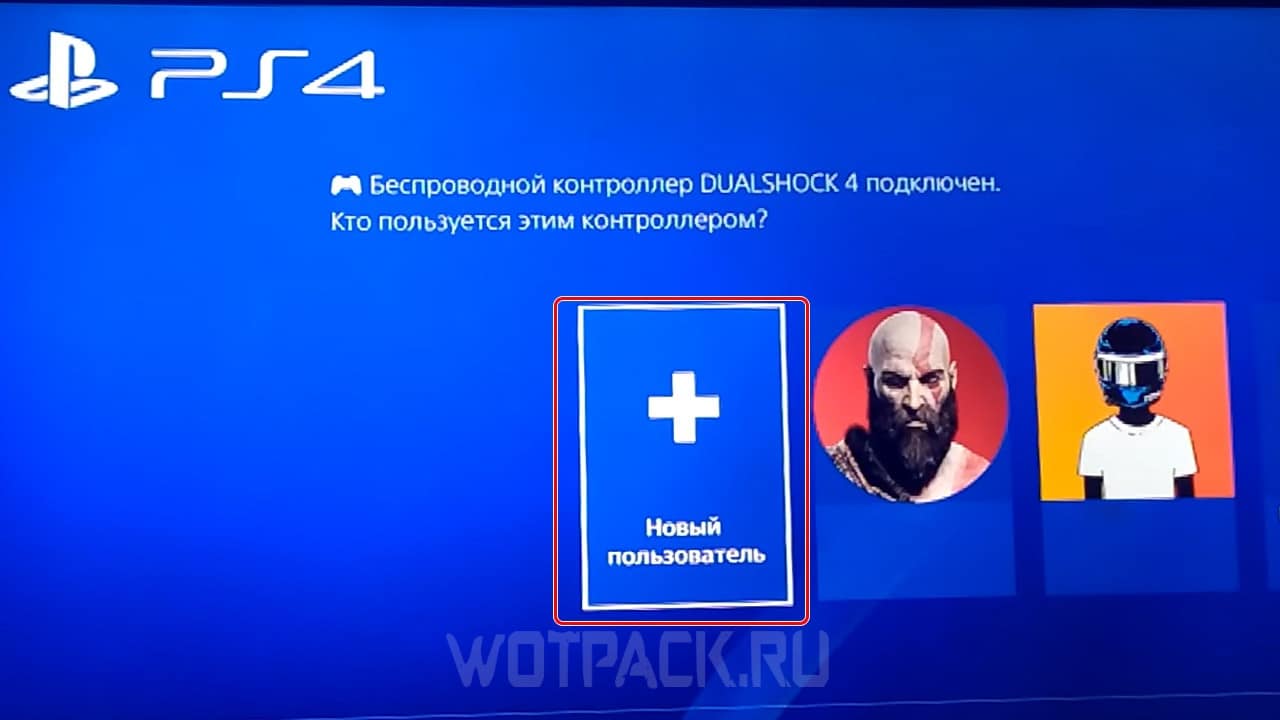
- After the device has booted, click on the icon that says "New user".
- Click on the button "Create user" and accept the license agreement.
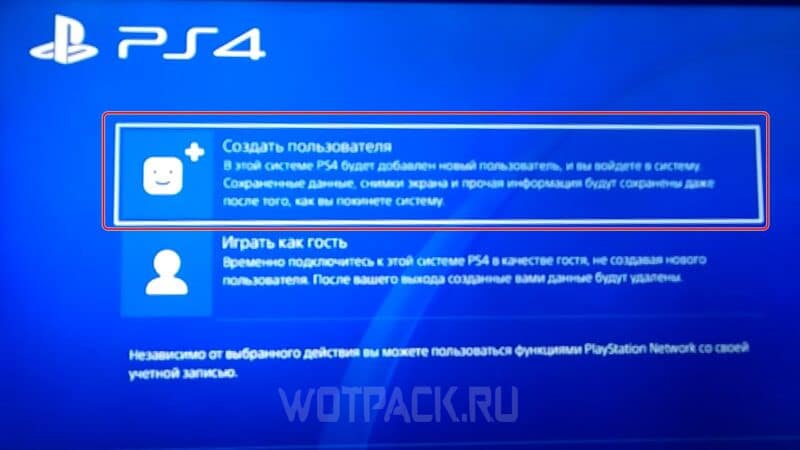
- In the next window, select the item "Create an account".
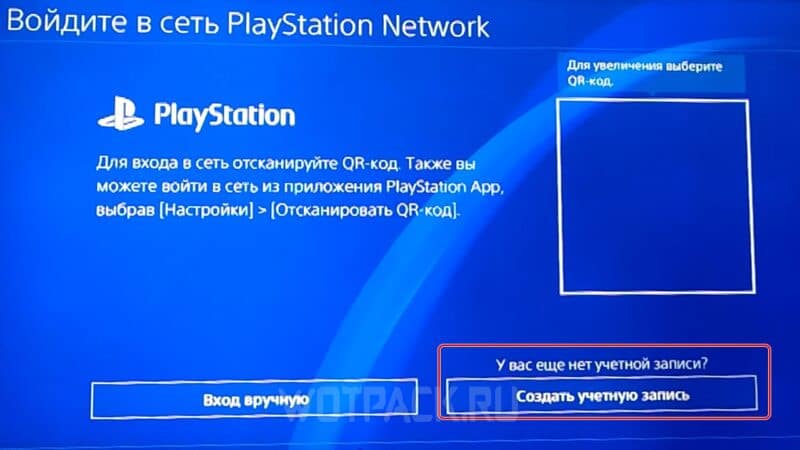
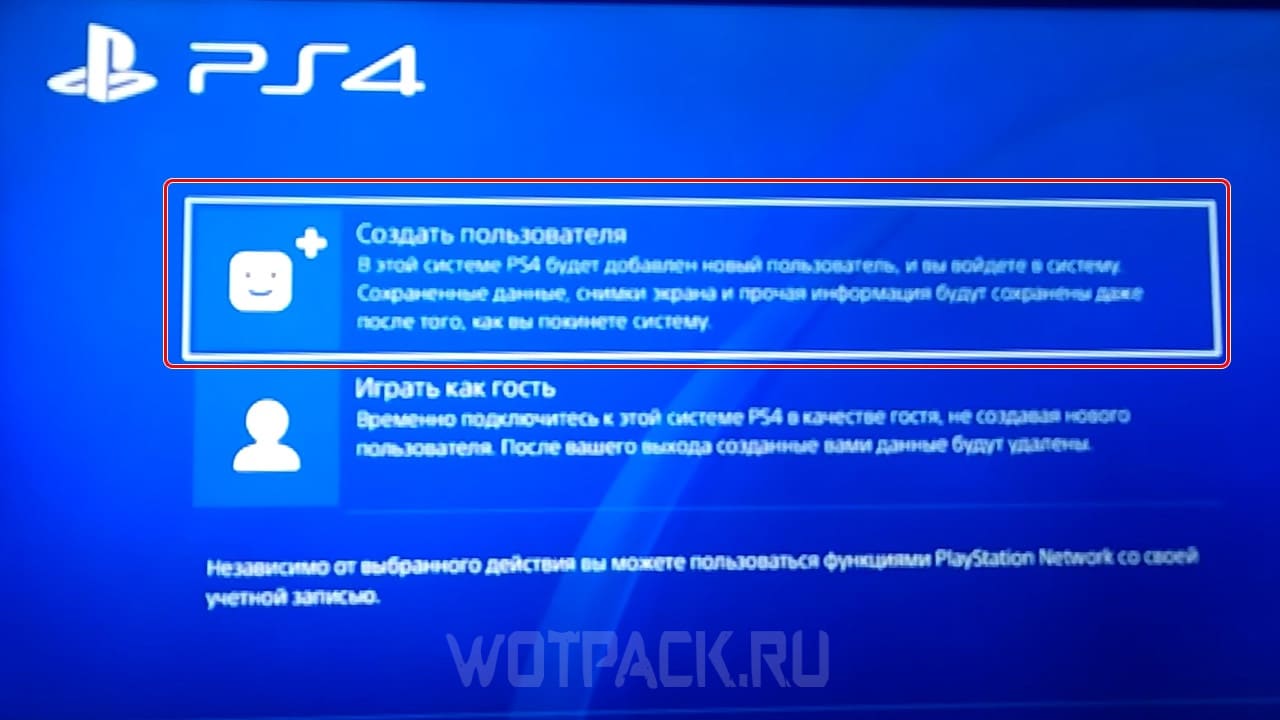
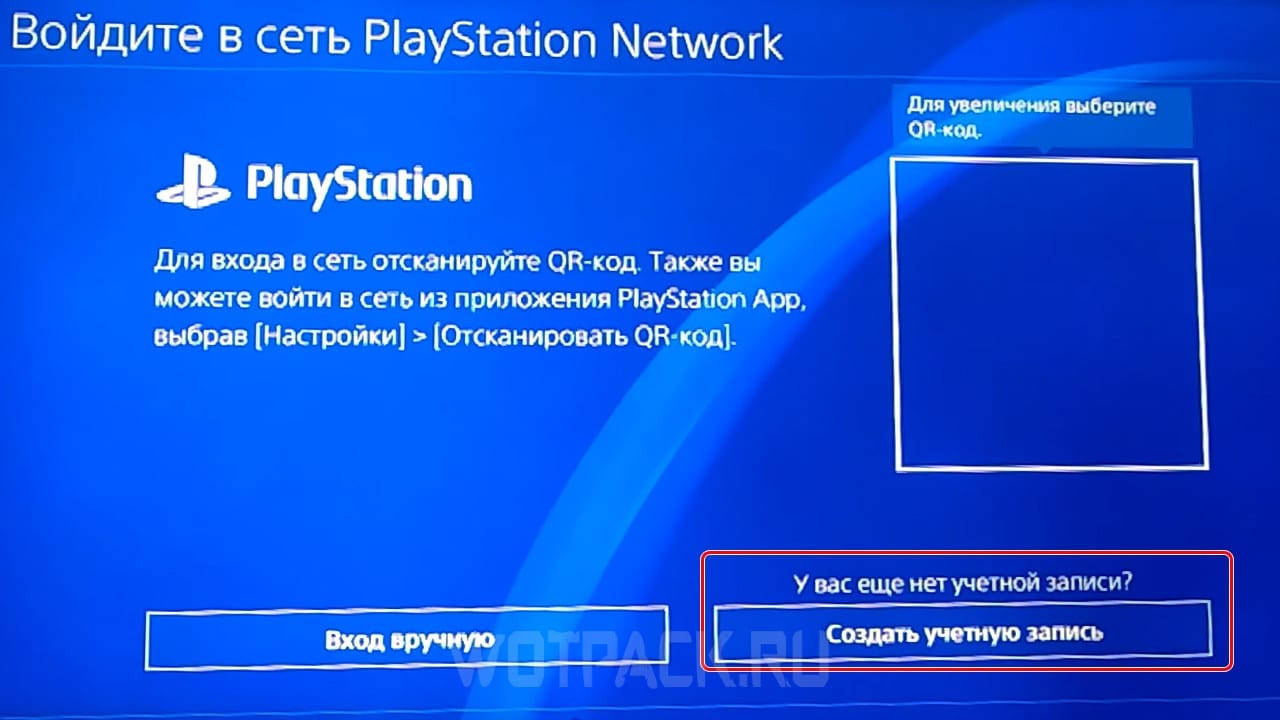
Next, you just need to do the same actions that were described in the previous paragraph.
FAQ
Can I get a ban for creating an account linked to another region from Russia?
- New accounts are not blocked, especially if the registration process and the subsequent registration of the created account are completed in compliance with all necessary requirements (told above).
Will I be able to play projects from the "Library" of a foreign account on the main (Russian)?
- Yes. To do this, through the "Account" parameter located in the settings, make the foreign profile "Primary". Then download the games you are interested in, go to the Russian profile and launch them from there.
What if I can't create a foreign account due to the error "Can't create an account. Contact Customer Support for assistance”?
- This error is a failure that many users who live in the territory of the Russian Federation face. To fix the problem, just refresh the page and fill out the registration form again. You may have to do this several times.
What restrictions can I face when using a foreign account from Russia?
- One of the main disadvantages is the lack of Russian language in some new games. Other disadvantages include limited access to a PlayStation Now subscription and the inability to launch the "Game of the Month" on a Russian account, even if it was received on a foreign one.
For other questions, write to comments. If necessary, we will update this paragraph with answers to them.
How to buy a game from the PS Store with a bank card

Due to the fact that Sony has suspended its activities in Russia, it is not possible to top up the PS Store using a Russian bank card:
- Visa, Mastercard, Sberbank, MIR.
- VTB and VTB MIR.
- Tinkoff; and other large services.
The only possible way is personal foreign bank card. Virtual cards are also suitable, but it is extremely difficult to find a server that can help in creating it (for example, for Turkish there is the OlduBil mobile application).
How to link a card
To add a map to the PlayStation Store, do the following:
- Through "Settings" open the section "Users and accounts».
- Go to the tab “Payment and subscriptions" in the "Account" section.
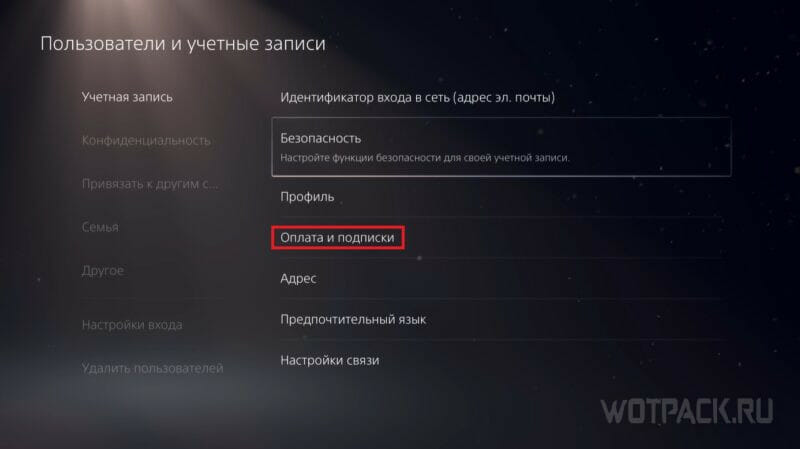
- Press "Payment Methods” (Methods of payment), and after - “Add a Credit / Debit Card”. Enter the details of a foreign bank card and save the result.
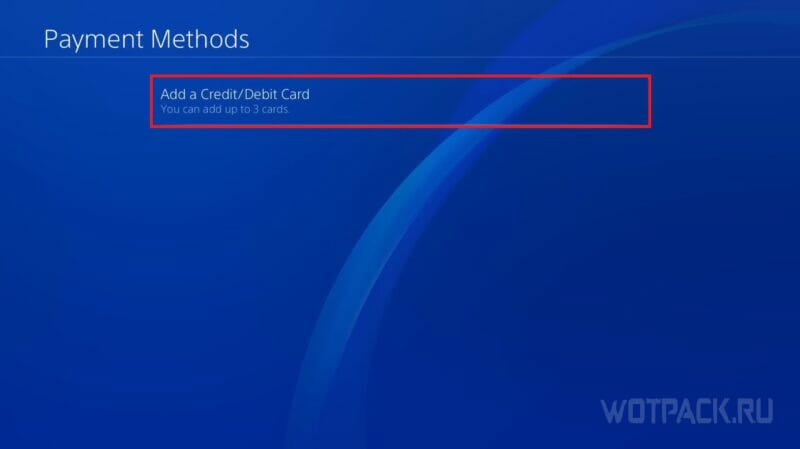
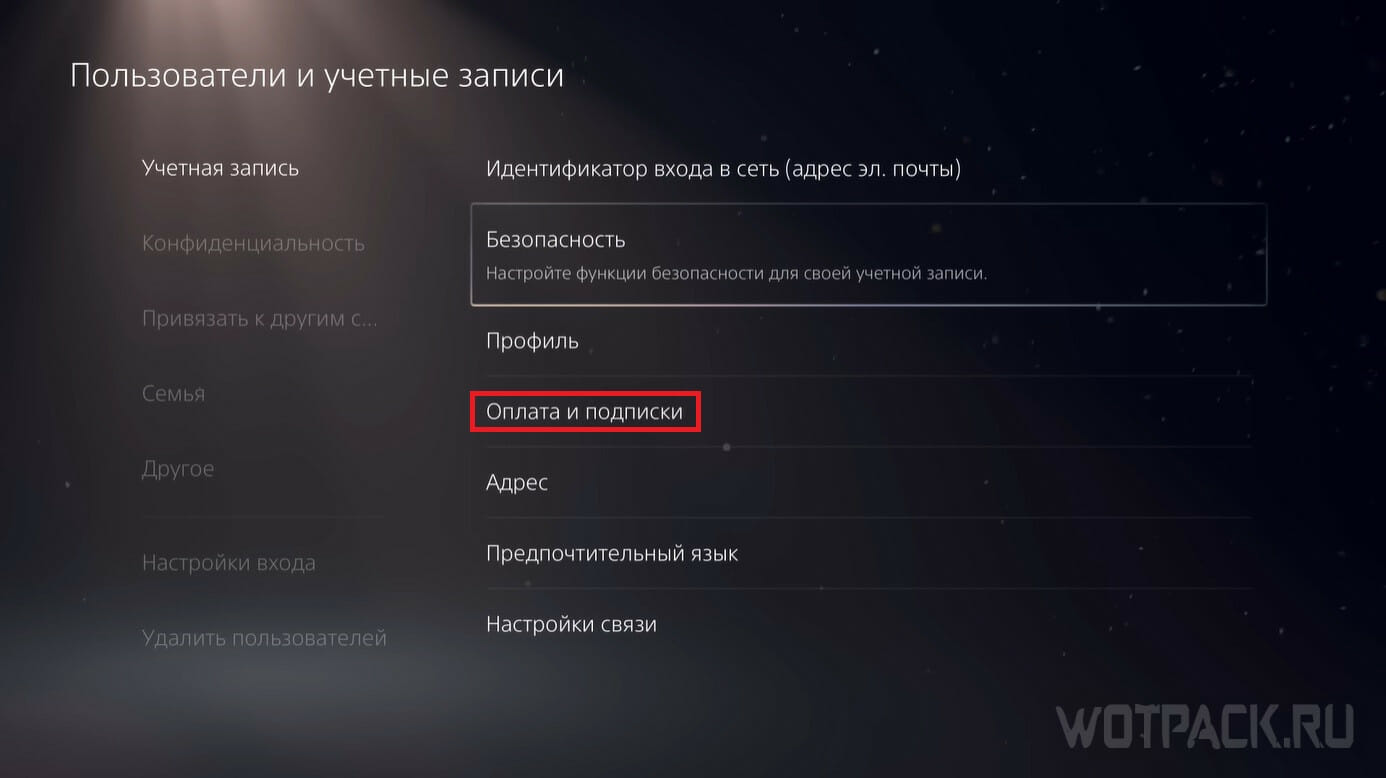
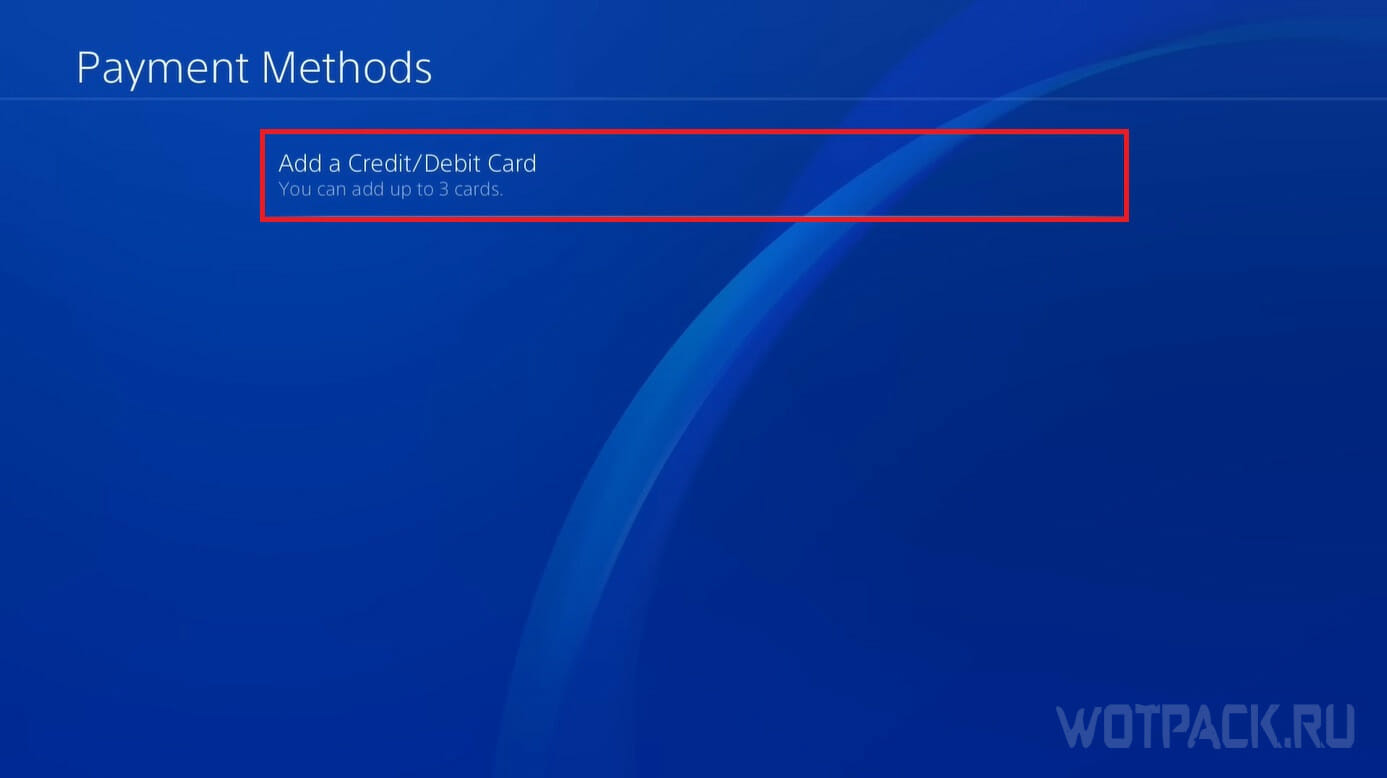
Finally, check out the Payment Methods section for a new way to purchase games from the PlayStation Store.
How to buy a game from the PS Store through third-party sites
Purchasing accounts is one of the most convenient but risky ways to get your desired games from the PlayStation Store. The comfort lies in the fact that you do not have to bother with creating an account, as well as replenishing its wallet. The risk is due to the fact that on independent sites providing such services, it is easy to stumble upon unscrupulous people.

If you want to buy a PS Store account, but don't know which site to prefer, we suggest you pay attention to the store Keysforgamers. Here, real users, acting as sellers, sell keys, accounts, gift cards, etc., and each product is subject to guarantor system (30 days or more depending on the service).
The process looks like this:
- Register a personal account on Keysforgamers.
- Open the page with any desired game. Let's take Marvel's Spider-Man Remastered as an example.

- From the proposed offers, choose the most suitable one. Click on the desired lot.

- Sort Suggested Products: Select your edition, platform, and region. Parameter "All regions» pay the most attention. If the wrong country is selected, support will not be able to help in returning the money spent. This moment must be tracked personally.

- Also pay attention to the profile of the seller from whom you want to purchase an account with the game. It is important to look at positive reviews, total sales, and sales success percentage.

- If you have additional questions, you can use the function "Open chatand chat with the seller.
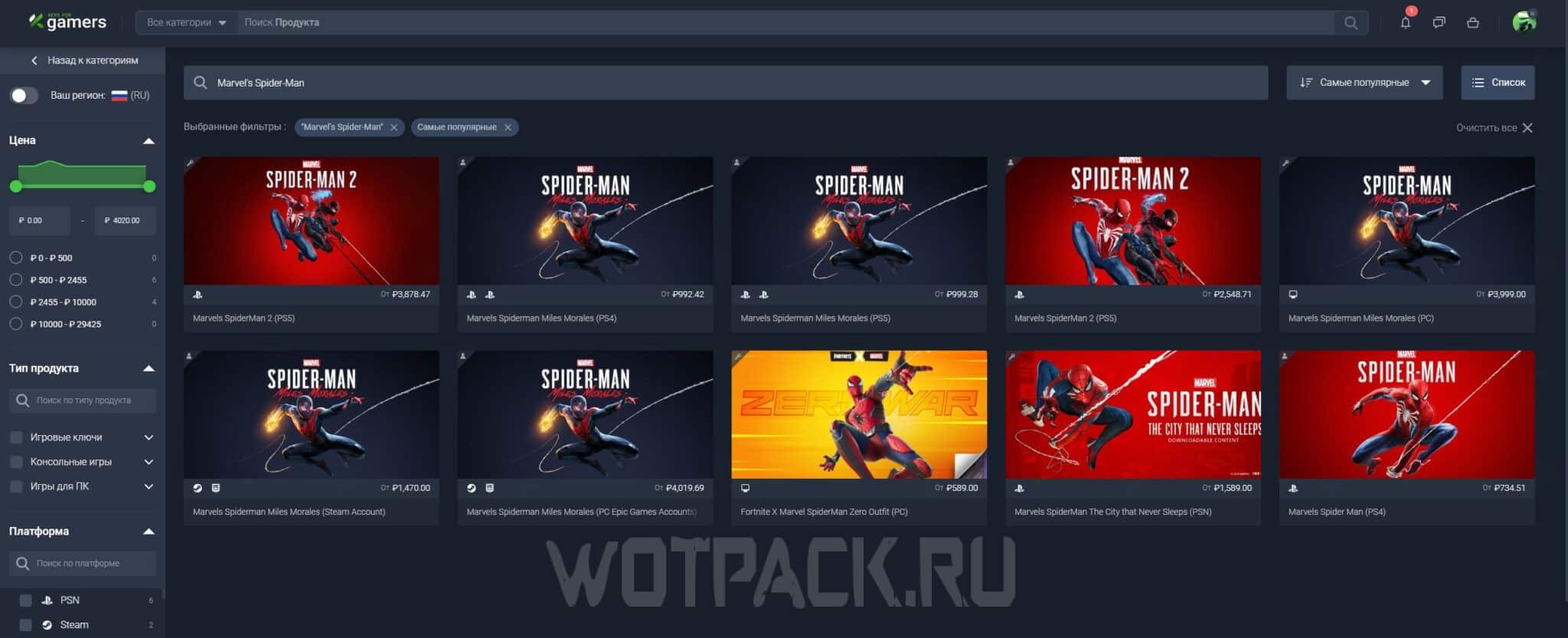
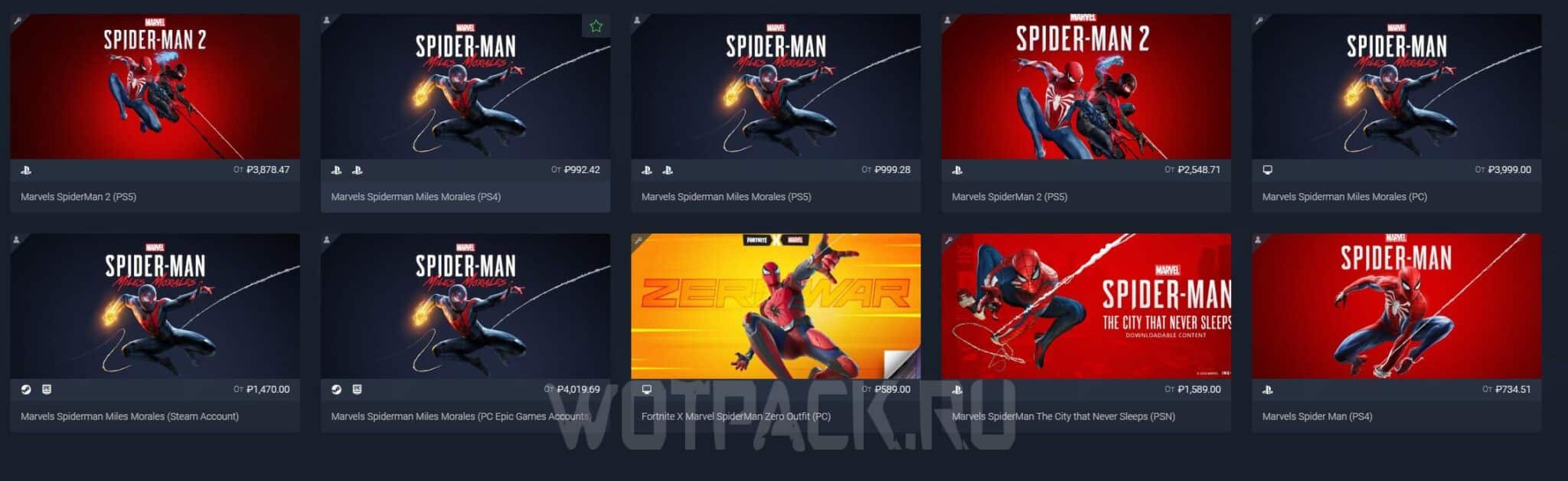
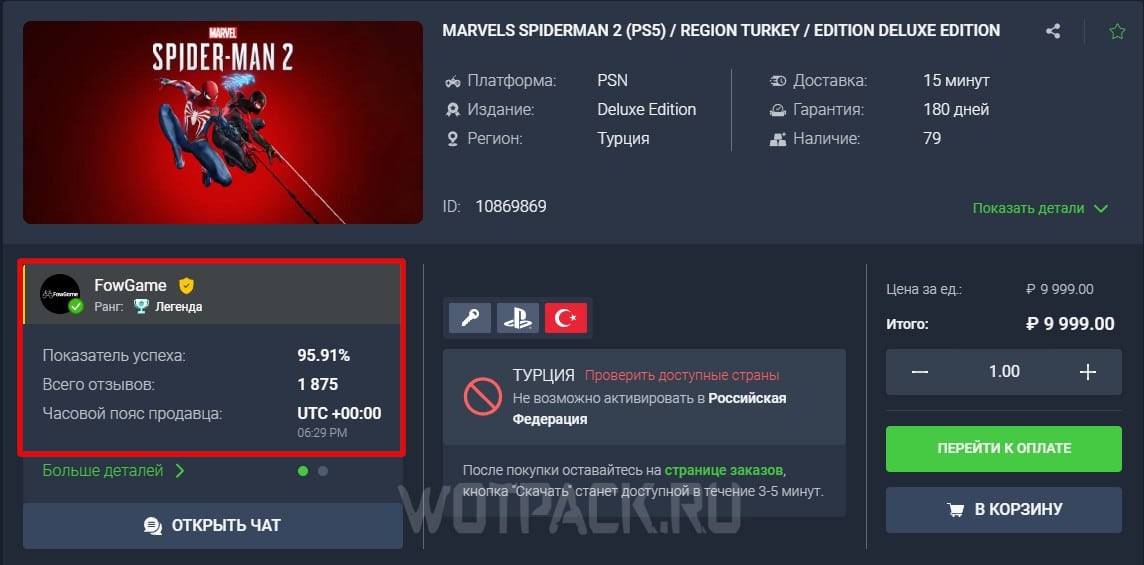
When you're ready, add the game to your cart and proceed to checkout. There are several ways to choose from. Most Popular - payment via bank card (for example, Sberbank).
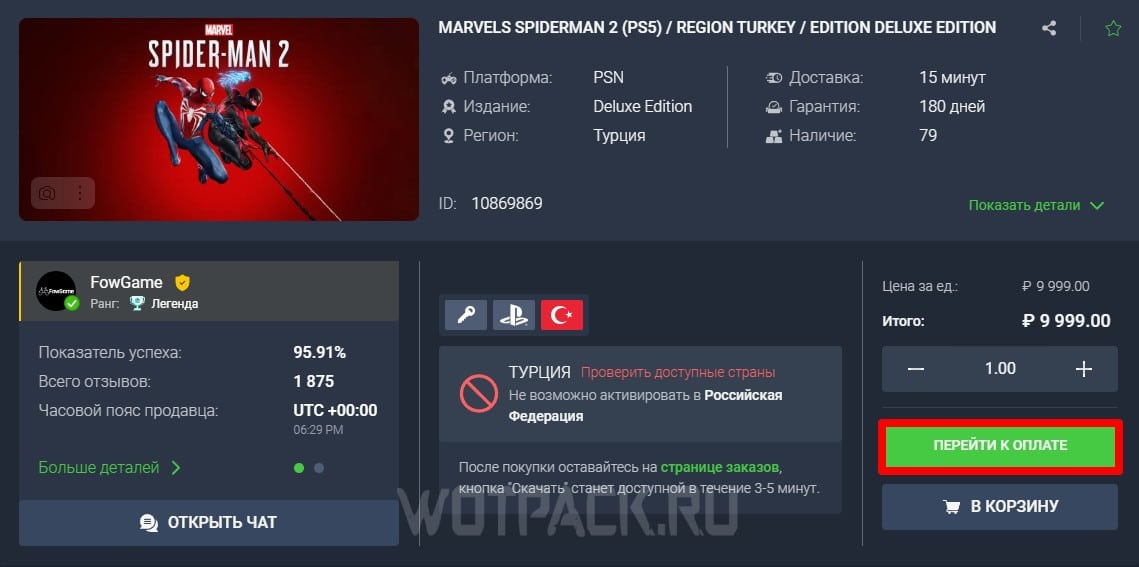

Choose one of the proposed options, click "Confirm and pay". Subsequently, within 30 minutes (as a maximum, usually 5-10 minutes) after processing the received payment, the user will receive a login and password to enter the account.
FAQ
What to do, if the code, key or login error does not work?
- Write to Keysforgamers technical support, whose specialists are always ready to help resolve any problems that arise between the seller and the buyer.
What to do, if there was an error in the order?
- The answer is similar to the first question - just write to Keysforgamers specialists with the exact wording of the request so that they can assess the scale of the problem and start solving it as soon as possible.
What to do, if the wrong region was selected during the ordering process?
- Unfortunately, no one will be able to provide support in resolving this issue, since this technical moment must be monitored by the buyer PERSONALLY. Refunds are not provided for this issue.
What information must be provided when requesting technical support?
- The order number and username are the two most important points that must be recorded when contacting Keysforgamers specialists. Next comes a clearly formulated description of the problem, so that later you do not encounter many clarifying points that can delay the process.
If you have any other difficulties, the support service is always online, so do not be afraid to contact, they will always answer you and try to help.
Purchasing games in PS Store using a top-up card
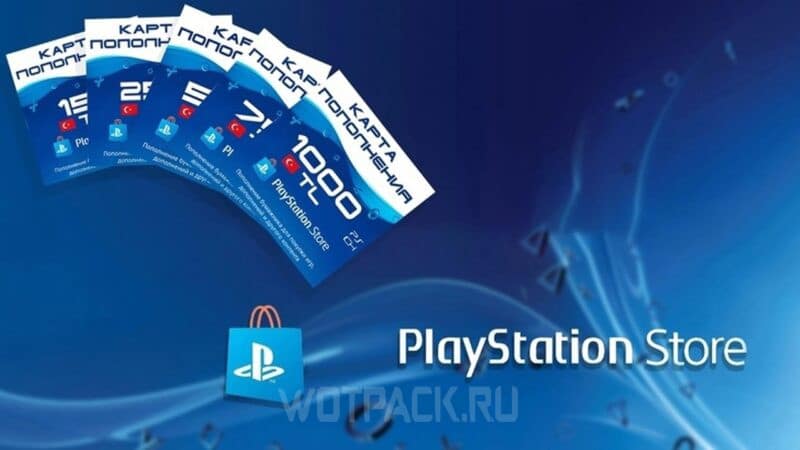
PS Store payment cards - cards with 12 digit combination, entering which allows you to replenish the profile wallet with a certain amount. Fortunately for console users, they are in the public domain. They can be purchased:
- in specialized stores (M.Video, DNS, Ozon, etc.);
- on independent sites for gamers involved in helping to obtain goods that are not available in Russia.
The disadvantage of this method of buying PlayStation Store games is that gift cards tied to certain regions can simply not be available - for example, Turkish replenishment cards are sold out extremely quickly.
How to buy a recharge card

Replenishment card — a simple and reliable way to add money to your PlayStation Store e-wallet for future purchases. When using this method to purchase games, there are two basic rules to consider:
- Select a top-up card for the country to which your current PS Store account belongs.
- To purchase cards, use only trusted services.
There are two main platforms where you can quickly and safely purchase Playstation top-up cards in Russia Keysforgamers и Donatov. Further, we described in more detail how to use each of the presented services for donation.
The first method
Приобрести PS Store payment card just like an account with the game, you can in the store Keysforgamers, the functionality of which was discussed in more detail in the paragraph above. Options that can make it easier to find the right gift code:
- Categories: For recharge cards, select "PlayStation Network".
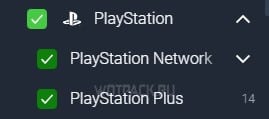
- Region: either enter the name of the country yourself, or find the one you need in the list provided.
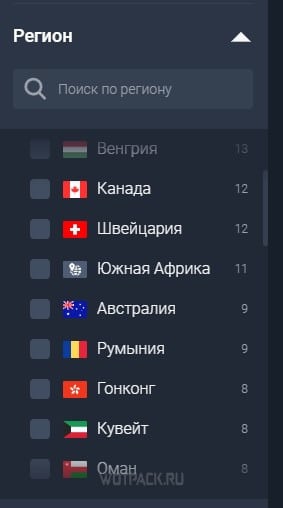
- Price: be prepared for a high markup - it is almost impossible to find a seller willing to sell the card at cost.
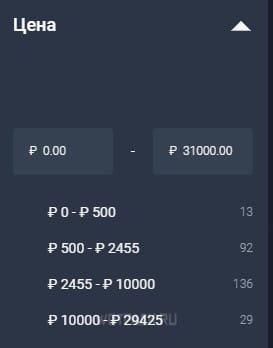
If you have any questions during the purchase process, please write to the marketplace support - they will promptly help solve any problem that arises.
second method
Let's look at another popular platform for digital donations:
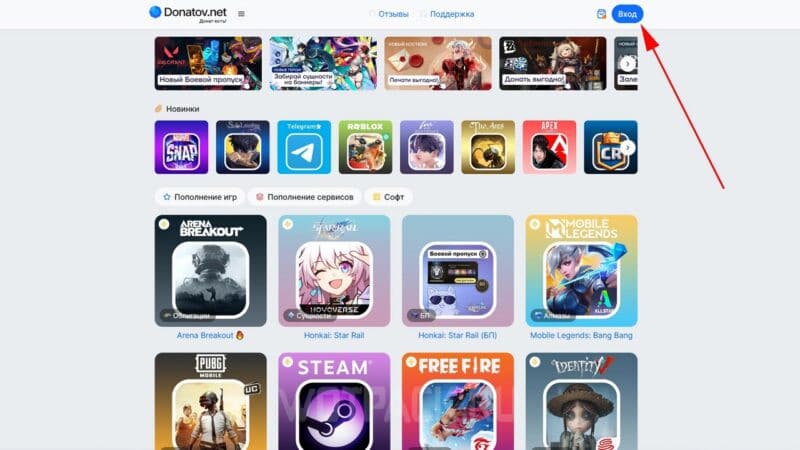
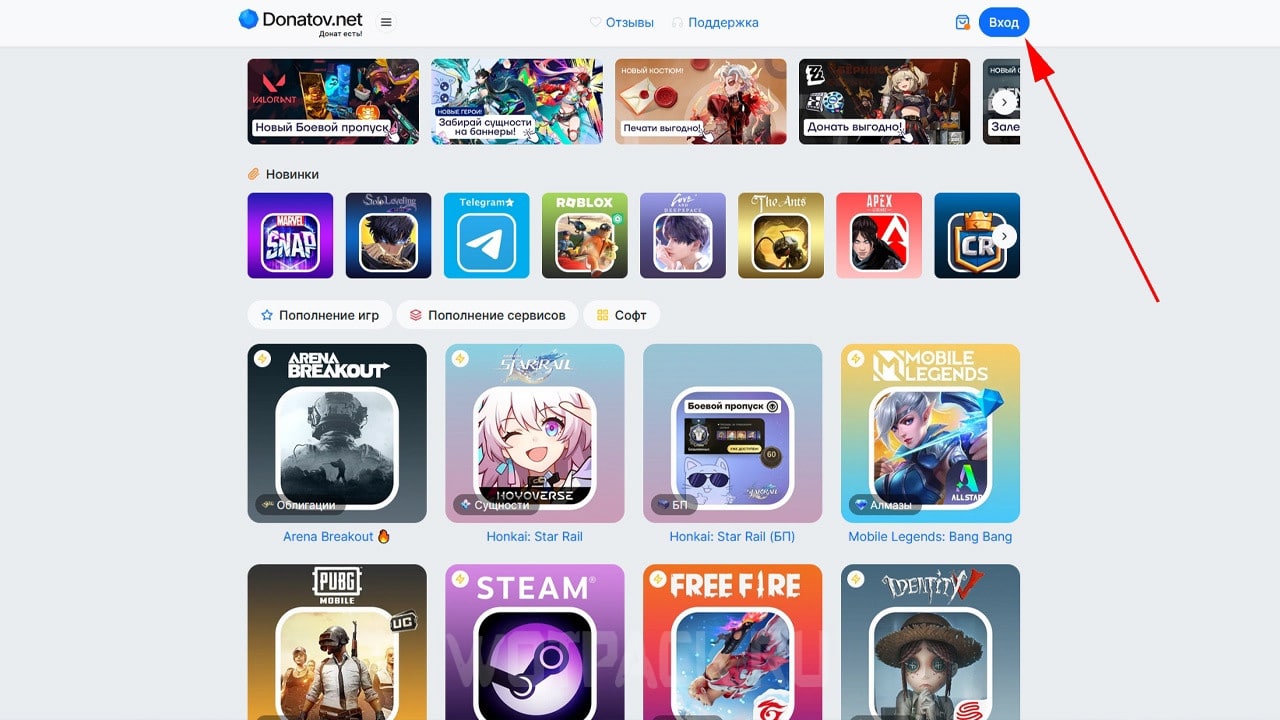
- Go to the site Donatov.net and, if necessary, create an account for this service, or log in to an existing profile.
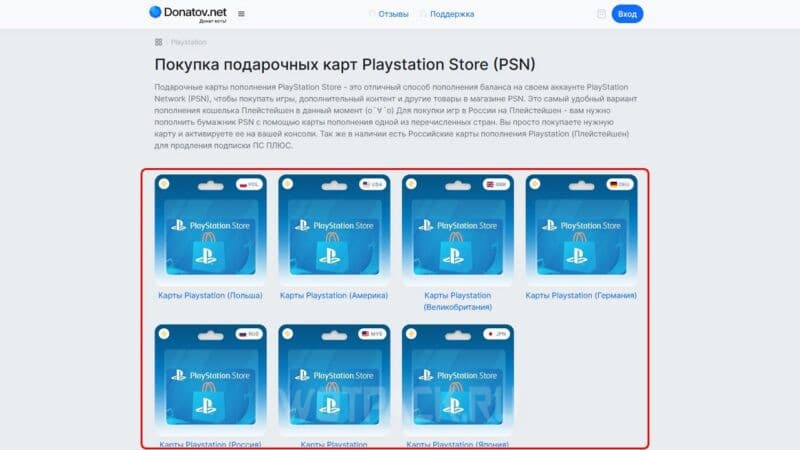
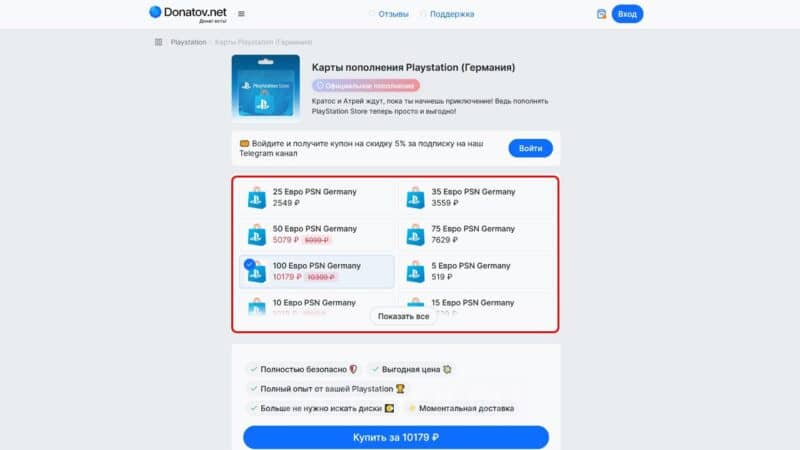
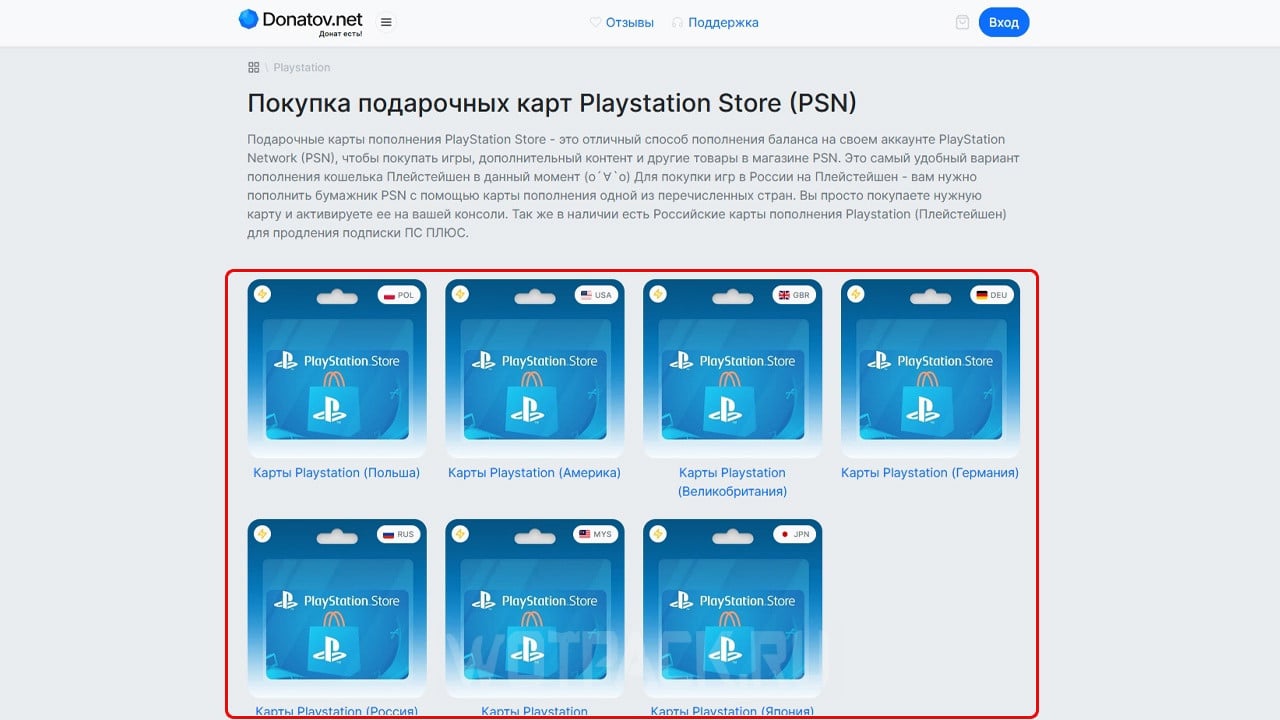
- In the "Purchase PlayStation Network (PSN) Gift Cards" select the card for the desired region.
- Click on the icon with the amount you want to top up your wallet with, then click on the command "Buy".
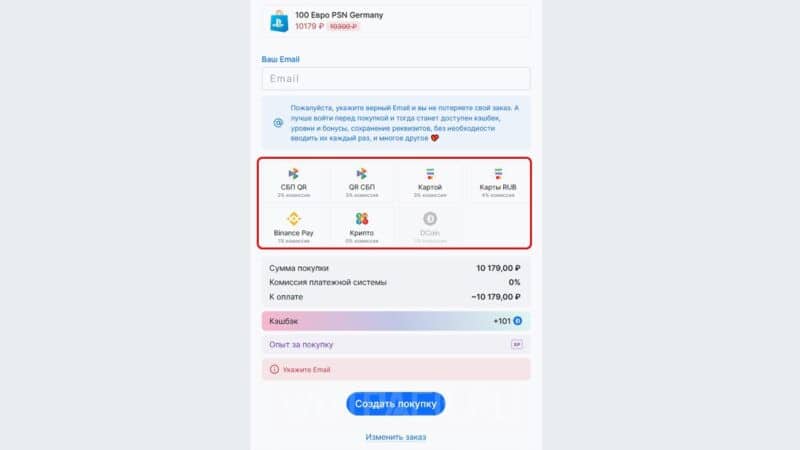
- Pay for the completed order using one of the available methods.
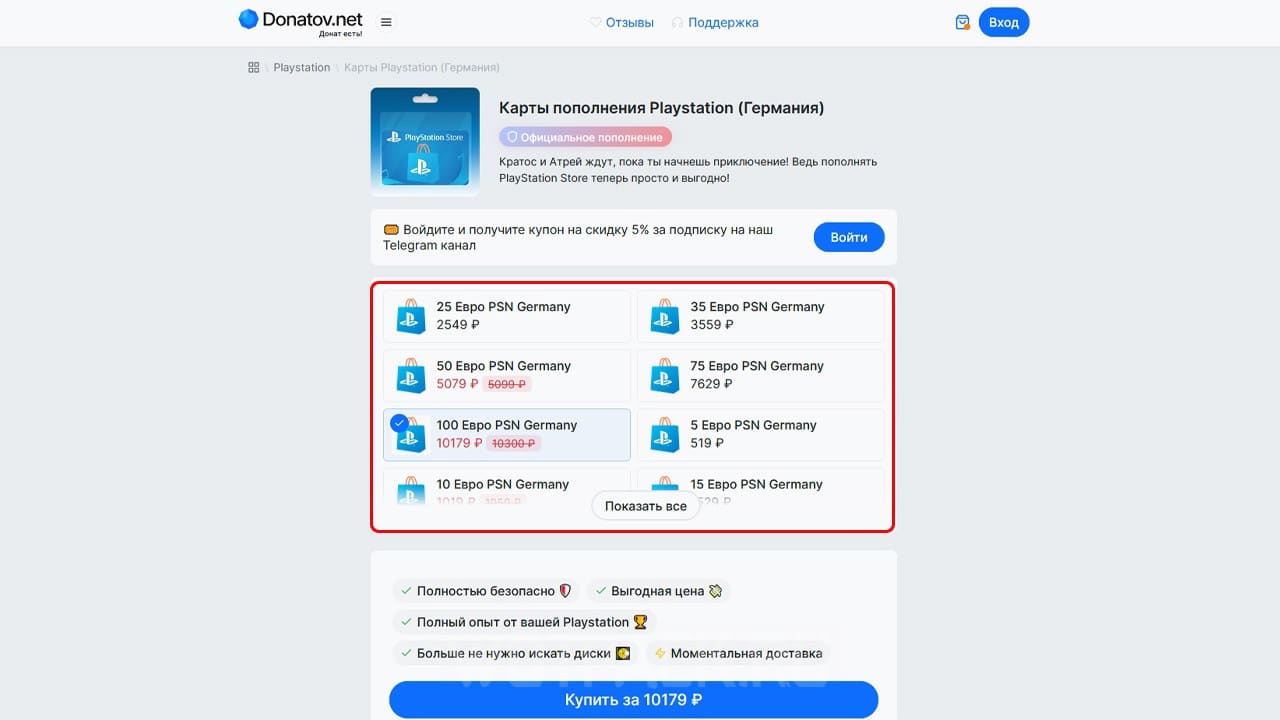
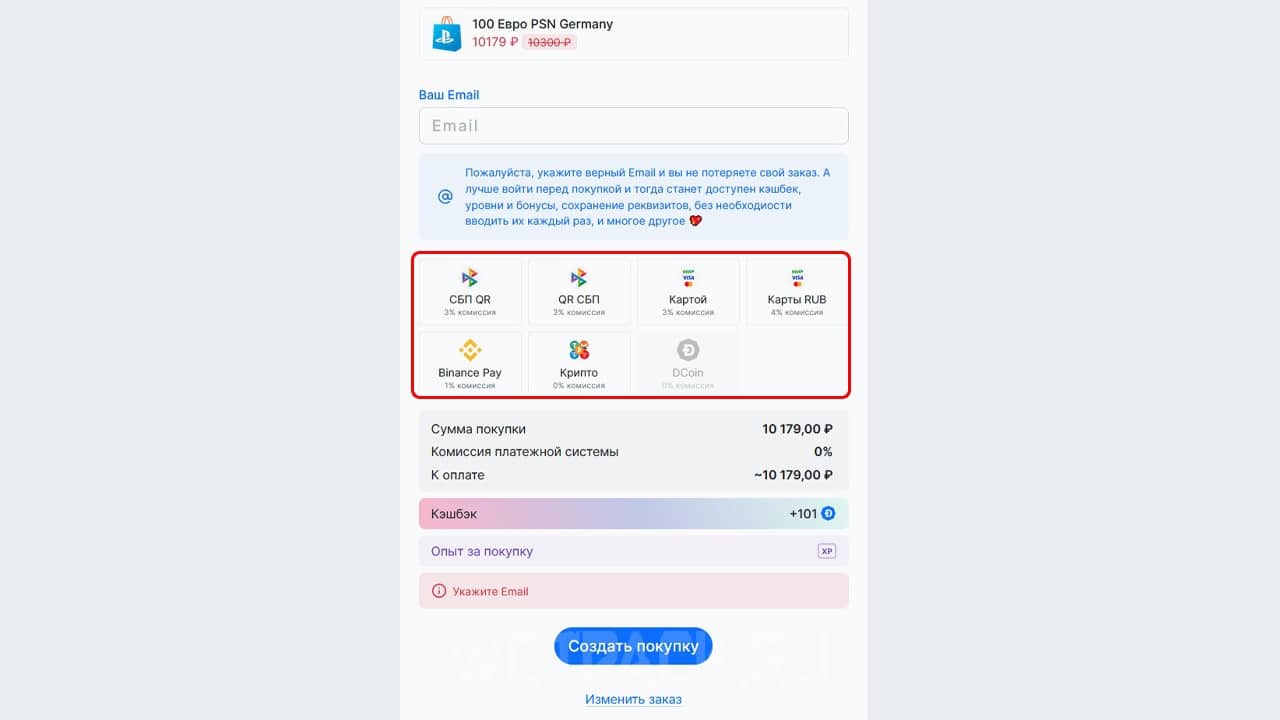
If you have done everything correctly, then following further instructions, you will soon be able to credit funds to your account, but if any problems arise, write to support or look for the answer in the "Frequently Asked Questions and Answers" block.
How to redeem the code
When a recharge card is purchased, the user will receive an archive containing a document with a 12-digit combination. To top up your PS Store wallet with it, you need to:
- Sign in to PlayStation Store.
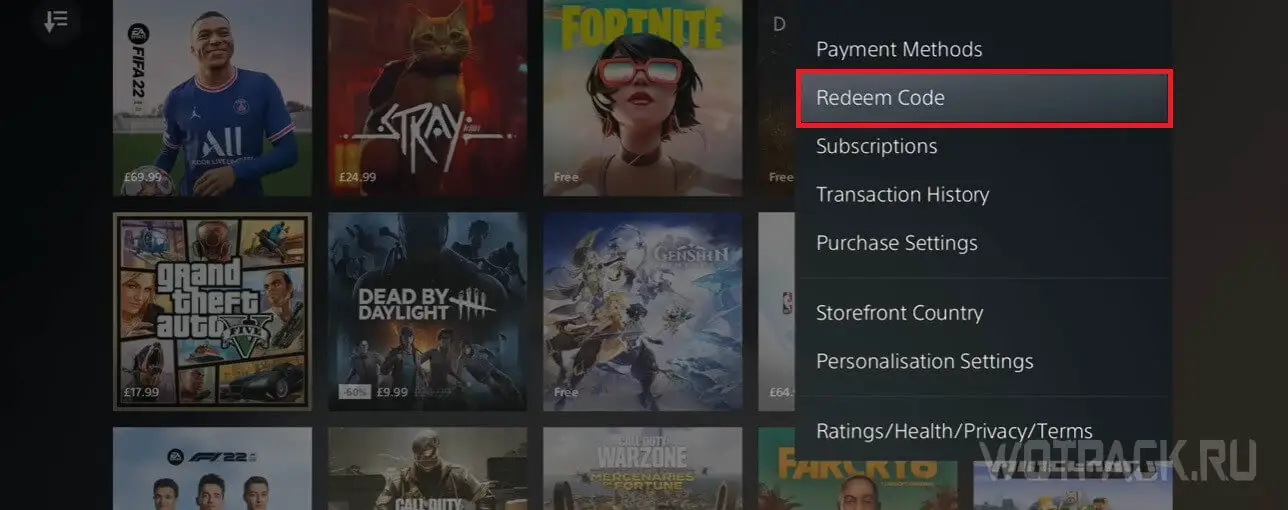
- Expand tab "Redemption codes».
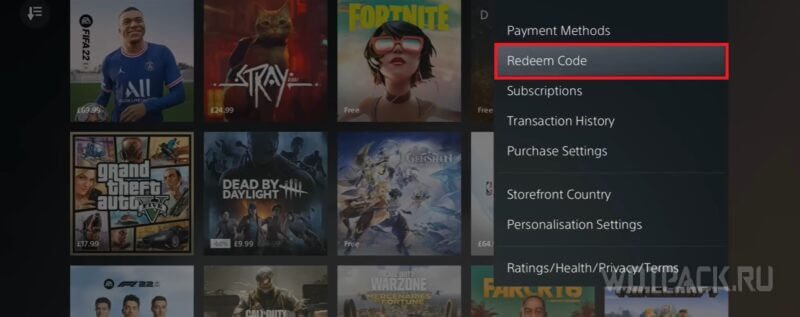
- Enter the code and confirm the action.
After this, funds will be credited to your account, which will be used to purchase the games you need.
How to Buy a PlayStation Game Through Carriers
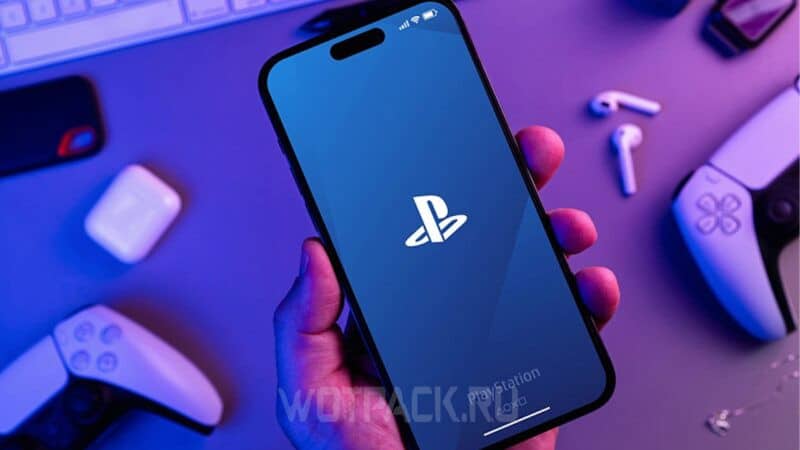
Some telecom operators allow you to top up your PS Store wallet through their service:
Please note that this way you can only credit funds to your account for a US account, and once the money has been debited, the purchase cannot be returned. Below we discuss in detail how to buy games on PS5 in Russia through mobile operators:
- Please indicate your real and valid E-mail address — after payment, all necessary instructions will be sent there, as well as an activation code.
- Select the amount you want to deposit into your account (cards with denominations of $10, $25, $50 and $100 are available).
- Please provide the phone number from which funds will be debited for the service provided (the transaction is confirmed via SMS).
These services state that there is supposedly no commission when replenishing an account in this way, but in fact there is a markup (approximately it is 10% of the selected donation amount).
Where to buy PS Store game discs in Russia
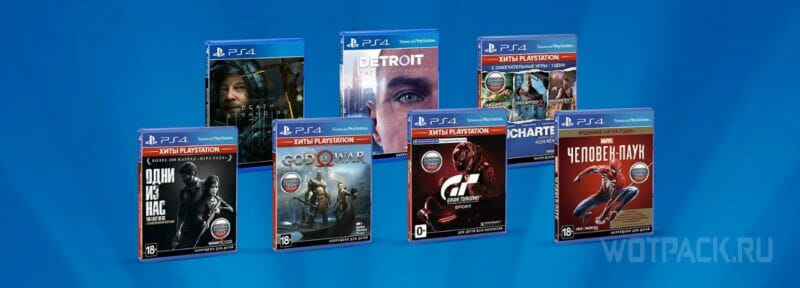
If there is no desire to bother with creating foreign accounts, but you want to see the project of interest in your profile, think about purchasing physical copies of console projects. You can buy PlayStation Store game discs at the following sites:
- on specialized sites (M.Video, DNS, Ozon, etc.);
- on AliExpress;
- on sites with user ads (for example, Avito in the Russian Federation and Kufar in the Republic of Belarus).
Remember that licensed discs are released in limited editions, so if you plan to be guaranteed to receive a specific game, then, if possible, pre-order from trusted stores.
How to buy a game via PayPal
Purchase games using PayPal as payment, not work, since the payment system in question has suspended its activities on the territory of the Russian Federation.
How to play new games with a Russian account
When purchasing games for a foreign account, please note that all created saves, as well as achievements, will be linked to this foreign profile. Due to this limitation The "guest" account causes certain inconveniences for those who are tied to their main Russian profile.
There is a way to get around this problem - it works on both PS4 and PS5. You need to link two accounts together and then the purchased games can be launched through the second profile. Opening all available achievements through the described method will also be possible without any problems.
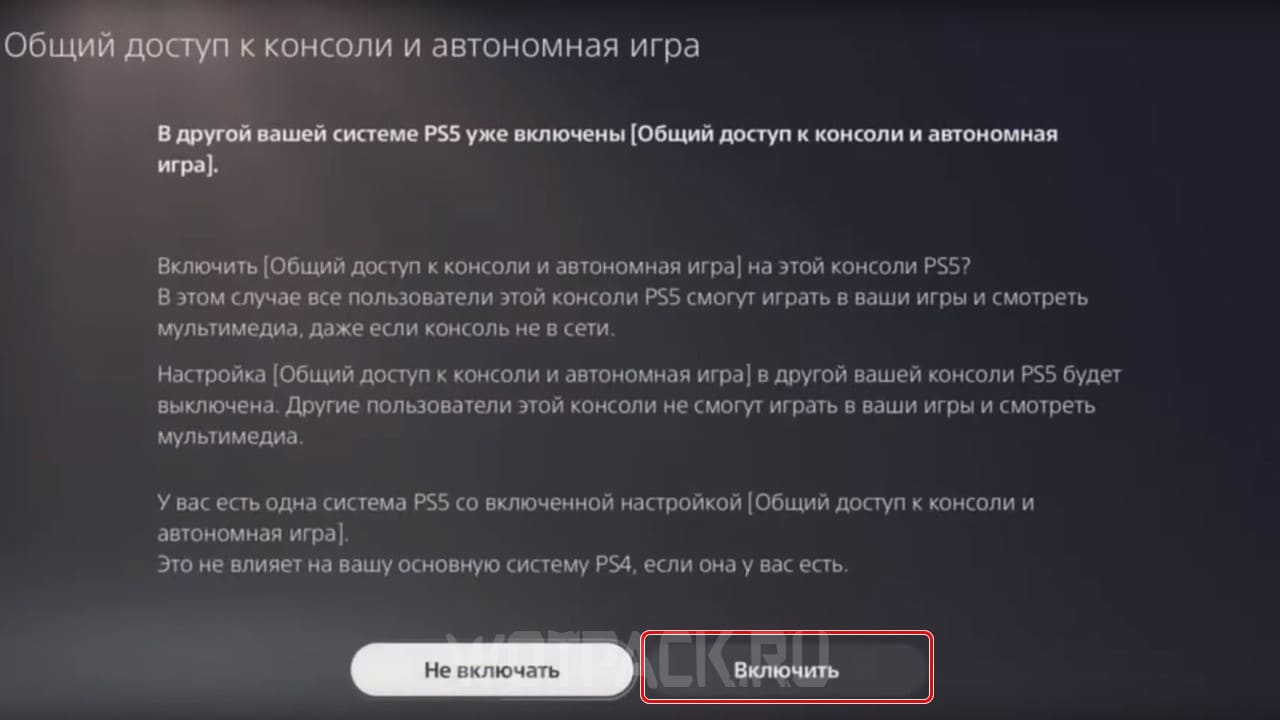
Instructions on how to enable sharing on PlayStation 5:
- Log in to the foreign account where the desired game was purchased.
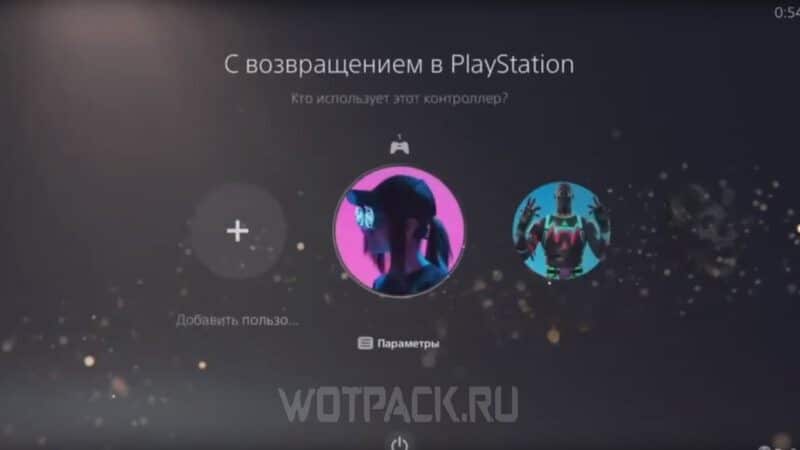
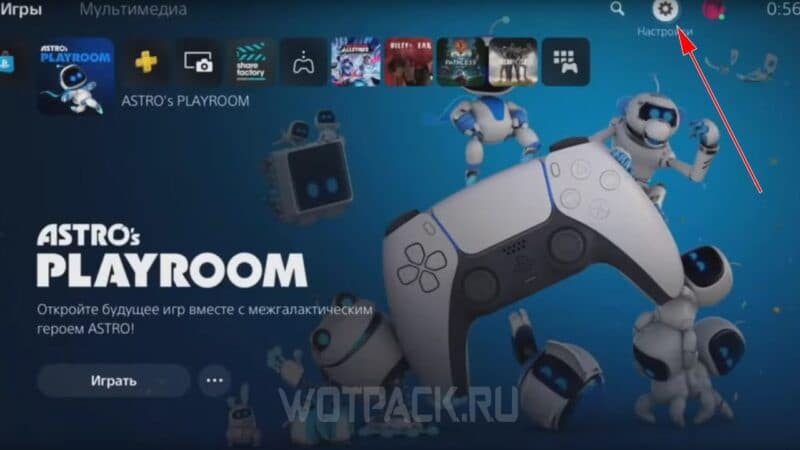
- Open the section "Settings" (marked by the gear icon in the upper right corner of the screen).
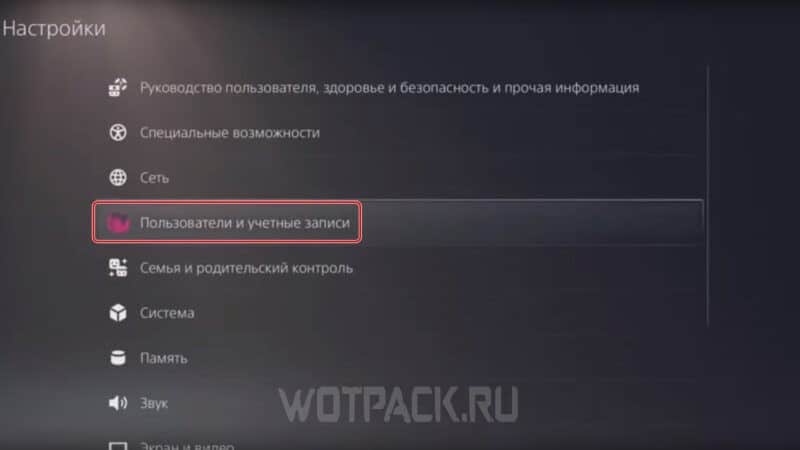
- Go to category "Users and Accounts".
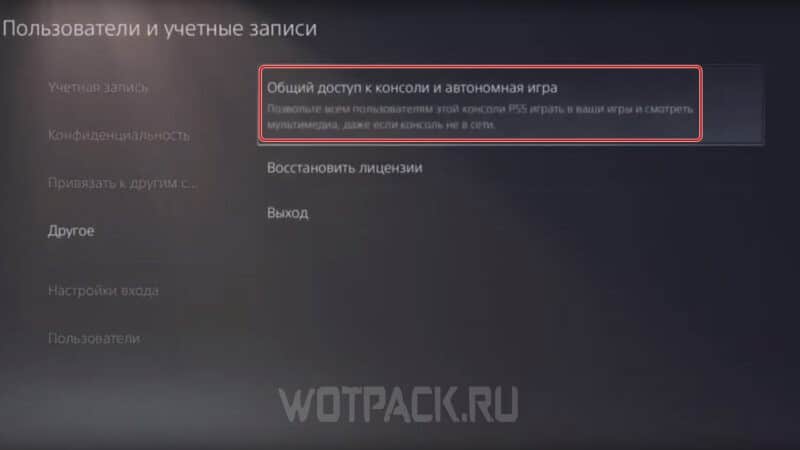
- Expand subsection "Other" and click on the command "Console Sharing and Offline Play."
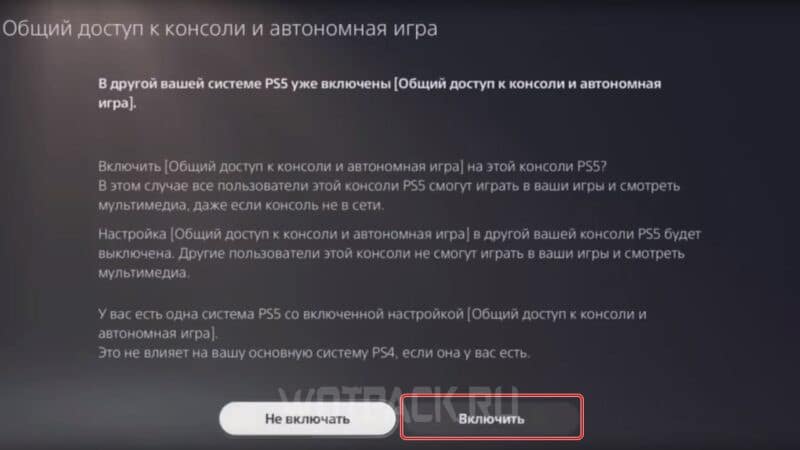
- Select option "Turn on".
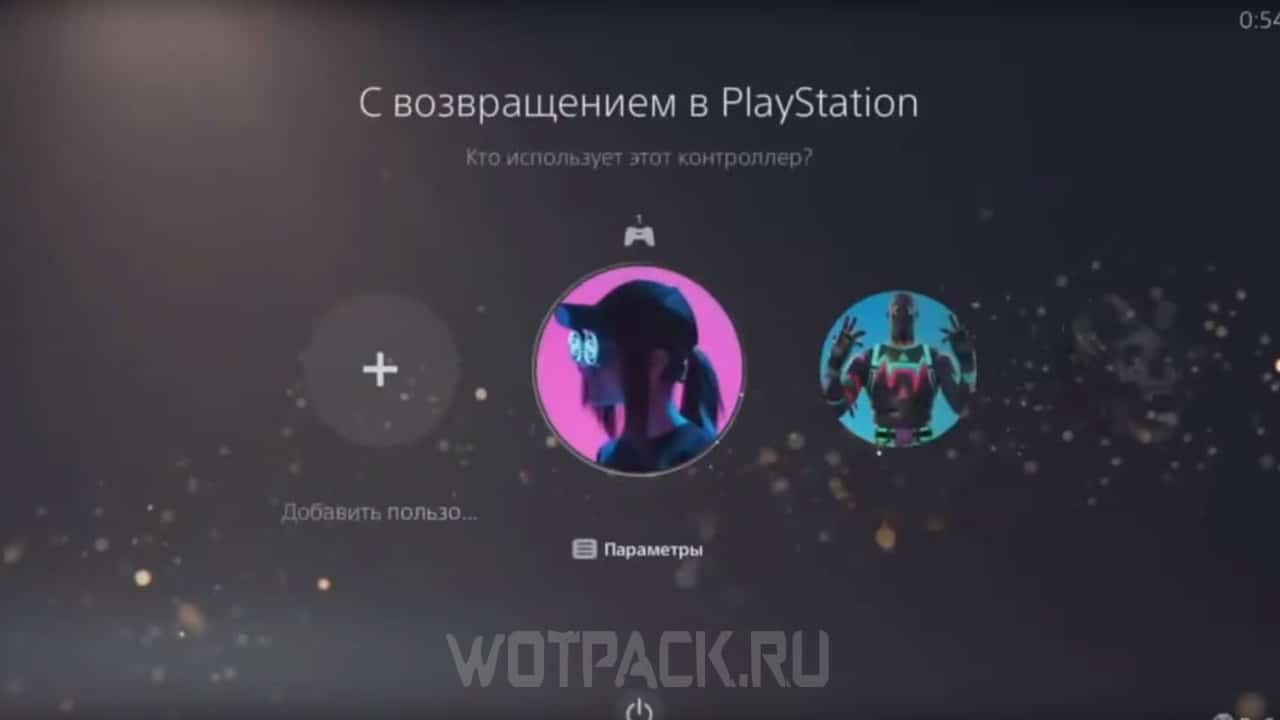
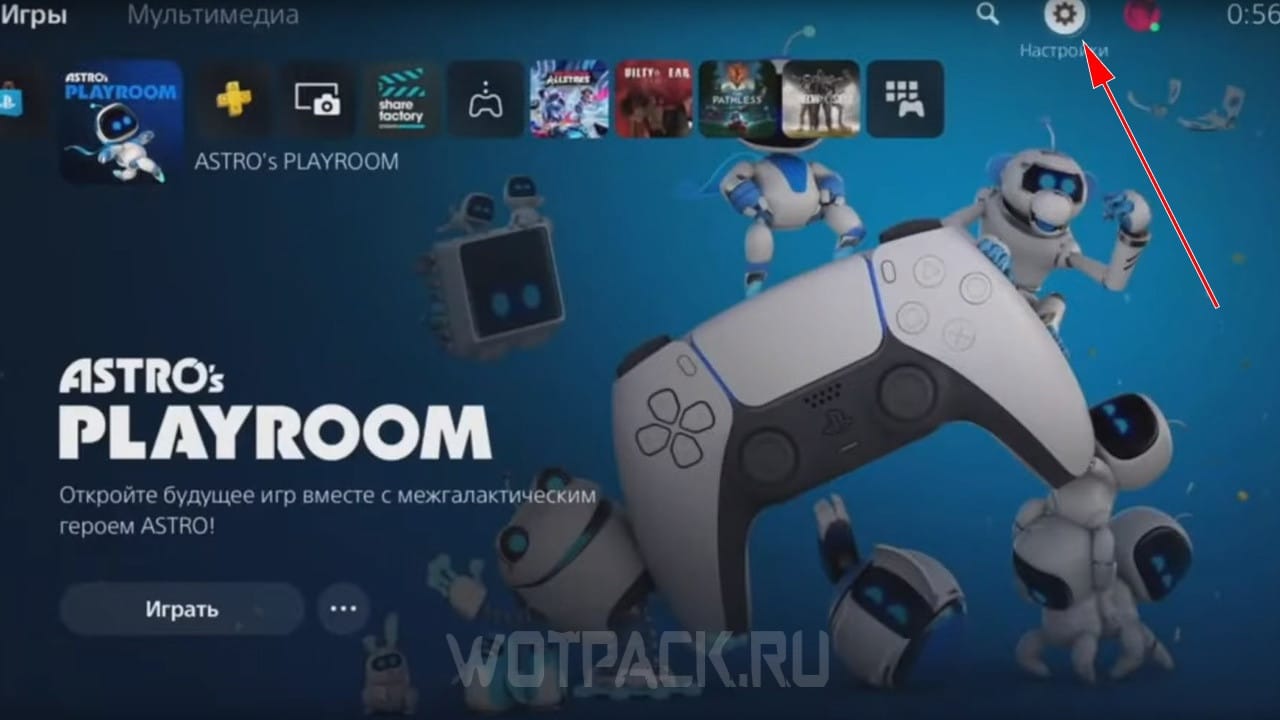
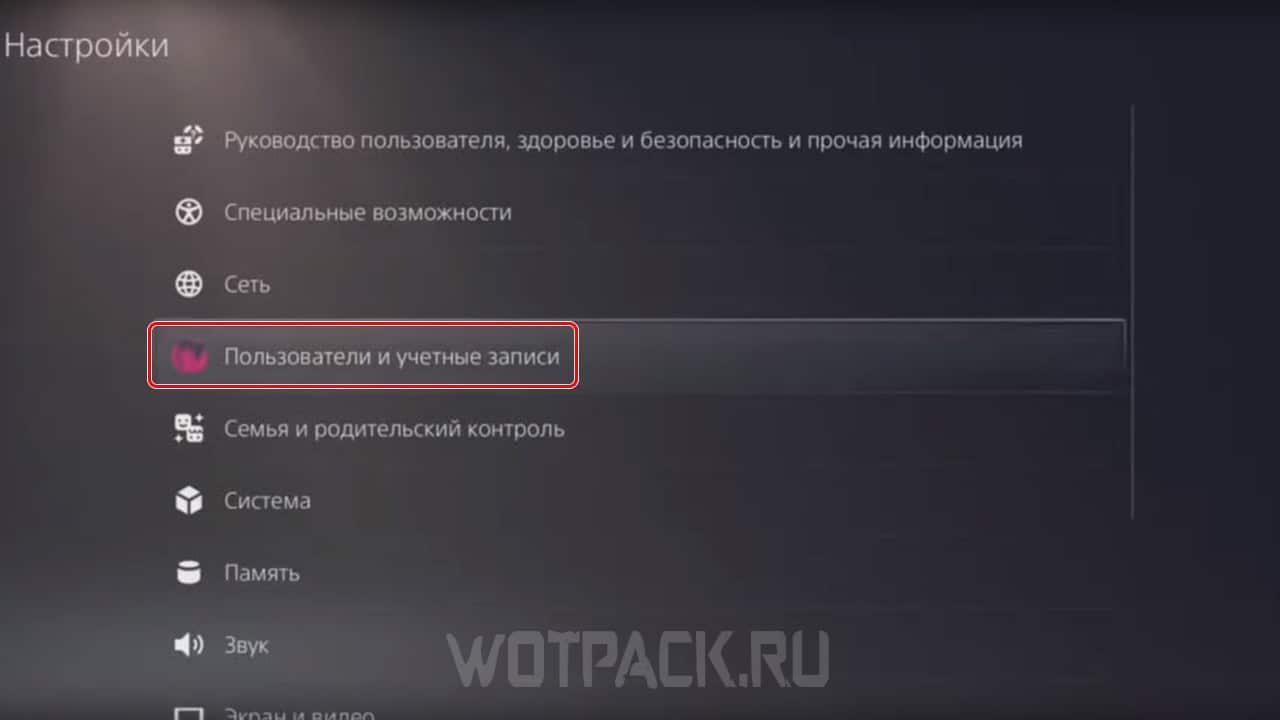
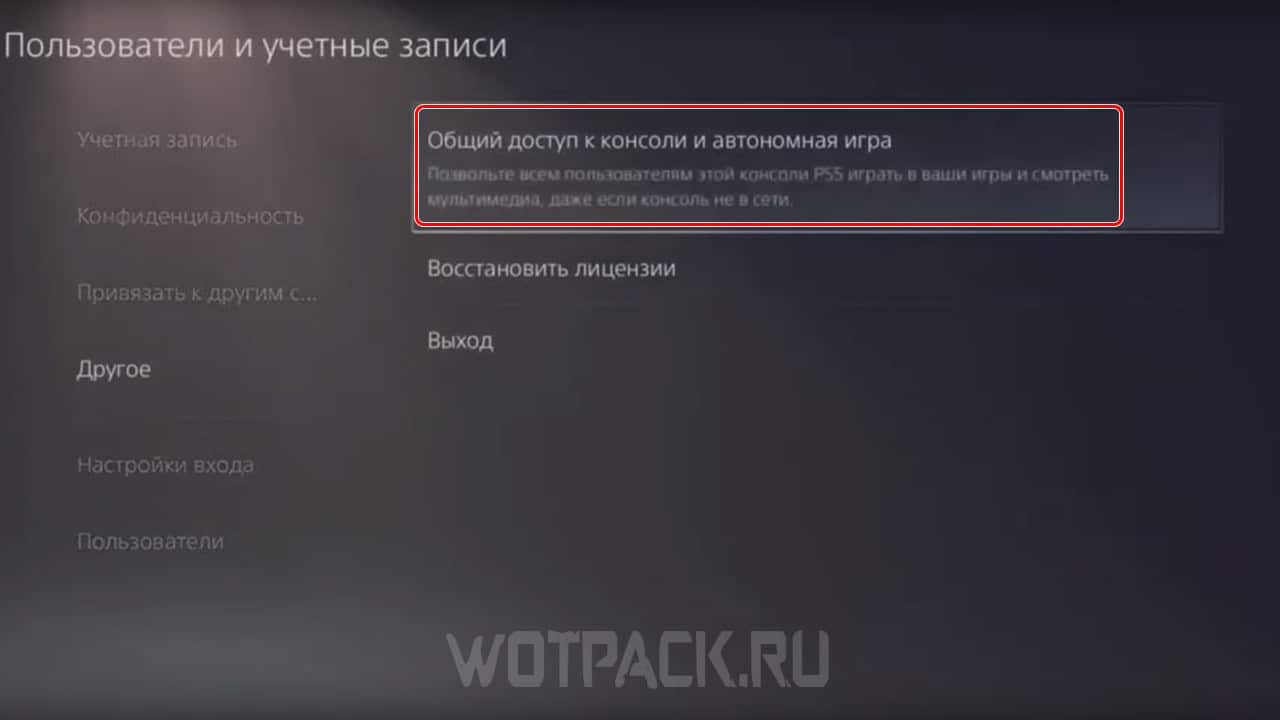
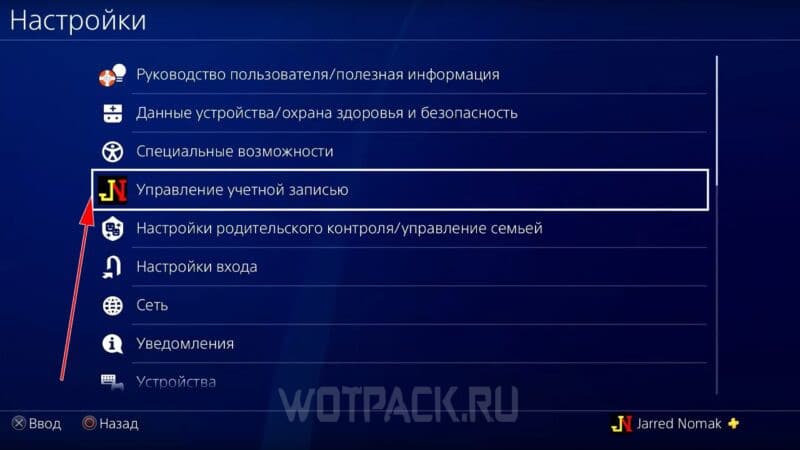
We will also explain how to activate the console on another account in PlayStation 4:
- Launch a foreign profile with the purchased game on your console.
- Open the settings panel.
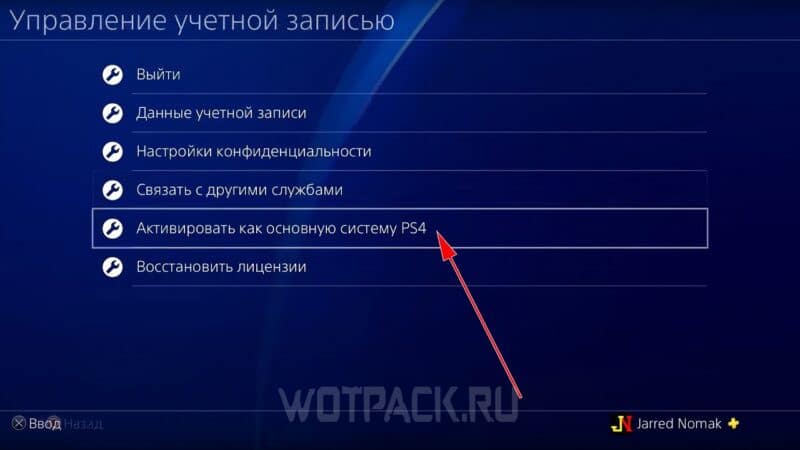
- Click on the command "Account Management".
- Select an item "Activate as Primary PS4 System."
- Through the button "Activate" Confirm the current action.
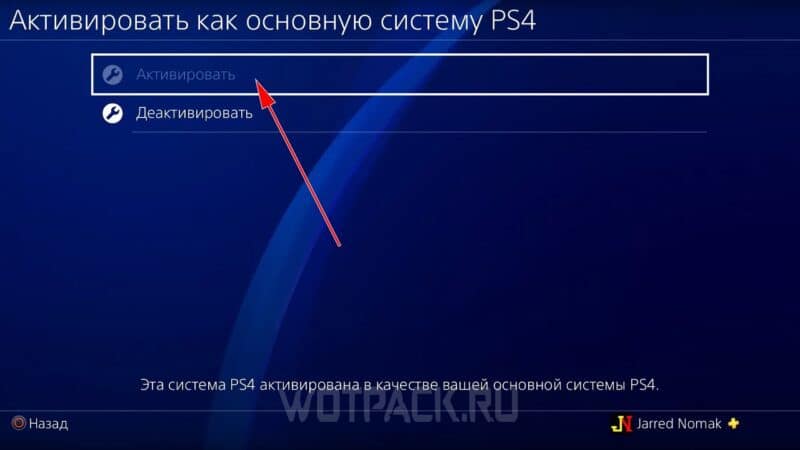
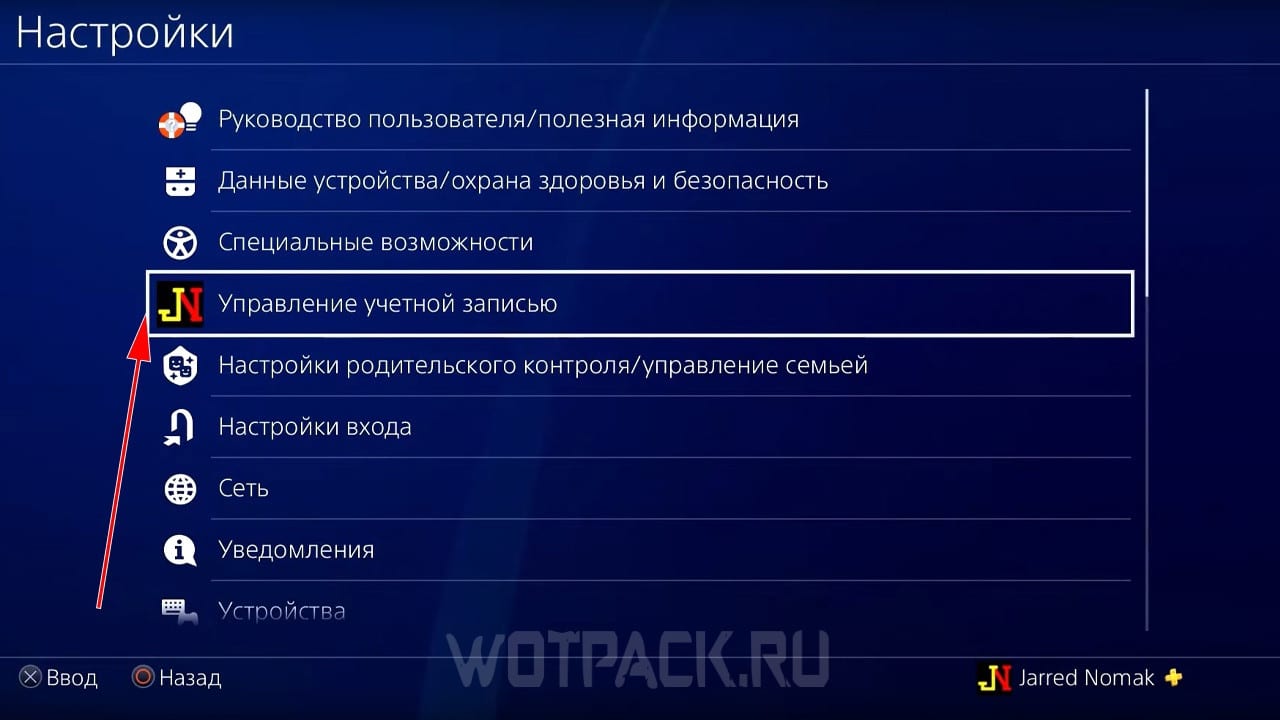
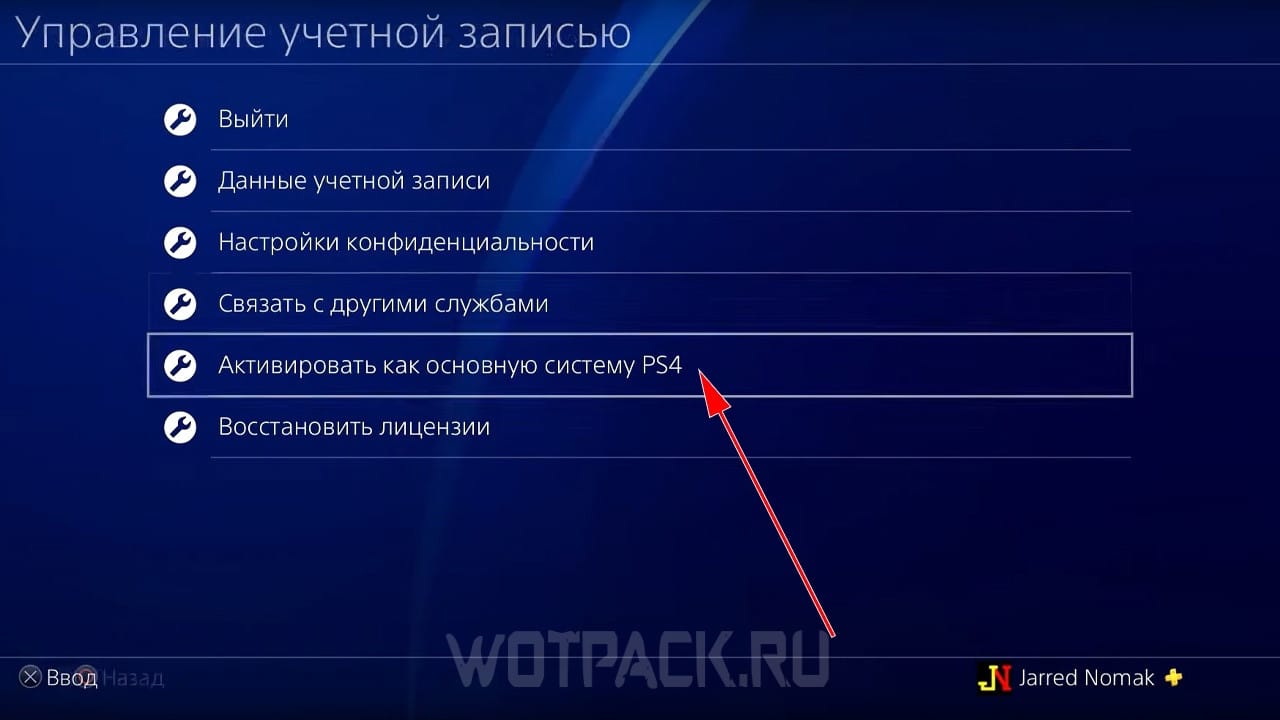
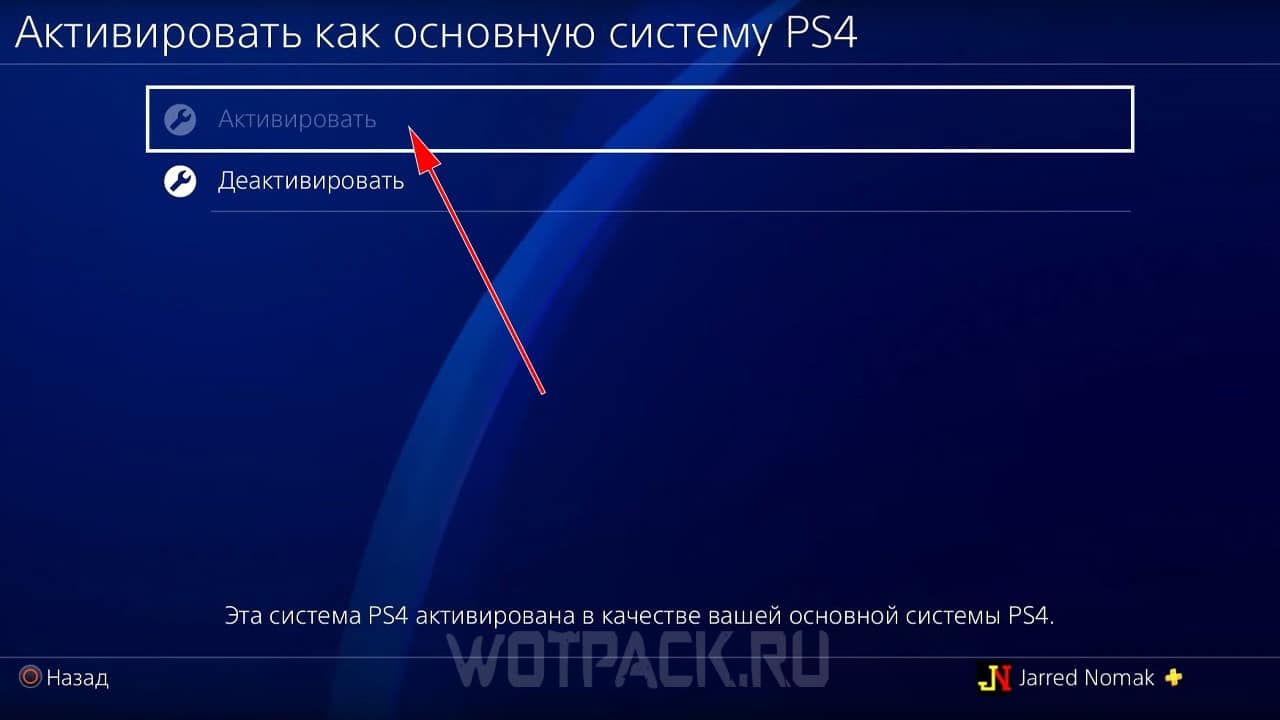
If you did everything correctly, you will be able to download previously purchased games through a foreign profile, and then change your account to a Russian one and launch them through it. This bypass method is unofficially called "two" - let's list the main features of this method:
- Before starting a game on a Russian profile, you should first log out of a foreign account (especially important when using PlayStation 4).
- Pre-order bonuses, in-game currency, and season passes cannot be transferred between accounts (all of this belongs to the profile through which the game was purchased).
- Some paid add-ons are also not duplicated on the second account (it all depends on the specific game and DLC).
- This way you can save money on purchasing a paid cooperative game, for example, you can buy one copy for two people, then share the version on the second profile and play at the same time.
It is recommended that one person have access to both accounts (Russian and foreign), otherwise, if one of the profiles is owned by someone else, there is a risk of permanently losing access to purchased games.
We hope our guide helped you buy the game on PS Store in Russia in 2026. Write to comments, if you have any questions, we will try to help. Read more Guide on How to Buy Games from Turkish PlayStation Store, where all working methods were also examined in detail.