
 Donat in Wuthering Waves will help players purchase Lunite currency and buy a battle pass with additional rewards or a monthly subscription with Astrite, which can later be exchanged for spins in the gacha. You can quickly accumulate the necessary resources and get your favorite hero from banner, limited weapons or materials for upgrading.
However, Russian and Belarusian players may also encounter restrictions preventing them from purchasing items from the in-game store. In this article, we'll explore how to bypass restrictions and donate to Wuthering Waves in Russia in 2026, presenting all the working and proven methods for acquiring Lunites and other items.
Donate with discount by UID
At the moment, the safest and most convenient way to buy Lunites without logging into your account is to top up via Donatov.netAlthough Kuro Games has increased the price for donations through intermediaries, the price on the website remains lower than the official one, allowing for savings.
The purchase takes a few clicks - you just need to know the server and UID of your game profile. We have already managed to use the service, so we are attaching instructions where we have described the entire process in detail:
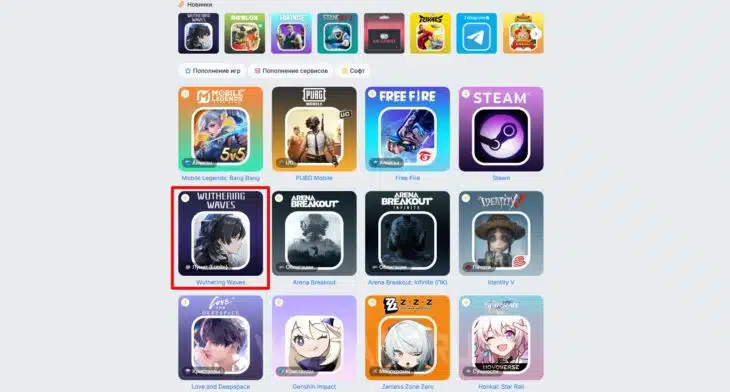
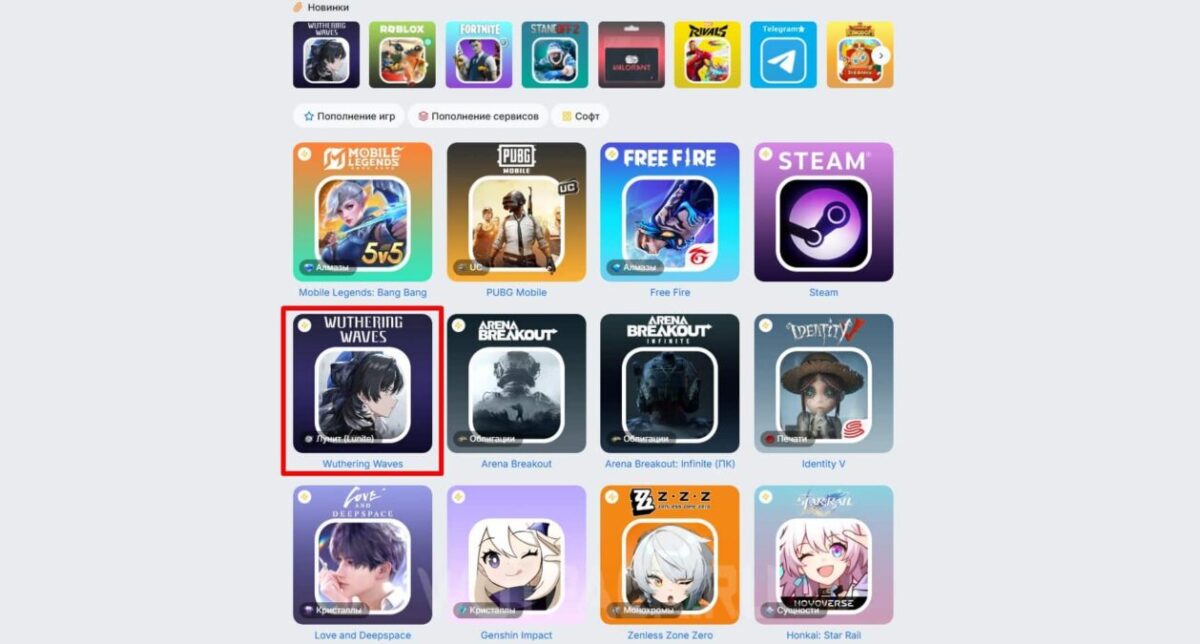
- Go to page Wuthering Waves follow the attached link to immediately find yourself in the desired section.
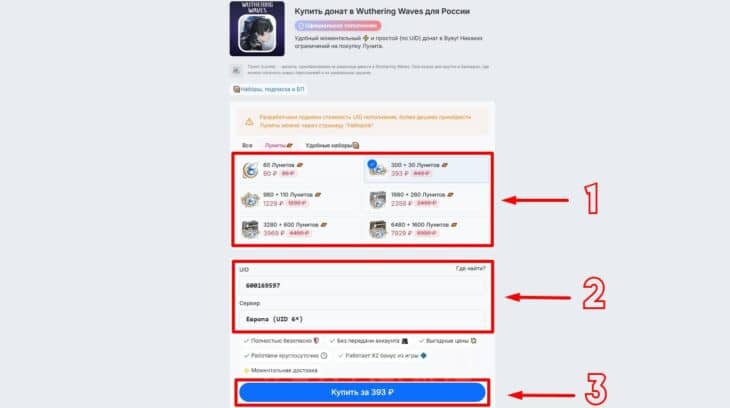
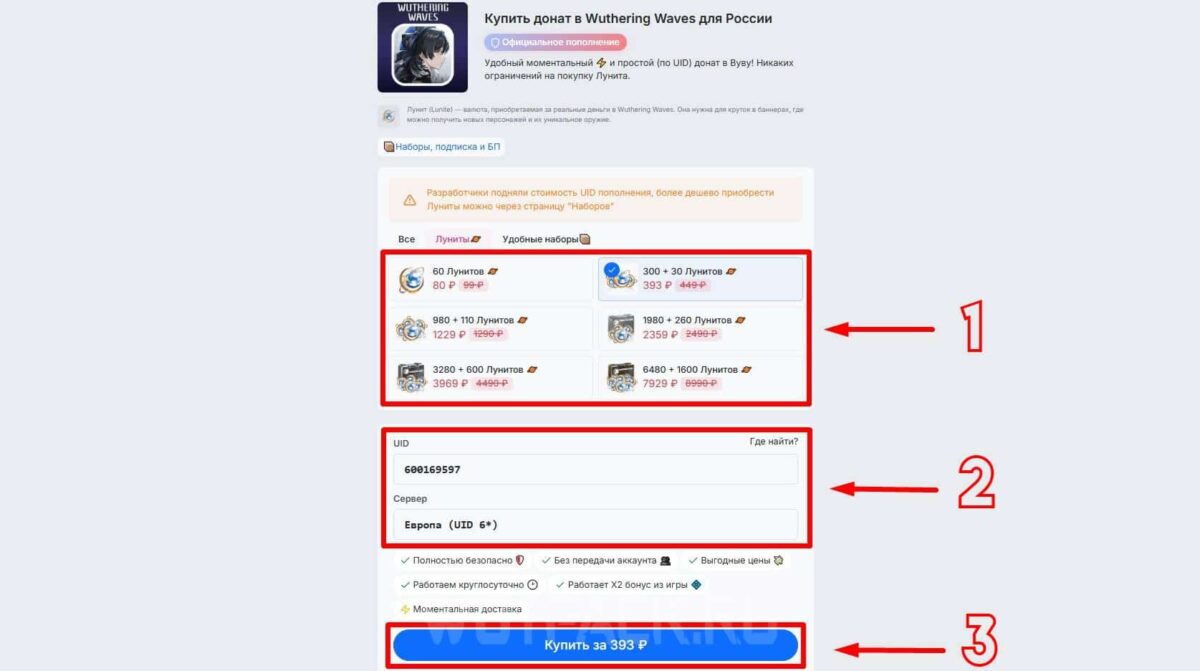
- Select the desired amount of Lunites, then below enter the UID and select the server where the currency should be received. Make sure the data entered is correct and click "Buy".
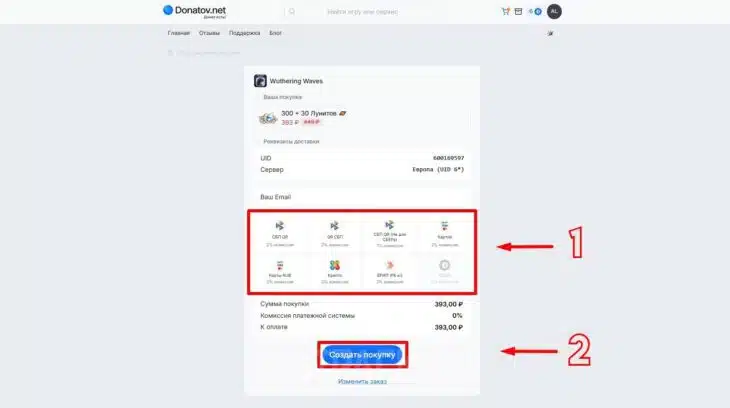
- Enter the email address where you'd like to receive your receipt and select a convenient payment option. Then click "Create Purchase." Note, that a commission of 1-2% may be charged.
- Once your request is created, click "Proceed to payment." Next, depending on the payment option you selected, you'll need to make a payment in the designated window.
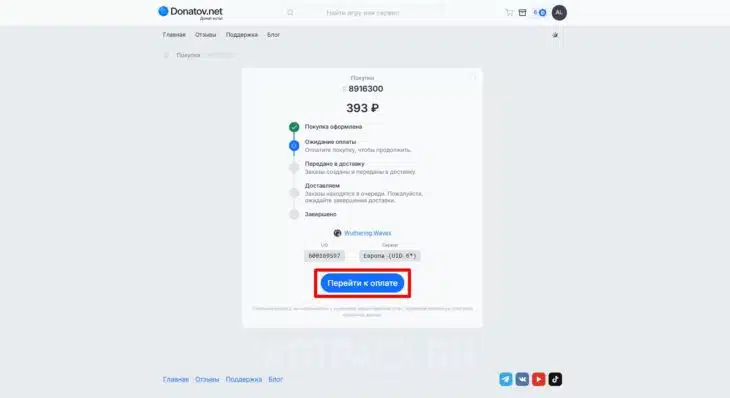
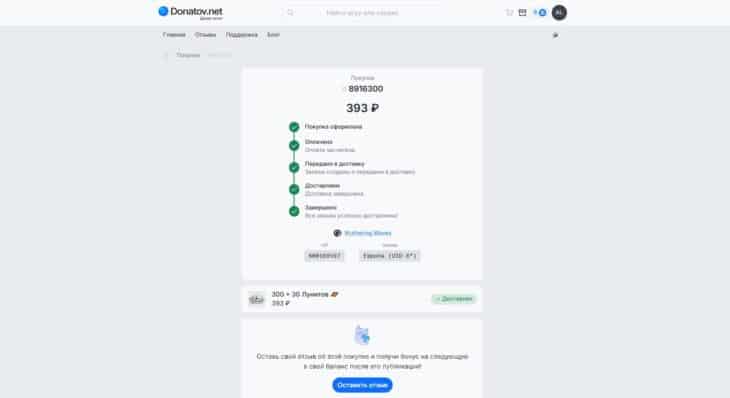
- Once the funds have been transferred, a page will appear where you can track the progress of the transaction. Once the order is processed, the payment status should change to "Completed".
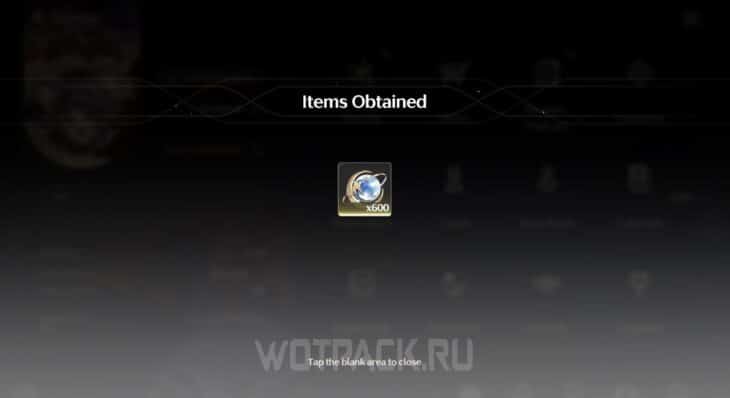
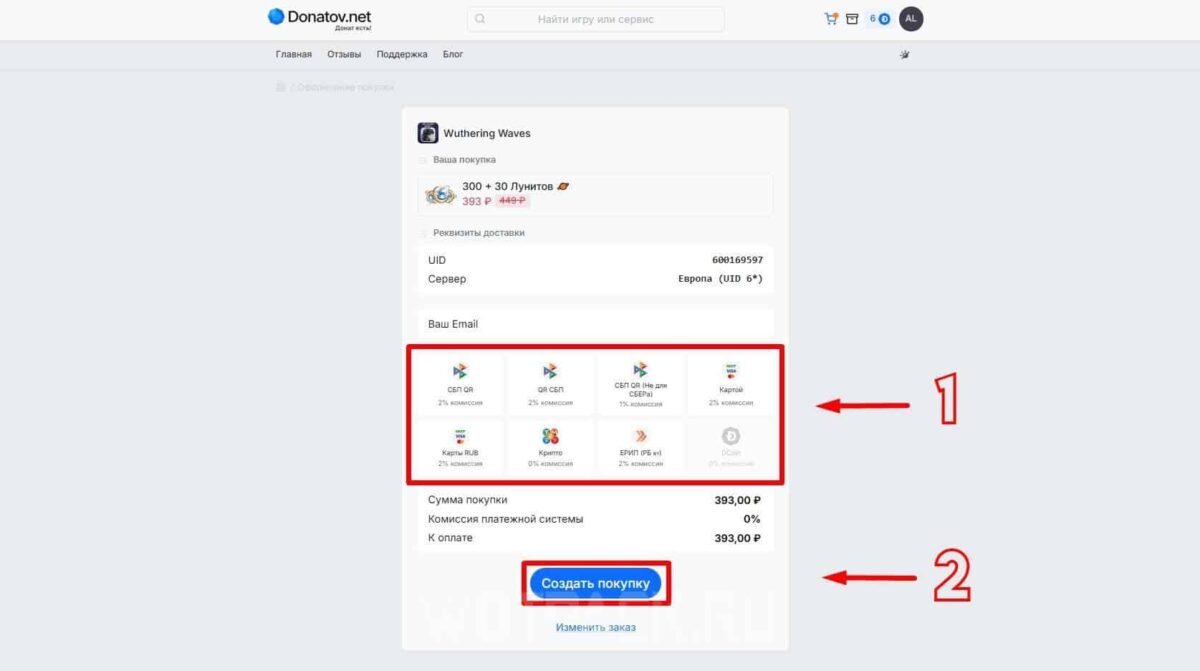
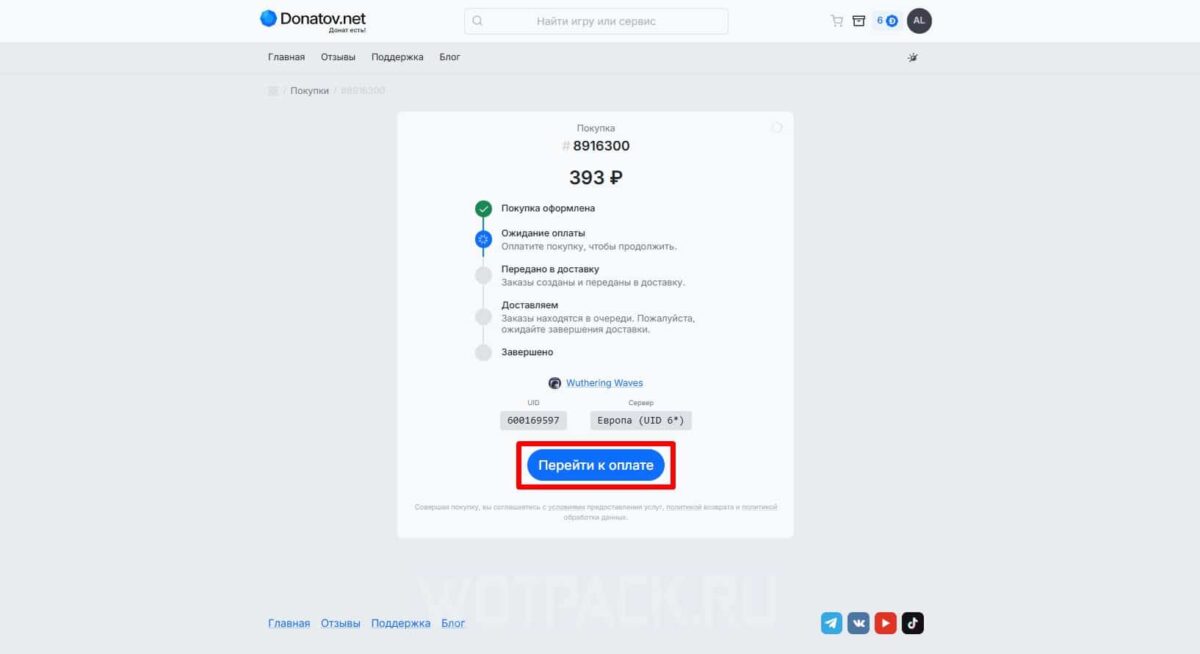
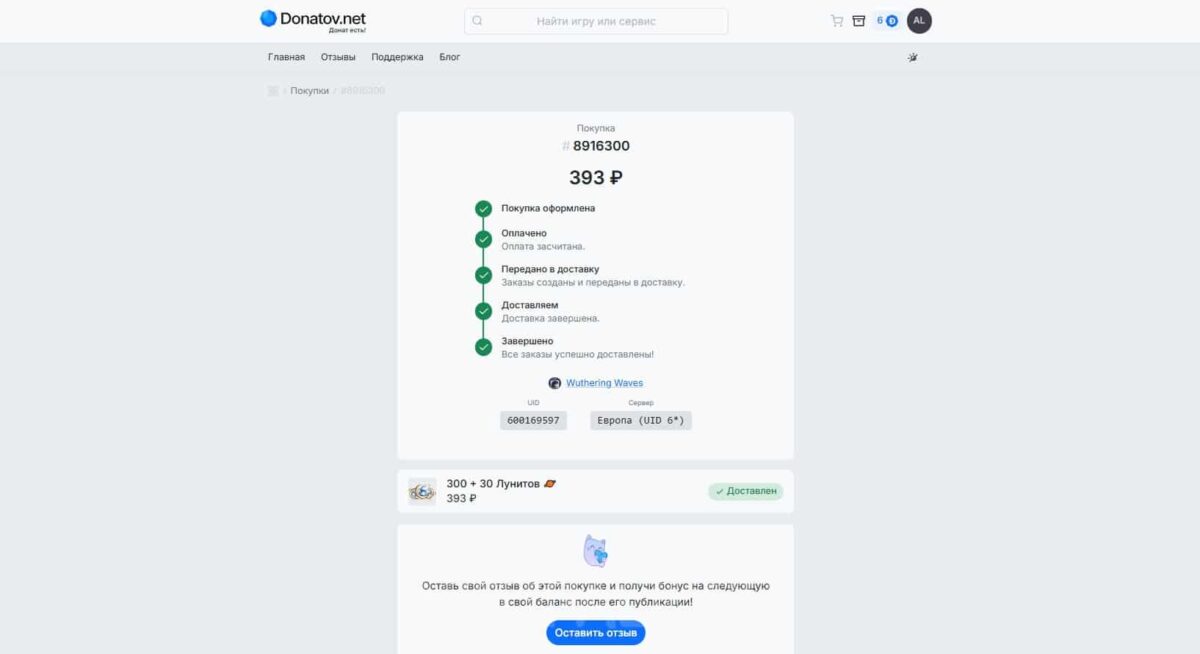
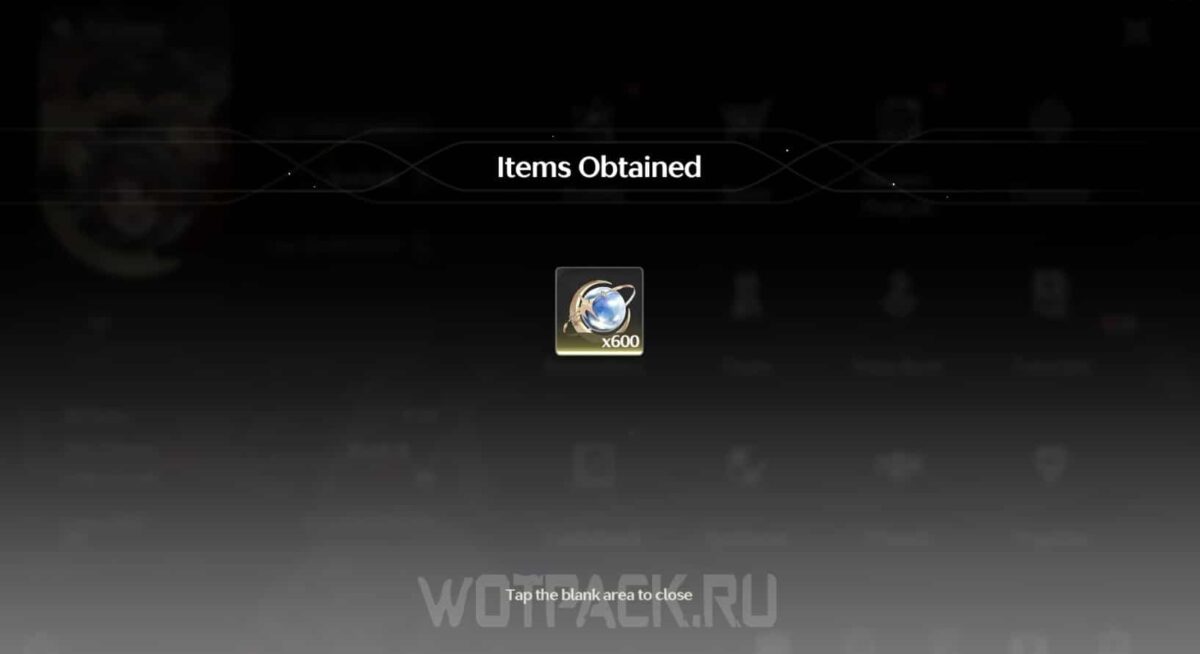
As a rule, the currency arrives after a few seconds. In addition, if the bonus for the first replenishment in the game is valid, Lunites come in double size.
How to donate to Wuthering Waves in Russia
At the moment, you can pay for a donation in WuV in several ways:
- Via the Epic Games Store using Yandex Pay.
- Through payment in the App Store with an MTS or Beeline SIM card.
- Using intermediaries by logging into an account or via UID.
❗️If you top up your account with a specific currency (for example, rubles) once, you won't be able to top up your account with another currency in the future, as the selected payment method is linked to your account❗️
How to buy the Battle Pass
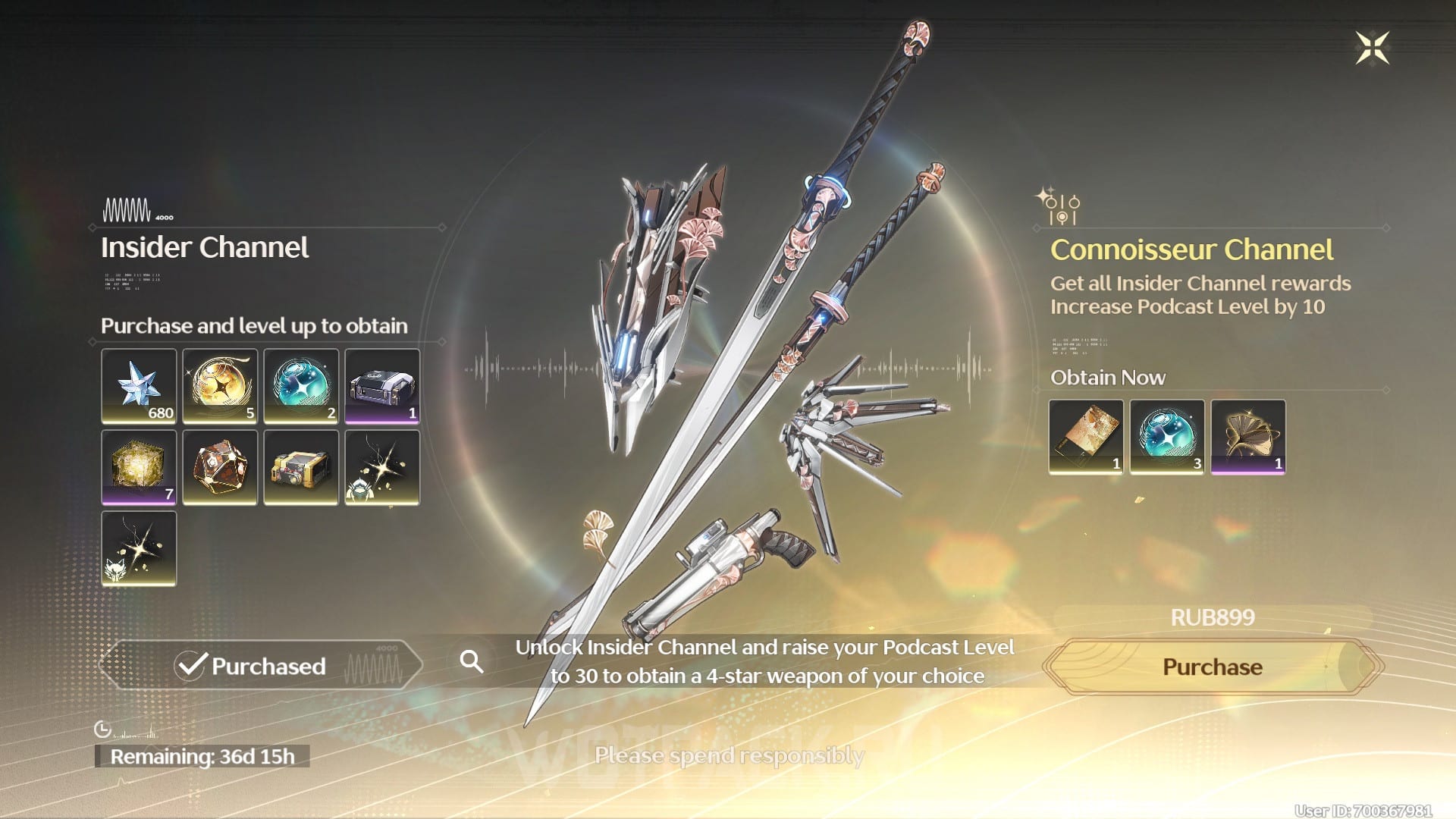
The Insider Channel is an improved version of the Battle Pass called the Pioneer Podcast, the opening of which gives the user access to additional rewards. Among them: event twists, improved upgrade materials, astritis, a chest with weapons, etc.
To purchase the Insider Channel on VuVe, you need to use Yandex Pay linked to your Epic account (payment is processed through the Xsolla service), or purchase a pass from the App Store.
How to buy a monthly subscription
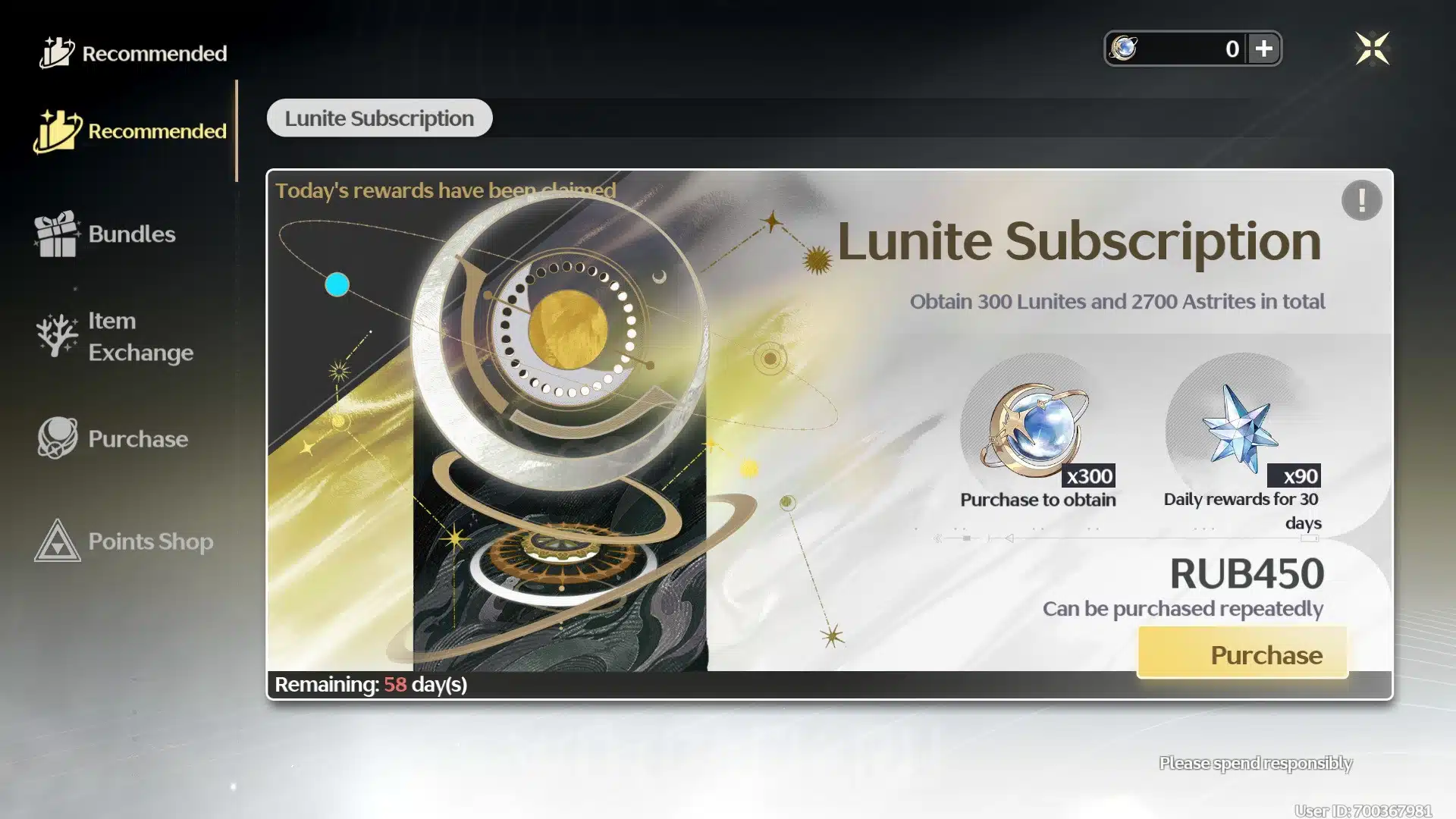
After purchasing a Lunite Subscription, which lasts 30 days, you can claim 90 Astrits daily. Once you complete the payment, your account will be replenished—you can exchange the donated currency in the store for Astrits to purchase new Radiant Tides and event-based character banner spinners. Lunites can also be used to purchase various resource packs for upgrading Resonators.
If you forget to claim your daily subscription reward, you won't be able to get a refund for your Astrits—they'll expire that same day. Saving up currency for spins this way is cheaper than buying regular donations in the store.
You can also purchase Lunite Subscription from Woosering Waves without intermediaries in two ways:
- Through the Epic store, using Yandex-Pay.
- Through payment in the App Store with an MTS or Beeline SIM card.
How to donate to Wuthering Waves via the Epic Games Store (not working since patch 3.0)
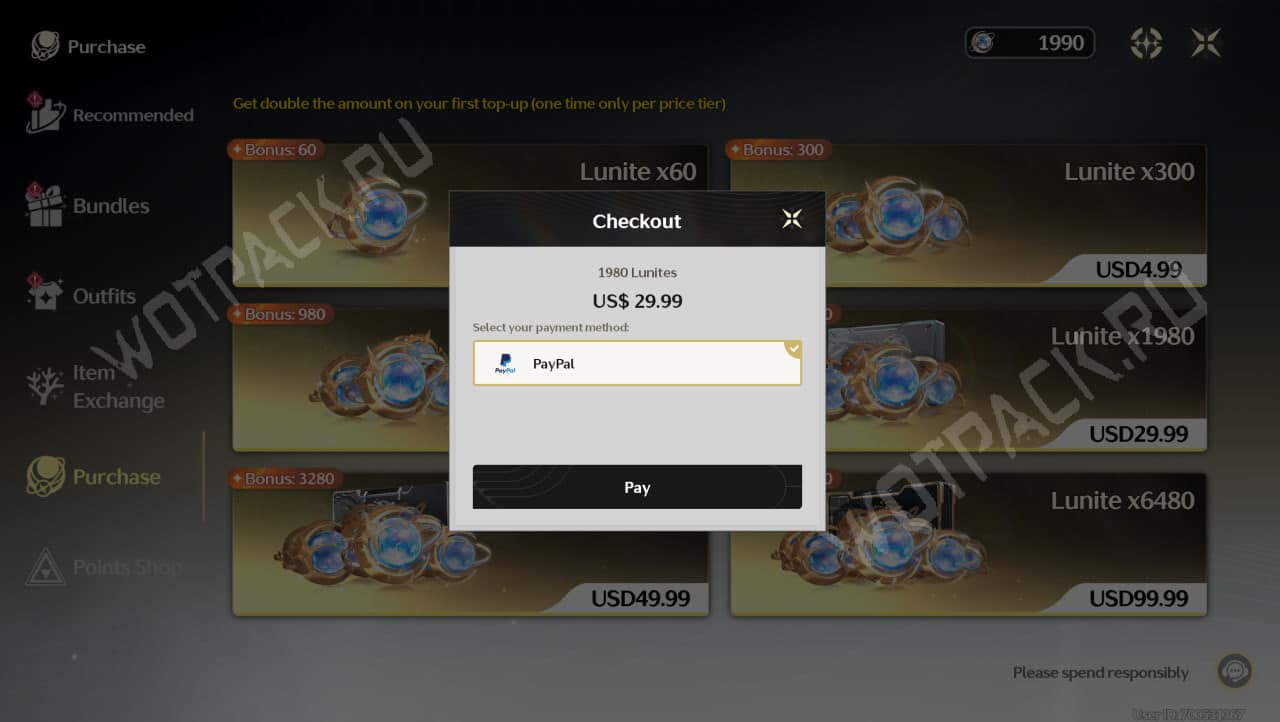
Lunite could be purchased in Wuthering Waves using an Epic account linked to Yandex Pay. After the release of update 3.0, effective October 25, 2026, the option to top up your account with rubles was disabled.
Open your Yandex Pay wallet
To place an order, open Badageoni website or download the Yandex Pay application on your smartphone (available on IOS and Android). It is not necessary to issue a plastic card for donation in VUV, it is enough to make a virtual one:
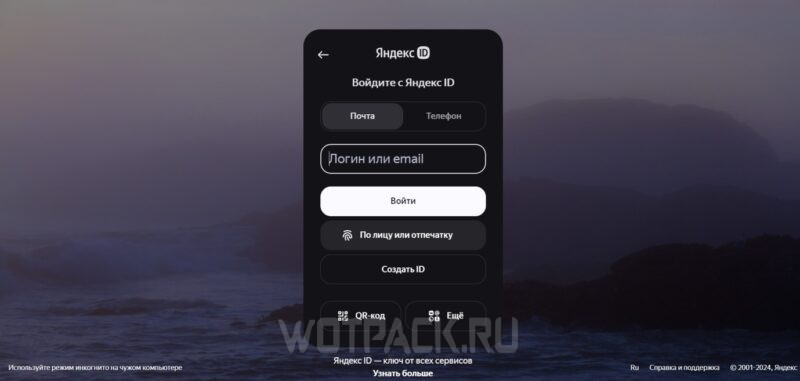
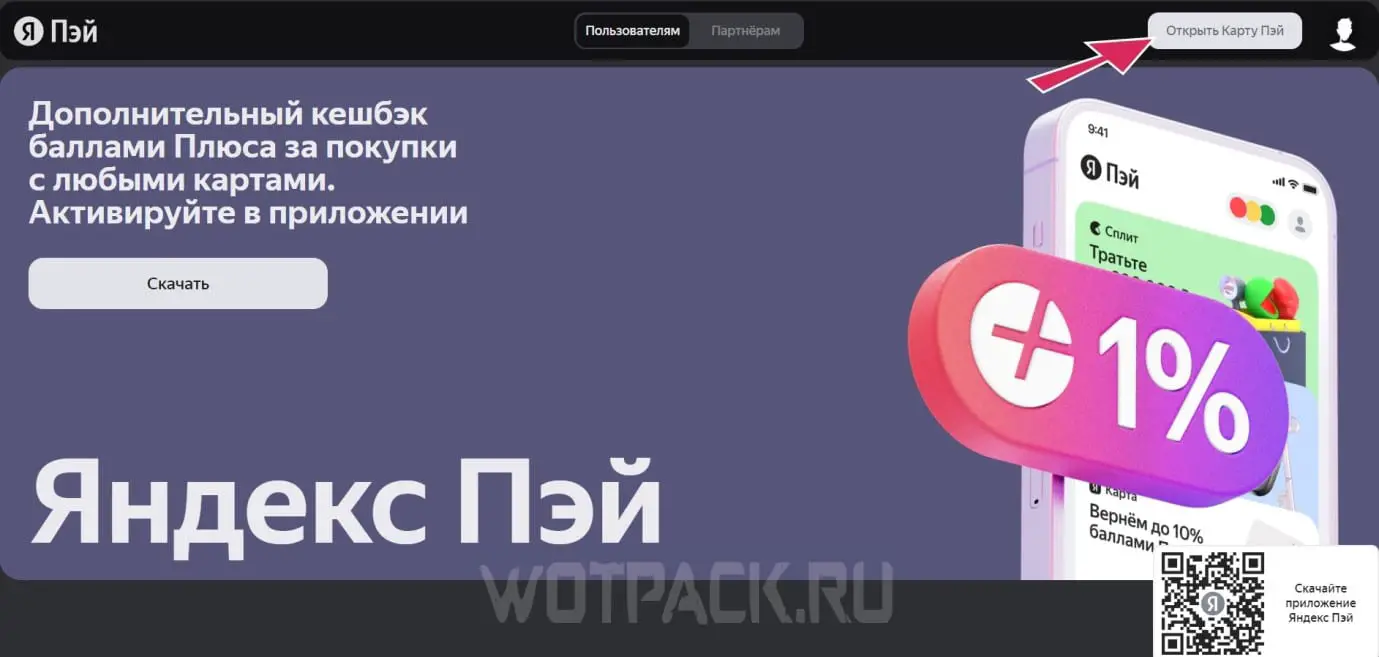
- Select an option "Open Pay Card" and log in to your profile, or create a new one if you haven't registered with the service before. All you need is a phone number, which will receive codes to confirm the transaction.
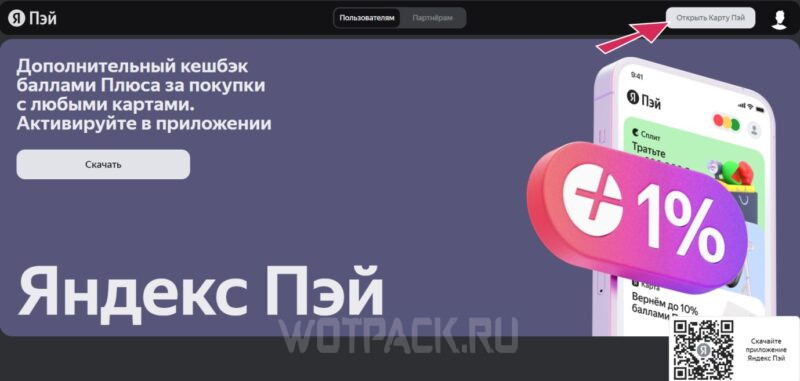
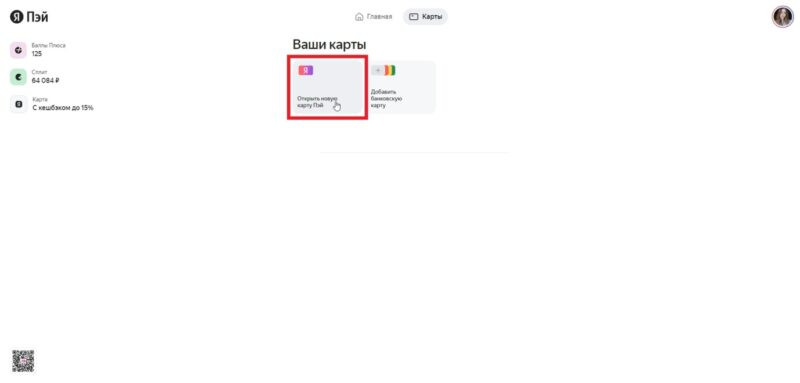
- Go to the "Add new card" and click on “Open a new Pay Card”, then confirm the action in the pop-up window.
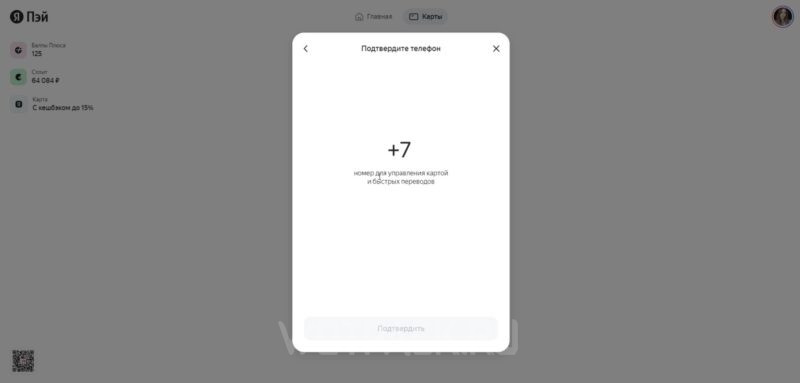
- Enter your phone number to link it. The message will be sent there. verification code - indicate it on the website and confirm.
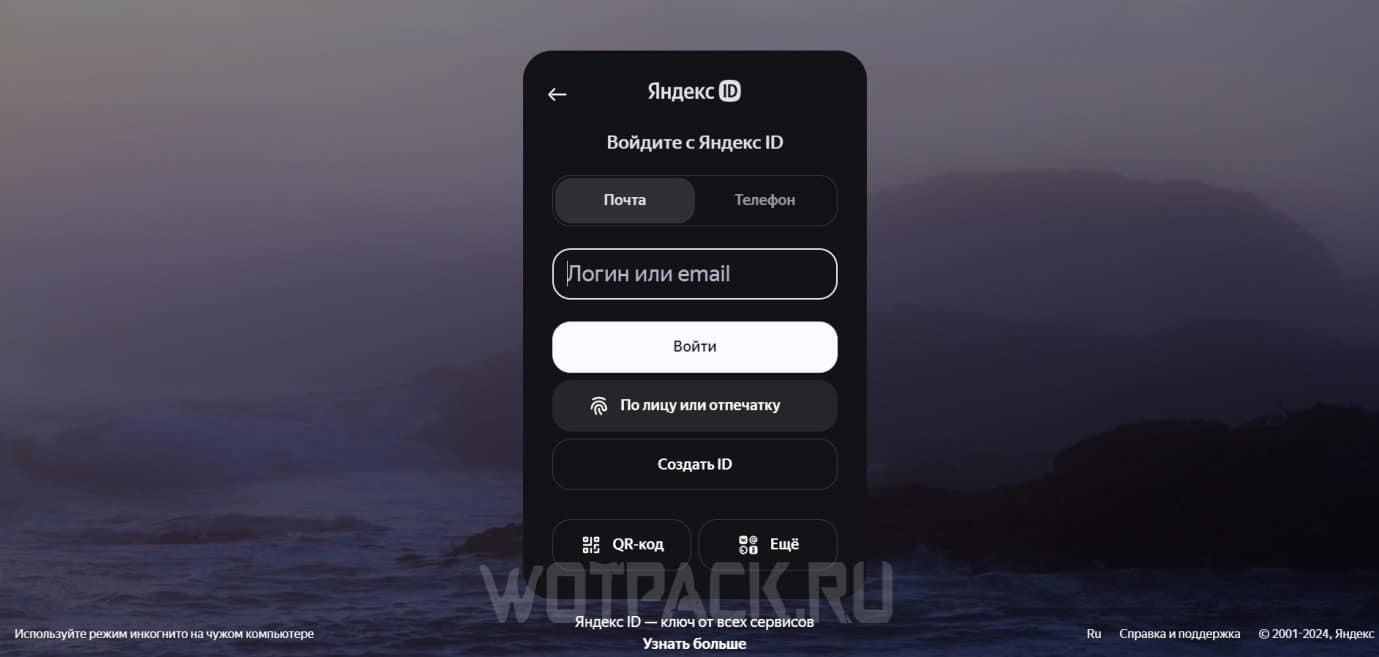
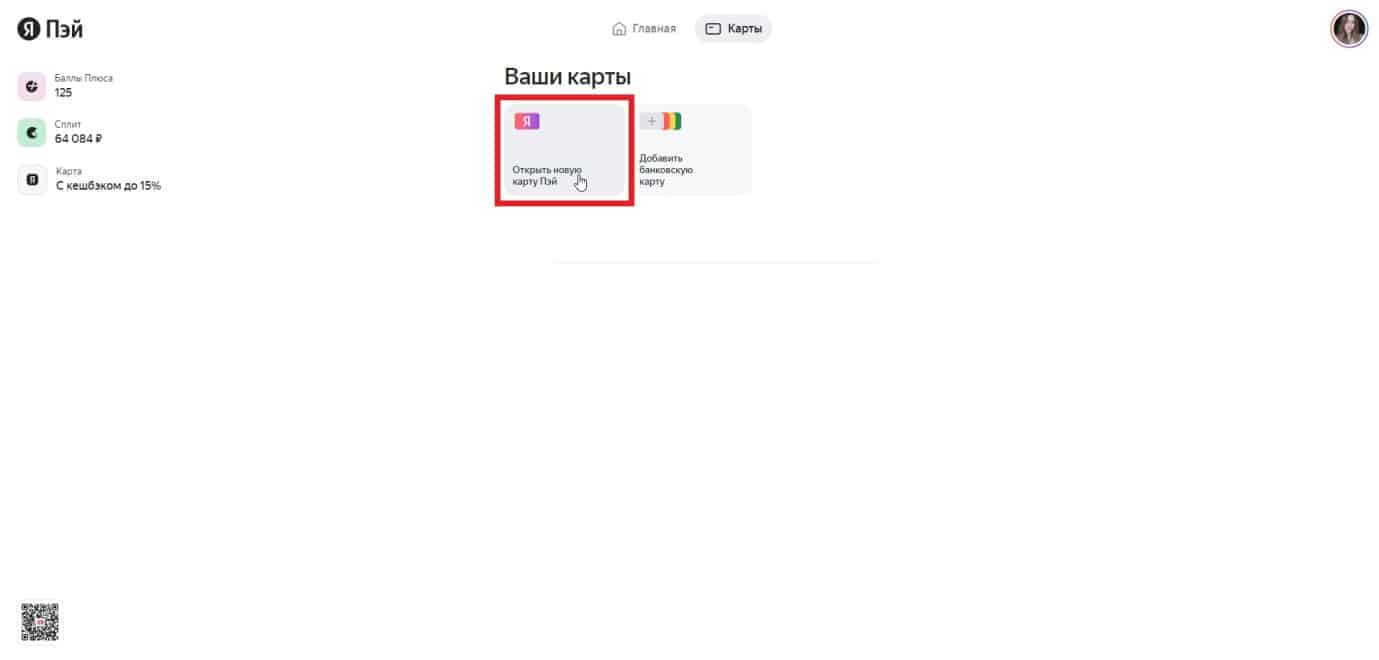
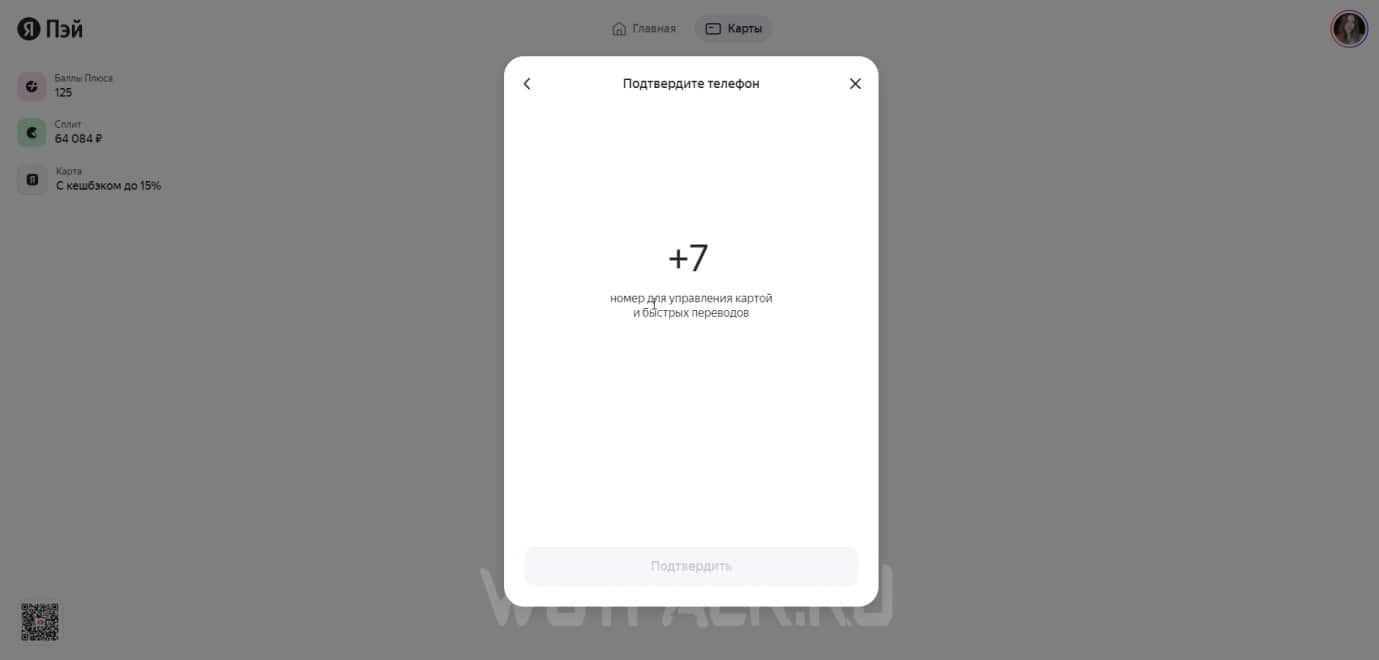
You can then use this account for purchases at WuWe—it can be easily topped up via mobile banking or the SBP. The card itself is free, and you won't need to deposit any funds.
Download EGS
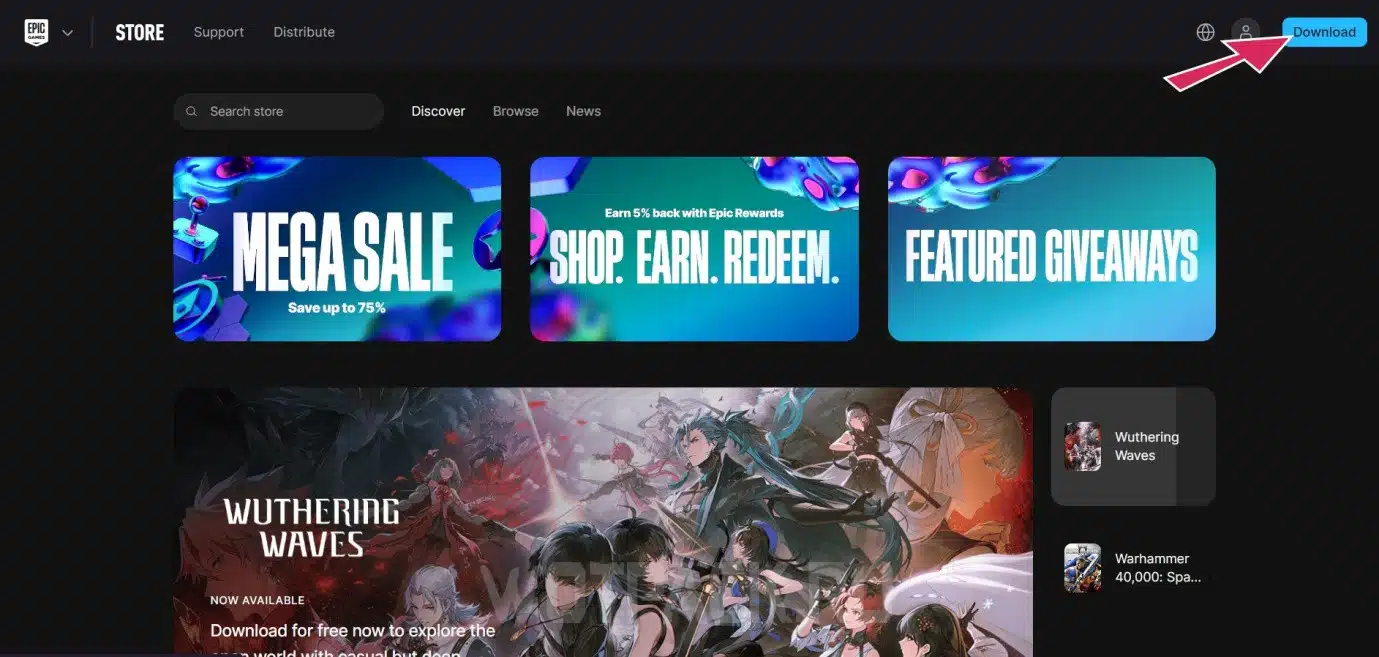
- Open the official website Epic Games Store and download the client by clicking "Download".
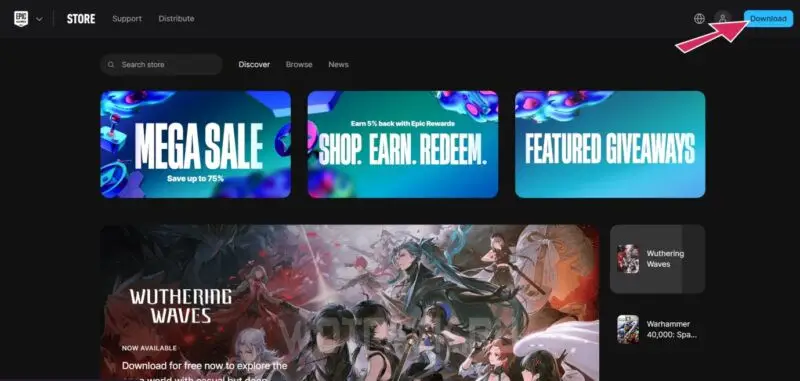
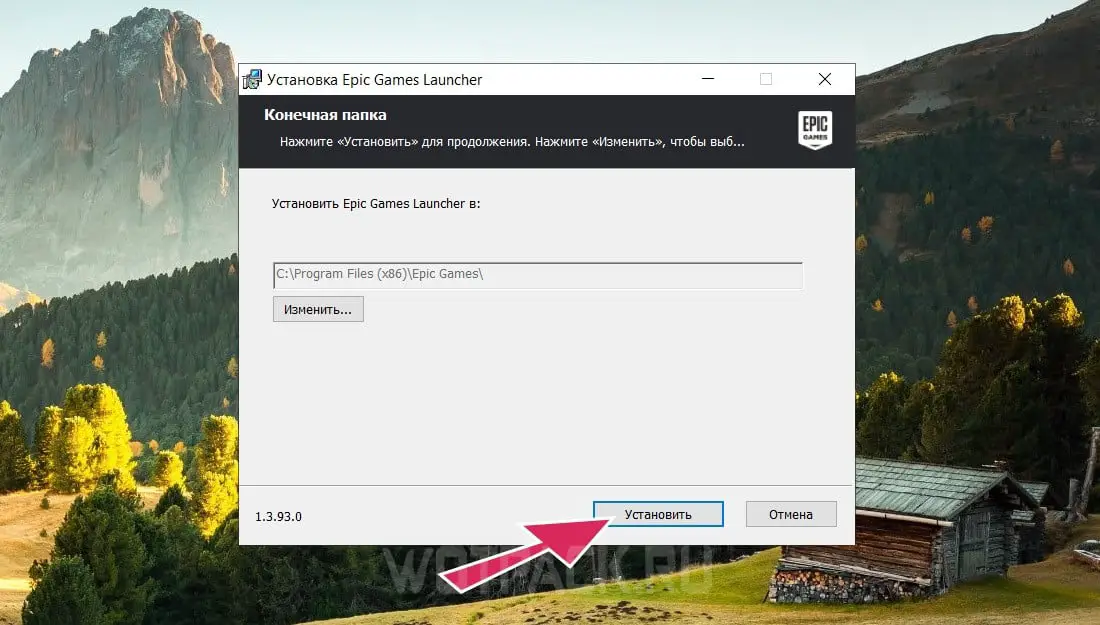
- Wait until the installer downloads, then open it and select the appropriate drive where you would like to install the client. Confirm the action to start the download.
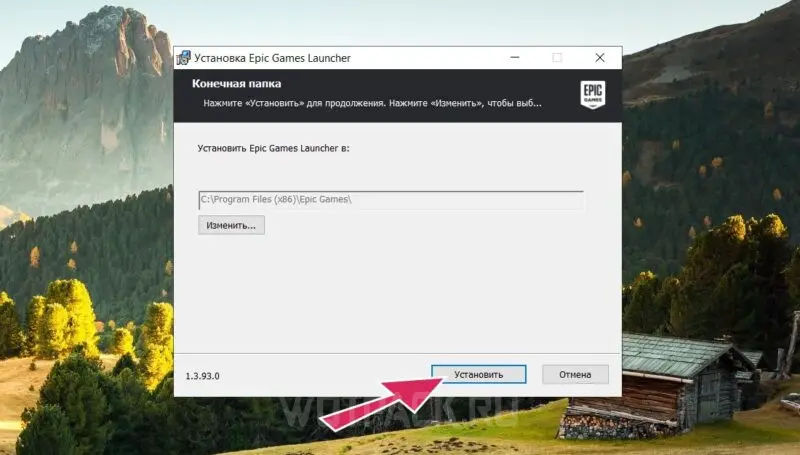
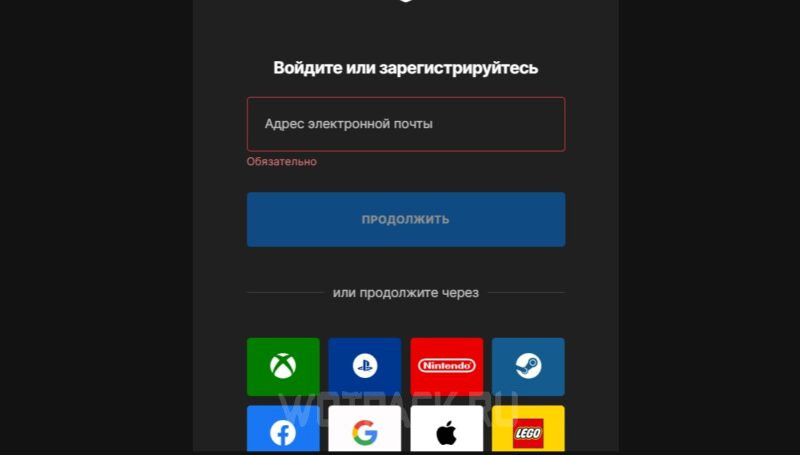
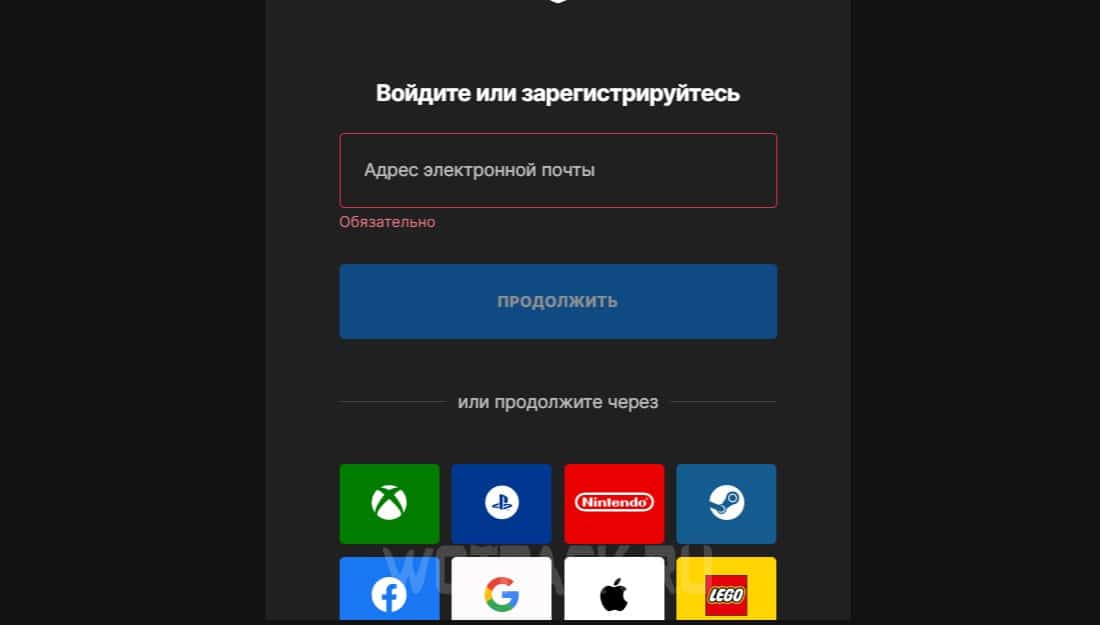
- Open the Epic launcher and log in to your profile or create a new one. You can create an account using social media or email.
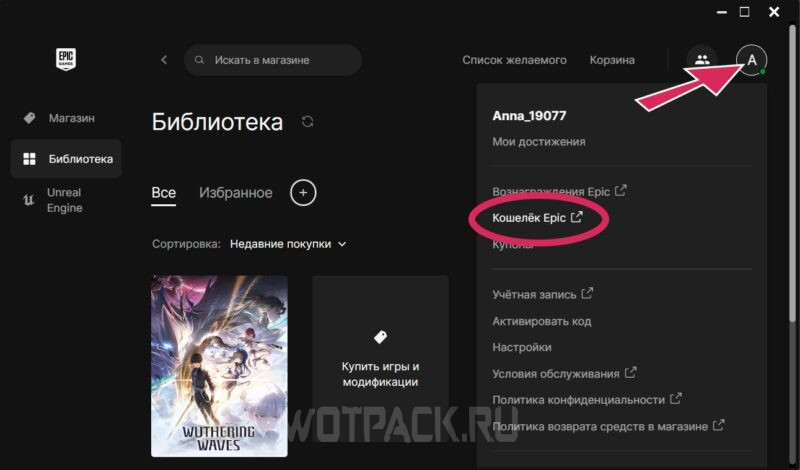
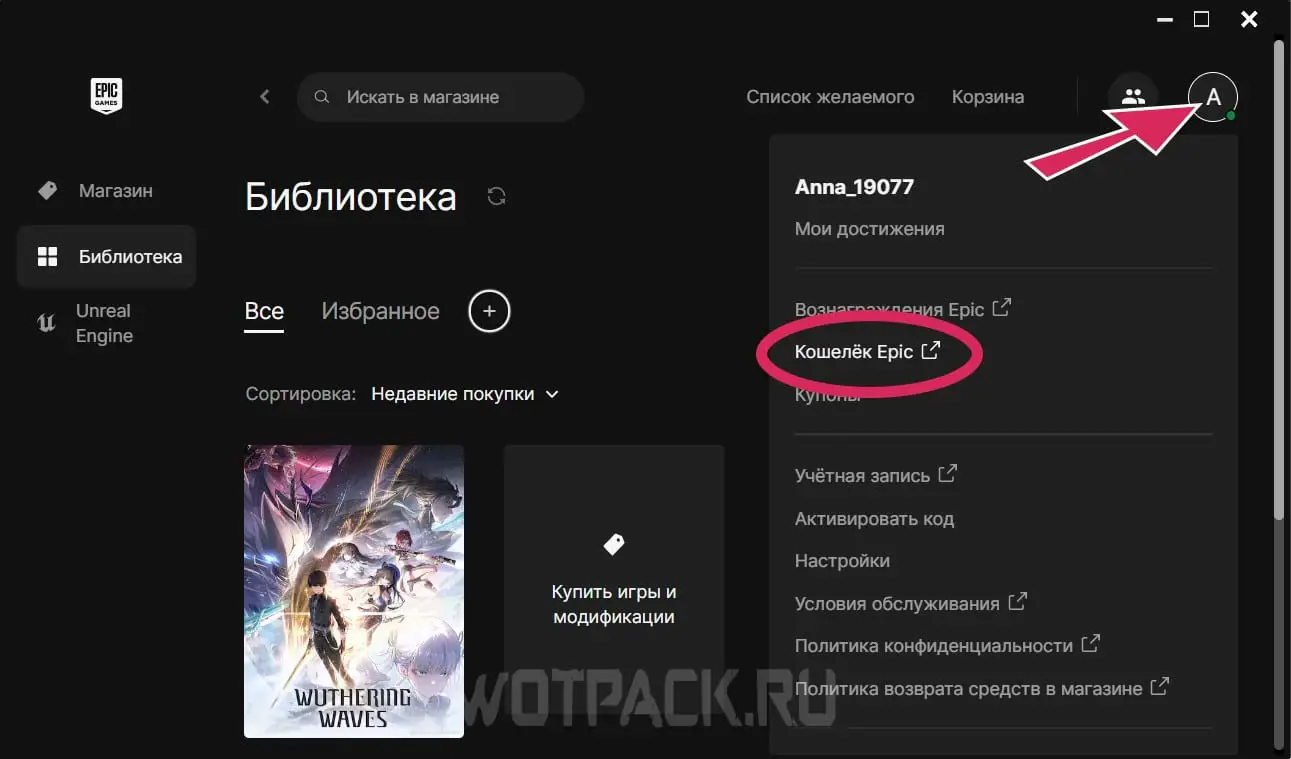
- Now go to your profile and open the tab "Epic Wallet"to link Yandex Pay to it.
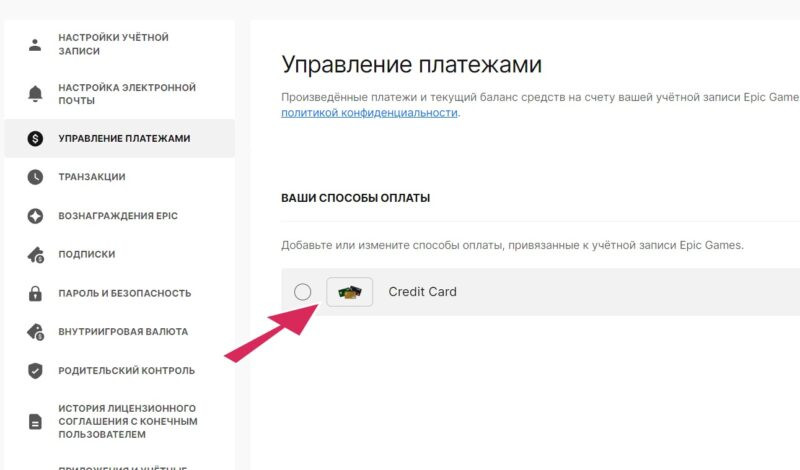
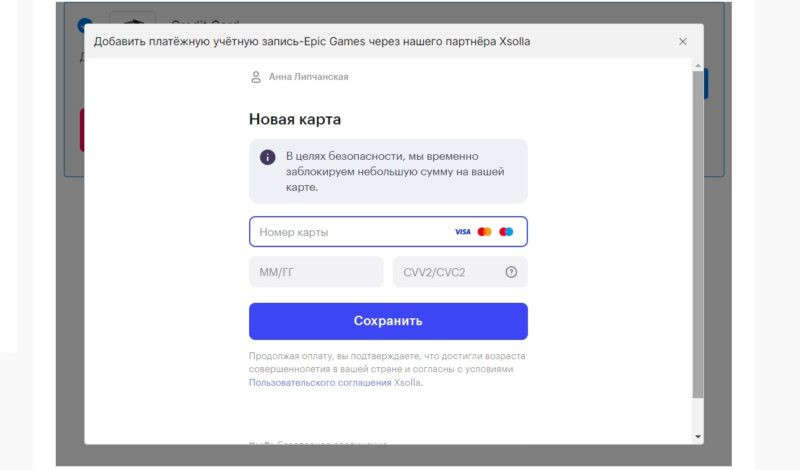
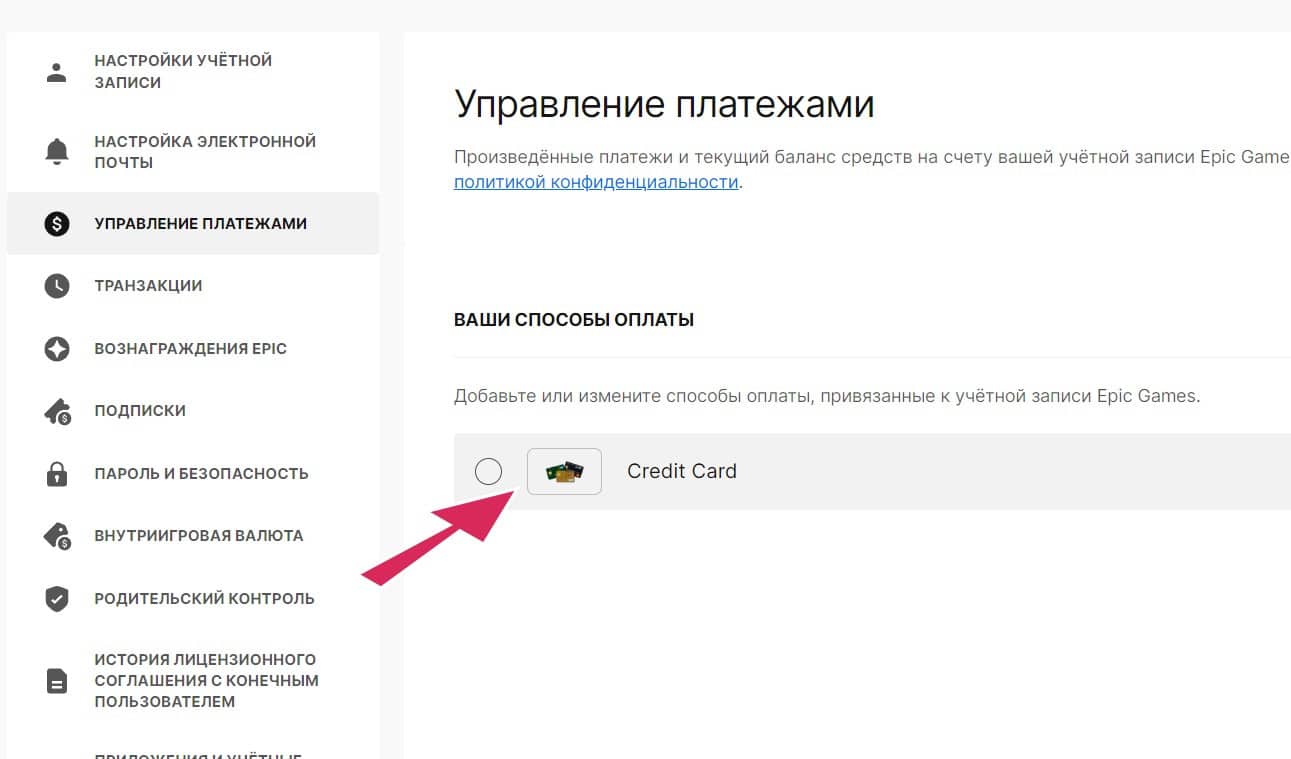
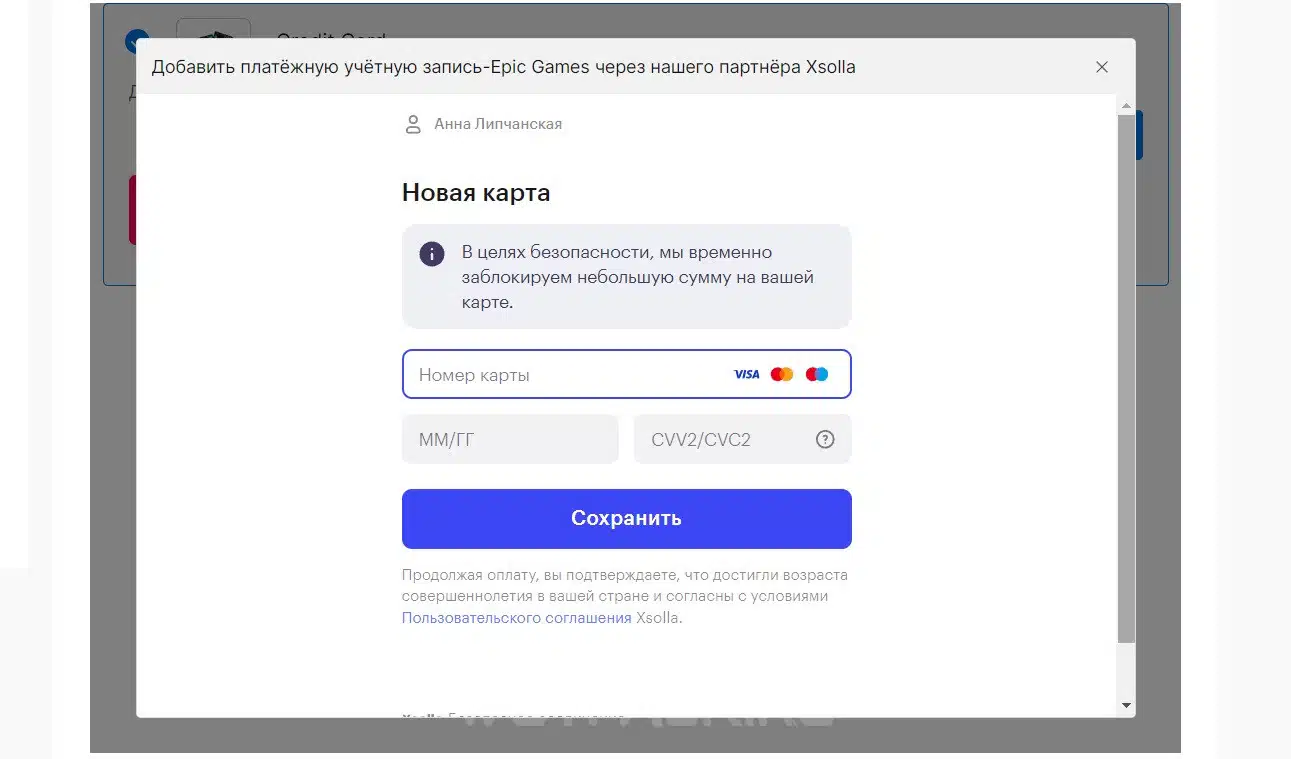
- In the browser page “Payment Management” add as a new payment method Yandex Pay, by entering all the necessary data and confirming the action with the verification code sent to your phone.
If for some reason the linking didn't work, try upgrading your virtual card by linking your Gosuslugi account to Yandex. In some cases, the error disappeared after a few hours or a day—just check your Epic wallet later.
How to install the game or transfer files if you have already downloaded it
If you haven't downloaded Wuthering Waves before, you can find in the EGS library and simply install it on your computer. An already downloaded WW can be linked to the service in another way:
- Uninstall the existing client and reinstall it through the Epic Game Store.
- Bandage WW using file verification.
- Move the game folder to the Epic directory.
The second method is quite simple and won't take much time, and you won't have to download everything again:
- Go to EGS and add the game to your library to launch the launcher from there.
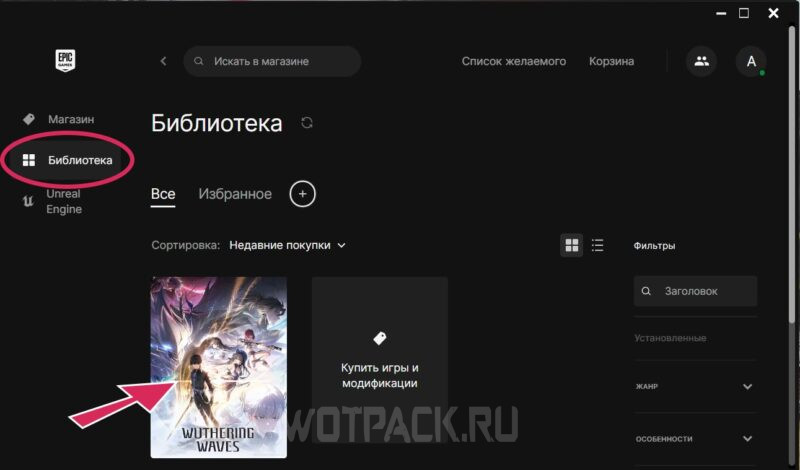
- Complete file check — Click the wrench icon and confirm the action in the pop-up window to analyze the data. Epic will then add its data to the game directories, and the launcher will run from this service.
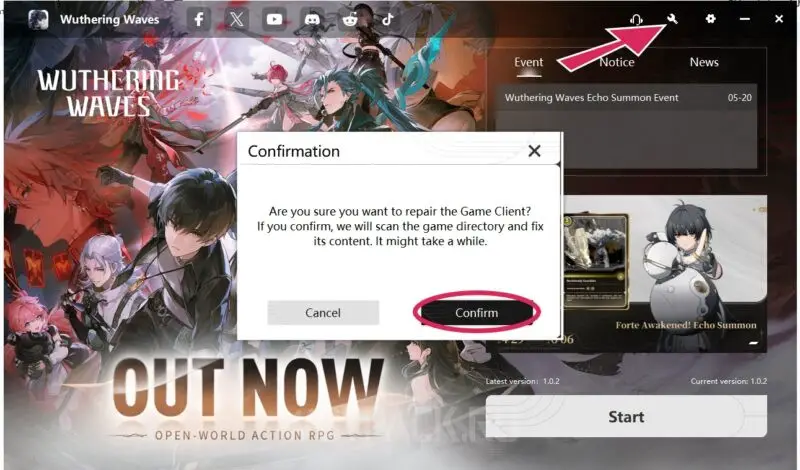
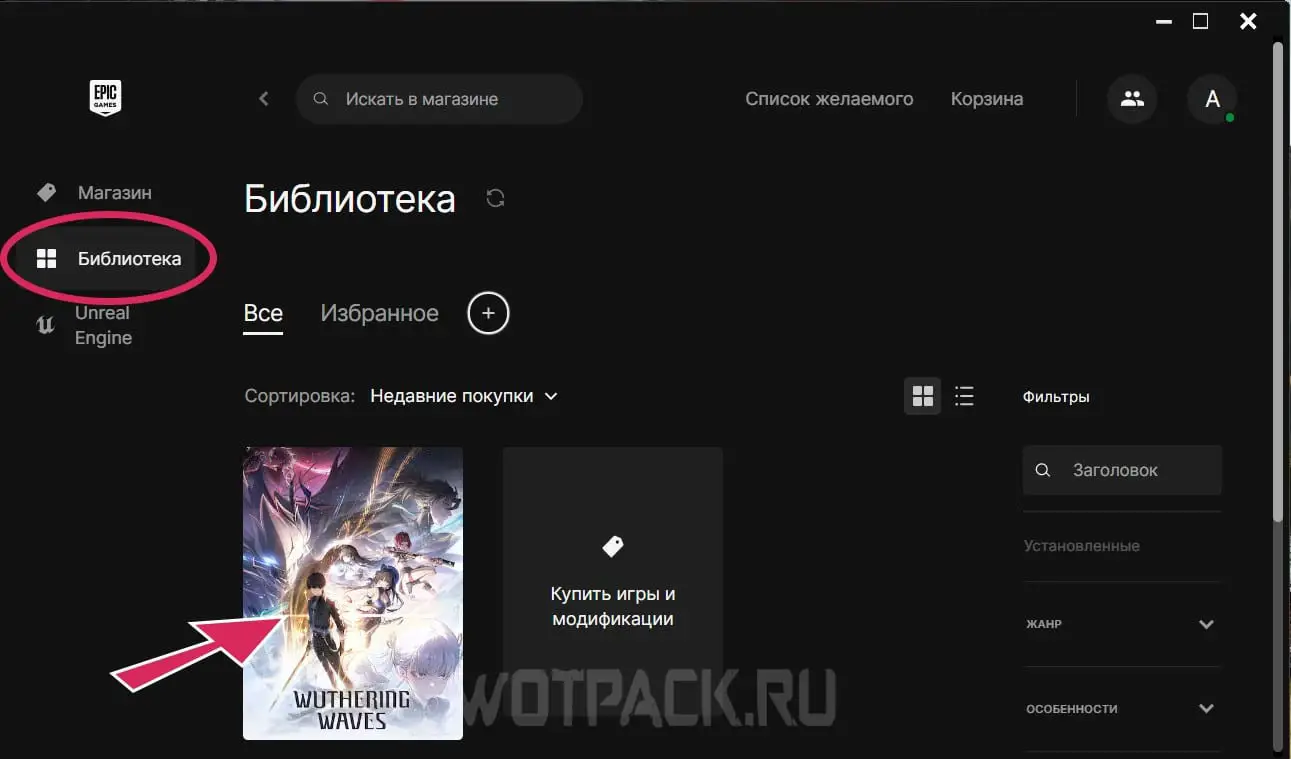
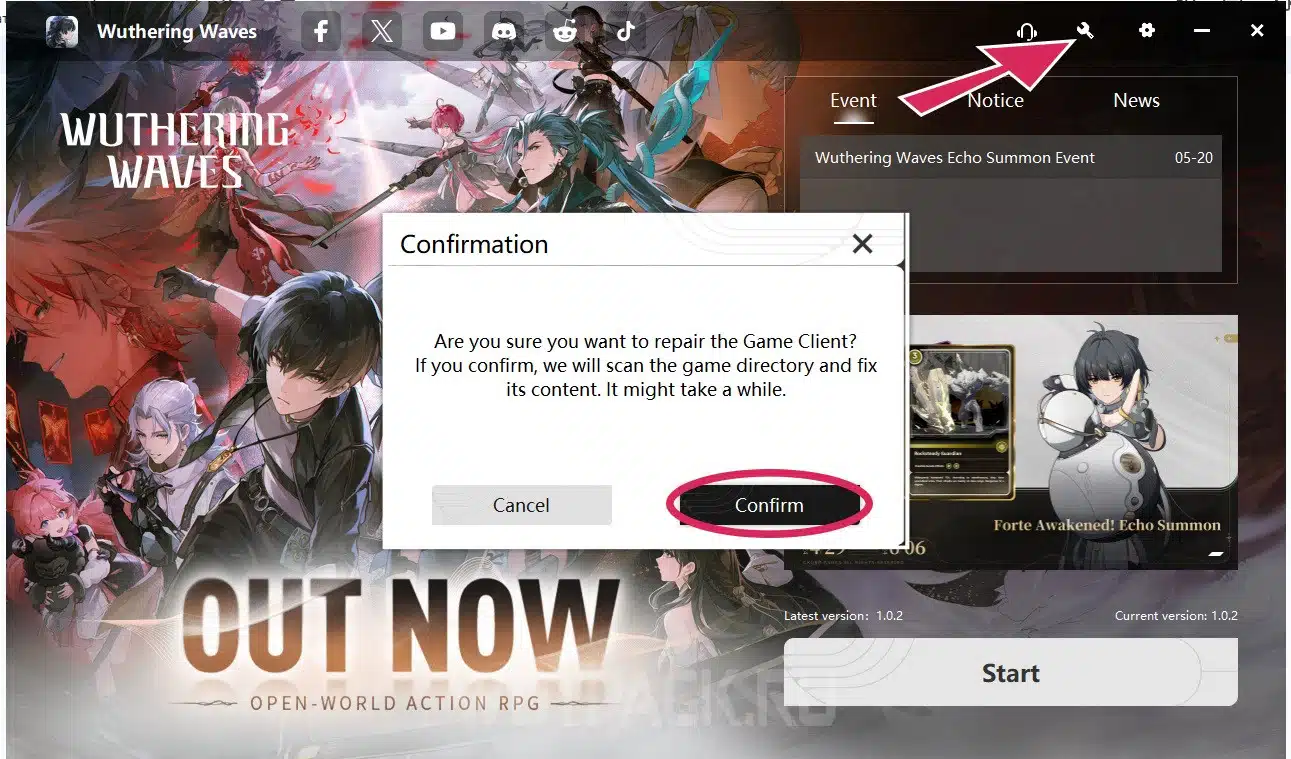
If you see the corresponding message at the next startup EGS badge, this means that the linking was successful, you can log in and pay for the donation using a Yandex card.
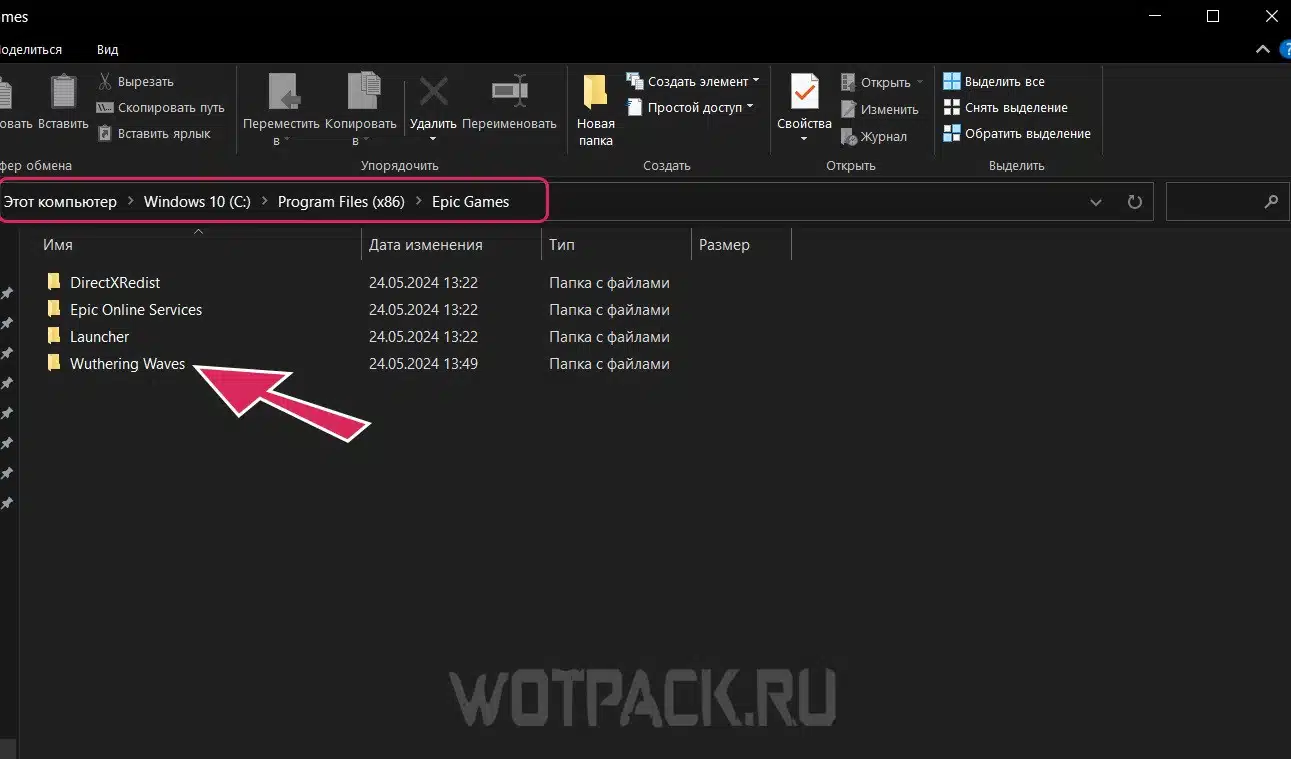
Or you can try another option to transfer the game to EGS management - find the WW folder where it is installed, and move it completely to the following location:
- C:/Program Files (x86)/Epic Games
Also, run a data check, download the missing elements, and now you can launch it through Epic.
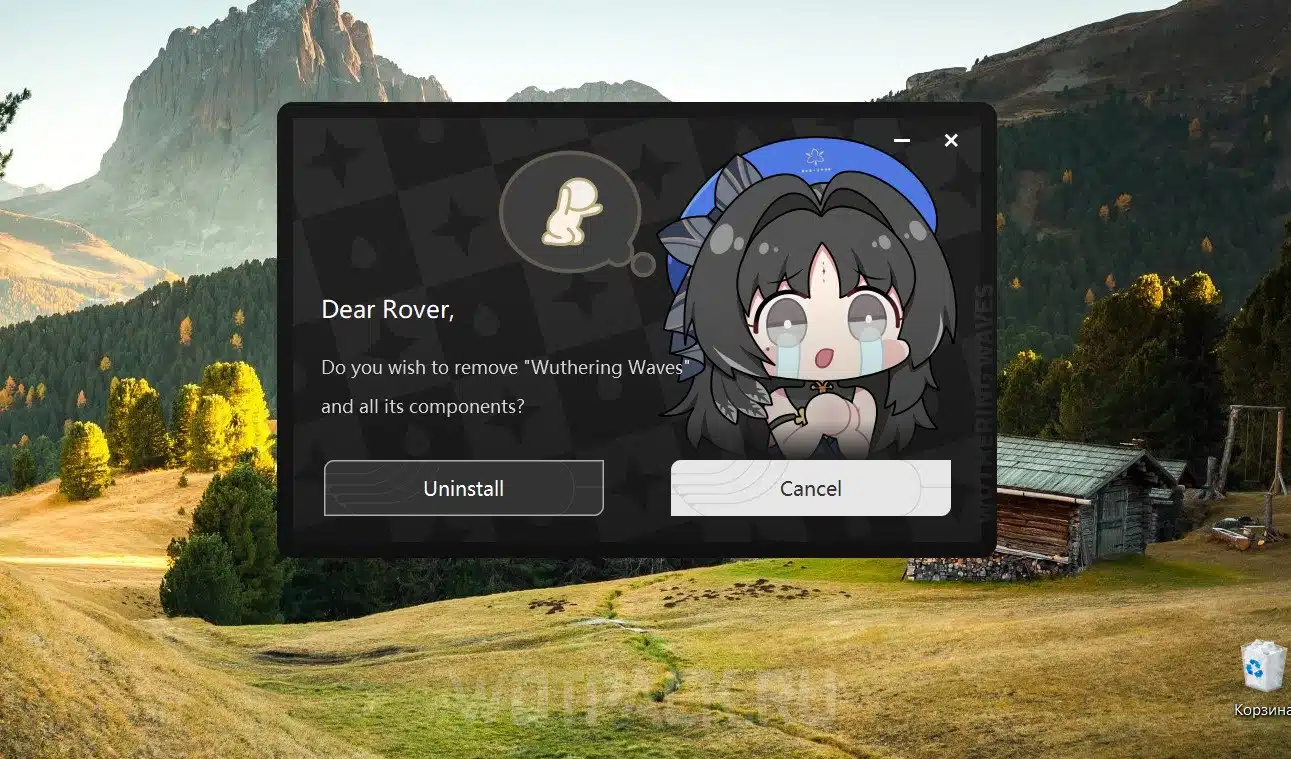
If none of the methods work, go back to the first and most reliable option: simply delete the game and then redownload it from the EGS library.
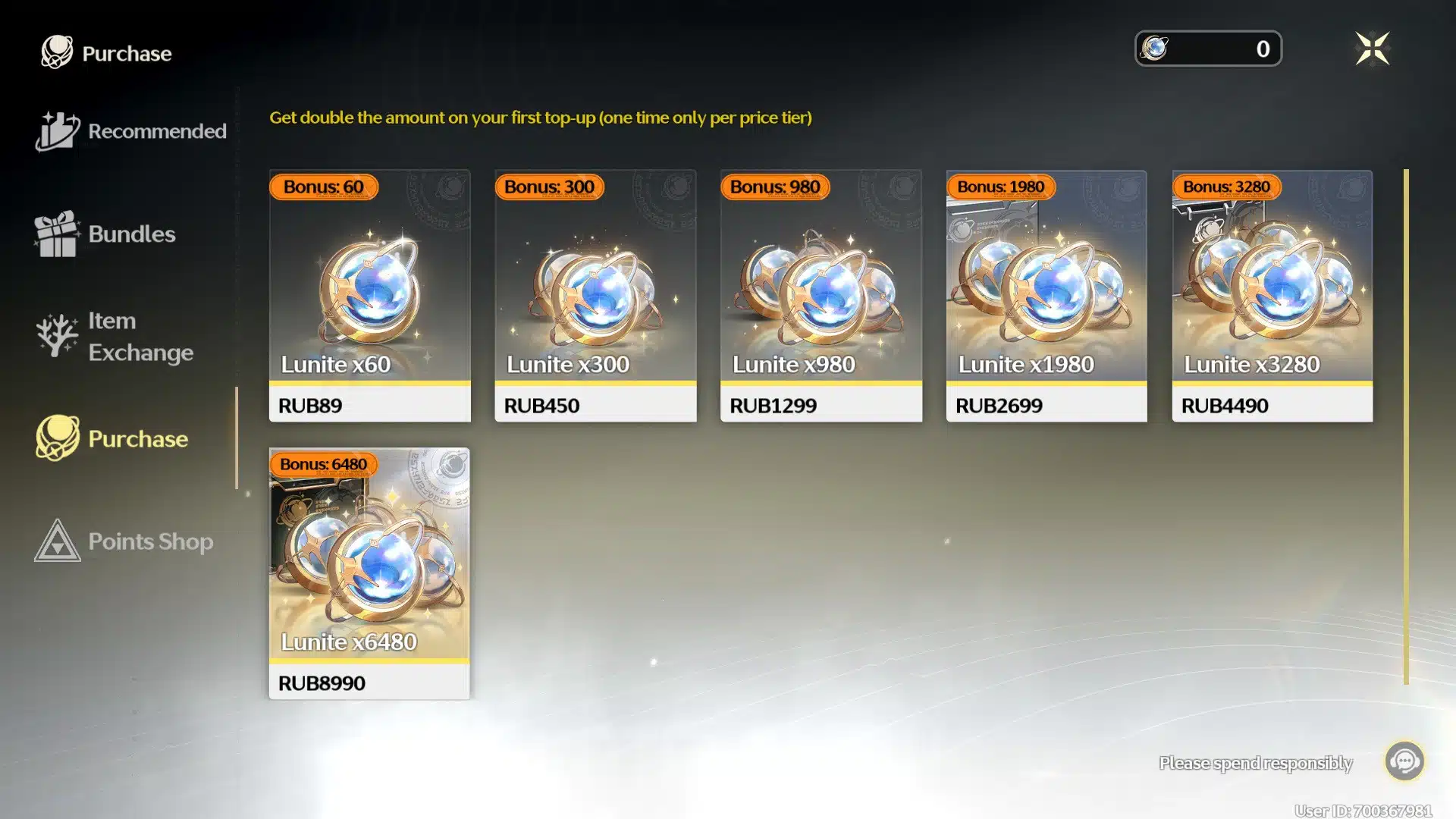
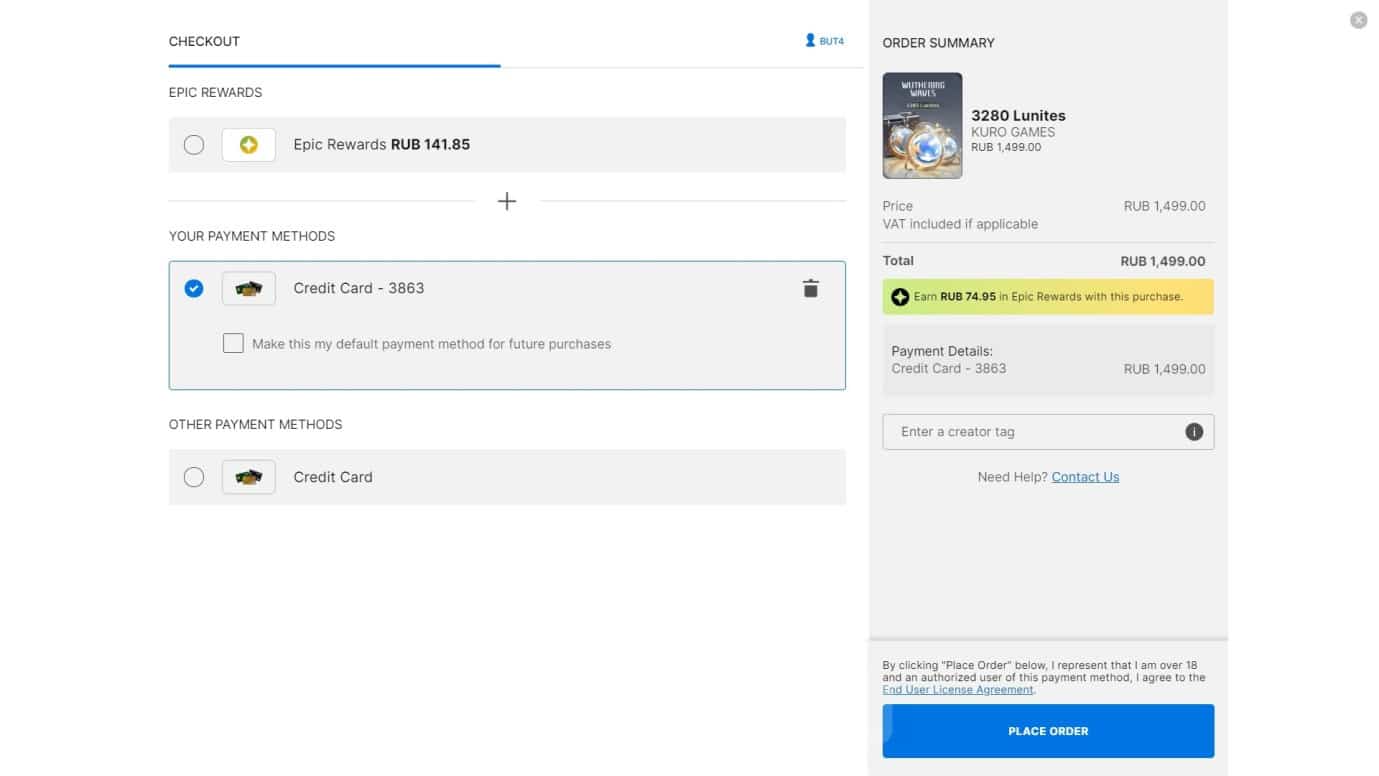
Go to the in-game store and select the item you like, in the window that opens, make a payment by clicking “Place Order” [Place Order]. Rewards should be credited to your account immediately upon confirmation of purchase.
How to donate to Wuthering Waves from your phone
You can also donate to Wowering Waves via phone; below we will reveal all the methods.
On iOS
Go to the in-game store and select the item you would like to purchase. Click on it and use one of the proposed payment methods, then enter the required data and confirm the operation. The method works on iPhones and iPads, the prices are identical to purchases in Genshin Impact and Honkai: Star Rail.
On Android
Topping up at WuV via Android is not available, so use the methods above: via a computer or iPhone.
Questions about donating in VUV
We will answer the questions that players most often have when trying to donate to VuVu.
When is the opportunity to donate open?
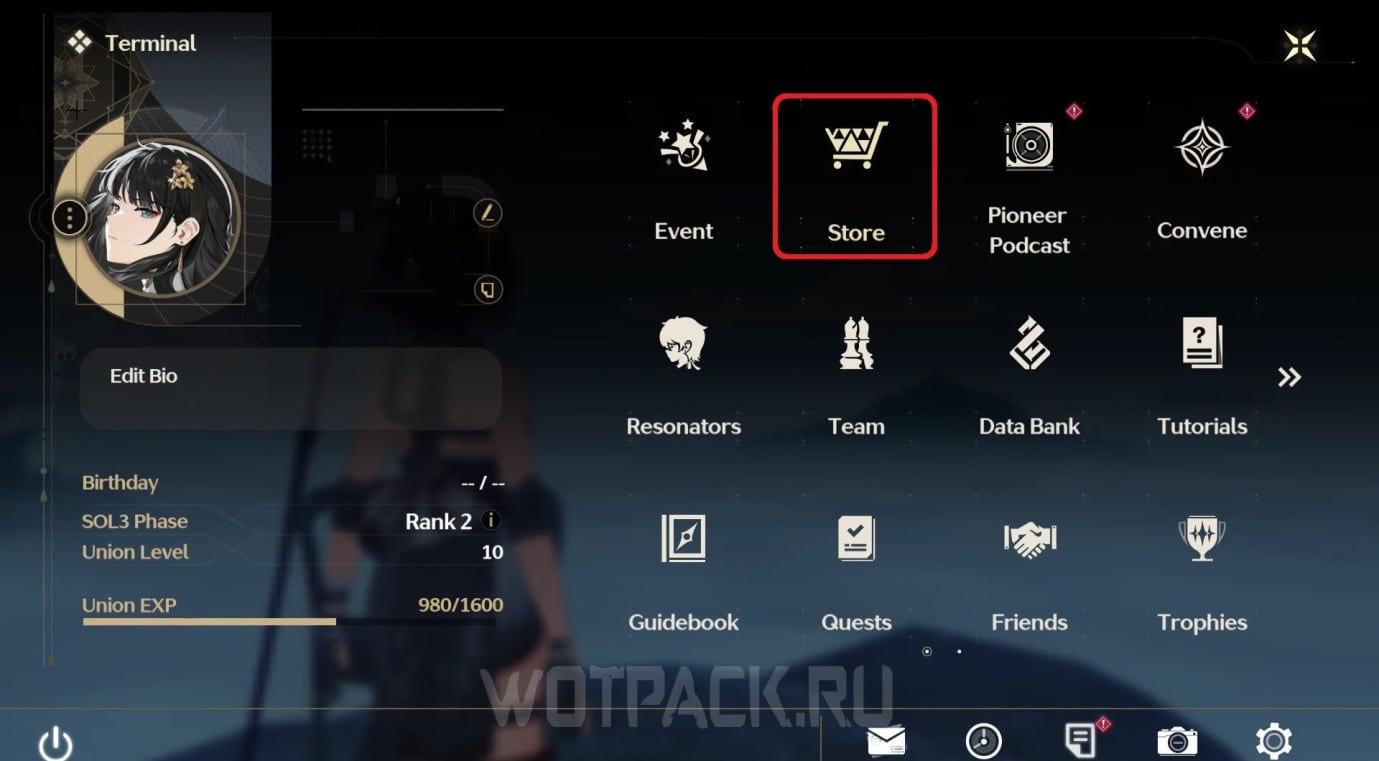
You can open a donation after you reach Union level 5 and unlock banners. When the game starts, complete several main story quests to quickly level up. You can find the store in the [Terminal] by going to the “Store” tab.
Is it possible to donate using a Russian bank card?
To top up your account using a Russian bank card, you must register the Epic Game Store and link Yandex Pay to complete all transactions through this online service. We've covered this method in more detail in this article.
This guide covers all the ways to donate to Vuwaring Waves in Russia in 2026. Write to comments belowIf you have any questions, please let the author know so we can help. Read the detailed game guide for beginners and new manuals on the website in the corresponding Wuthering Waves section.









It's a shame you can't donate through EGS anymore. That was the only viable way for me to donate to WW. Great job, Kuro. They know how to keep their audience away.
I tried installing and purchasing the Insider Channel through Steam, and it worked.
How much did it cost in total?
Same thing. After update 3.0, I can't pay for anything through Epic Games anymore. It's a shame, because everything was working just a few days ago, and I was specifically saving up Epic rewards. I thought it was a glitch in Epic, but a lot of people are having this problem. I don't know where to put my Epic Games rewards now...
Is that it? Can't I donate anymore through Epic? It only shows dollars, not rubles.
Same problem after update 3.0. Epic won't load with the blue stripe, it immediately sends out PayPal.
I have the same problem. I contacted Kuro's tech support.
But I officially found out through some Reddit thread that they disabled the ability to donate through Epics.
Yeah, what a pain in the ass. As always, they gave us a slap on the wrist.
What about Steam? Woowoo is now available on Steam.
I managed to buy the Insider Channel through Steam.