


Cloud gaming allows players even with weak devices to enjoy the most demanding projects. Titles run on other devices with powerful components, and the player simply connects to them to access stunning graphics. On the Internet you can find many cloud gaming services: from VK, MTS, Nvidia, Xbox and many others.
In this guide, we will tell you in detail about the most popular platforms, analyze their advantages and disadvantages, and also list the services that allow you to try cloud gaming for free.
How cloud gaming works
Cloud gaming on PC is a good solution for users with weak computers. The gamer connects to dedicated servers on powerful machines, where the game of interest is launched. The main requirement for the “cloud” is a stable and high-speed Internet: it determines how well the stream will work.
Cloud gaming can be compared to live streaming on YouTube or "Remote Play" system, built into Steam. If usually users only purchase the game, then in the case of the “cloud” they will have to pay for every hour of the game, or buy a subscription for a certain period of time. In addition, some plans allow you to use your own library from different digital stores.
Often the price depends on the popularity of the project you want to play, as well as the configuration of the device where the game will be launched. Other factors, such as time of day, may also affect the final cost.
Advantages and disadvantages of cloud services for games
Cloud gaming services have a number of significant advantages and a list of extremely serious disadvantages. Based on them, it will be possible to decide whether this method of play is suitable or not:
| Strengths | Weaknesses |
| The ability to play any modern releases, regardless of computer configuration. | Cloud gaming on a regular basis is not a cheap pleasure, especially if you play session projects. |
| You can play on various platforms, from PC to mobile devices. | The quality of the gaming experience directly depends on the speed and stability of the Internet. |
| Quick access to an extensive list of projects that take up a lot of space during installation. | Not all cloud gaming services support programs and other software necessary for comfortable gaming. |
| Some services offer to play for several dozen hours (and sometimes days) completely free of charge, which will allow you to try out not only games, but also the cloud gaming system itself. | Not all games can be found in the “cloud” library, and tariffs with your own library can be steep. |
| The ability to choose a configuration, which is great for gamers who plan to play demanding titles on an occasional basis. | |
| For short gaming sessions, or in the case of marathons, when you complete many titles in a week, it comes out much cheaper than buying a game. |
To summarize, we can say that cloud gaming services are mainly suitable for users who do not have powerful computers. If your own PC does not support new games, but you want to try out modern releases, then the “cloud” can be a good solution: this option will be much cheaper than updating the configuration and buying a licensed copy (however, in some services you need to have the title in your Steam, EGS library etc.). For gamers with powerful computers, cloud services are almost useless.
The best cloud services for games in Russia
Next, we will analyze the most popular cloud gaming services, which will allow you to play even the most demanding projects on a weak PC.
VK Play Cloud

- Site: VK Play Cloud.
- Price: from 999 rubles per month for the “Lite” tariff to 3599 rubles per month for the “Premium” tariff.
- Platforms: PC - Windows 7 and later, MacOS High Sierra and later, mobile devices running Android 7.0 and later, Google Chrome, Edge, Opera, Safari browsers.
- Requirements: processor from 1,5 GHz, video card supporting H.265 standard, DirectX 9.0, from 10 Mbit/s for 30 FPS and HD.
The VK Play Cloud service belongs to the game store of the same name, but its roots go back to another cloud service - PlayKey. Within certain tariffs (“Comfort” and “Premium”) you can launch games from your own libraries. The “Light” tariff includes 63 free games and projects purchased directly from VK Play.
| pros | Cons |
| No waiting in line. | A number of games will be available only after purchase; you won’t be able to play some projects even with the most expensive plan. |
| Minimum input lag. | RTX looks less attractive than its competitors. |
| There is a virtual machine. | High cost of unlimited. |
| A large number of payment methods. | Not the most pleasant interface and application. |
| Low latency in any part of Russia. |
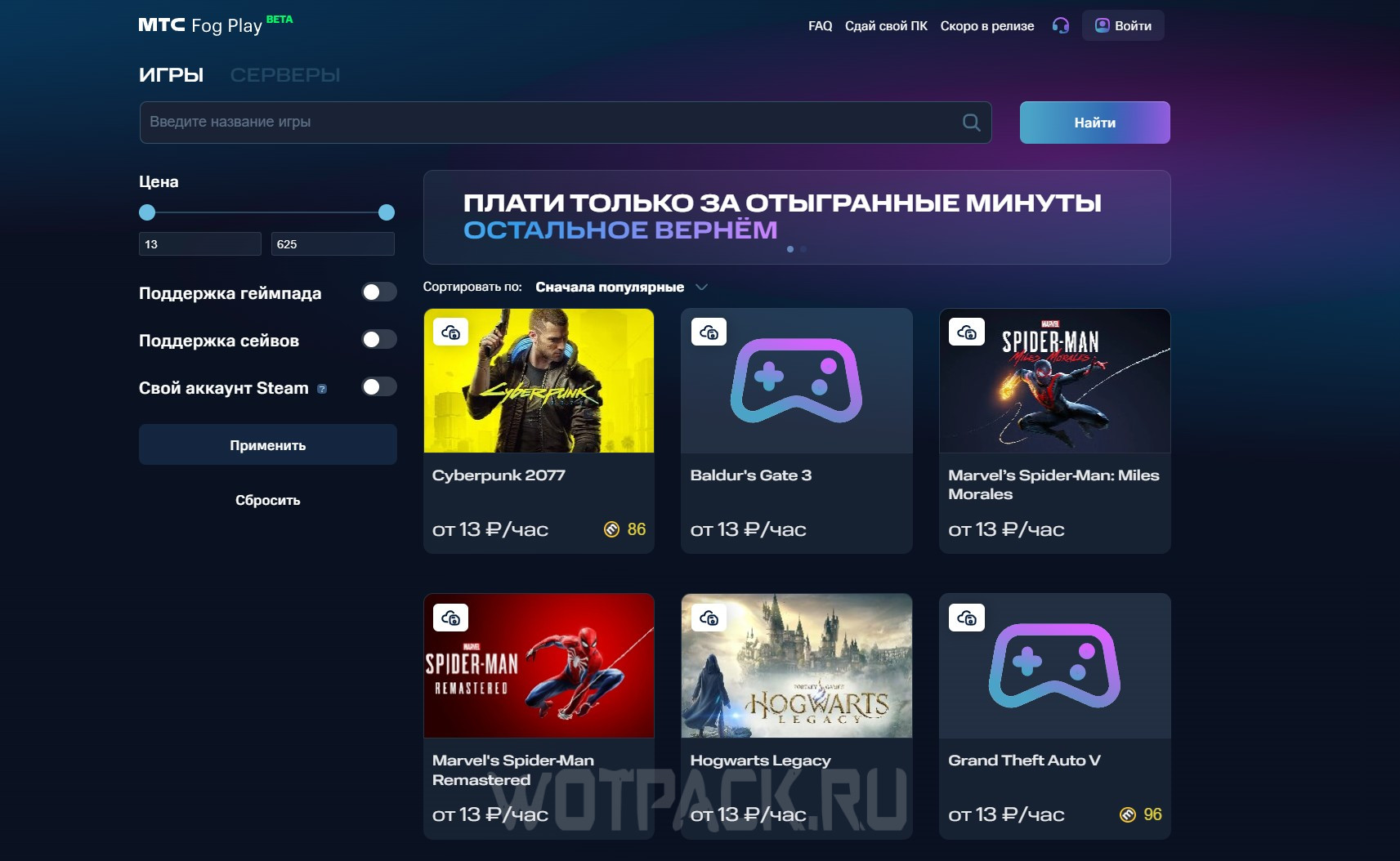
MTS Fog Play
- Site: MTS Fog Play.
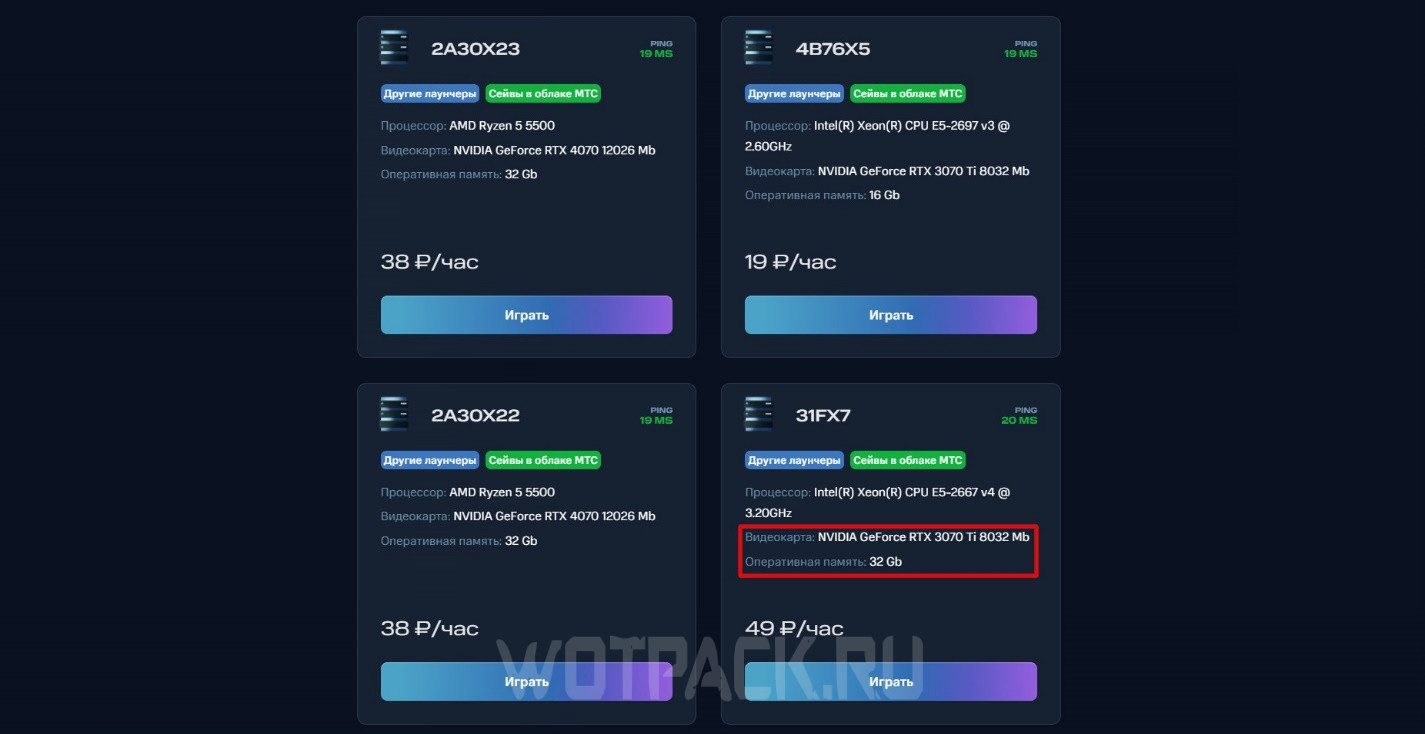
- Price: from 13 rubles/hour to 63 rubles/hour, depending on the PC configuration.
- Platforms: PC, mobile devices - the game is played through a browser.
- Requirements: Internet speed from 15 Mbit/sec for comfortable gaming.
In recent years, MTS has been actively breaking into the gaming industry market; the company has not bypassed cloud gaming services. Key features of MTC Fog Play – lack of subscriptions: you need to pay for every hour of play, as well as opportunity to pass as easily as possible your PC for rent. Thus, MTS cloud gaming allows you not only to play without having a powerful machine, but also to earn extra money if you have one.
| pros | Cons |
| Possibility to rent out your computer. | No subscriptions: you have to pay for every hour of play, which may not be suitable for avid gamers. |
| Large selection of titles. | There may be a waiting list for the best PCs in terms of price/quality ratio, which means you have to overpay. |
| Support for saves that are hosted in a separate service and are available for a long time. | The service is at the Beta stage, so you may encounter errors. This mostly applies to mobile players. |
| Support for using your own Steam account. | The interface is not perfect from a practical point of view: there are pop-up windows and artifacts, and the image quality sometimes leaves much to be desired. |
| Availability on any device. |
loud play

- Site: Loud play.
- Price: from 55 to 70 rubles/hour, the price depends on the amount of time purchased at a time.
- Platforms: PC on Windows and MacOS, Android.
- Requirements: from 10 Mbit/sec.
Loudplay is a relatively old company on the market that provides cloud gaming on PCs with the support of Nvidia, Kaspersky and Skolkovo. The main difference between the Lauds and their competitors is their PCs aren't just for gaming. By purchasing time, the user gains full access to the device and can run any programs on it for non-commercial use.
| pros | Cons |
| The ability to run any programs on a rented PC. | Extremely high price compared to competitors. |
| Support for native libraries of Steam, Origin and Epic Games Store. | Data on a virtual PC is stored for only 5-6 days, even when booked for a month. |
| Connection stability. | Inconvenient interface and the need to download the application. The exact price cannot be found in the launcher. |
| Frequent jokes. | Lack of a subscription system and unlimited tariffs. |
| Purchased hours do not expire, and you can get additional ones for free for being active on social networks. |
DROVA
- Site: DROVA.
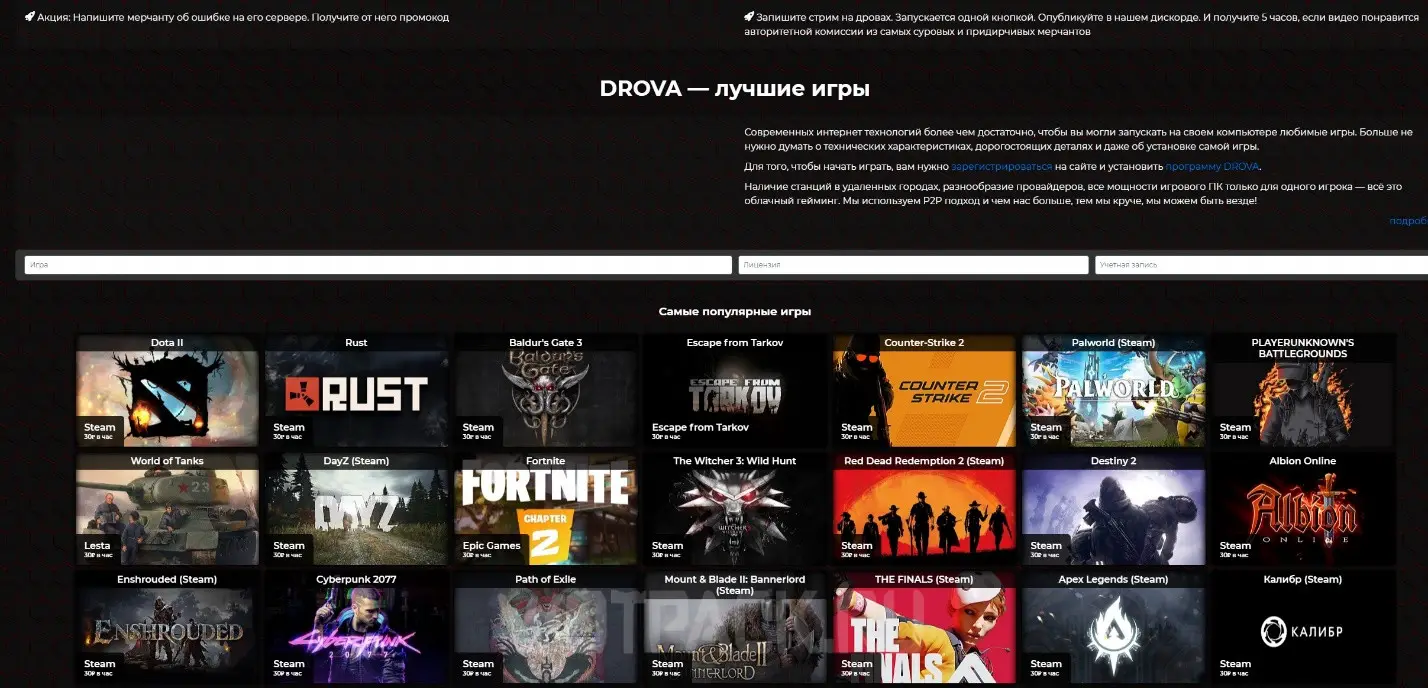
- Price: from 25 rubles/hour to 35 rubles/hour, depending on the package purchased.
- Platforms: Windows PC.
- Requirements: from 10 Mbit/sec.
Almost all cloud gaming services provide devices themselves, DROVA acts as a trading platform. When purchasing a watch, you will not be able to connect to some “general” server - you will have to choose a specific seller, a specific device and server. Due to its rather unusual mechanics, the service is a very controversial solution.
| pros | Cons |
| Large selection of games, devices and servers: from Moscow to Vladivostok. | To play you will need a purchased copy of the project on your own account. |
| Possibility to rent out your device. | Due to the marketplace system, there is a chance to stumble upon an unscrupulous seller. |
| Low price. | Due to high load, you may not be able to play the project you are interested in on suitable servers. |
| There is a trial period of 20 minutes. | Only hourly payment is available, which is divided into packages: there is no unlimited or other tariffs. |
| Fast loading of games. | There is no support for mobile devices. |
| Support for your own libraries and accounts. |
Xbox CloudGaming

- Site: Xbox CloudGaming.
- Price: from 1000 rubles per month.
- Platforms: Windows or macOS PC, Android and iOS devices via Safari
- Requirements: from 10 Mbit/sec.
Xbox Cloud Gaming – free cloud gaming for owners Game Pass Ultimate. The service is part of the Microsoft Store ecosystem and allows you to launch projects from the Game Pass library.
It’s worth saying right away that the site only available in select countries, among which there is no Russia, and you can only play on a gamepad. Among the obvious advantages, it is worth highlighting the opportunity to try out the service for a few rubles if you buy an account with a subscription from intermediaries.
| pros | Cons |
| The largest library of projects included by default in a subscription to the service. | Xbox Cloud Gaming does not officially work in Russia, which may cause launch difficulties. |
| The intuitive interface. | If you live in the central or eastern part of Russia, finding servers for a comfortable game will not be easy. |
| Possibility of playing with a Game Pass, which can be purchased cheaply from intermediaries. | You can only play on a gamepad. |
| The service works on mobile devices, and you can even play through a browser. | The service is in testing status, which may cause errors. |
GeForce Now

- Site: GFN.am.
- Price: there is a free plan with restrictions, the regular plan is 1489 rubles per month.
- Platforms: PC on Windows and macOS, mobile devices on Android and iOS.
- Requirements: Windows 7 (64-bit, 2 GHz processor, 4 GB RAM, video card supporting DirectX 11), macOS 10.11, Android 5.0 (2 GB RAM), iOS 14.3, iPadOS 14.3.
GeForce Now is a service from the largest video card manufacturer - Nvidia. The main advantage is that the platform provides free cloud gaming, but sets time limits and queues. Unlike many Western companies, GFN allows you to pay for the service with a MIR card.
| pros | Cons |
| A large list of available games, including support for your own accounts. | Sometimes lags and image distortion may occur. |
| Availability on any device: both PC and mobile devices. | There is only 1 data center in Russia - in Moscow. |
| Quick access to powerful systems with high resolution. | Poor connection if the PC is located too far from the server. |
| There is a completely free plan. | High price - almost 14 thousand rubles per year. |
| Payment by MIR card is available. |
Gatoga
- Website: Gatoga.
- Price: from 42 rubles per hour.
- Platforms: Windows and macOS PC.
- Requirements: from 10 Mbit/s, 1 GB of RAM, 1,5 GHz processor.
Gatoga is another service that will not only allow you to play remotely, but also provide the opportunity to use various programs. The platform provides the user with a dedicated server, the capacity of which can be selected when paying for the tariff. The main advantage that is worth highlighting separately is the ability download games from any sources, and not just from Steam or Epic Games Store.
| pros | Cons |
| The service does not have its own library, but there are no restrictions: you can use Steam, or you can download the game from a torrent. | There are no free or trial plans. |
| Russian-language support in VK and Telegram. | Since Gatoga does not have its own library, you need to buy games yourself, or spend time downloading. |
| The private server is assigned to the user for 3 days. | If you do not log into the virtual PC for more than 3 days, all data will be lost. |
| Access to a full dedicated PC, not just games. | |
| Good connection due to the location of the servers. |
4Cloud

- Site: 4Cloud.
- Price: from 325 rubles/day to 470 rubles/day.
- Platforms: PC on Windows and macOS, mobile devices on Android and iOS.
- Requirements: from 10 Mbit/sec.
4Cloud is an extremely unusual cloud gaming on PC: unlike its competitors, the service offers to use not someone else’s computer, but PlayStation console. Available to choose from PS4 Pro, PS4 Slim and PS5.
As an addition to the tariffs, you can purchase a Deluxe subscription to expand the catalog of titles. You will have to play through third-party applications, and the console is controlled by commands in a Telegram bot.
| pros | Cons |
| One of the few cloud gaming services that allows you to play on consoles. | The best of the proposed options - PS4 Pro is almost always unavailable, which is why you will have to buy either a weak Slim or pay extra for a PS5 |
| Despite the high price, 4Cloud will cost less than renting a console. | Inconvenient control via commands in Telegram, rather than through its own application. |
| The catalog contains a huge number of projects, to which games from the subscription are added. | |
| Availability of promotional codes and discounts. | |
| Good connection due to the location of the servers. | |
| Can be played with keyboard and mouse. |
Boosteroid
- Site: Cloud Gaming Battle.
- Price: from 2,89 euros/2 days to 9,89 euros/month.
- Platforms: All devices on which Google Chrome is available.
- Requirements: from 10 Mbit/sec.
The last service on the list that allows you to play on a weak PC is Boosteroid. This platform is intended for users from Europe, so it will not be possible to pay for a subscription using the usual methods. The library of games presented in Boosteroid mainly consists of free projects, but you can use your own accounts in digital stores.
| pros | Cons |
| The cloud runs right in the browser. | High price and difficulties with payment from Russia. |
| About 100 games, including many session projects. | Almost all of the games presented are free tiles or demo versions. To play your favorite project, you will have to buy it in the store. |
| Good connection from different parts of the world. | Average hardware specs. |
| Minimum latency. | Picture quality is limited to 1080p and 60 frames. |
| User-friendly interface. | No free trial period. |
We hope our guide helped you learn how cloud gaming works and choose the best cloud service for gaming. If you have any questions, you can ask them at commentswe will definitely answer.





Unfortunately, I've tried everything presented, and so far I only like GPUDC. These guys have the lowest rate at 17 rubles/hour. Connecting via Moonlight is generally possible for a while, which is cheaper than paying through VK. However, VK has monthly subscriptions and you pay a fixed fee, whereas here, the amount of time the Bare Metal Server runs depends on the chosen rate. The rest are a no-no. GPU users have full access to their PC, so you can do whatever you want, you can add a disk for an additional fee, etc. VK has a ton of restrictions on Virtual PC, and if you run into a configuration error, some games will become unavailable. Launching individual game cards is problematic. Many don't have cloud saving via Steam, and even if they do, it's generally unstable and may not save when closed. So, it's a matter of personal preference. If you enjoy opening a card every time you use a phrase, feel free to use gfn, fog (fogs are annoying... 10000 transactions, write-offs, refunds, etc.... extremely inconvenient) and others. VK is overpriced and unstable, the "UP TO 4K AND 120 FPS" statement has nothing to do with reality (my experience, my opinion, and observations, I was probably just unlucky). But VK themselves wrote in the post that they don't guarantee what they say, so that's why they say "UP TO 4K AND 120 FPS," which is a complete disaster. Thanks to the author for the article. I'll also try Boosteroid, 4Cloud, LoudPlay, and Gatoga.
Let's try this MTS for ourselves. It looks the most attractive so far.
Be careful with MTS! Their cloud PCs often have cheat files and get banned from games, and then they say it's not our fault.
gfn is crap because they killed the subscription and added that now you can't continue playing for 6 hours even if 100 hours are over(((
Are there any free ones?
Of the free ones, you can consider the service from Nvidia, but it is limited in time