HoYoLAB's interactive map of Snezhnaya will help you track the progress of its exploration in real time. Genshin ImpactThis official tool displays the locations of all treasures, curiosities, and enemy clusters, the resources from which are needed to level up characters. Its features allow you to create convenient routes when clearing an area and speed up farming.
Interactive map of Snezhnaya in Genshin Impact 7.0
A new snowy location will appear on August 12th, with the release the patch 7.0Activate the Archon statues in the game and you'll be able to compare the terrain with the display inside the HoYoLAB tool.
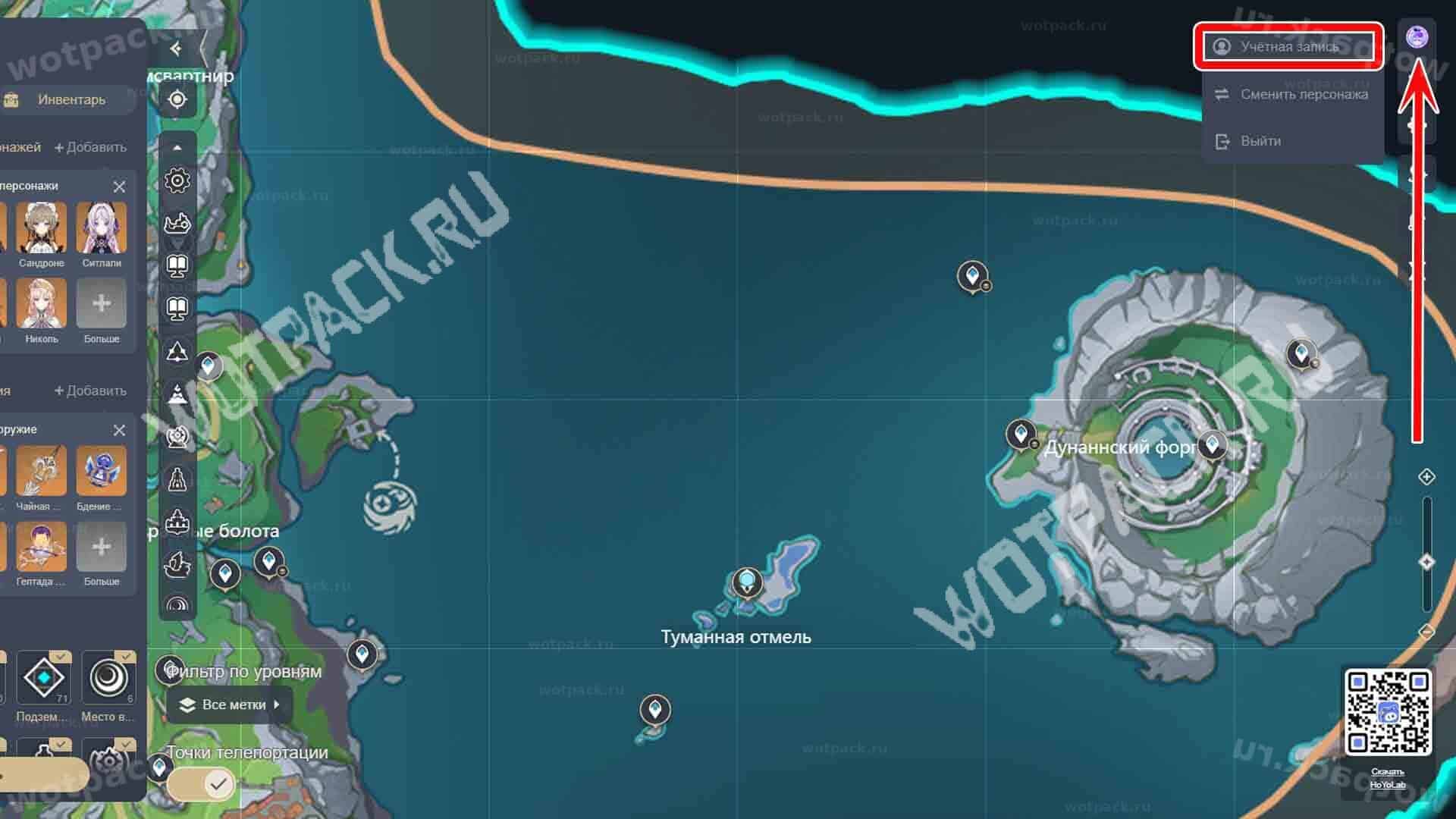
Please log in before using HoYoverse account via the avatar panel located in the upper right corner. This way, the interactive tool will track the research progress and update the data.
- Through the "Change character" You will be able to switch to an account from another server.
- To change your account, use the button "Log off" and enter the data.
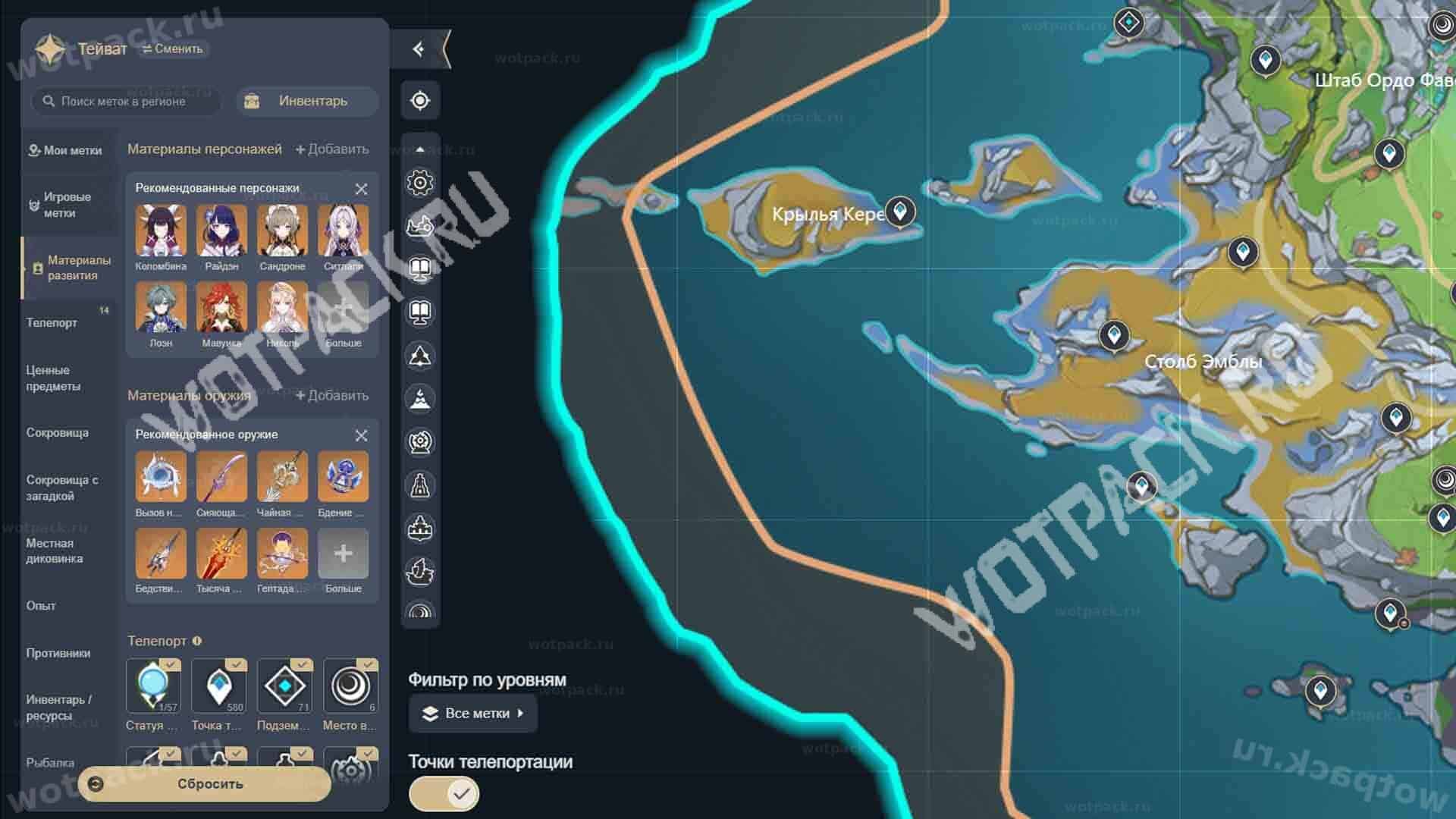
The main menu on the left shows key points of interest, categorized by type. Check the boxes next to the desired items to display them on the map, or remove markers that are no longer relevant:
- Teivat (or another name in the upper left corner) opens a list of the main regions. To access other maps or focus on a specific kingdom, click the two arrows and select a zone.
- Inventory — displays the in-game backpack contents. Data is updated with a delay of approximately 10 minutes.
- Game tags — show markers left in the game.
- Character and weapon materials — sections with heroes and their signatures from current banners. Click on a character or weapon to see the resources for upgrading them.
- Filter by levels - sorts markers only in dungeons or on the surface.
- teleportation points - Activating the slider will immediately enable all quick travel locations.
- Quick access by category - in the relevant sections on the side.
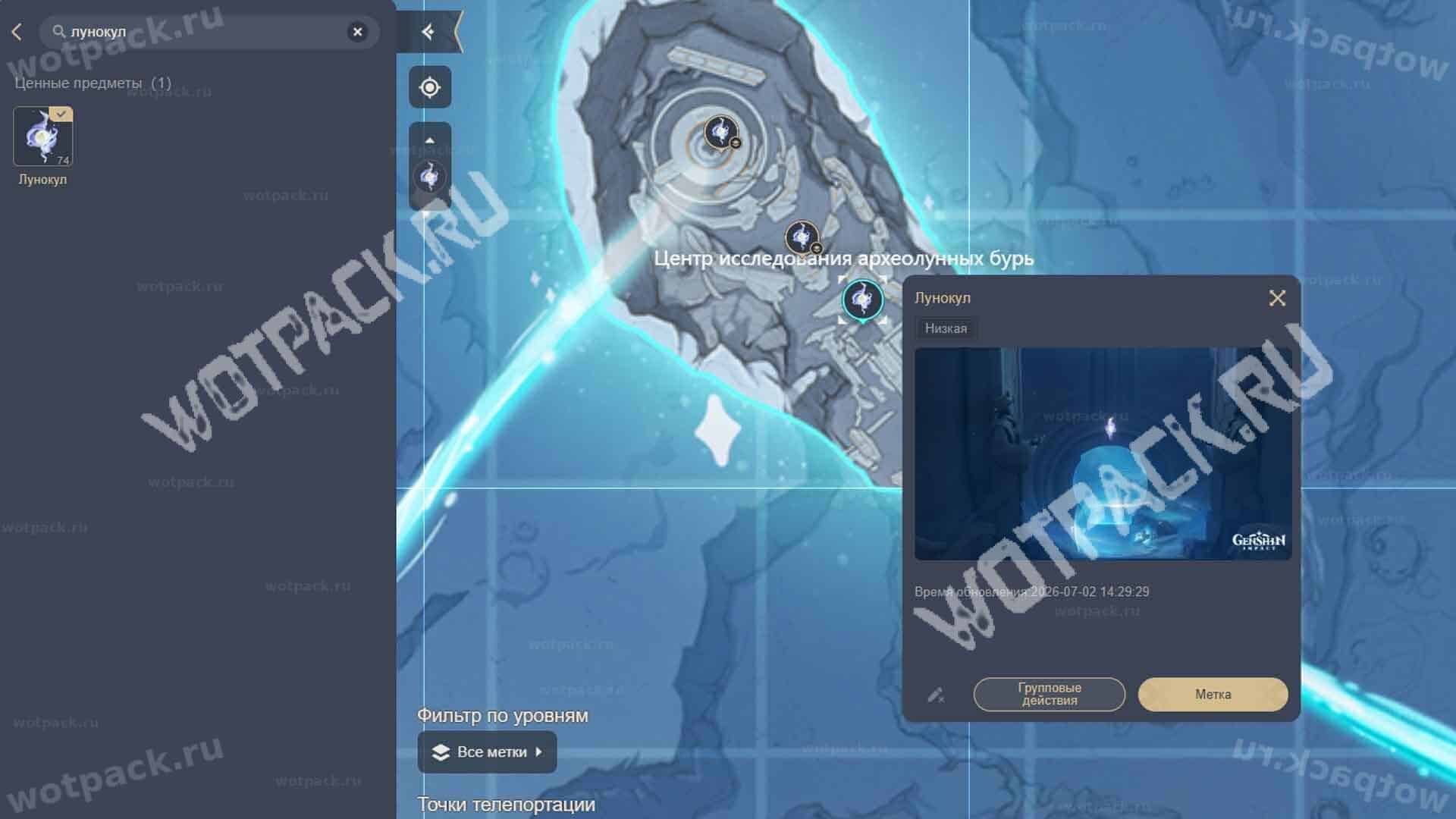
Some objects contain clues left by players.
- To suggest your own option, click on the pencil and fill in all the fields.
- When collecting oculus-type items, mark each one you find by clicking on the "Mark" icon, which will then become translucent.
- Using "Group Actions" you can hide or show several types of resources at once.
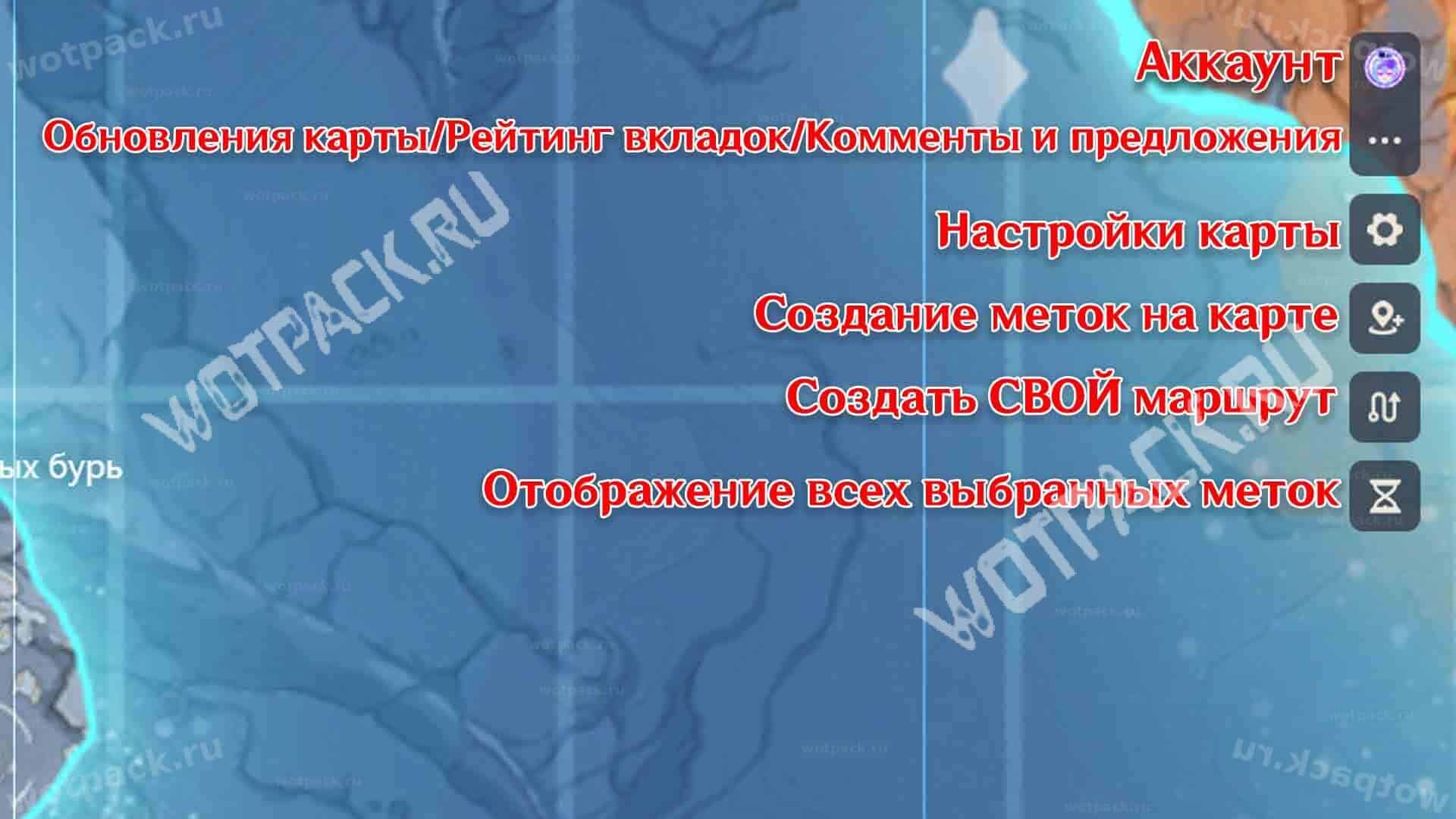
The menu on the right contains additional functions:
- Account — login, logout, change server.
- Three dots — opens interactive map updates, user ratings, and a support feedback form.
- Cogwheel — settings, enabling aggregation (grouping by categories), changing the language, the ability to hide all labels and research progress.
- Geolocation — Fill in all fields to create a new tracking marker.
- Navigation — the ability to create your own route or view the route suggested by other players.
- Watches — a list of all open and tracked points whose marks can be reset.
Information about the materials is taken from hhw and will be updated after the release of patch 7.0.
Valuable items and teleports
- Cryocules
- Teleports
- Cryo Archon Statues
- Shrines of Depths
- Dungeons
- Chests
- Time Challenges
- Riddles and puzzles
- Shops and merchants
- World Quests
- Radiant Crystals
- Viewpoints
- Local Legends
- Krio Seals
Bosses and Enemies
- Werewolf-cutthroat
- An enchanted beast of unrivaled strength
- A snowman created by ice
- Vila of Dancing Wings
- A goblin born of the mysterious wastelands
- Immortal construct
- A beast assembled from remains
- Winged Lion Chimera