В Minecraft there is a convenient way to lock the house, securing it, your other buildings and even the regions of the map from griefers - server players who destroy buildings and steal valuables. Plugins will help in the protection of territories on the server Worldedit и WorldGuard.
In the guide, we will answer the question of how to secure a territory in Minecraft, not be afraid of griefers and not waste time tracking and reporting them.
How to privatize a house in Minecraft
 Be sure to download plugins before starting. Worldedit и WorldGuard. The process of privatizing a house and a region consists of the following simple steps:
- Getting a selection tool.
- Selection of the desired region.
- Assigning a private status to a region.
After completing these 3 steps, you can create a personal safe zone. Let's consider each action in detail.
How to get the selection tool
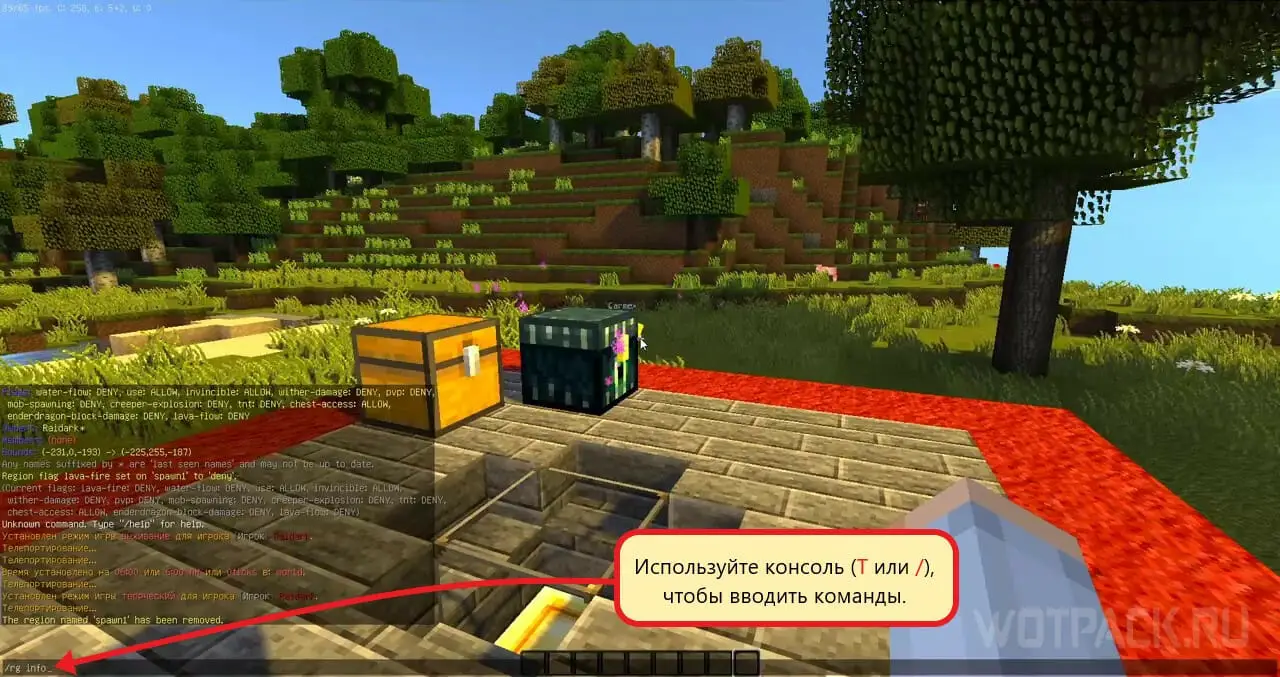
Open the console by pressing the keys T or / (default). Now call the selection tool with the command \\wand in the console. An ordinary wooden ax will appear, with which you can select the extreme points of the region.
How to allocate and secure territory
 The tool selects the entire area between 2 set points in the form of a box or cube. Try to enter into the selection area all the blocks of your building and the region adjacent to it (courtyard, etc.).
- Click LMB by block - this will set the origin of the selection. Alternative command via console − //pos1.
- Now press RMB on another block, or in the console // pos2, which will set the second point of the selection.
- Enter the command /rg claim RegionName - this operation creates a private region.
A few highlighting tips:
- If the site has a personal underground zone (basement), then you need to dig down and put a selection point just below it so that the zone falls into a private region.
- Any building will have to build a spire above its roof to cover the entire height of the building with privacy.
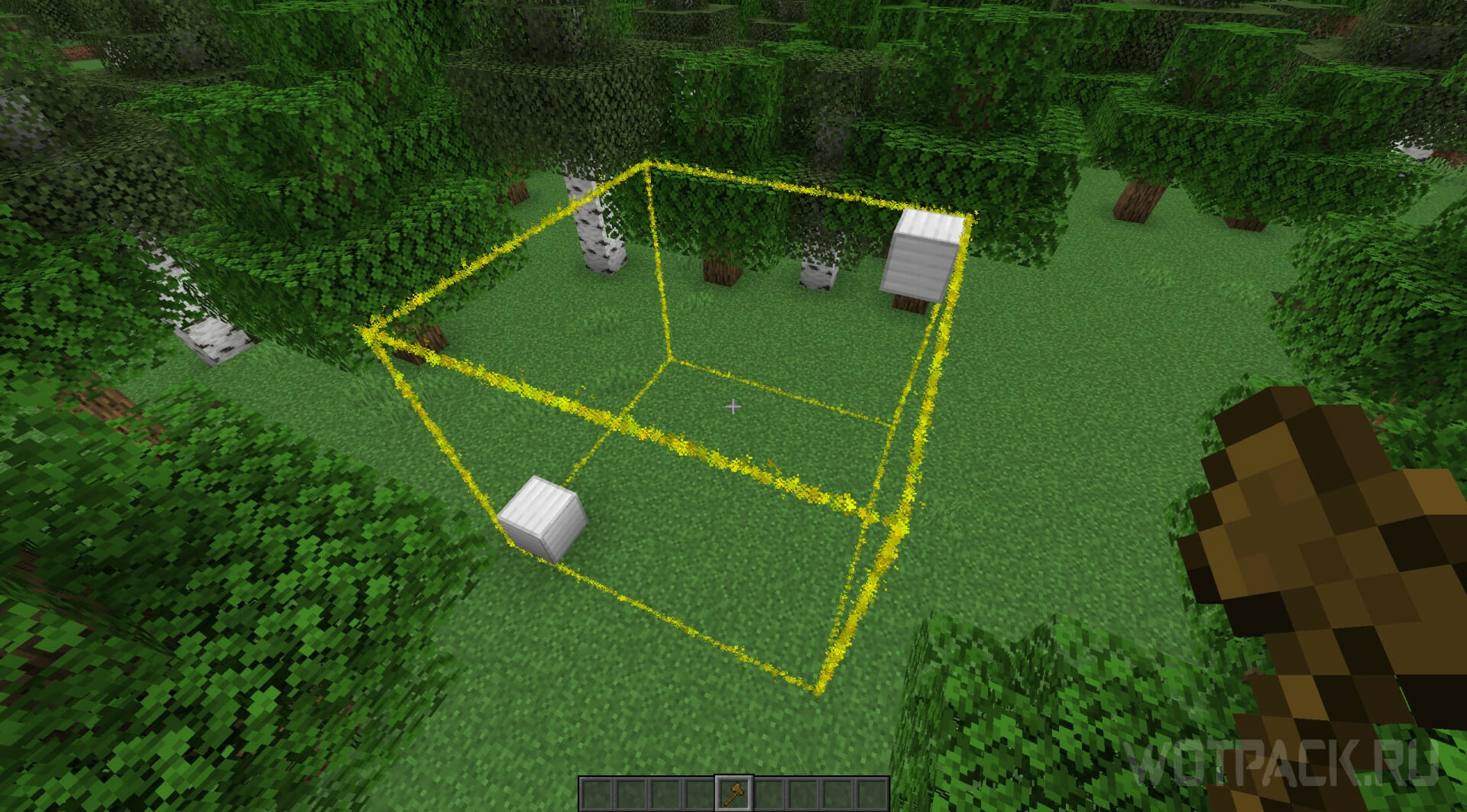
With this method, anyone can own a house in Minecraft and feel safe.
How to expand the territory of a private
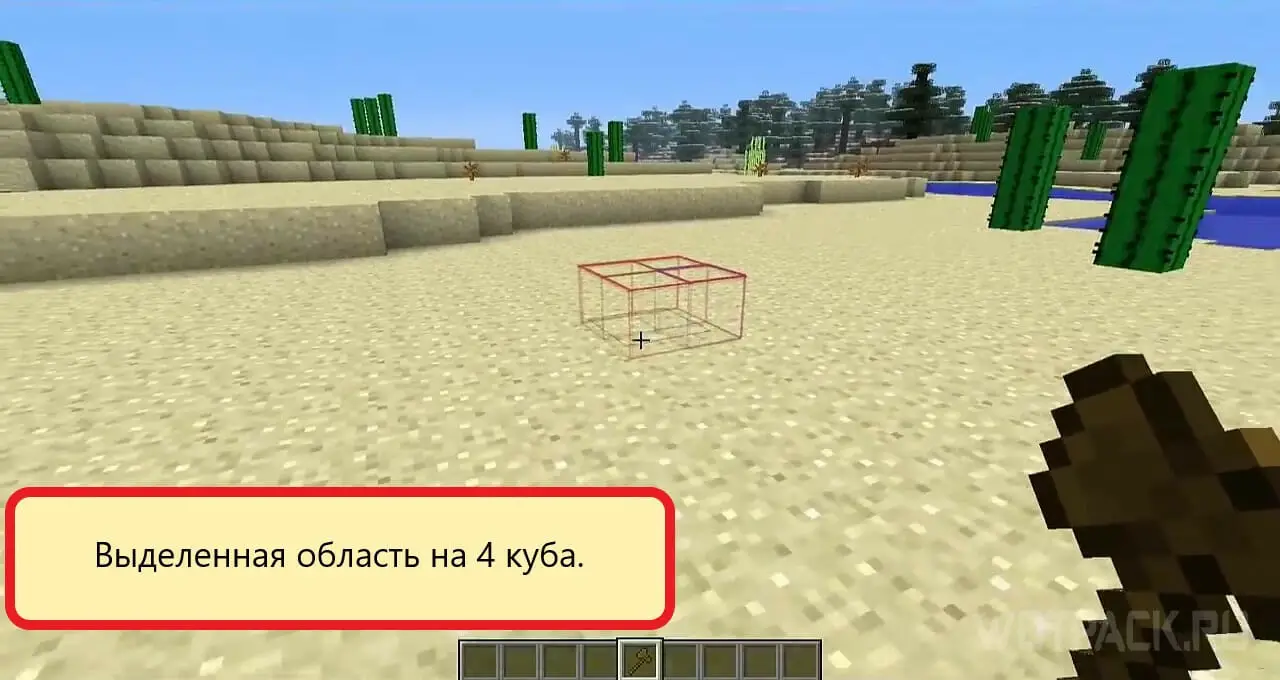
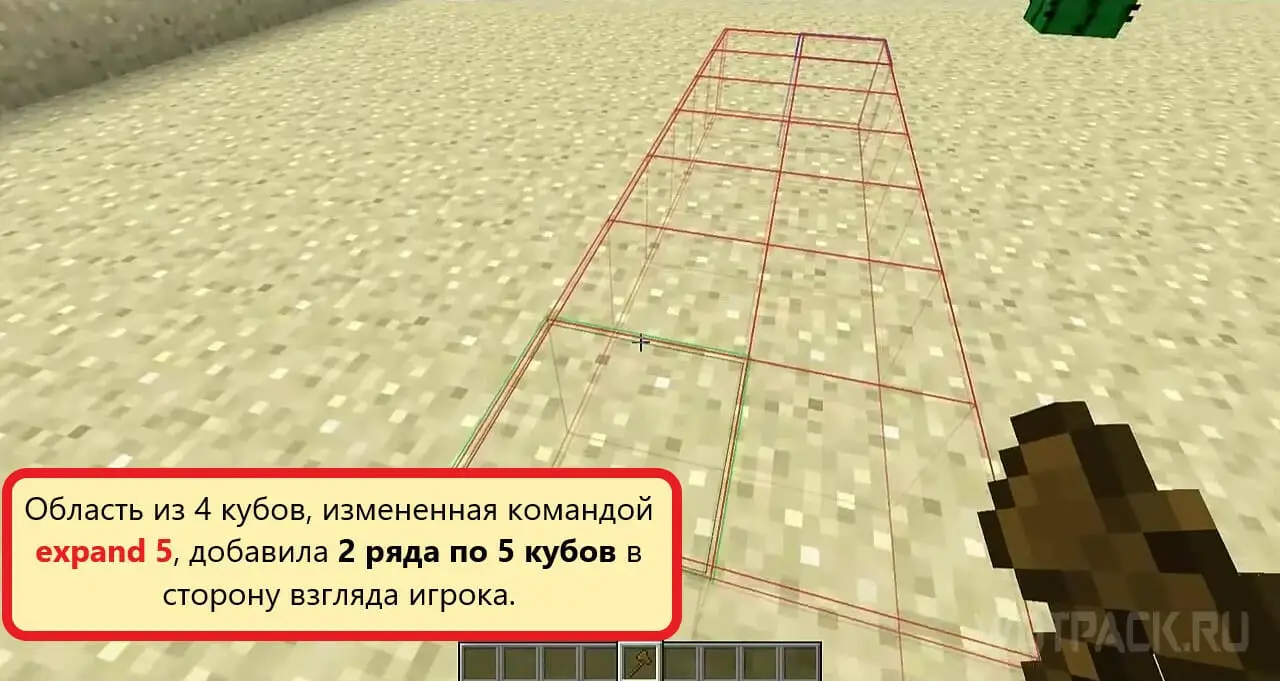
Use the command to select an area. The complete phrase looks like this:
- // expand Direction Number_of_blocks.
As values directions choose commands or just look in one direction or another (in this case, you can not specify the direction):
- Up - up.
- Down - down.
- West - west.
- East - east.
- North - north.
- south - south.
Instead of number of blocks enter any number. Then execute the already known / rg claim Region_name.
To simplify the work, you can use other extension commands:
- //outset Number_of_blocks expand the region in each direction by a certain number of blocks.
Use the -h/-v options for more precise selection:
- //outset-h Number_of_blocks expand on the number of blocks only vertically.
- //outset -v Number_of_blocks expand on the number of blocks only horizontally.
After selection, do not forget to enter / rg claim Region_nameto complete the privatization.
Examples of useful commands:
- // expand 16 16 w - select an area 2 chunks to the east.
- // expand 16 16 n - select an area 2 chunks to the north.
- // expand vert - expands an already selected area to the sky and bedrock.
How to delete private in Minecraft
 Go to your personal area and type in the console:
- / rg remove Region_name
This action will delete the privacy zone.
How to add a friend to private in Minecraft
 Adding friends to a private region will give them almost the same options as the creator. To add a friend to private in Minecraft, enter the following console commands:
- /rg addmember Region_name Username — will add the user to the region. He will be able to resize it, manipulate cubes and things in the area. Cannot add players.
- /rg addon Region_name Username — will add a user with owner status to the region. The owner can not only change the region, but also add / remove new players.
Commands for removing members of a personal region will be needed in a tense situation:
- / rg removemember Region_name Username — expel the user from the members of the private region.
- /rg removeowner Region_name Username - expel the owner from the region.
Commands for private in Minecraft
Some WorldGuard plugin commands that will come in handy after creating a private. Write without entering the player's name, and then the command will apply to you:
- / god Username - makes the player invulnerable.
- /ungod Username - remove invulnerability.
- /heal Username - heal the selected player.
- /slay Username - Kills the selected player.
- /stack - all items in the inventory will be updated in the amount of 64.
- /stopfire - Stops the fire.
- /stoplag - stops water and lava, TNT, mob spawning, etc. Enter /stoplag -c to cancel.
- /wg reload - reloads the plugin.
- /rg i - see the name of the region in which you are.
How to protect the house with flags
 Use flags to vary the security settings of the territory and items for yourself and friends. The sentence syntax for the console is:
- /rg flag Region_name flag_name allow or deny
In this command allow gives permission, deny - prohibits. Choose one of the two.
Territory Defense Commands [Useful Flags]
Flag names for the finest customization of rights in a private area. Insert in the basis of the proposal, choose allow or deny and enter in the console:
- passthrough - set allowed so that the region is treated as an area where the flag check is missing build. Useful when using other flags and don't want to interfere with construction.
- pvp - adjustment of the ban on PvP.
- mob-damage - is responsible for the ability of mobs to take away health.
- mob-spawning - responsible for the spawning of mobs.
- enderpearl - Responsible for the possibility of using Ender Pearls.
- ghast-fireball - adjusts the damage from the ghast and creeper balls.
- sleep - permission to use the bed.
- tnt - ban/allow dynamite explosion.
- lighter - regulation of the use of flint.
- lava-fire - regulation of arson from lava.
- lightning - on/off lightning strikes.
- chest-access - access to the chest.
- water-flow - regulation of water flows.
- lava-flow - regulation of lava flows.
- use - prohibition / permission to use buttons, doors.
- notify-enter - show a message about entering the region.
- vehicle-place - permission to place vehicles.
- vehicle-destroy - deleting a vehicle.
- build - affects the ability to destroy blocks in the region. Do not touch, if you do not want to give outside players the opportunity to break private buildings.
- snow-fall - snowfall.
- leaf-decay - leaf fall.
- farewell - message if the player left the region.
- creeper-explosion - permission / ban on the creeper explosion.
We hope this guide helped you understand the basics of the WorldEdit and WorldGuard plugins and how to make your house private in Minecraft. Leave all questions about commands, ways to create and change a private area in the comments. Category Minecraft even more game guides: check out what's new.