In an open-world RPG, the main element is the completion of numerous story and side quests. Of Ash and Steel Some quests proved impossible to complete due to critical errors: many players lost important items and key NPCs, and sometimes even loading an earlier save failed to bring them back into the world.
The developers offered a solution to this problem in patch 1.05, adding a debug console. The official tool only helps restore lost data, but it doesn't simplify gameplay—for that, you'll need to install more comprehensive cheats separately.
How to open the console in Of Ash and Steel
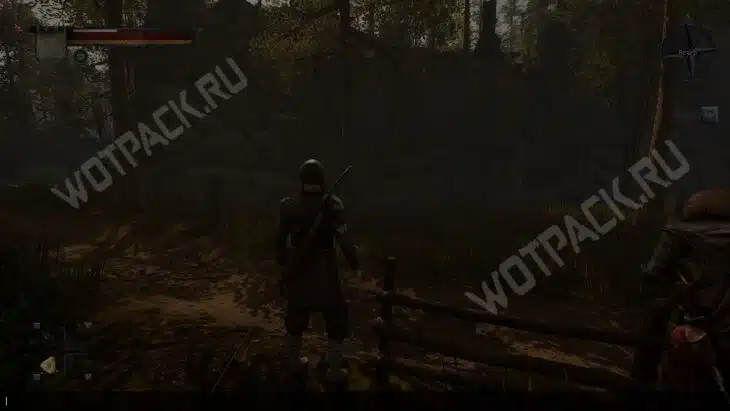
To use the console, load a save and use the key combination Shift + F12A command line will immediately appear at the bottom of the screen. You can enter cheats using "Ctrl + C," and activate the command by pressing "Enter."
Entering debug commands may cause unexpected consequences, introducing new bugs. It's recommended to back up your saves before using cheats.
All cheat codes for Of Ash and Steel
The cheats published by the developers are aimed at fixing known bugs, not simplifying gameplay. They can be divided into three categories:
- return of missing items;
- NPS management;
- quest progress management.
Basic commands
In the commands given, instead of ID, the ID of the item, NPC, or task is specified without brackets.
Example of use: additemid Bonacci's Ring.
| Assigning a console command | Code |
| Creates an item in front of the player | spawnitem (ID) |
| Adds an item to the inventory | additemid (ID) |
| Activates the trigger | debugsetrigger (ID) |
| Deactivates the trigger | debugunsettrigger (ID) |
| Enables the ability to talk to NPCs | forceenablespeak (ID) |
| Teleports the selected character to the player | teleportnpc (ID) |
| Resurrects NPCs | setalivenpc (ID) |
| Disables all LOD layers when layering | remove lodlevels all |
| Activates the follow player function for the selected character. | forcefollowpc (ID) |
| Selects a quest to manage using the commands below | setquest (ID) |
| Starts the task | startquest (ID) |
| Completes the task | completequest (ID) |
| Adds a task | setactivetask (ID) |
| Completes the task | setcompletetask (ID) |
Character IDs (NPCs)
Unique names of characters that most often cause problems. Note that if a quest name is listed in parentheses, the NPC will only appear in the world while the quest is being completed.
| Character | ID |
| Blood | Blad |
| Captain Maduma | DockCaptain |
| Khutsut | Hucut |
| Lambert | Lambert |
| Pinter | Pinter |
| Recruiter | Cork |
| Robas | Robas |
| Rukh (quest “They don’t give away stolen goods”) | Ruh |
| Twain (quest “They don’t give away stolen goods”) | Twen |
| Bandit 1 (quest "Stolen Goods Don't Give Away") | RuhGuard |
| Bandit 2 (quest "Stolen Goods Don't Give Away") | RuhGuard2 |
| Slack | Snail |
| Stormwhisper Guardian | StormWhisperGuard |
| Frick | gs_guild_bh_freak_spawner |
| Henry (quest "Wine is to blame") | gs_guild_bh_07_henry_spawner |
| Jan (quest "Wine is to blame") | gs_guild_bh_07_yan_spawner |
Quest item IDs
The game's main problem was disappearing quest items. To return them to your inventory, use the identifiers in the table.
Example of use: spawnitem BP_Pickup_Lis_Svertok_Village_Entrance
| Item | Quest | Act | ID |
| Fox's Pouch (entrance to the village) | The Fox's Flawless Plan | 1 | BP_Pickup_Lis_Svertok_Village_Entrance |
| Fox's Bag (Stable) | The Fox's Flawless Plan | 1 | BP_Pickup_Lis_Konushnya |
| Fox's Bag (Central House) | The Fox's Flawless Plan | 1 | BP_Pickup_Lis_Svertok_Centr |
| Ice Petal | Introduction to the Free | 1 | BP_PickUp_joinfreemen_icepetal |
| Dirty pants | Dirty Secret | 1 | BP_Pickup_NerestPortki |
| Another pair of dirty pants | Dirty Secret | 1 | BP_Pickup_NerestPortki2 |
| Milena's Ring | Two sisters | 1 | BP_PickUp_FreeFarm_MilenaRing |
| A bundle of firewood | Firewood for hunters | 1 | BP_PickUp_Woodhunter_Woods |
| Package for Duster | Strong teeth | 1 | BP_PickUp_ToughTeeth_Bookmark |
| red handkerchief | Better than nothing | 1 | BP_PickUp_BetterThenNothing_RedHanky |
| Old dagger | Better than nothing | 1 | BP_Pickup_NerestKortik |
| A net with bait for fish | Diver | 1 | BP_PickUp_FishVillage_FishBite |
| Hobsters' Note | Bad district | 1 | BP_Pickup_Eleonora_Goblin_Note |
| Eleanor's Wheel (cemetery) | Bad district | 1 | BP_Pickup_Eleonora_Wheel_Cemetery |
| Eleanor's Wheel (camp) | Bad district | 1 | BP_Pickup_Eleonora_Wheel_Camp |
| Eleanor's Wheel (Bridge) | Bad district | 1 | BP_Pickup_Eleonora_Wheel_Bridge |
| Eleanor's Wheel (cave) | Bad district | 1 | BP_Pickup_Eleonora_Wheel_Cave |
| Wheel from Cyril's forge | Cyril's Request | 1 | BP_PickUp_cirylsquest_blacksmithswheel |
| Cyril's Hammer | Cyril's Request | 1 | BP_PickUp_cirylsquest_cyrilshammer |
| Old shirt | Scarecrow | 1 | BP_PickUp_PugaloCloth |
| The workers' stash | Working moments | 1 | BP_PickUp_FreemanFarm_ZanachkaRabotyag |
| Rusty shaft | Broken Shaft | 1 | BP_PickUp_AiO_BrokenShaft |
| The Wanderer and His Horn (book) | Home decoration | 1 | BP_Pickup_KaygarBook |
| Iron Crown | Big thing Magvo | 2 | BP_MagvoBigThing_IronCrown |
| Rotating mechanism | Big thing Magvo | 2 | BP_Pickup_MagvoBigThing_WindMillDetail |
| Old wheel | Big thing Magvo | 2 | BP_Pickup_MagvoBigThing_OldWheel |
| Vane | Big thing Magvo | 2 | BP_Pickup_MagvoBigThing_Fluger |
| Anchor | Big thing Magvo | 2 | BP_MagvoBigThing_Anchor |
| The Meorian Devil, Volume 4 | Thirst for knowledge | 2 | BP_Pickup_KnowledgeThirst_NestBook3 |
| Book of calculations | Taxes and fees | 2 | CustomsClearance_CustomsBook |
| Old note | Heritage | 2 | BP_PickUp_legasy_IrjiHouseNote |
| Can of paint | Impregnable Fort (Volniki) | 2 | BP_PickUp_inaccessible_fort_dye |
| Key to the Mentor's Chest | Impregnable Fort (Order) | 2 | BP_PickUp_inaccessible_fort_BroyanChestKey |
| A letter sealed with the king's rune | Letter sealed with the king's rune (Volniki) | 2 | BP_PickUp_KingsLetter_LetterVolniki |
| A letter sealed with the king's rune | Letter sealed with the King's rune (Order) | 2 | BP_PickUp_KingsLetter_LetterOrden |
| Carved pipe | Lost Tube | 2 | BP_PickUp_AiO_HorenisPipe |
| Lucio de Roque. The Lost Legacy | Lost Heritage | 2 | BP_PickUp_Freemans_AmaltikusBook |
| Meor herbs | Almost legal | 2 | BP_PickUp_AlmostLegal_MeorHerbs |
| Gepetto's Purse | Right-handed against his will | 2 | BP_PickUp_Lefty_DjepettoWallet |
| gold chain | The missing lumberjack | 2 | BP_Pickup_Quest_Necklace |
| Statuette | Seven figurines | 2 | BP_PickUp_KBSeven_Statue |
| A parcel of powder | footprints in the sand | 2 | PickUp_FeetSand_Bookmark |
| Cordelius's sickle | Old sickle | 2 | BP_PickUp_oldsickle_CorodeliusSickle |
| Basalt ingot | A good pickaxe | 3 | BP_Pickup_nicepic_basaltingot |
| Kirk Thorst | A good pickaxe | 3 | BP_PickUp_NicePick_ThorstPickAxe |
| Solid ingot | A good pickaxe | 3 | BP_Pickup_nicepick_strongingot |
| Patron's Card | Kind patrons | 3 | BP_PickUp_kindPatrons_BanditMap |
| A note | Dear Lost | 3 | BP_PickUp_ExpensiveLoss_GalatNote |
| Lazarus Stone | Dear Lost | 3 | BP_PickUp_ExpensiveLoss_LazarSstone |
| Guard Chest Key | Dear Lost | 3 | BP_PickUp_ExpensiveLoss_GalatKey |
| Meor dagger | Dear Lost | 3 | BP_PickUp_ExpensiveLoss_MeorDagger |
| Alchemy, Volume 1 | Thirst for knowledge | 3 | BP_Pickup_knowledge_thirst_Alchemy01 |
| Alchemy, Volume 2 | Thirst for knowledge | 3 | BP_Pickup_knowledge_thirst_Alchemy02 |
| Alchemy, Volume 3 | Thirst for knowledge | 3 | BP_Pickup_knowledge_thirst_Alchemy03 |
| Bonacci Ring | Bonacci Ring | 3 | BP_GuildKB_BonachiRing |
| Klim's Diary | He who chops, warms himself | 3 | BP_PickUp_WoodcuttersFinal_KlimBook |
| Water for Levin | Cure for illness | 3 | BP_PickUp_illness_cure_LevinWater |
| Ground up caveman | Cure for illness | 3 | BP_PickUp_illness_cure_porous_cavemushroomPowder |
| Porous caveman | Cure for illness | 3 | BP_PickUp_illness_cure_porous_cavemushroom |
| Old leaf | No paper, no letter | 3 | BP_Pickup_nopaper_noletter_oldpaper |
| A bundle of weapons | Weapons for rebellion | 3 | BP_Pickup_riot_weapon_bundleweapon |
| Delivery reports | Supplies from farms | 3 | BP_PickUp_AiO_CustomReport |
| Red Oreana | Beautiful flower | 3 | BP_PickUp_Flower_NiaFlowers |
| Secrets of Lucida | Grow big | 3 | BP_PickUp_BigGrowth_LucidBook |
| Rare painting 1 | rare paintings | 3 | BP_PickUp_RarePics_RarePicture1 |
| Rare painting 2 | rare paintings | 3 | BP_PickUp_RarePics_RarePicture2 |
| Rare painting 3 | rare paintings | 3 | BP_PickUp_RarePics_RarePicture3 |
| Rare painting 4 | rare paintings | 3 | BP_PickUp_RarePics_RarePicture4 |
| Rare painting 5 | rare paintings | 3 | BP_PickUp_RarePics_RarePicture5 |
| Army dagger | Serial killer | 3 | BP_PickUp_SerialKiller_ArmyKortik |
| A scrap of paper | Strange crystals | 3 | BP_PickUp_crystals_GuardPapper |
| Zeze's Dagger | Zeze's scratcher | 3 | BP_PickUp_zezecomb_zezeknife2 |
| Right key fragment | Greyshaft Mines | 3 | BP_Pickup_mines_vincentkey02 |
| SWORD OF A'AR | Ancient manuscript of the Order | 4 | BP_PickUp_IceBrige_Sword1 |
| SWORD Vir Ge Dira | Ancient manuscript of the Order | 4 | BP_PickUp_IceBrige_Sword2 |
| A page from the order's archives | Ancient manuscript of the Order | 4 | BP_Pickup_ElderScrollSvertok |
| FROSENTHAL | Ancient manuscript of the Order | 4 | BP_PickUp_IceBrige_Sword3 |
| Star of Astarte | Cold blood | 4 | PickUp_ColdBlood_MeltVine |
Developer console (debug menu)
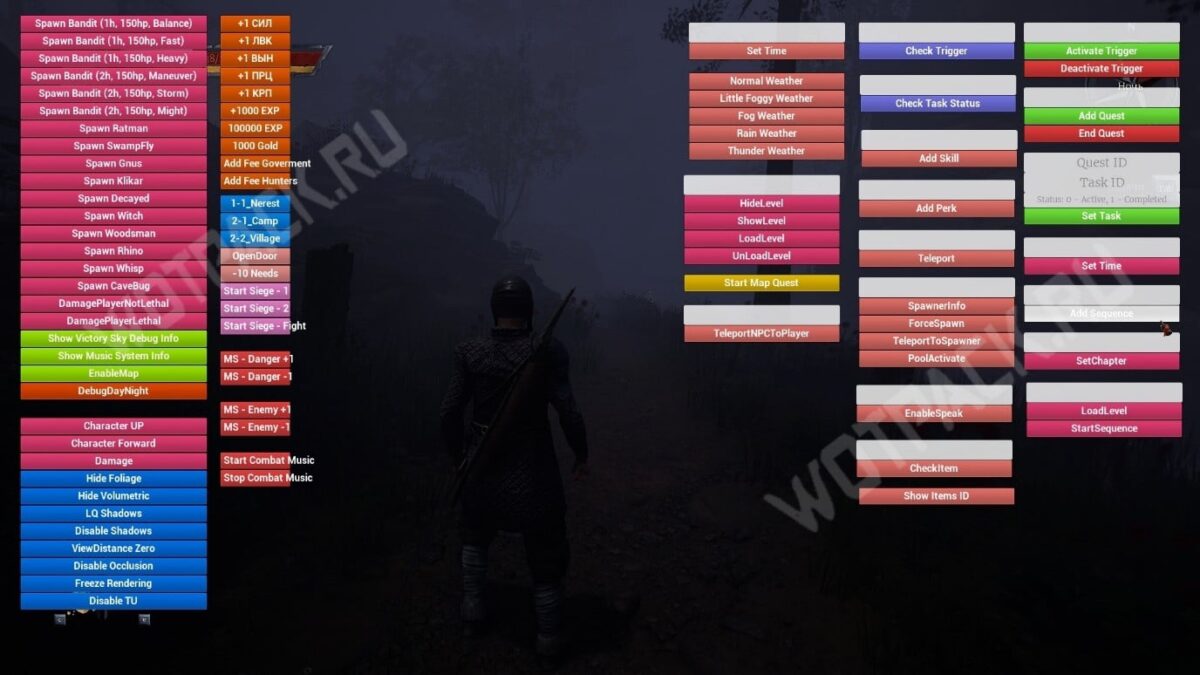
A more advanced way to manage various aspects of the game is to install a debug menu mod in Of Ash and Steel. This fan-made mod features a graphical interface and allows you to change variables on the fly. Edit stats, add items, and spawn enemies with a single click.
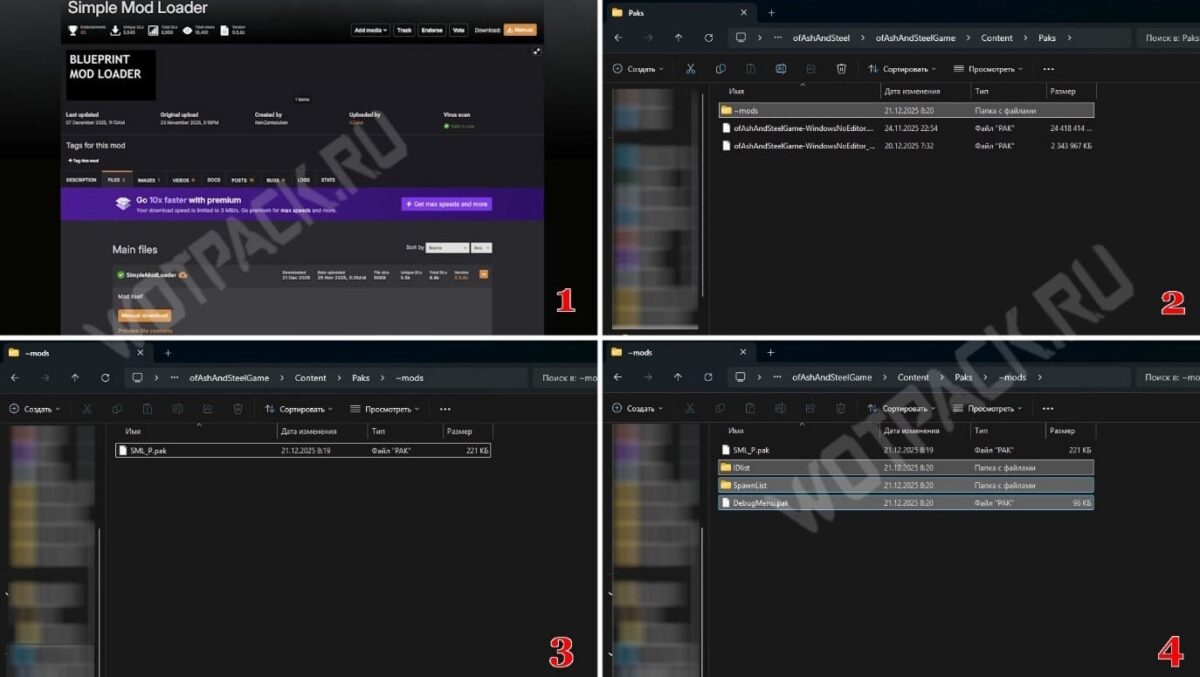
You can get the modification from the portal nexusmods.comInstallation is simple, but requires following the following steps:
- Download the aid Simple Mod Loader.
- Create a folder called "~mods" in the directory ...\ofAshAndSteel\ofAshAndSteelGame\Content\Paks
- Move the SML_P.pak file from the downloaded archive to the created folder.
- Download modification files and extract them from the archive into the same “~mods” folder.
If everything is done correctly, after entering the game, switch the layout to English and press the key tilde (~)A command entry line will appear at the bottom of the screen. For convenience, press the button again—the line will transform into a full-fledged console with information output.
Basic commands:
| appointment | Code |
| Enables the basic debug menu. To close, enter the command again. | debugging |
| Enables additional debug menu. | debugtg |
| Sets the fine for theft to 1 gold. | nocriminal |
| Sets the global fog multiplier. Replace (X) with the desired value. | vsky fogmult (X) |
| Displays a list of item IDs of the selected type (quest, consumable weapon, gold, rings, crafting, other, any). If you don't specify a type, the full list will be displayed. | listitems (type) |
| Creates the selected item in front of the player. | spawnitem (type) (ID) |
| Unlocks all chests within the selected radius. | openchests (radius) |
| List of IDs of all spawnable NPCs. | listnpc |
| Creates a character from the list of available characters. Created copies cannot be interacted with. | spawnnpc (ID) |
| Finds the specified character in the game and transports them to the player. You must specify their in-game name in Russian or English, not their ID. | bringnpc (name) |
| Kills all characters within the specified radius. | killnpc setdead (radius) |
| Kills all animals within the specified radius. | killanimals setdead (radius) |
Sets the selected attribute to the specified value. Possible attributes:
|
attr (characteristic) (meaning) |
| Sets the underwater visibility value. Replace "X" with a number between 0 and 1. | underwaterpp (X) |
In the downloaded archive, you will find the file "README.txt" with installation and usage instructions.
Trainer
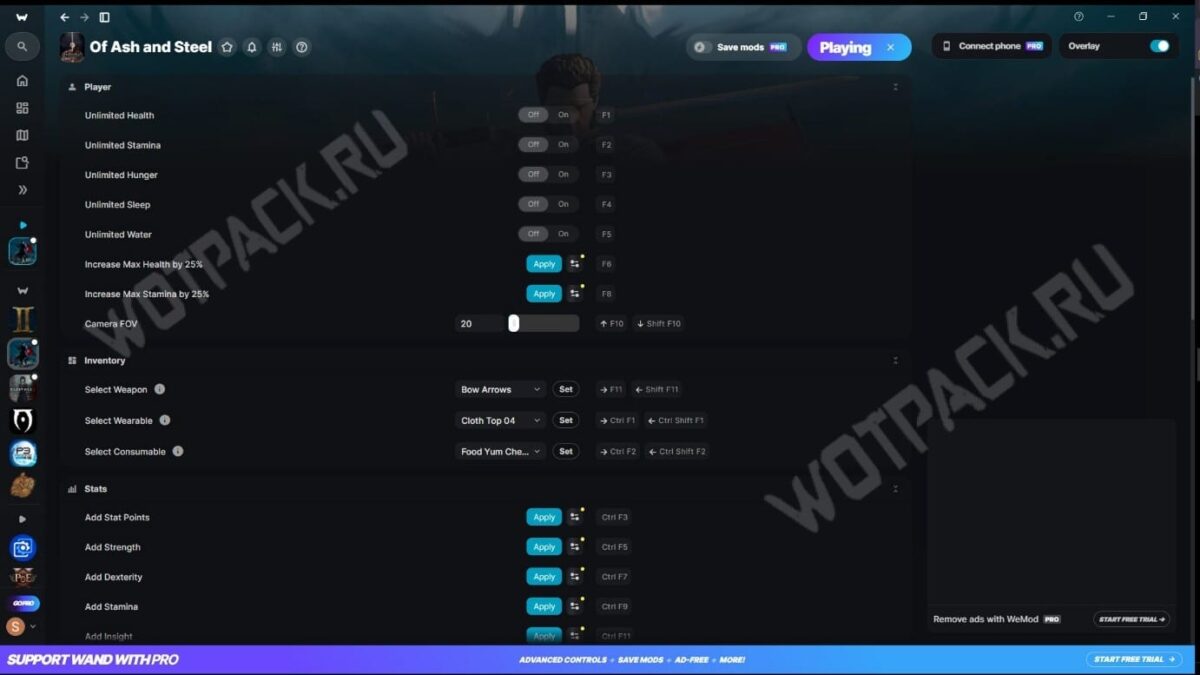
The WeMod app on PC makes it easy to use cheats in Of Ash and Steel by binding them to specific keys. By default, the features include infinite health, stamina, hunger, fatigue, thirst, FOV adjustments, and stat management. All of these are easily controlled with hotkeys and combinations, accompanied by a sound effect and overlay notifications.
Download the trainer for Of Ash and Steel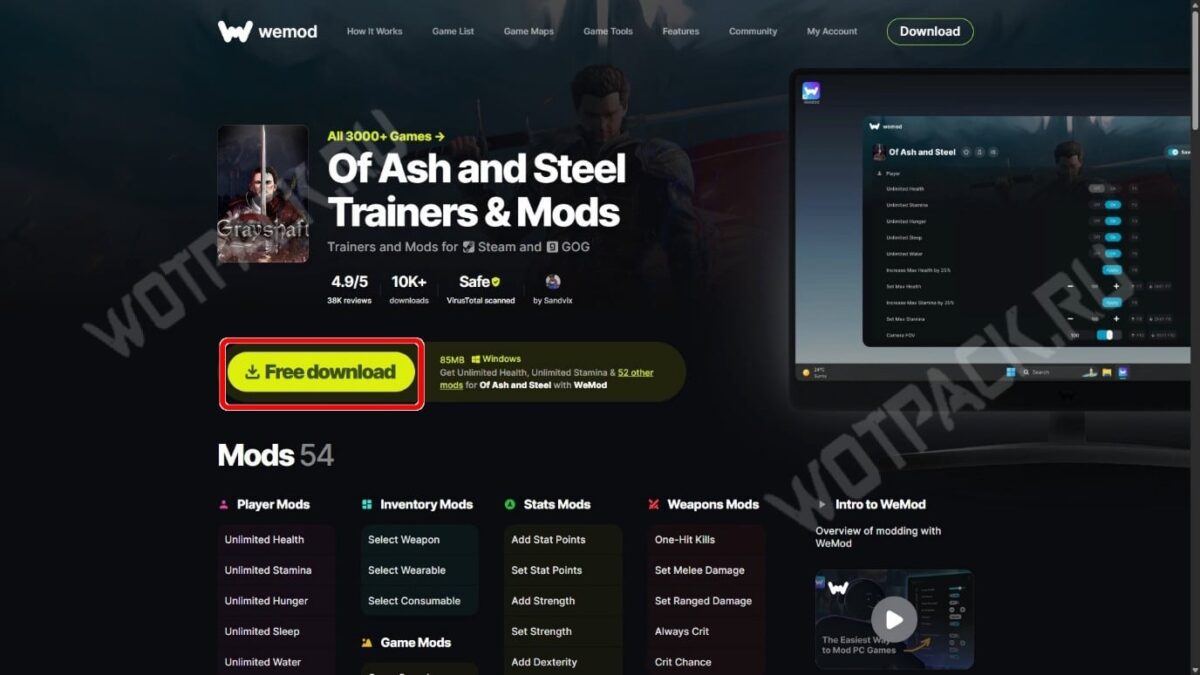
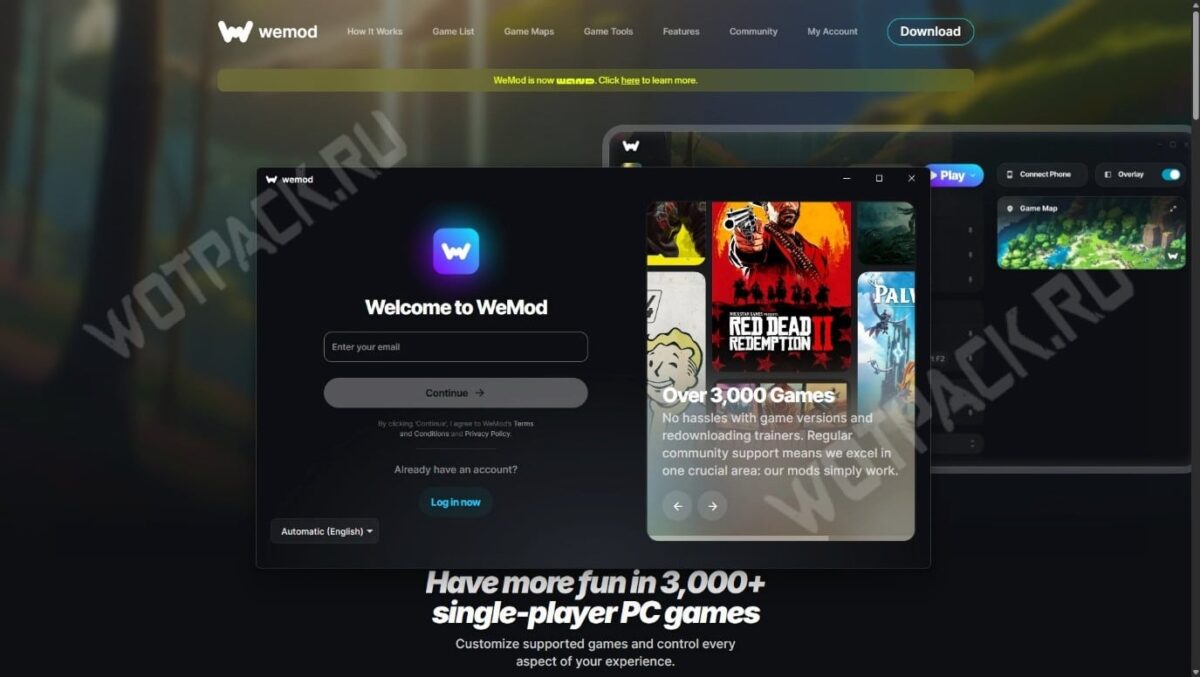
To start using:
- Go to the game's page on the WeMod website and click the "Free Download" button.
- Run the downloaded file and begin the installation.
- In the window that opens, enter your email address.
- Once you've completed the registration process, you'll be redirected to the app. Select "Of Ash and Steel" from the list on the left and click the "Play" button.
If you find the preset hotkeys inconvenient, change them to suit your needs in the trainer interface.