
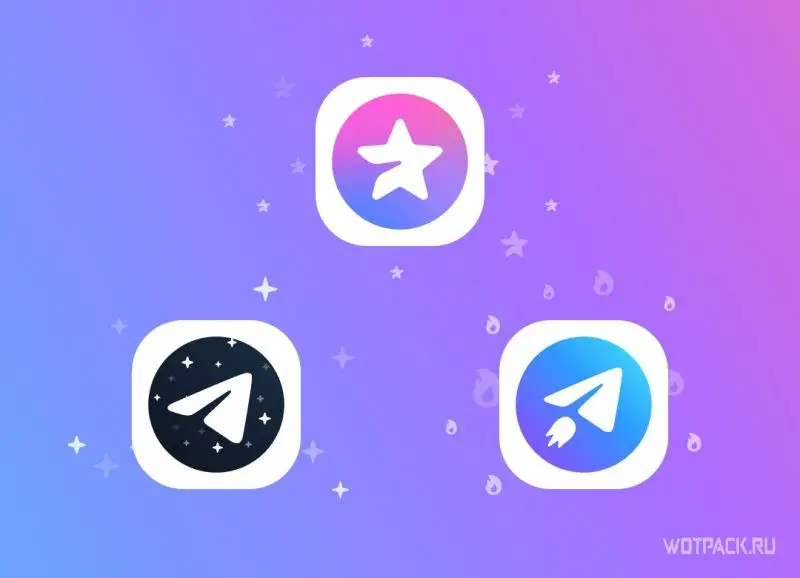
Telegram Premium is a paid subscription that unlocks additional features of the messenger. It allows you to upload files up to 4 GB, use exclusive reactions, and customize your profile. Additionally, premium includes text transcription for voice messages, text translation, and double the limits on chats and channels, making the messenger even more convenient.
In this article, we'll cover all the subscription features and how to activate and pay for Telegram Premium in Russia on iOS, Android, and PC. We'll also cover how to use the in-app bot, which helps you pay in rubles and purchase premium at a discount.
How much does a premium subscription cost in Telegram
The price depends on several factors:
- device on which you take premium;
- you buy it directly through the messenger or on third-party platforms;
- Premium period - the longer it is, the lower the monthly cost will be.
The table compares the price for premium across different devices and websites.
| Telegram | Donatov.net | Apple (App Store) | |
| 1 month | 299 rubles | 449 rubles (with commission) | |
| 3 month | 1049 rubles | 1139 rubles | 1199 rubles (with commission) |
| 12 months | 2530 rubles | 2749 rubles | 2390 rubles (with commission) |
How to buy Telegram Premium in Russia in 2026
There are several ways to purchase a subscription:
- Using the official chatbot @PremiumBot.
- Through third-party platforms, for example, Donatov.net.
Depending on the exchange rate, prices when using these options may vary; choose the most advantageous option for your situation.
Buy premium at a discount
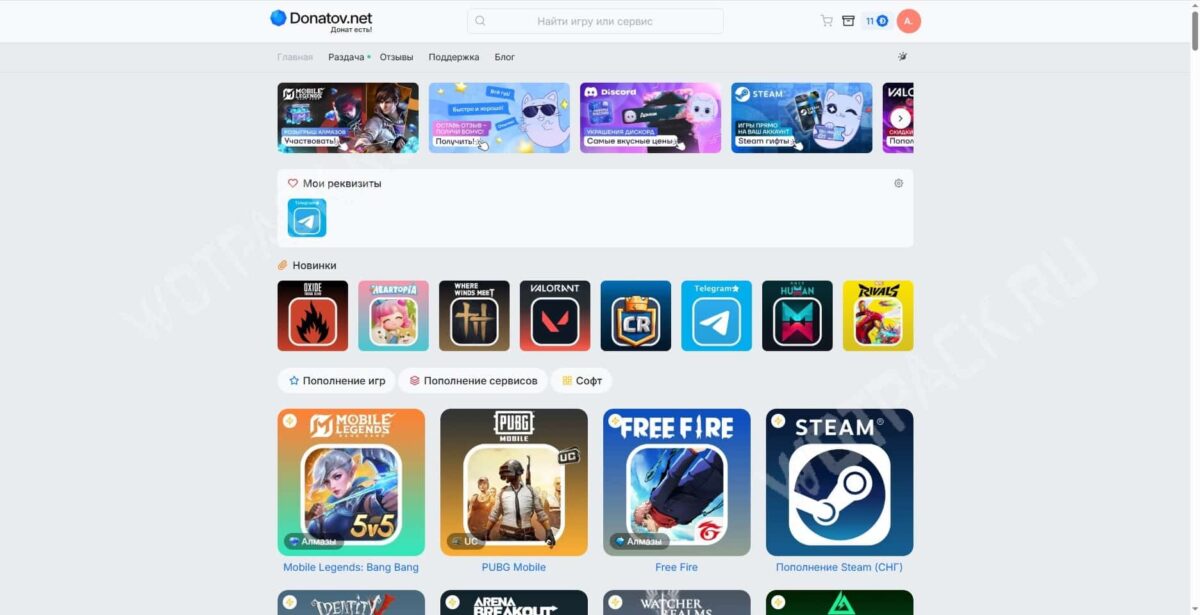
A convenient and fast way is to use the services of third-party platforms, for example, Donatov.net storeThe platform allows you to purchase a subscription without regional restrictions, and the fixed price can be attractive during periods of currency instability. Options include 3-, 6-, and 12-month plans.
Please save your username before purchasing:
- Open your personal account and go to "Settings".
- Next to your profile photo, under your phone number, you'll see your nickname in the format @username - copy it with a simple click.
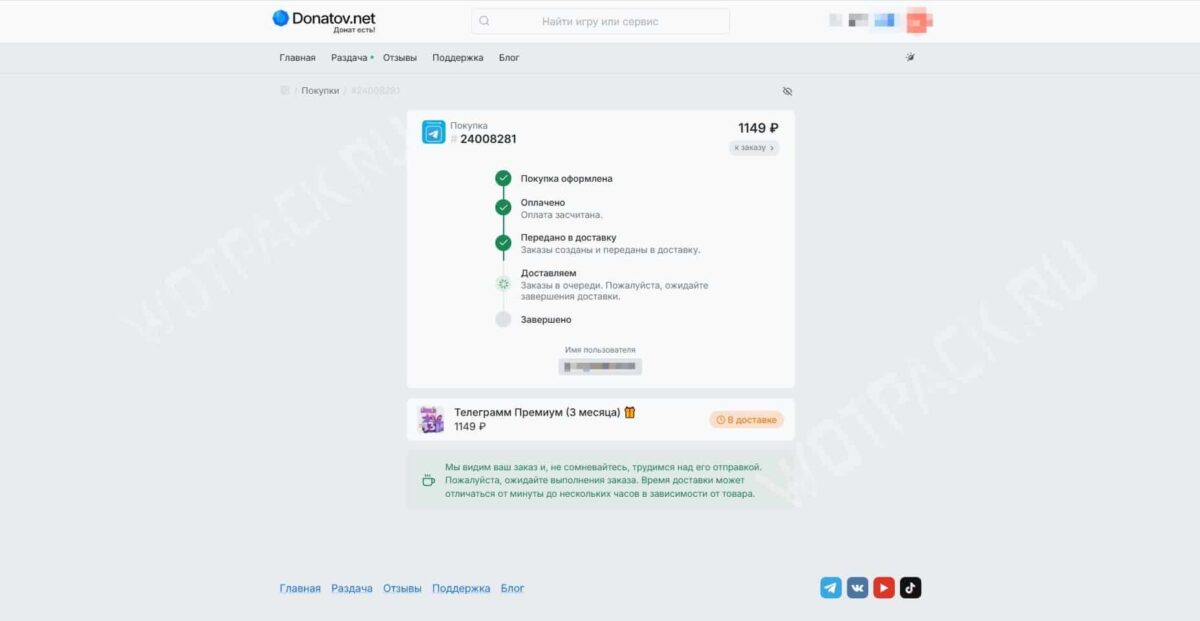
Now you can proceed to placing your order:
- Open the service Buy Telegram Premium on Donatov.net and choose your subscription duration: from 3 months to a year.

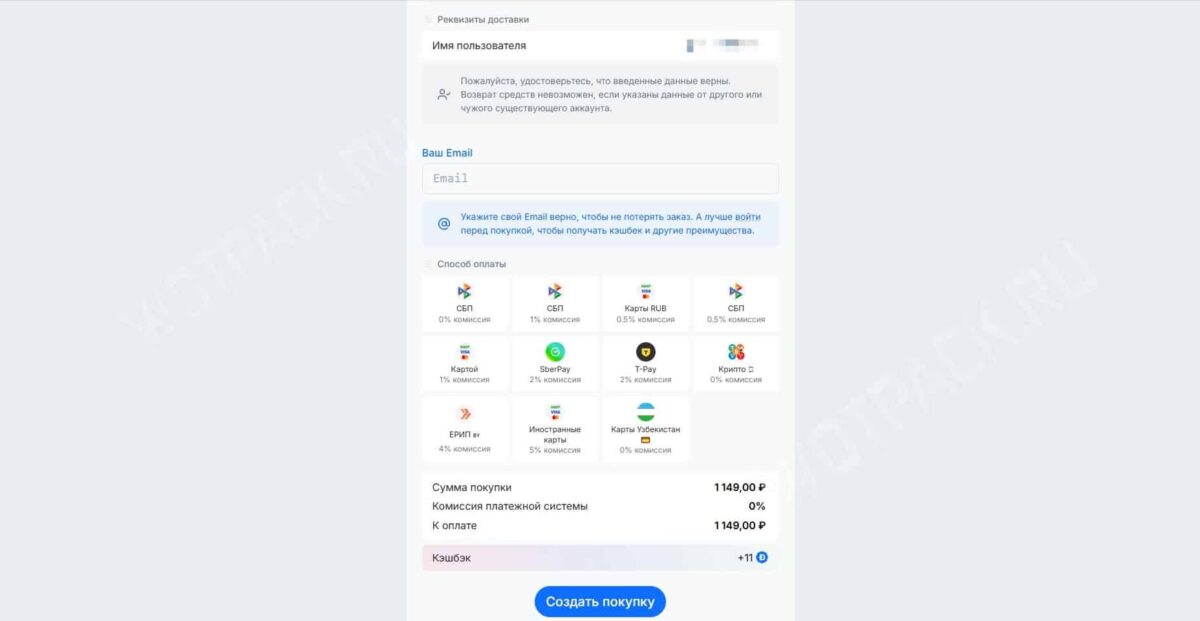
- Please enter your username in the field. Username and click "Buy".
- Select a payment method—Fast Payment System (SBP), Russian and international bank cards, SberPay, T-Pay, or another. You can also specify the email address where the receipt will be sent in the form.
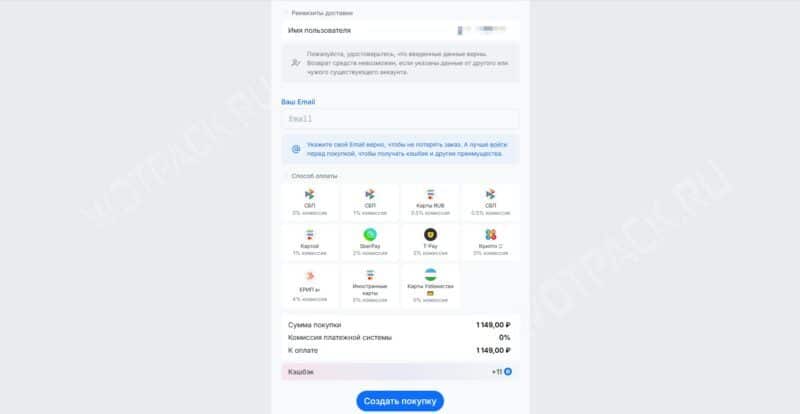
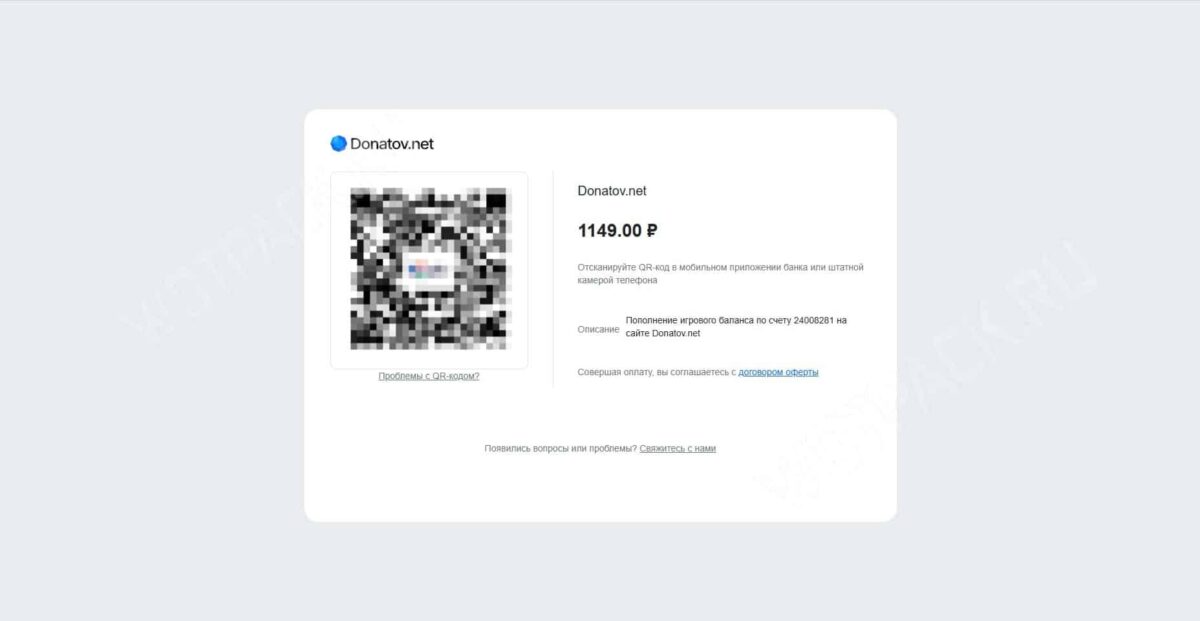
- Create and pay for the purchase to assign the order status "In line".
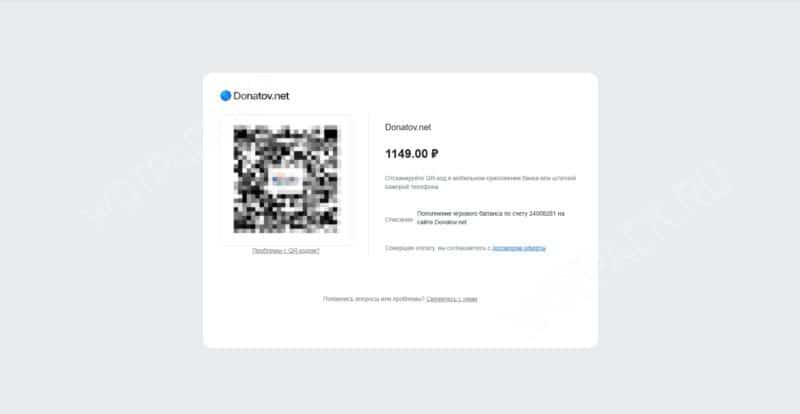
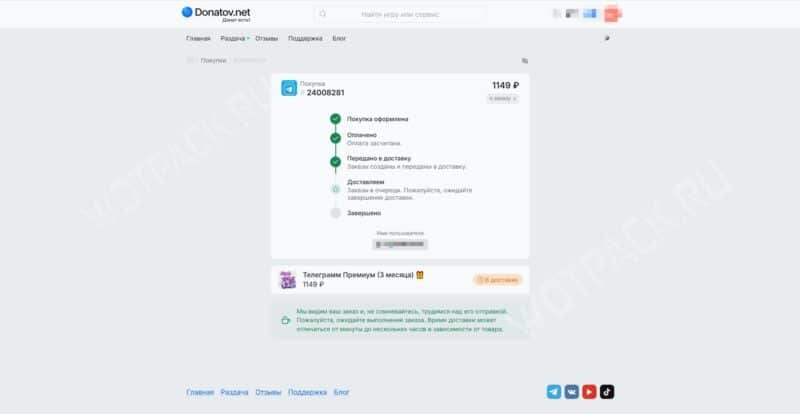
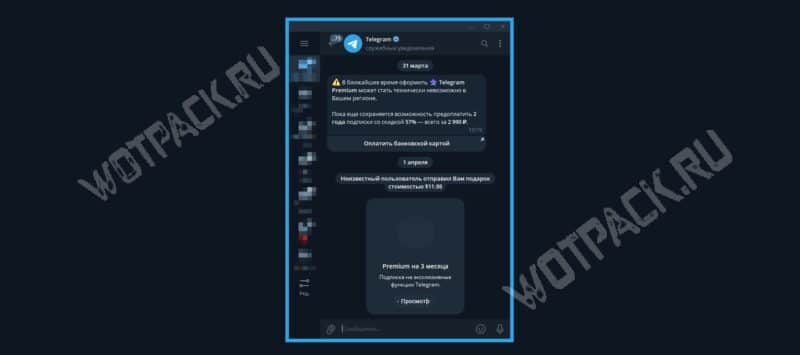
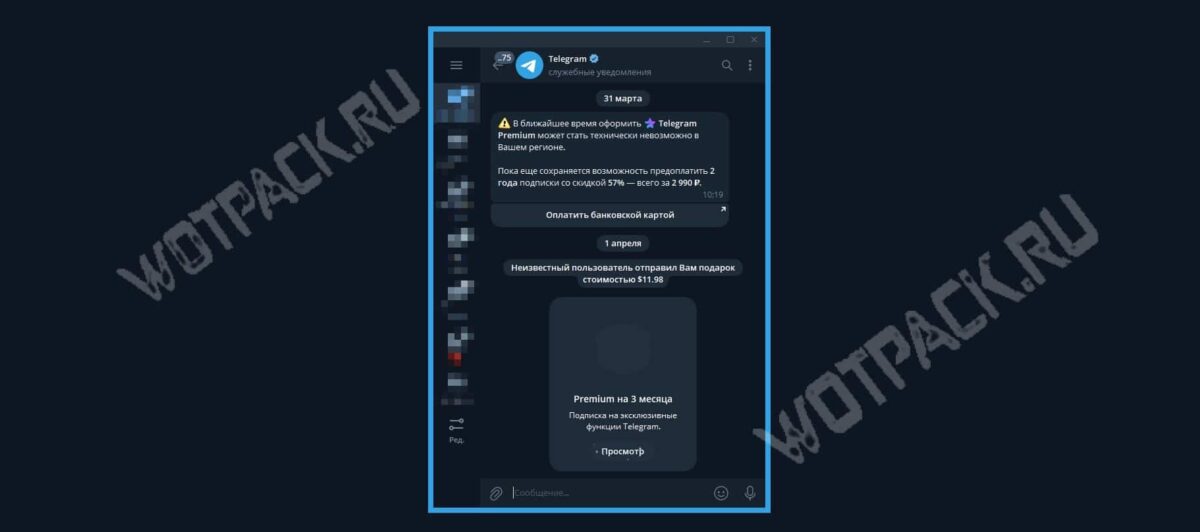
- In 1-5 minutes Service notifications In the application you will find the message: “An unknown user has sent you a gift.”

Payment via SberPay
You can also subscribe within the messenger. To pay for Telegram Premium through the official bot using SberPay, follow the steps below:
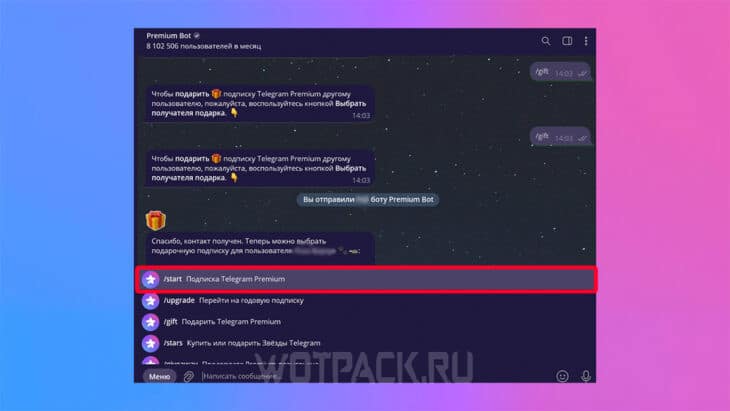
- Go to chatbot @PremiumBot.
- Launch it and click on the menu.
- You are taking "Telegram Premium Subscription".
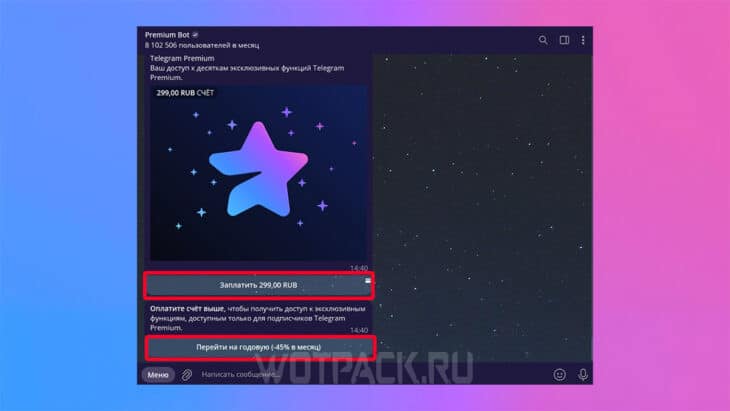
- Click "Pay", if you need a 1 month subscription, or "Switch to annual", if you plan to take premium for 12 months.
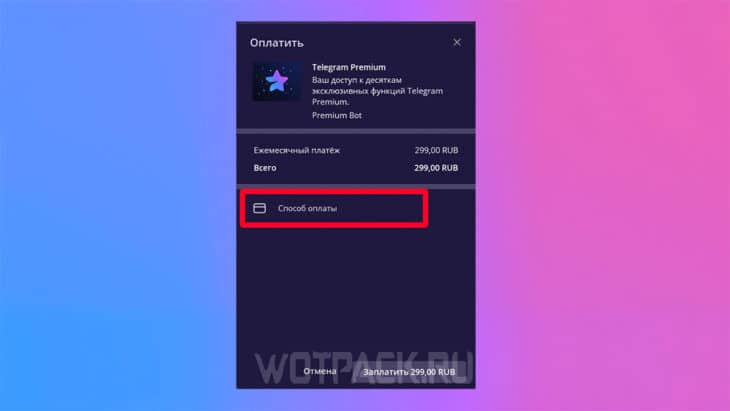
- Click "Payment method" section and "Add SberPay".
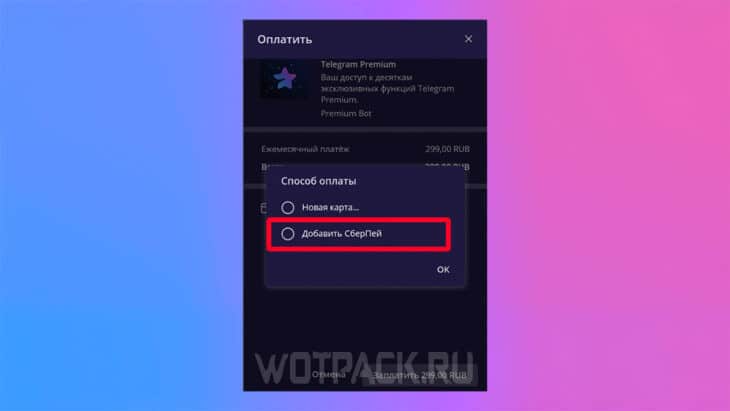
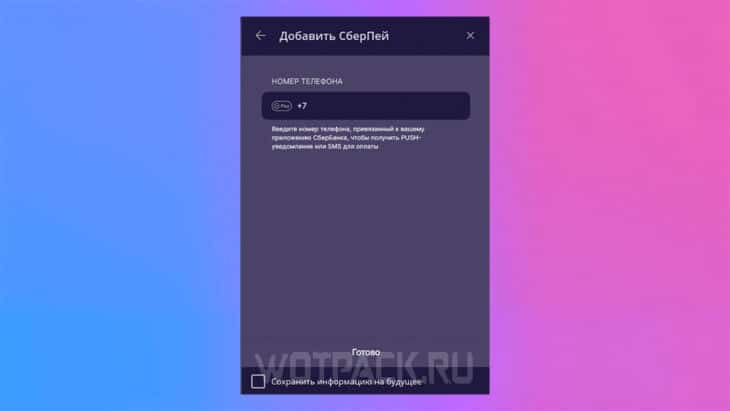
- Enter the phone number linked to the SberBank application and click “Done”.
- Choose "Pay".
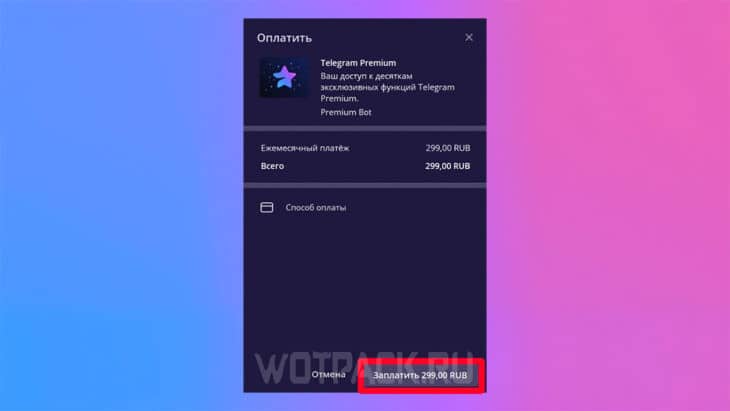
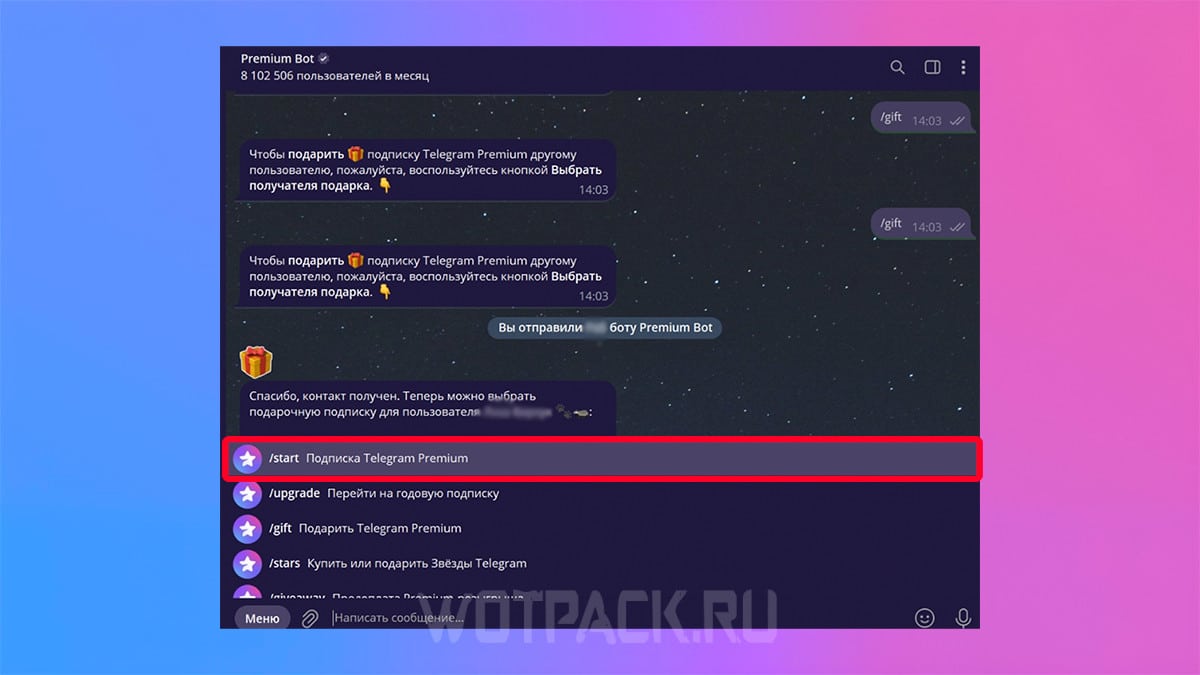
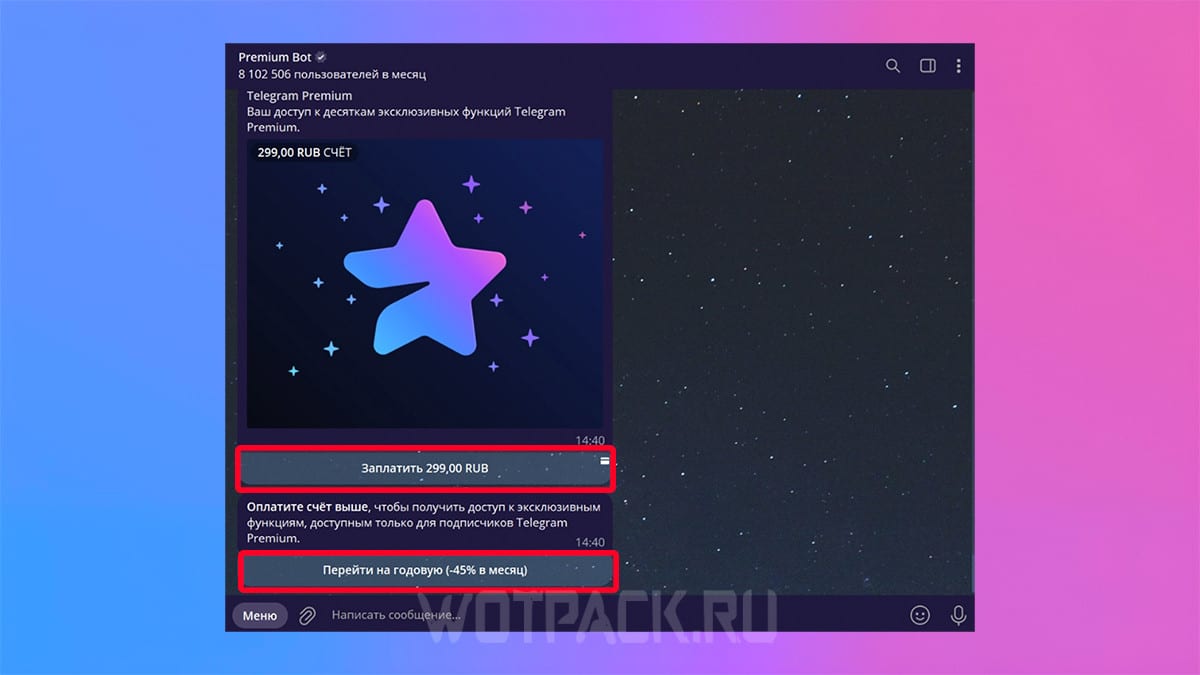
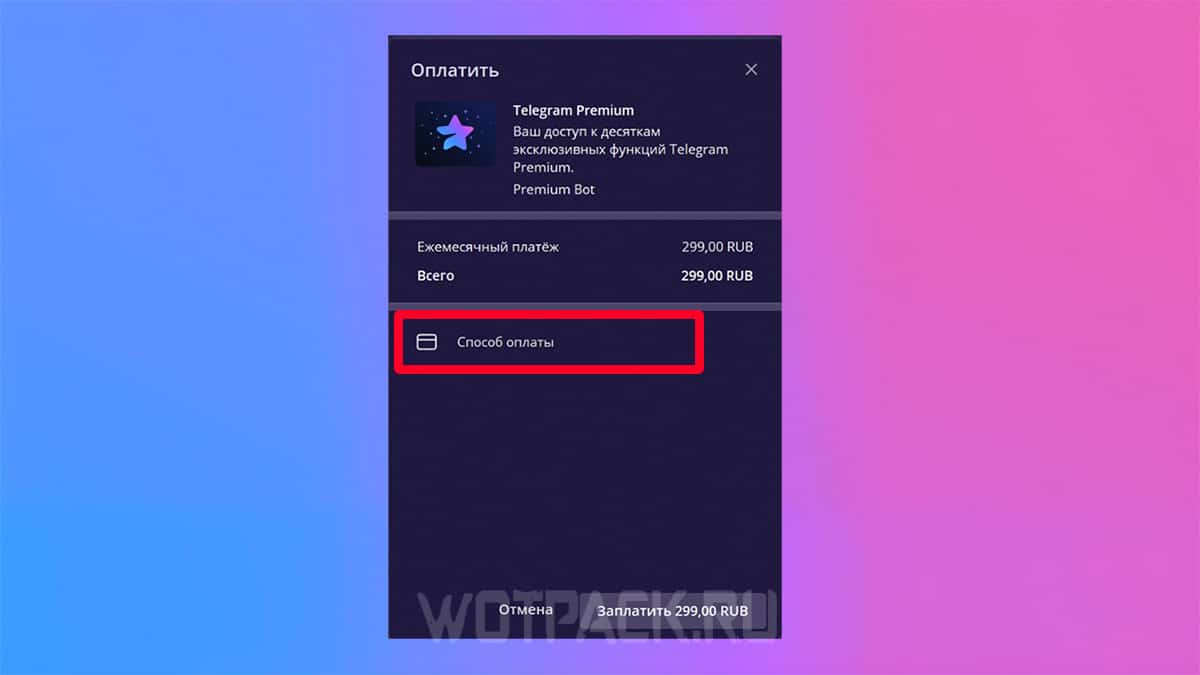
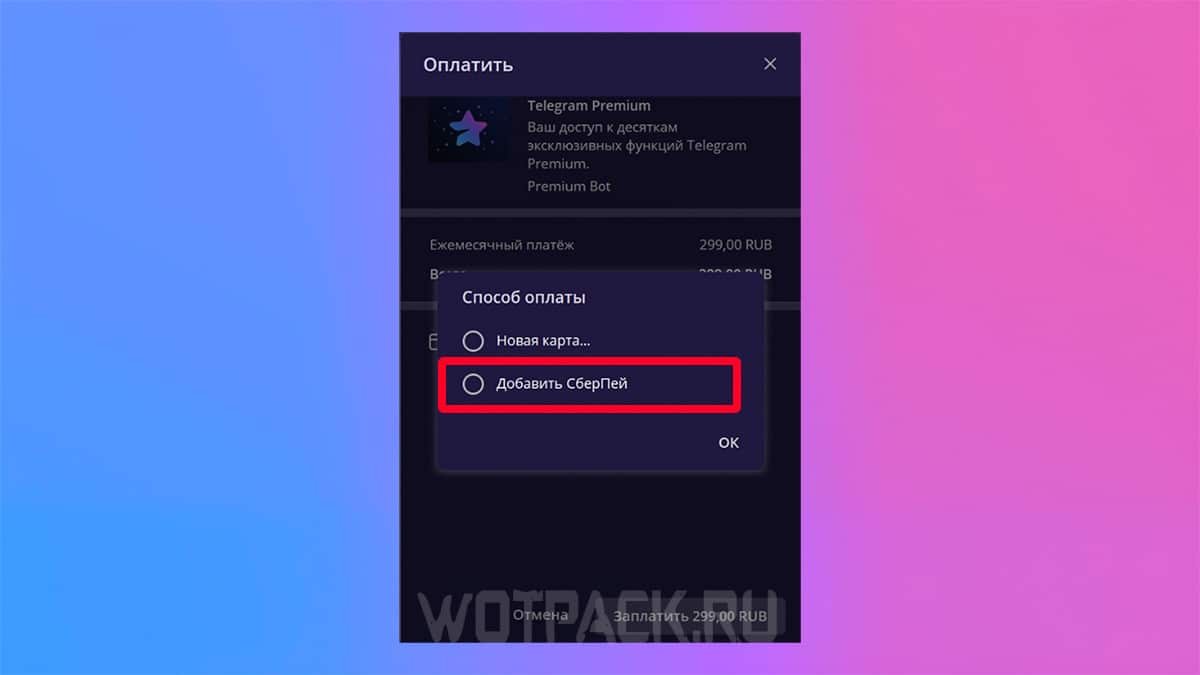
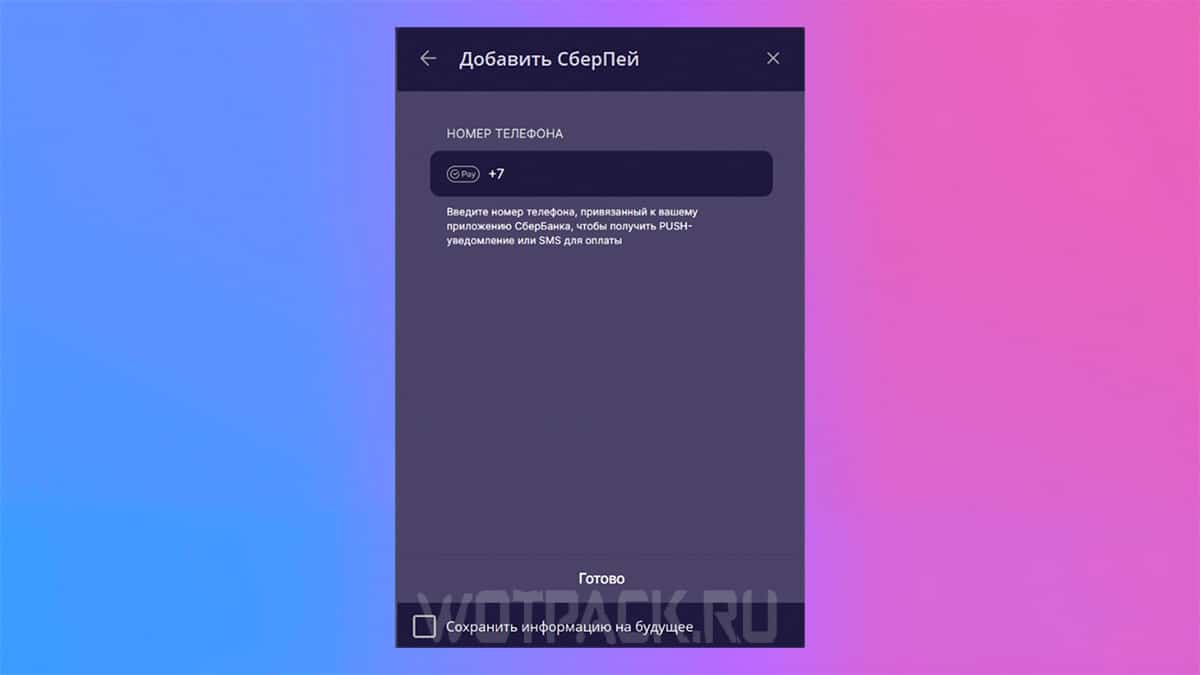
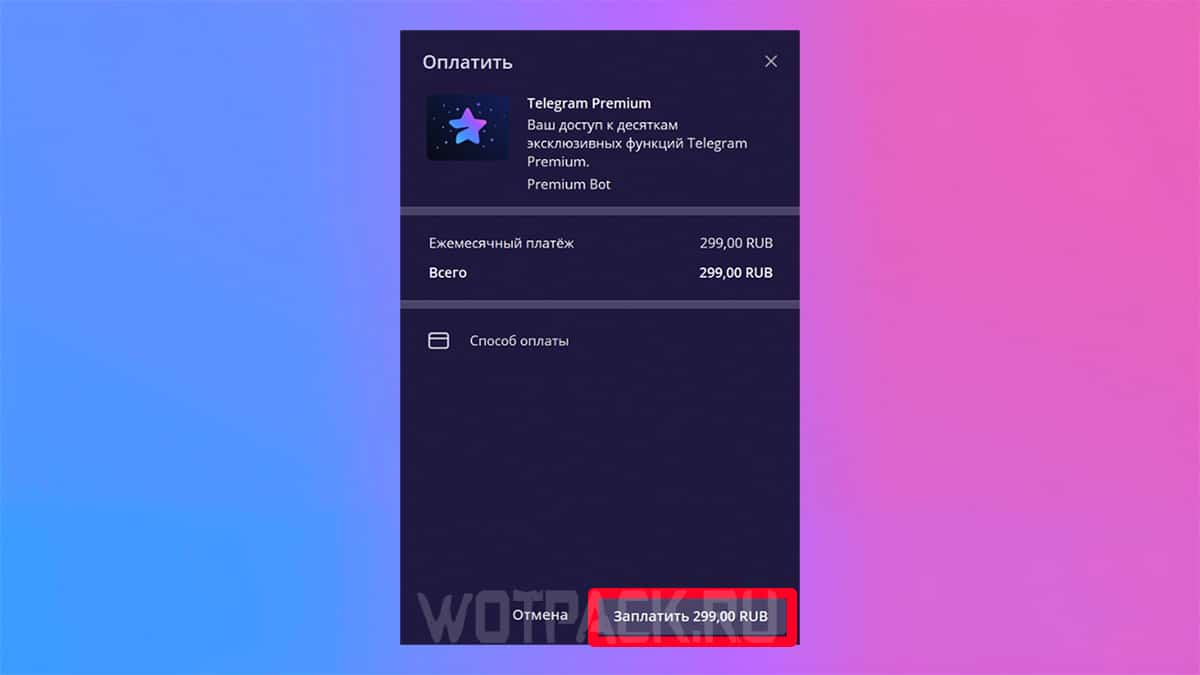
The subscription will be activated immediately after payment.
Donate from a Russian bank card
You can pay for premium with a bank card using a similar method:
- Open a chat with @PremiumBot on Telegram section and "Run".
- The command will be entered automatically / start and the bot will offer to make a purchase.
- Click "Pay" and select a payment method.
- Next, a window will appear with a warning that access to payment information and details is not saved either by the bot or in the application itself - read it and continue paying.
- Enter your card details and confirm the payment.
After payment, the subscription is automatically activated.
How to gift a premium subscription to TG
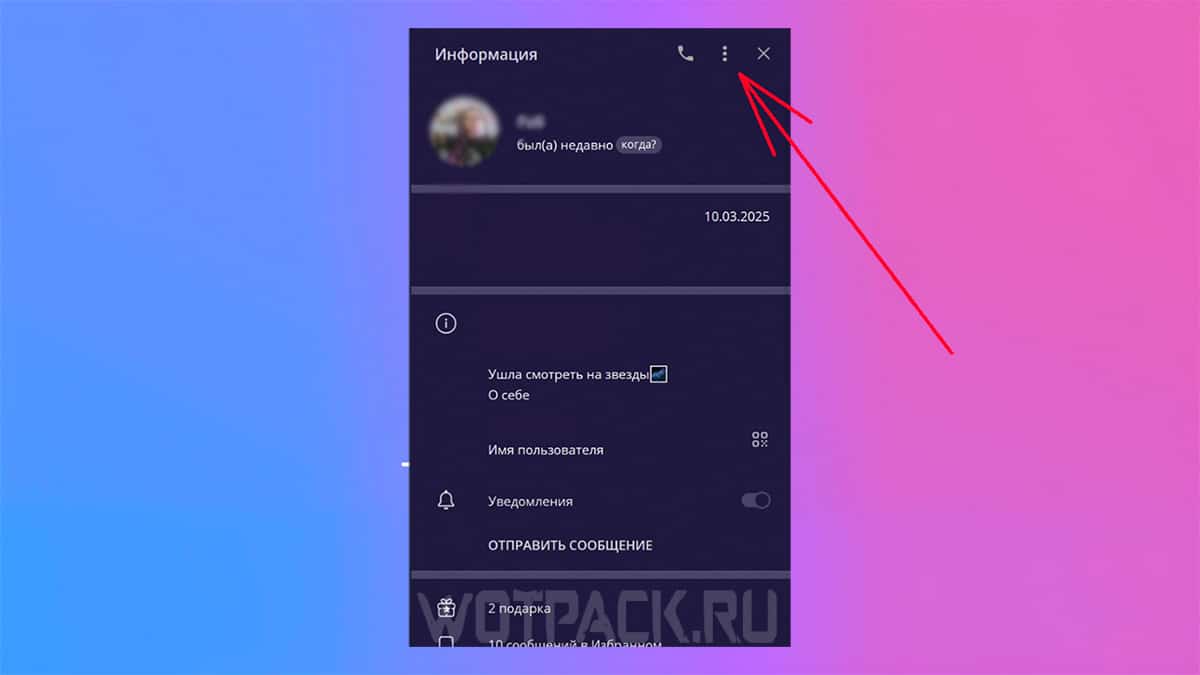
You can buy a subscription not only for yourself, but also for a friend. To give a premium in TG, do the following:
- Go to another user's profile.
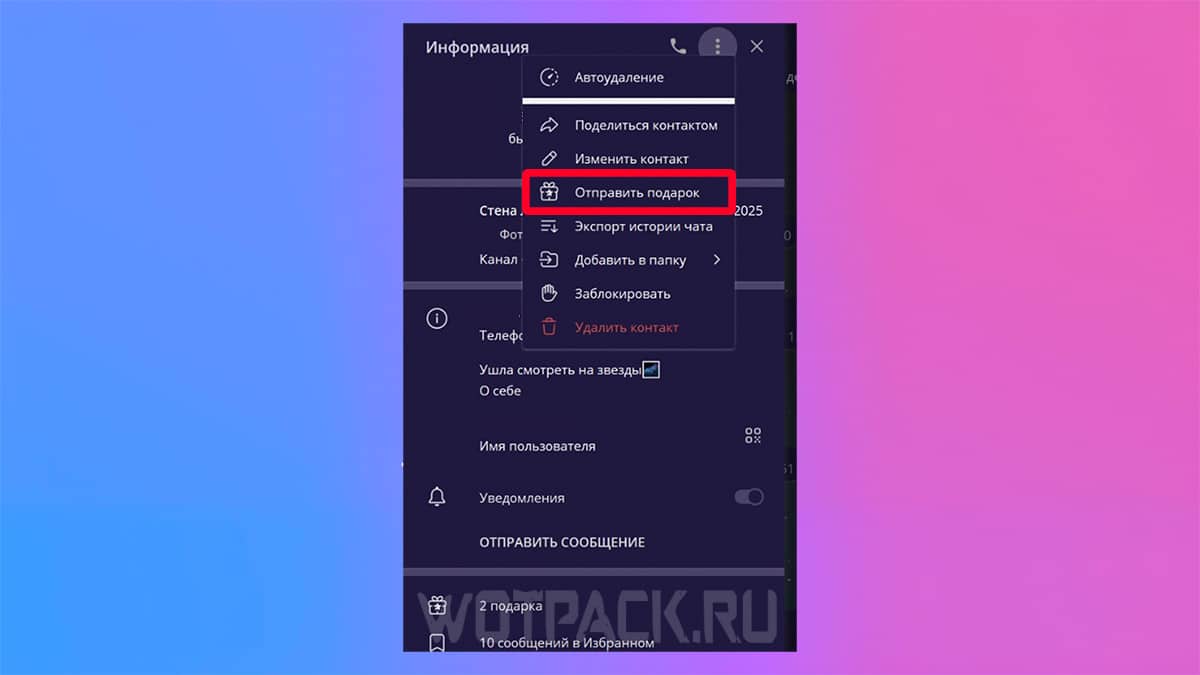
- Find next to the name three dots and click on them.
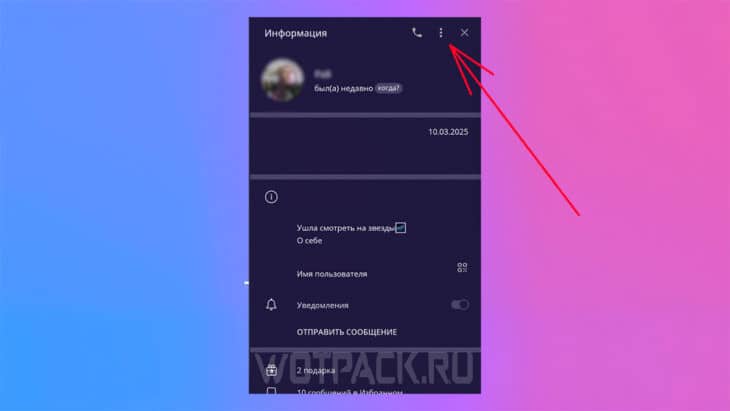
- Select an item from the drop-down menu "Send a gift".
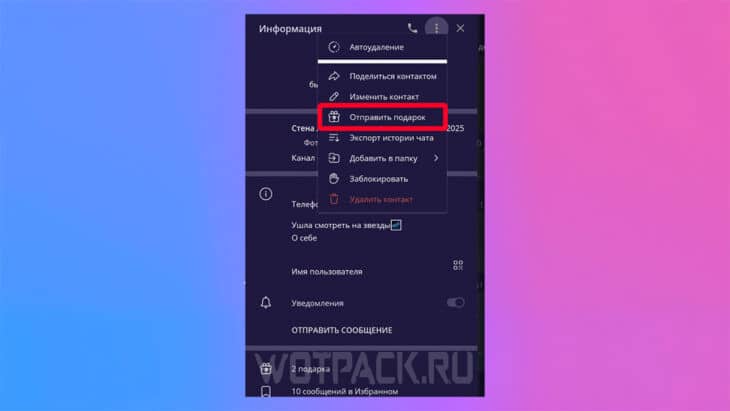
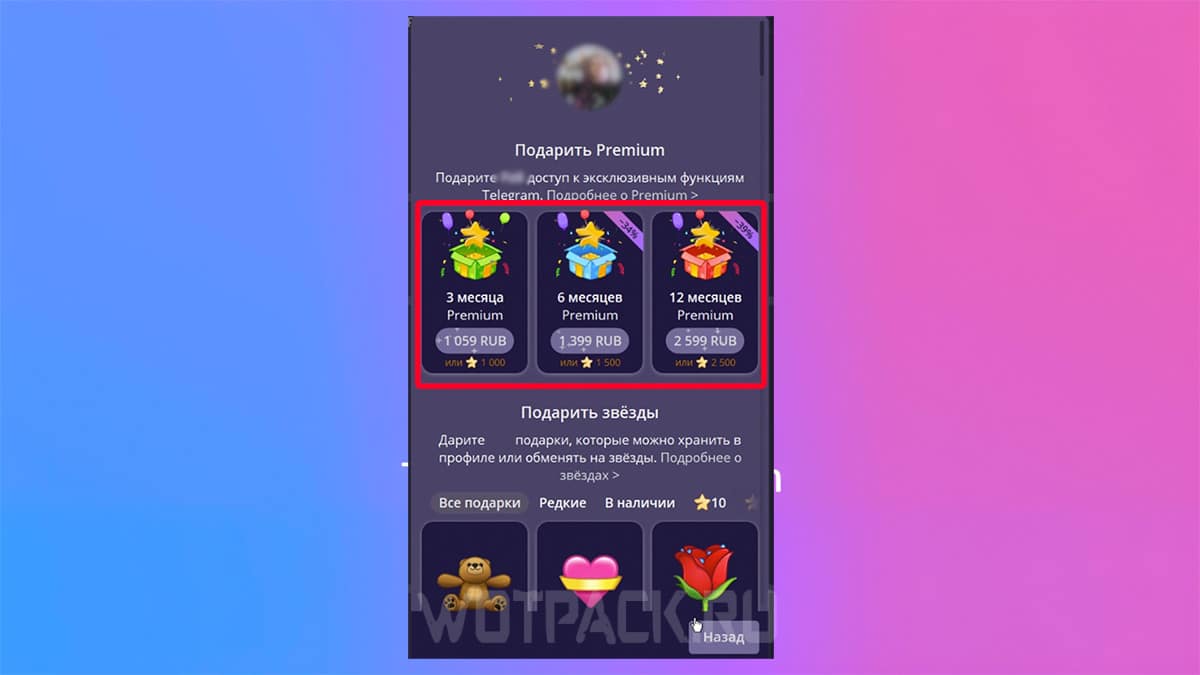
- Select any of the available options: 3, 6 or 12 month subscription. Add a message or emoji if desired.
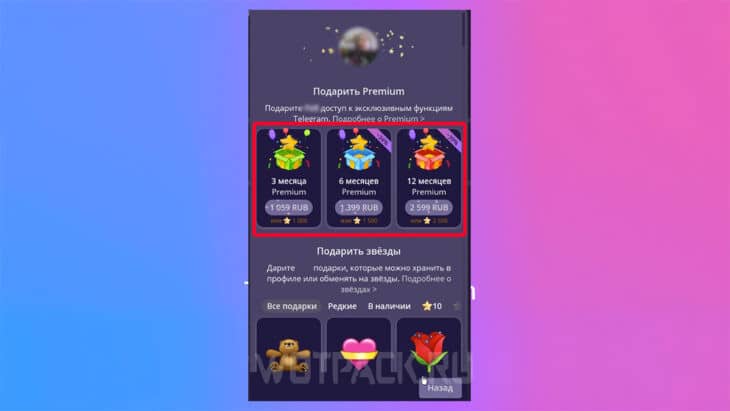
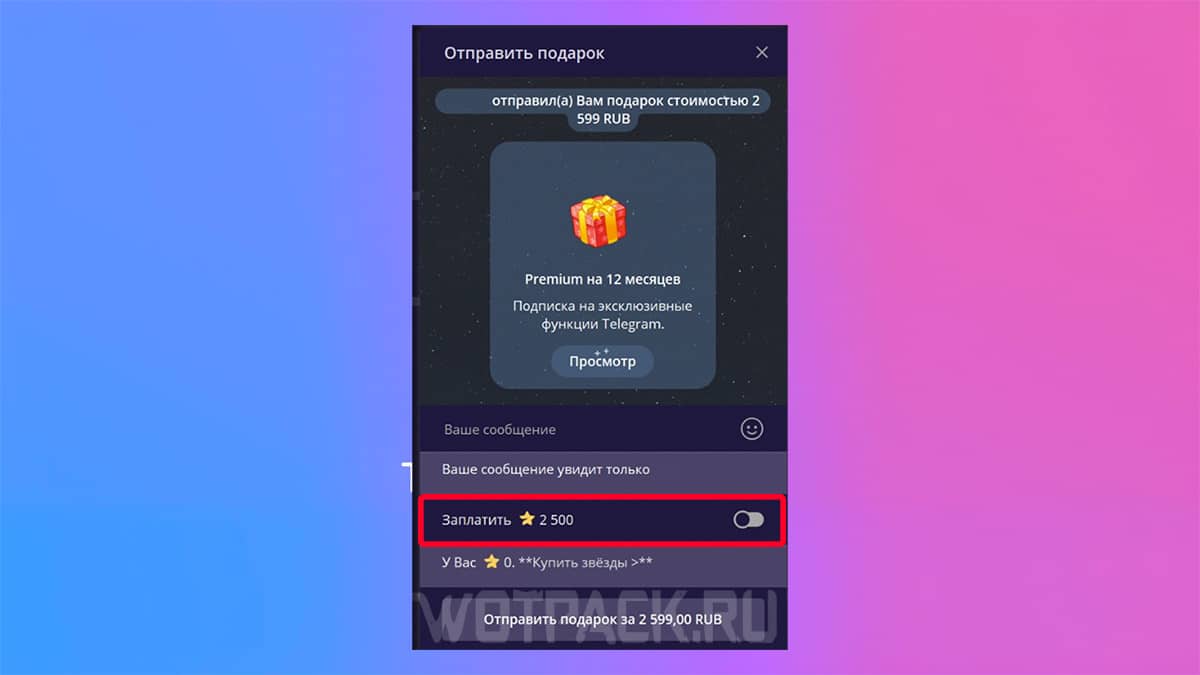
- If you want to pay telegram stars, please select this feature before payment.
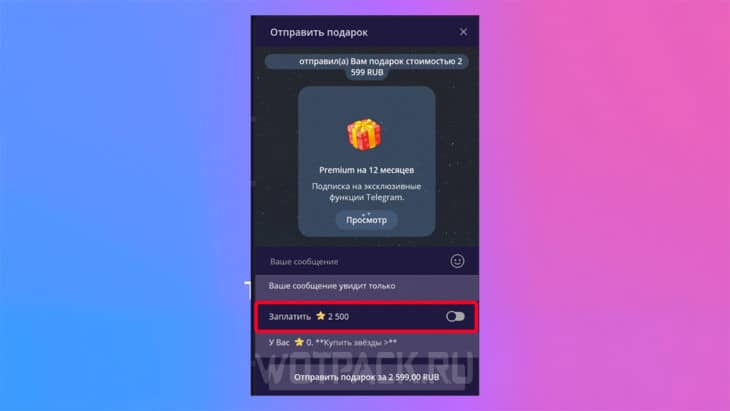
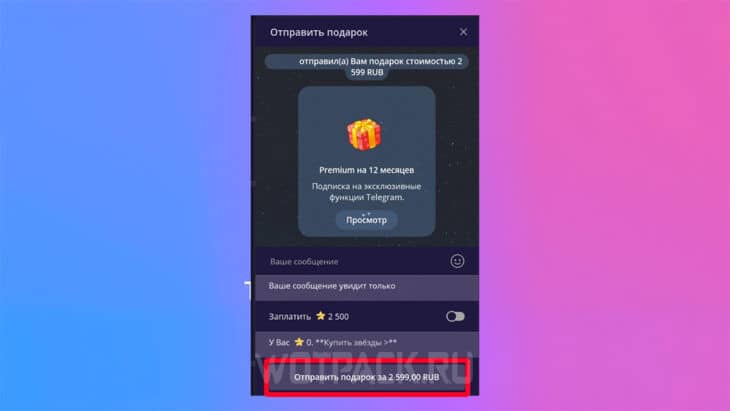
- Click "Send a gift".
- Follow the further instructions for payment.
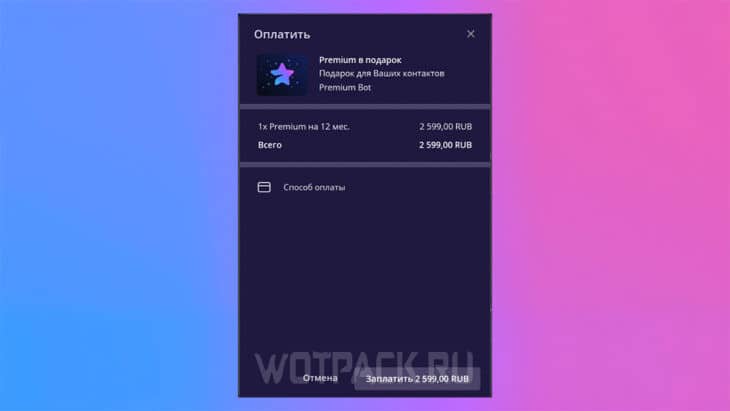
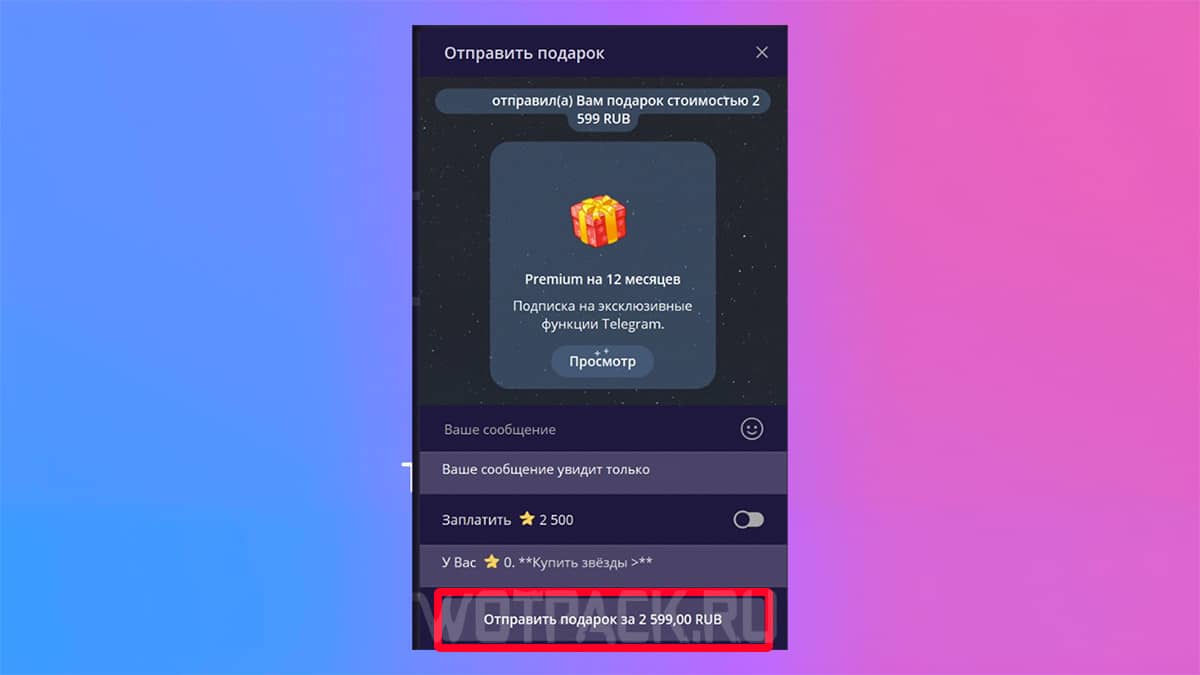
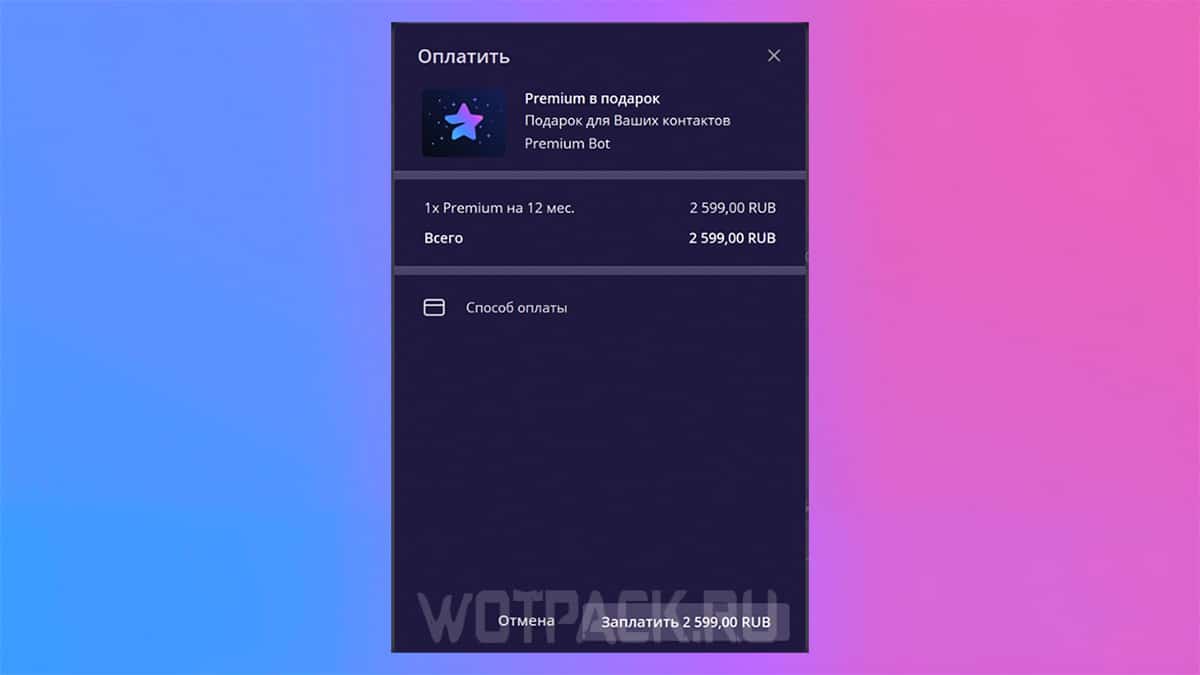
In a similar way, you can give a subscription via a bot:
- Go to chat @PremiumBot and enter the command /gift.
- Click "Select a gift recipient".
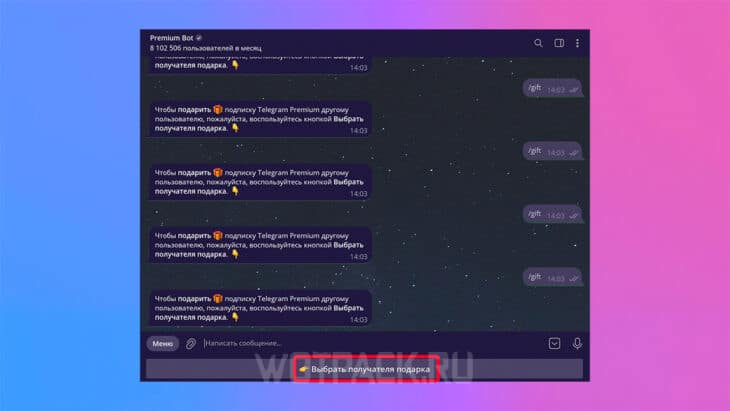
- While in the chat, specify the period for which you'd like to gift Premium. Follow the instructions to complete the payment process.
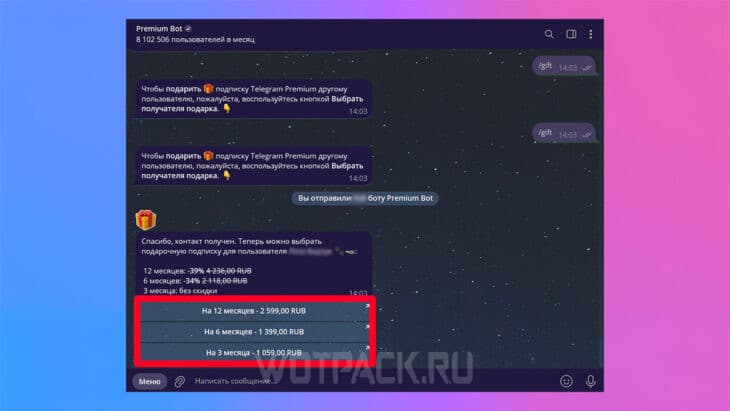
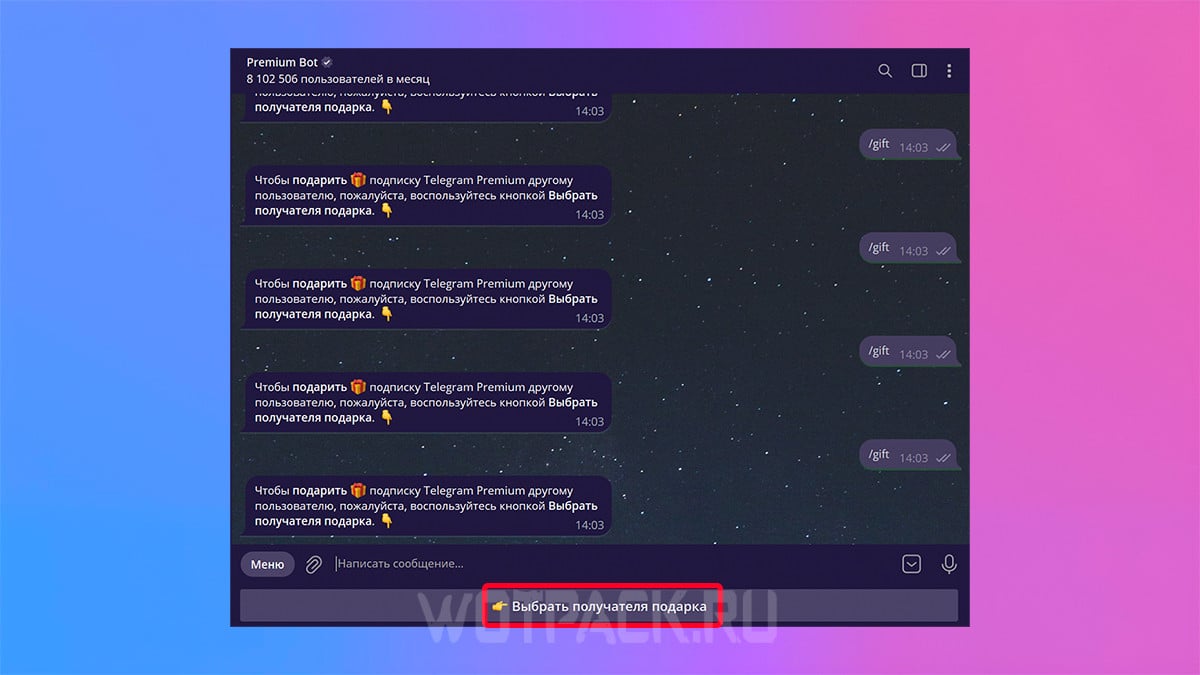
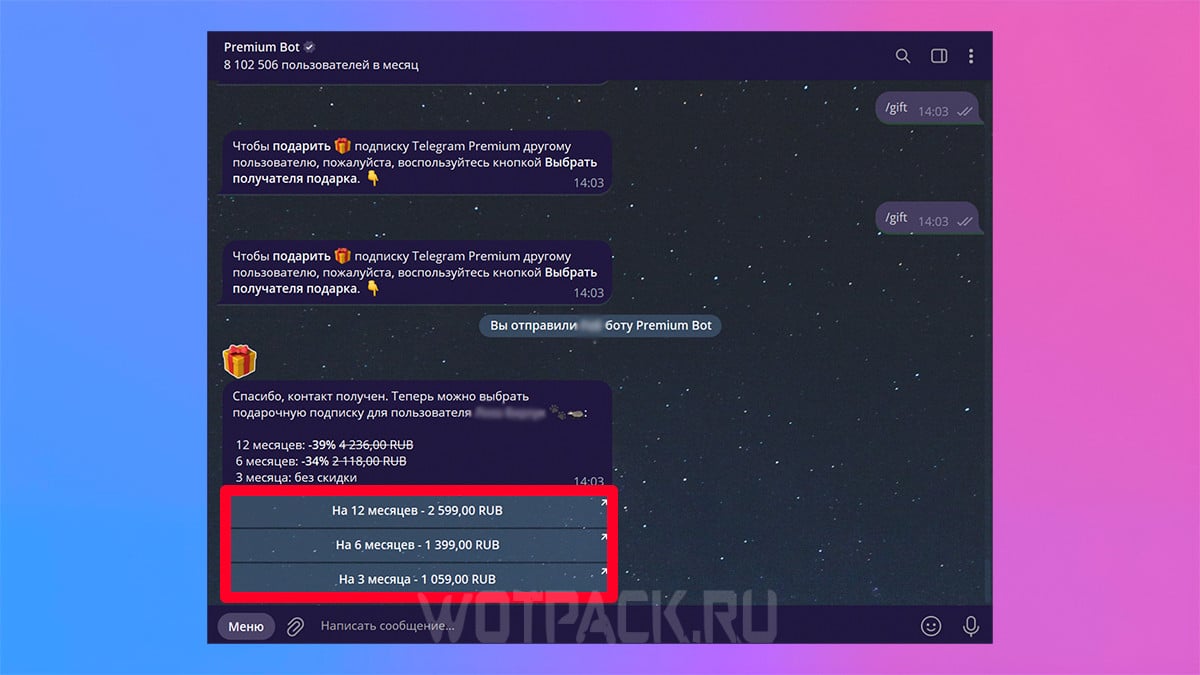
In both cases, your friend will instantly receive a subscription after payment.
What does Telegram Premium give you?
After purchasing a monthly subscription, you will unlock the advanced features of the premium version:
- Speed up the loading of videos and GIFs.
- Download large files without speed limits.
- Recognition of voice messages.
- Automatic archiving of all new messages.
- Increased file upload limit to 4 GB (initially 2 GB).
- Unlimited cloud storage.
- Disabling ads inside telegram channels.
- Extended description in user profile.
- The number of pinned messages has been increased to 10, and 20 folders can be created where you can add up to 400 chats and channels (the regular version has 2 times less).
- Registration of up to 1000 subscriptions to channels.
- Unique stickers and reactions.
- Effects in messages.
- Ability to set multiple reactions to a message.
- Always active video avatars.
- New app icon.
- Subscriber icon.
- Unlimited story publishing, priority display, and saved views.
- Translation of foreign messages in real time.
- View other users' login times, hide your online status.
- Emoji statuses.
- Featured tags to quickly find messages.
- Wallpaper in personal chat.
- Limiting incoming messages, the ability to make them paid.
How to get TG premium for free
There are several ways to get premium in TG for free:
- Connect a 7-day trial period - it may not be available to all users, but if it is available, feel free to sign up.
- Make a gift - if you send a premium to a friend, you yourself will receive a month of subscription for free.
- Promotions and contests from Telegram - the platform periodically officially raffles off a subscription. These can be either simple giveaways or contests in which you have to take a prize place.
- Distribution in channels - for promotion, some groups ask to subscribe to them, and as a reward they give the opportunity to participate in a premium draw. The chance to win is small, but it exists.
- Gift from other services - if any Spotify subscription, YouTube Premium, Apple One or VK Combo, keep an eye on offers from these platforms. Sometimes they offer free premium for renewing your subscription.
Some thoughtless actions can lead to a permanent ban in Telegram:
- Do not download hacked versions of the messenger. They may contain viruses and steal personal data, including banking data.
- Don't fall for free giveaways. If a group offers a guaranteed subscription for completing simple actions, then most likely they are ordinary scammers.
- Don't share personal information. If a random person online asks you to share any personal information, it's guaranteed to be a scammer.
How to cancel premium subscription
Once you pay for your monthly subscription, it will automatically renew when it expires. To cancel your premium, follow these steps:
- Go to the official bot @PremiumBot.
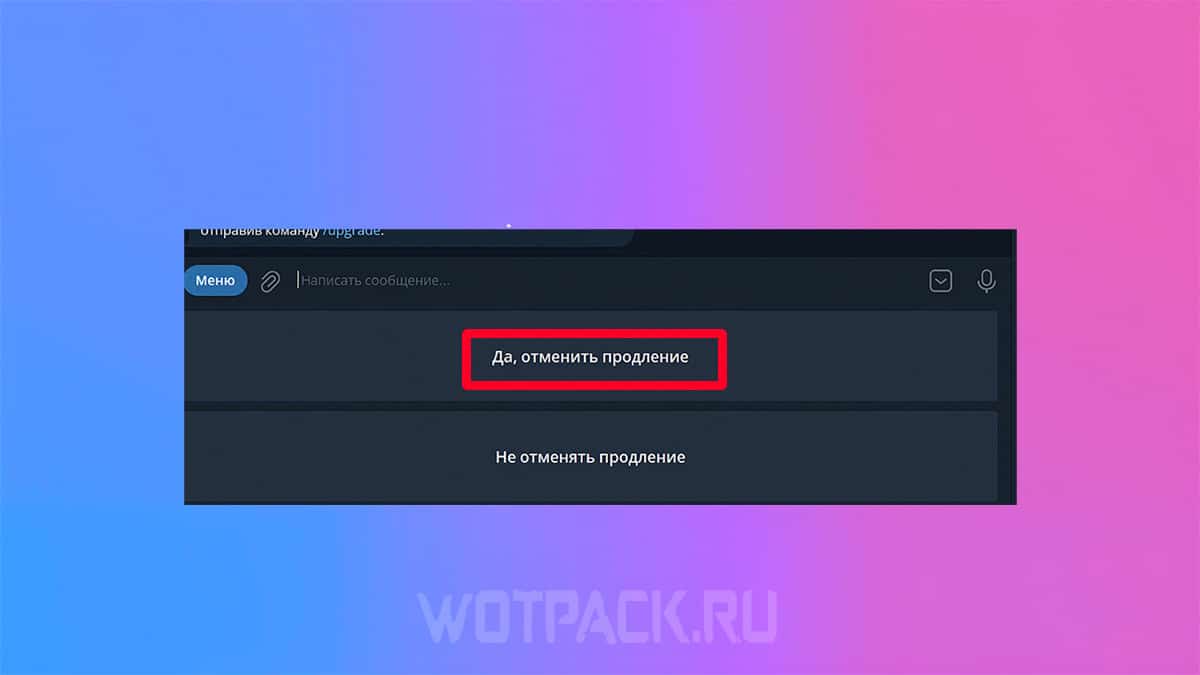
- Write in the chat / stop.
- Choose "Yes, cancel the extension".
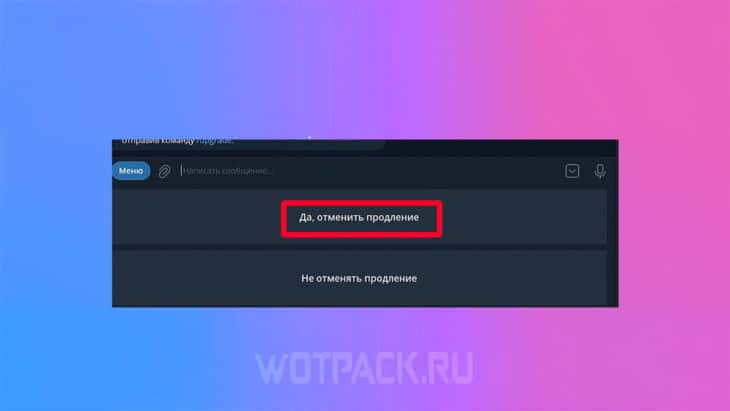
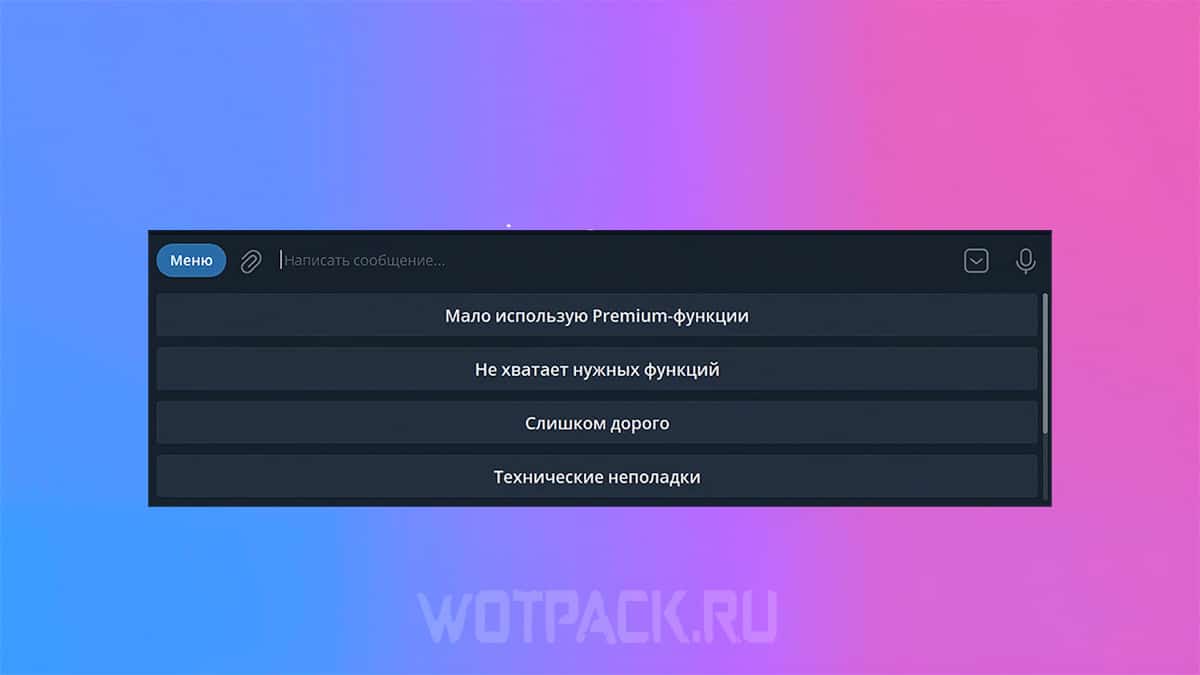
- Telegram will ask you to choose a reason for canceling the premium. You can choose any.
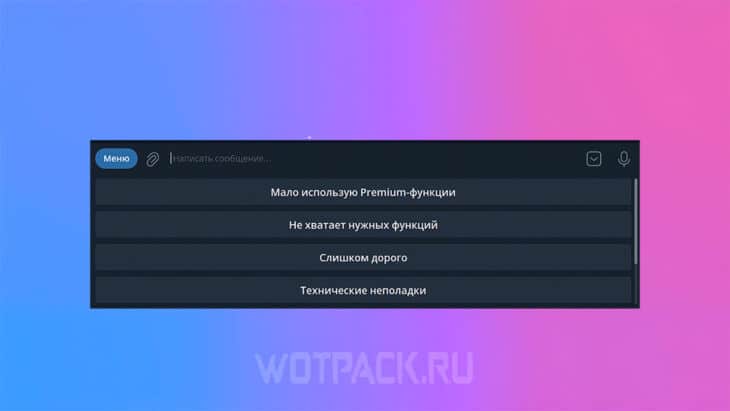
- A message will appear informing you that recurring payments have been disabled.
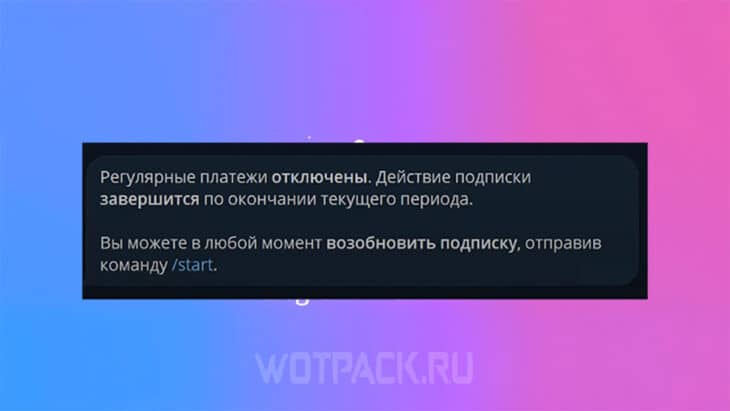
In the next billing period, money will not be debited from the card automatically, and the subscription will now have to be renewed manually.
Answers to frequently asked questions about premium in Telegram
We hope our guide to purchasing Telegram Premium has helped you understand what the subscription offers and how to get it for free. comments, if you have any questions about the article, and we will try to help.









The payment bot isn't working.
The error message is ERROR: PROVIDER _ACCOUNT_TIMEOUT
It doesn't even allow entering card details, etc.
mm/yy doesn't work in the bot
The bot isn't working. Payment is unavailable.
Scam?
This article was written after the premium subscription was announced, and as views show, many users had questions. There was no subscription for Android at the time, but we later expanded on that.